1. د خوندیتوب معلومات
Please read all safety instructions carefully before operating this product. Retain this manual for future reference.
- د بریښنا سرچینه: واحد یوازې د هغه ډول بریښنا رسولو سره وصل کړئ چې پدې لارښود کې تشریح شوي یا په واحد کې نښه شوي.
- وینټیلیشن: د هوا مناسبه هوا ورکول ډاډمن کړئ. د هوا د بهېدو هیڅ لاره مه بندوئ.
- اوبه او رطوبت: واحد د باران یا رطوبت سره مه مخ کوئ. په واحد کې هغه شیان مه کېږدئ چې د مایعاتو څخه ډک وي، لکه ګلدانونه.
- تودوخه: واحد د تودوخې سرچینو ته نږدې مه کېږدئ لکه ریډیټرونه، د تودوخې راجسترونه، بخارۍ، یا نور وسایل (په شمول د ampلایفیر) چې تودوخه تولیدوي.
- پاکول: یوازې د وچې جامې سره پاک کړئ.
- خدمت کول: د دې محصول پخپله خدمت کولو هڅه مه کوئ. ټول خدمتونه وړ خدماتي پرسونل ته راجع کړئ.
- Speaker Stands: Ensure speaker stands are properly assembled and stable before mounting speakers. Do not overload stands.
2. د بسته محتويات
ډاډ ترلاسه کړئ چې لاندې ټول توکي ستاسو په بسته کې شامل دي:
- 1 x PA System (main unit with integrated mixer)
- 2 x سپیکر ولاړ دی
- 1 x تار لرونکی مایکروفون
- ۱ x ۴ فوټ بریښنا کیبل
- 1 x 19.69 ft Speaker Cable
- 1 x ریموټ کنټرول
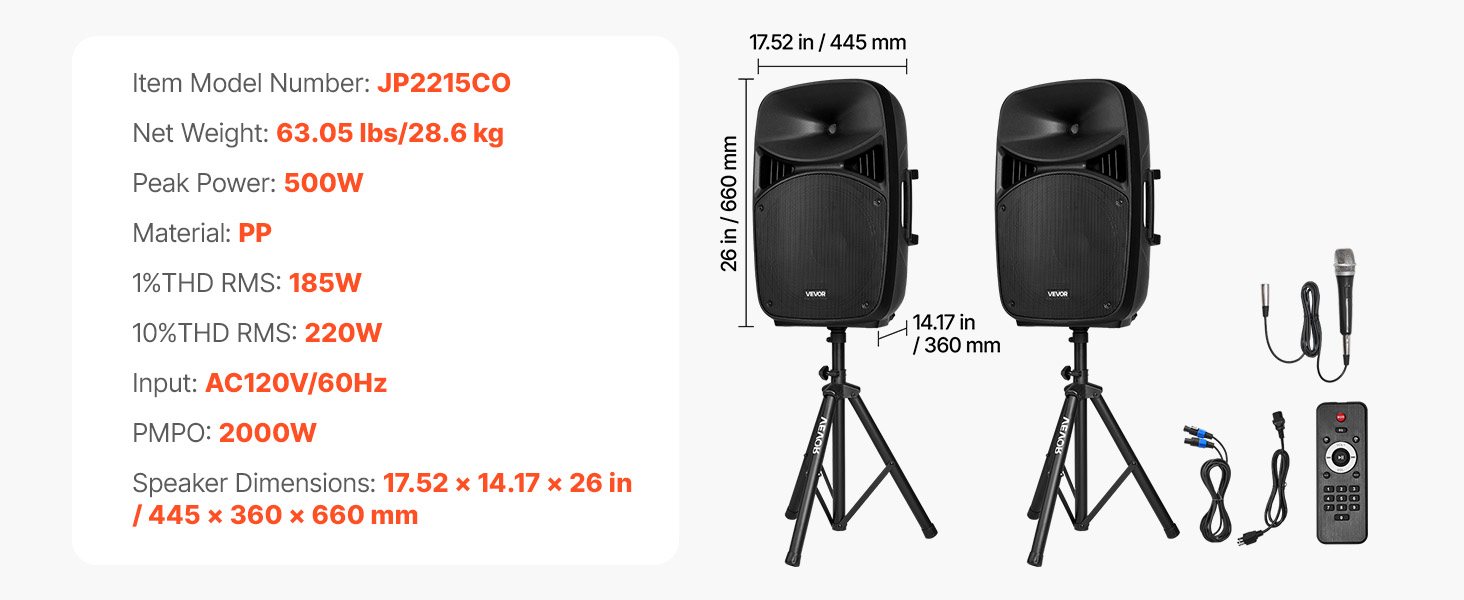
Image: All components included in the VEVOR 2000W Portable PA System package.
3. محصول ختم شوview
The VEVOR 2000W Portable PA System is designed for versatile audio amplification in various settings. It features a 3-channel mixer, dual speakers, Bluetooth connectivity, and multiple input options.
3.1 کلیدي ځانګړتیاوې
- 2000W PMPO Peak Output: Delivers powerful sound suitable for large audiences.
- 3-چینل مکسر: Allows connection of multiple instruments and microphones.
- د بلوتوټ 5.0 ارتباط: Wireless audio streaming up to 10 meters (32.81 ft).
- Adjustable Speaker Stands: Height adjustable from 63 to 73.23 inches for optimal sound projection.
- وړ وړ ډیزاین: Features grooved handles and rolling wheels for easy transport.
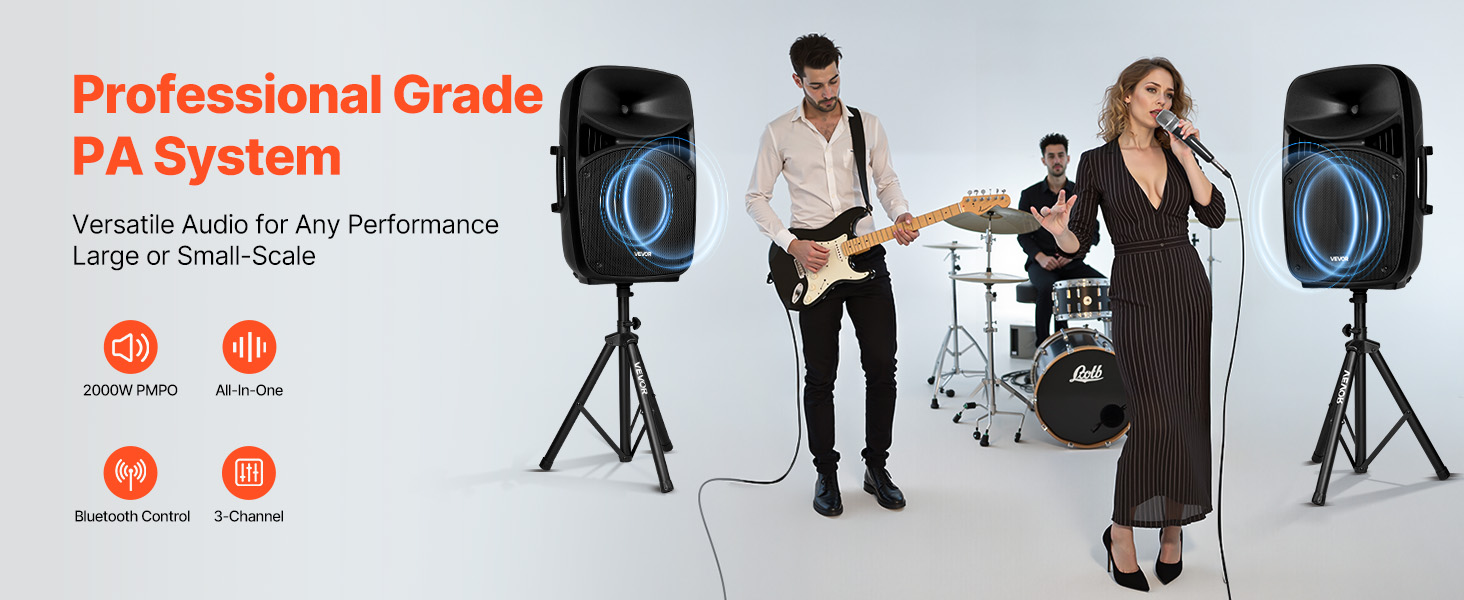
Image: VEVOR PA System in use, illustrating peak output and sound quality.
۴. د تنظیم لارښوونې
4.1 Assembling Speaker Stands
- Unfold the tripod base of each speaker stand until it is stable.
- Loosen the fastener adjustment knob on the stand.
- Extend the upper pole to the desired height (between 63 and 73.23 inches).
- Tighten the fastener adjustment knob securely to lock the height.
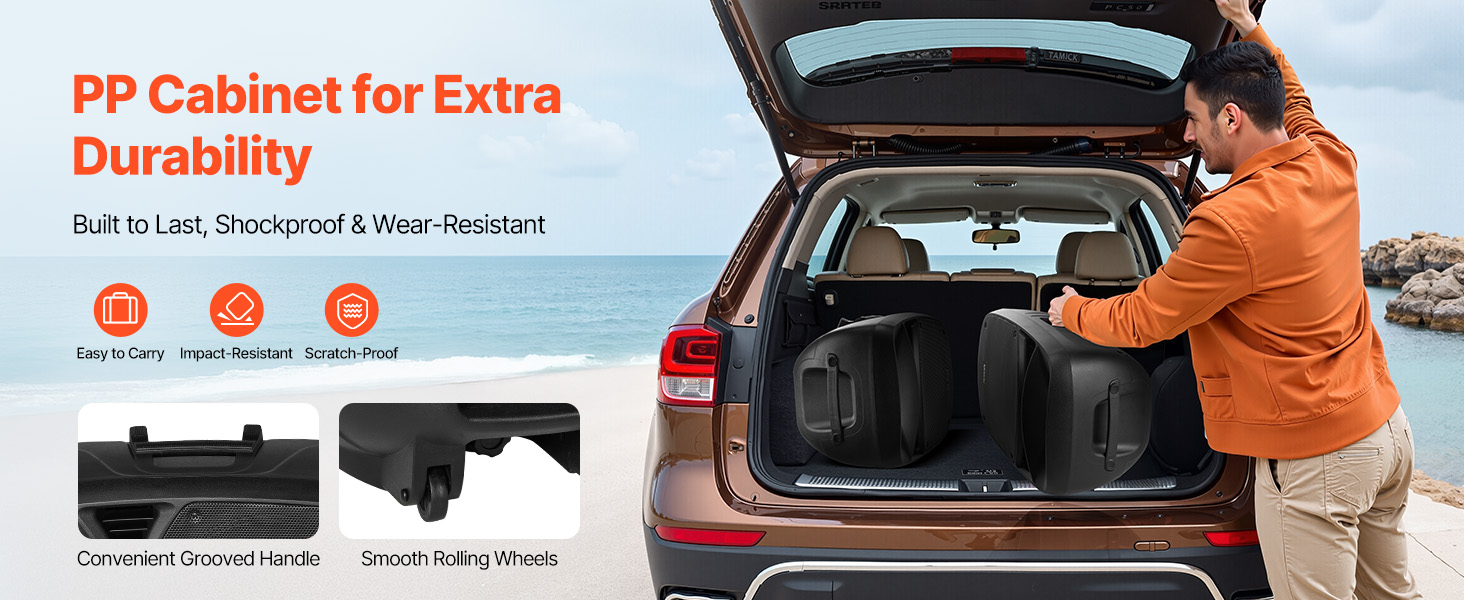
Image: Speaker stand height adjustment mechanism.
۳.۱ د سیسټم نښلول
- Place the speakers onto the assembled stands. Ensure they are stable.
- Connect the main PA system unit to a power outlet using the provided power cable.
- Use the speaker cable to connect the main unit to the passive speaker.
- Connect the wired microphone to the MIC Input on the mixer panel.
- For additional audio sources, use the appropriate inputs (RCA, Auxiliary, USB, SD).
5. عملیاتي لارښوونې
5.1 Mixer Panel Overview
The rear panel of the main speaker unit houses the 3-channel mixer and various controls.
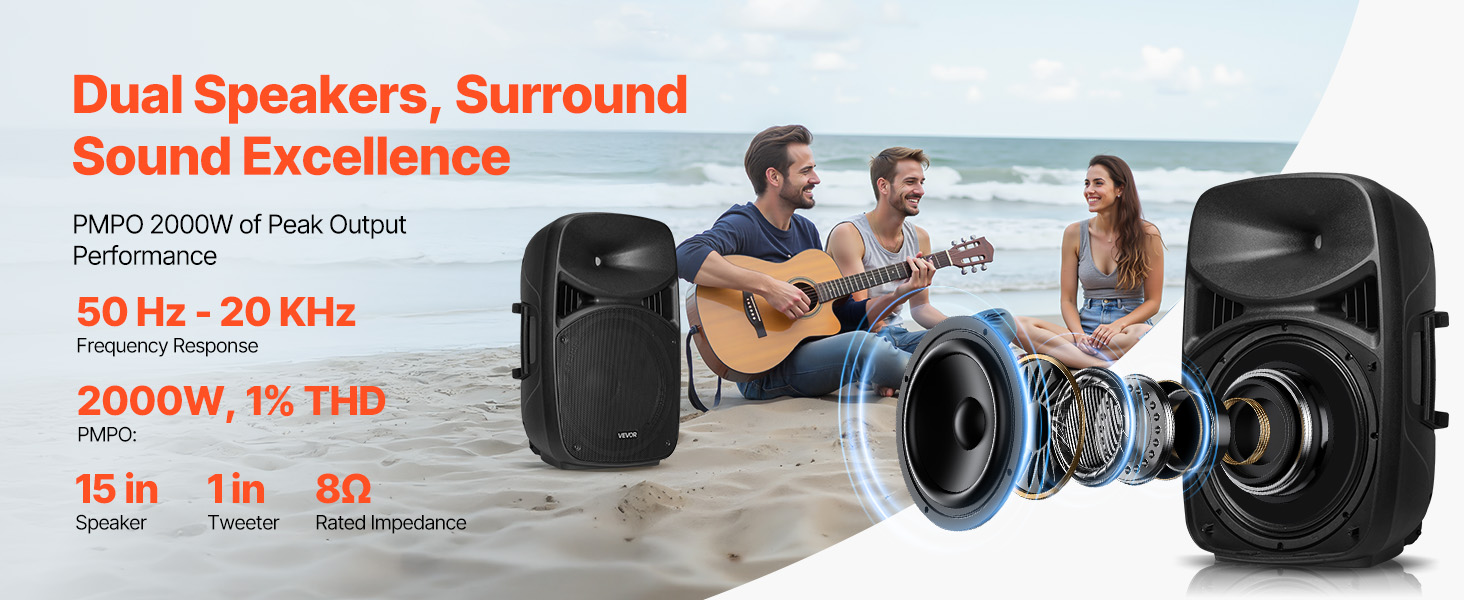
Image: Mixer panel with labeled inputs and controls.
- 1. MIC Input: مایکروفونونه وصل کړئ.
- 2. RCA Connector: For RCA audio input.
- 3. Auxiliary Input: For 3.5mm auxiliary audio input.
- 4. MP3 Volume: Adjusts volume for MP3/USB/SD sources.
- 5. ECHO Volume: د مایکروفونونو لپاره د ایکو اغیز کنټرولوي.
- 6. MIC Volume: د مایکروفون ان پټ حجم تنظیموي.
- 7. Line Input / Auxiliary Input / RCA Volume: Controls volume for these specific inputs.
- 8. Master Volume: Overall system volume control.
- USB Port / SD/MMC Port: د USB ډرایو یا SD کارتونو څخه د میډیا پلی کولو لپاره.
- 5-Band ګرافیک برابرونکی: Adjusts frequency response for desired sound.
5.2 د بلوتوت ارتباط
- د PA سیسټم چالان کړئ.
- Select the Bluetooth input mode on the mixer. The display will indicate Bluetooth pairing mode.
- On your mobile device, search for Bluetooth devices and select "VEVOR PA System" (or similar).
- یوځل چې جوړه شي، تاسو کولی شئ په بې سیم ډول آډیو واورئ.
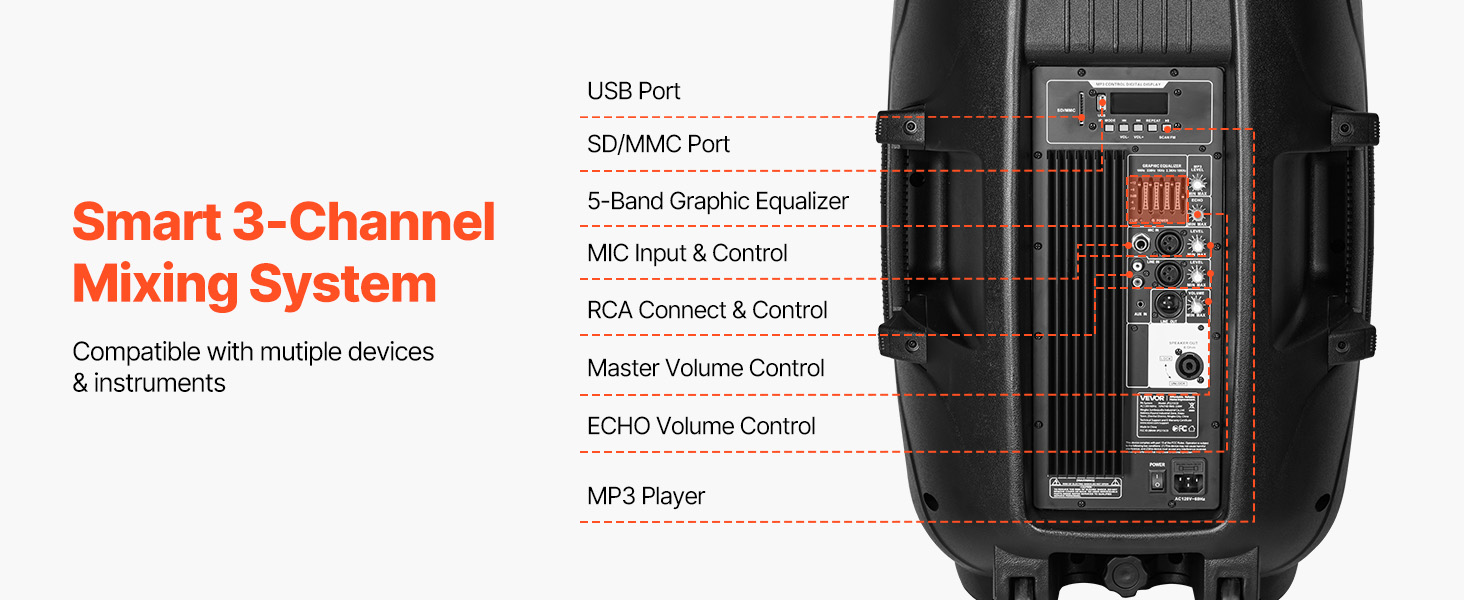
Image: Bluetooth connectivity and remote control for the PA system.
5.3 د ریموټ کنټرول کارول
The included remote control allows for convenient adjustment of various functions from a distance of up to 16.4 ft (5 m).
- ځواک: واحد پر بل / بند کړئ.
- حالت: Switch between input modes (Bluetooth, USB, SD, Aux).
- حجم: د ماسټر حجم تنظیم کړئ.
- د پلې بیک کنټرولونه: Play/Pause, Next/Previous track for USB/SD/Bluetooth.
- عددي کیپډ: په USB/SD کې د مستقیم ټریک انتخاب لپاره.
6. ساتنه
- پاکول: واحد د نرم او وچ ټوکر سره پاک کړئ. د کثافاتو پاکوونکو یا محلولونو څخه کار مه اخلئ.
- ذخیره کول: When not in use, store the PA system in a cool, dry place, away from direct sunlight and extreme temperatures.
- کیبلونه: Regularly check all cables for damage. Replace any frayed or damaged cables immediately.
- د لېږد وړتیا: Utilize the grooved handles and rolling wheels for transport to minimize wear and tear on the unit.
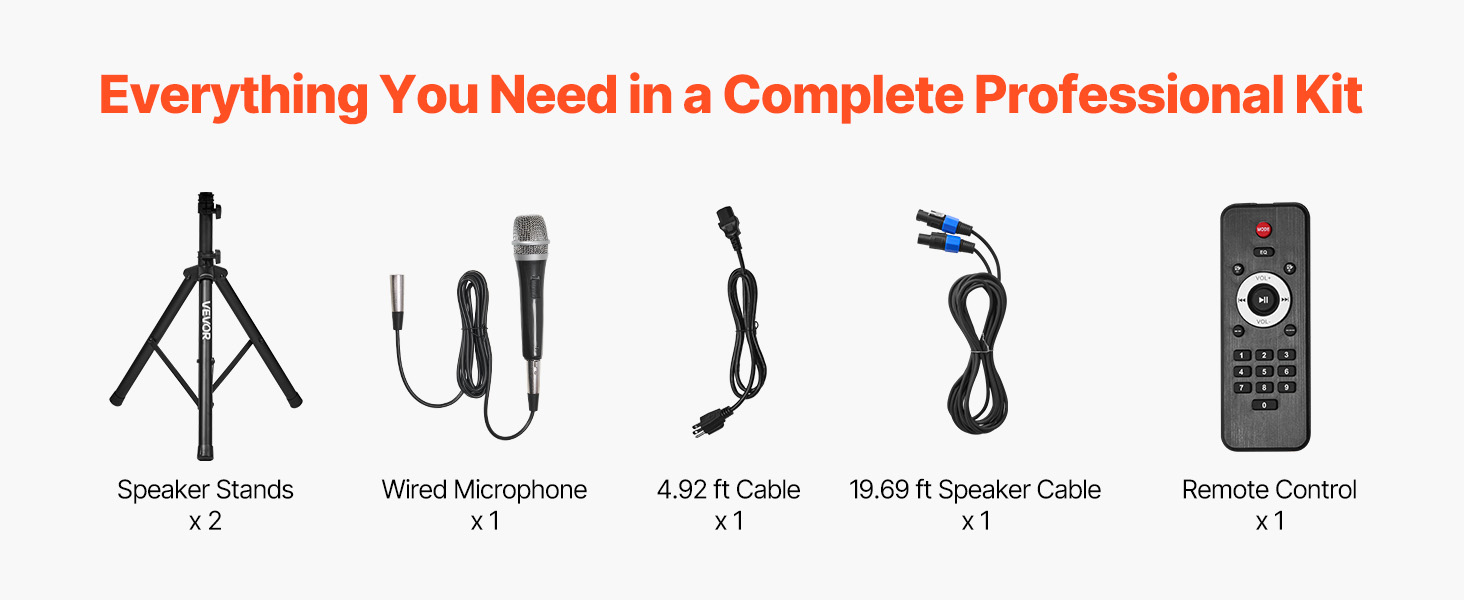
Image: Portable design with handles and wheels for easy transport.
7. ستونزه حل کول
| ستونزه | احتمالي لامل | د حل لاره |
|---|---|---|
| هیڅ ځواک نشته | Power cable not connected; Power outlet faulty; Unit not switched on. | Check power cable connection; Try a different outlet; Ensure power switch is ON. |
| د غږ تولید نشته | Volume too low; Incorrect input selected; Speaker cables disconnected; Source device issues. | Increase Master Volume and individual channel volumes; Select correct input mode; Check speaker cable connections; Verify source device is playing audio. |
| بلوتوټ نه جوړیږي | Bluetooth mode not selected; Device too far; Device already paired to another unit. | Ensure Bluetooth mode is active; Move device closer to PA system; Disconnect from other Bluetooth devices. |
| تحریف شوی غږ | Volume too high (clipping); Incorrect equalizer settings; Faulty cable/microphone. | Reduce volume levels; Adjust equalizer settings; Test with different cables/microphones. |
| د مایکروفون نظریات | Microphone too close to speakers; Microphone volume too high; Room acoustics. | Reposition microphone away from speakers; Reduce MIC Volume; Adjust ECHO Volume. |
8. مشخصات
| فیچر | مشخصات |
|---|---|
| د ماډل شمیره | د JP2215CO معرفي کول |
| Peak Power (PMPO) | 2000W |
| RMS Power (1% THD) | 185W |
| RMS Power (10% THD) | 220W |
| ننوتۍ جلدtage | AC120V/60Hz |
| د چینلونو شمیر | 3 |
| د ارتباط ټیکنالوژي | بلوتوث 5.0 |
| د بلوتوټ بې سیم رینج | تر 10 متر (32.81 فوټ) پورې |
| د ریموټ کنټرول رینج | تر 5 متر (16.4 فوټ) پورې |
| د سپیکر ابعاد (L x W x H) | 17.52 x 14.17 x 25.98 انچه (445 x 360 x 660 mm) |
| د توکي وزن | ۱۱.۵۷ پونډه (۵.۲۵ کیلو ګرامه) |
| مواد | Plastic (PP), Metal, Rubber |
| د نصب کولو ډول | د پوړ ودریدل |
9. تضمین او ملاتړ
VEVOR offers a 30-day easy return policy for this product. For any questions, technical assistance, or warranty claims, please contact VEVOR Customer Support.
You can find contact information and further support details on the official VEVOR webسایټ یا ستاسو د پیرود پلیټ فارم له لارې.


