معرفي او ختمview
The OMIZN T6 Ultra-Slim Walkie Talkie is a robust two-way radio designed for reliable communication over 4G LTE networks. It offers unlimited range wherever cellular coverage is available, making it suitable for long-distance and cross-country communication. Key features include AES-256 encrypted communication for privacy, advanced noise reduction for clear audio, and an ultra-slim, durable zinc alloy body.
This device is ready to use out of the box with minimal setup and supports flexible group calling options. Its IP65 rating ensures dust and splash resistance, and the high-capacity battery with USB-C fast charging provides extended operational time.
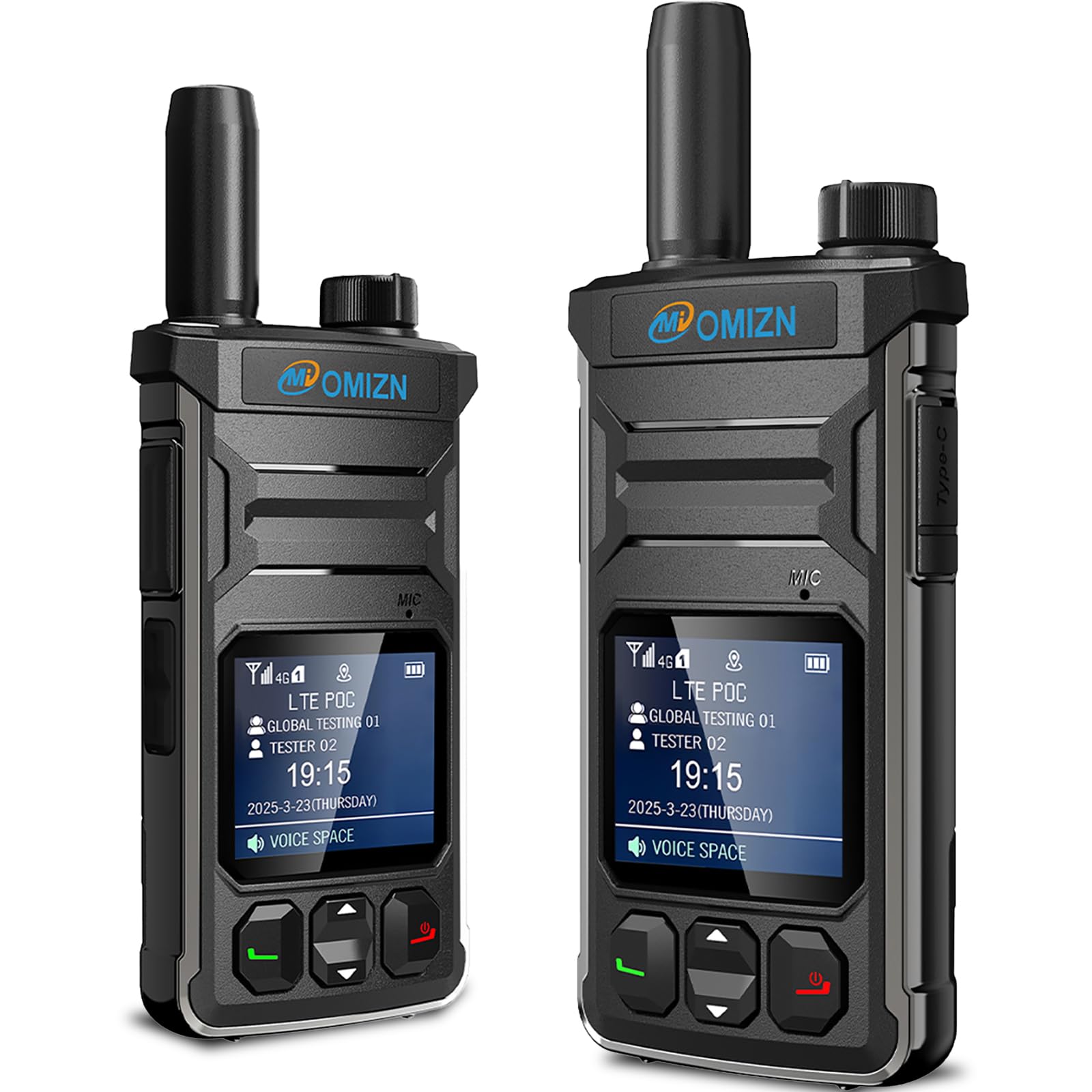
Figure 1: OMIZN T6 Ultra-Slim Walkie Talkie, front view.
ویډیو ۱: پایview of the OMIZN T6 Ultra-Slim Walkie Talkie features and design.
څه پکې شامل دي
Your OMIZN T6 package contains the following items:
- Walkie Talkie Host Unit
- انتن
- بیټرۍ
- د بیلټ کلیپ
- لاینارډ
- USB-C کیبل
- Power Plug (Charger)
- SIM Card (pre-installed or included for activation)

Figure 2: All items included in the OMIZN T6 Walkie Talkie package.
د تنظیم کولو لارښود
1. د بیټرۍ نصب کول
- ډاډ ترلاسه کړئ چې واکي ټاکي بند دی.
- Align the battery with the battery compartment on the back of the device.
- بیټرۍ په نرمۍ سره ځای په ځای کړئ تر هغه چې دا په خوندي ډول کلیک وکړي.
۱. د سیم کارت داخلول
The SIM card may come pre-installed. If not, follow these steps:
- Locate the SIM card slot, typically under the battery or a dedicated cover.
- Insert the provided 4G LTE SIM card into the slot, ensuring correct orientation.
- Close the SIM card cover if applicable.
۱. ابتدايي چارج کول
د لومړي ځل کارولو دمخه، وسیله په بشپړه توګه چارج کړئ.
- Connect the USB-C cable to the charging port on the walkie talkie.
- Plug the USB-C cable into the provided power plug, and then into a wall outlet.
- The device will indicate charging status on its digital display.
4. بریښنا فعال/بند
- To power on: Press and hold the red power button until the screen illuminates.
- To power off: Press and hold the red power button until the device prompts you to power off, then confirm.

Figure 3: Device layout showing PTT button and Type-C charging port.
عملیاتي لارښوونې
1. Basic Communication (Push-to-Talk)
To transmit your voice, press and hold the large Push-to-Talk (PTT) button located on the side of the device. Speak clearly into the microphone. Release the PTT button to listen for a response.
2. Group Switching
The T6 supports up to 200 groups for efficient team coordination. Use the rotary knob on the top of the device to quickly switch between different communication groups. This eliminates the need for complex button operations.
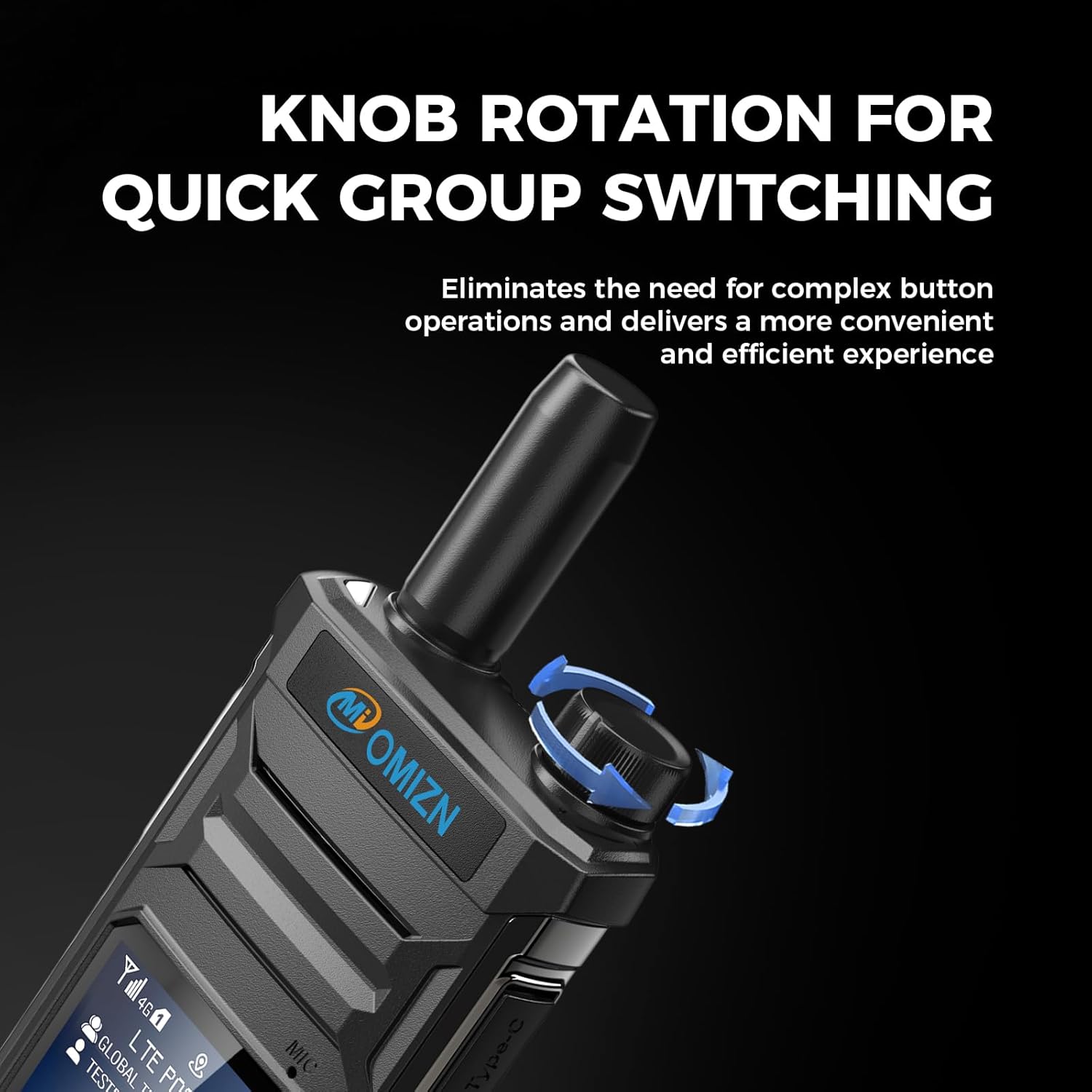
Figure 4: Using the top knob to switch between groups.
3. د حجم سمون
Adjust the volume using the dedicated volume buttons or by configuring the top knob for volume control via the settings menu.
4. مینو نیویگیشن
Use the navigation buttons below the display to access and adjust various settings, including display options, volume settings, member search, and keypad lock settings.
Video 2: Demonstration of the OMIZN-T6's user interface and navigation.
پاملرنه او ساتنه
- پاکول: یو نرم استعمال کړئ، دamp د وسیلې د پاکولو لپاره ټوکر. د سختو کیمیاوي موادو یا د کثافاتو پاکوونکو څخه ډډه وکړئ.
- د بیټرۍ پاملرنه: To prolong battery life, avoid fully discharging the battery frequently. Charge the device using only the provided USB-C cable and power adapter.
- د چاپیریال شرایط: The T6 is IP65 rated for dust and splash resistance. It is designed to operate in temperatures ranging from -30°C to +70°C. Avoid exposing the device to extreme temperatures outside this range or submerging it in water.
- ذخیره کول: When not in use for extended periods, store the walkie talkie in a cool, dry place.

Figure 5: The OMIZN T6 is designed for all-weather use, from -30°C to +70°C.
د عامو ستونزو حل کول
- سیګنال/اتصال نشته: Ensure the SIM card is properly inserted and activated. Check for 4G LTE cellular coverage in your area. If issues persist, contact customer support.
- ضعیف آډیو کیفیت: Verify that the noise reduction feature is enabled if in a noisy environment. Check volume settings. Ensure the microphone and speaker are not obstructed.
- د بیټرۍ چارج نه کول: Confirm the USB-C cable and power adapter are securely connected and functioning. Try a different power outlet.
- وسیله نه فعاله کیږي: Ensure the battery is fully charged and correctly installed. If the issue continues, contact support.

Figure 6: For device malfunctions or inquiries, contact OMIZN customer support.
د محصول مشخصات
| فیچر | مشخصات |
|---|---|
| د توکي وزن | ۱.۶۲ اونس (۰.۱ پونډه) |
| د محصول ابعاد | ۷.۸ x ۲.۴ x ۱.۵ انچه (۱.۵"D x ۲.۴"W x ۷.۸"H) |
| د توکي ماډل شمیره | OMIZN-MX-T6 |
| د ښودلو ډول | LCD |
| برانډ | OMIZN |
| د چینلونو شمیر | 200 |
| ځانګړي ځانګړتیاوې | Digital Display, Lightweight, Long Range, Noise Reduction, Shockproof |
| د فریکونسی رینج | 4G LTE |
| د خبرو کولو حد اعظمي | ۳۵ میله |
| والیtage | 3.7 ولټه |
| د اوبو د مقاومت کچه | د اوبو مقاومت (IP65) |
تضمین او د پیرودونکي ملاتړ
OMIZN is committed to providing a smooth communication experience. If you encounter any issues during setup or use, or if you have questions regarding your device, please contact our dedicated support team.
For assistance, you can reach OMIZN support directly via email or by scanning the WhatsApp QR code provided in your product packaging. Our team is available to help and ensure your satisfaction.
Please refer to your purchase documentation for specific warranty details. OMIZN does not charge any monthly service or platform fees for the use of the T6 walkie talkie over 4G LTE networks with a compatible SIM card.
For more information or to explore other OMIZN products, visit the OMIZN Store on Amazon.


