1. پیژندنه
This user manual provides detailed instructions for the safe and efficient use of your BenQ PD3226G 32-inch 4K UHD 144Hz Designer Monitor. Please read this manual thoroughly before operating the device and retain it for future reference. Adhering to these instructions will ensure optimal performance and longevity of your monitor.
2. محصول ختم شوview
The BenQ PD3226G is a 32-inch 4K UHD (3840x2160) monitor designed for professionals requiring high color accuracy and smooth performance. Key features include:
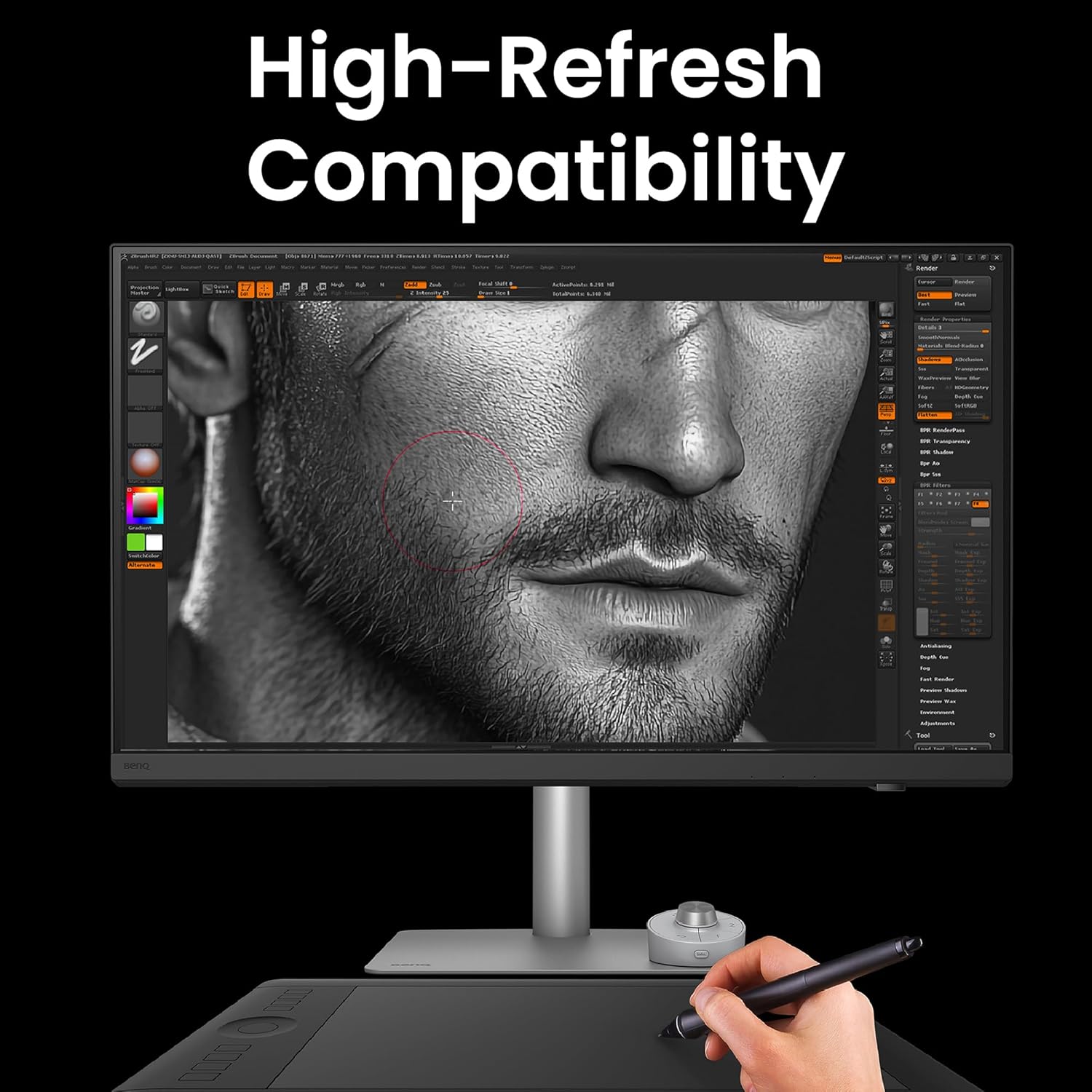
- 4K, 144Hz Display: Enjoy motion clarity and accurate colors with 4K resolution and a 144Hz refresh rate.
- Accurate & Consistent Colors: Features 95% P3, 100% sRGB/Rec.709 color spaces, and factory-calibrated Delta E ≤ 2 for visual fidelity.
- Reliable Color Management: Supports effortless calibration with BenQ Palette Master Ultimate's intuitive menus, ensuring compliance with international standards.
- All-in-One Thunderbolt 4: Seamlessly delivers up to 90W power, 40Gbps data transfers, and supports two 4K or one 8K display when used with Thunderbolt 4 certified cables.
- د نانو میټ پینل: Diffuses ambient light, enhancing eye comfort during extended design sessions with its TÜV certified reflection-free feature.
- Built-in KVM: Control two systems with one keyboard and mouse, with easy switching via the wireless Hotkey Puck for enhanced efficiency.

3. ترتیب کول
3.1. Unboxing او مجلس
Carefully remove the monitor and its components from the packaging. Ensure all parts are present before proceeding with assembly.

- سټینډ ضمیمه کړئ: Securely attach the monitor stand to the back of the display panel. Ensure it clicks into place or is fastened according to the quick-release mechanism.
- مانیټر ځای په ځای کړئ: راټول شوی مانیټر په یوه مستحکم او فلیټ سطحه کېږدئ.
- VESA Mounting (Optional): For alternative mounting solutions, the monitor supports VESA 100x100mm mounting. Remove the stand and attach a compatible VESA mount.

3.2. Connecting to Your Devices
The BenQ PD3226G offers a variety of input ports for versatile connectivity.
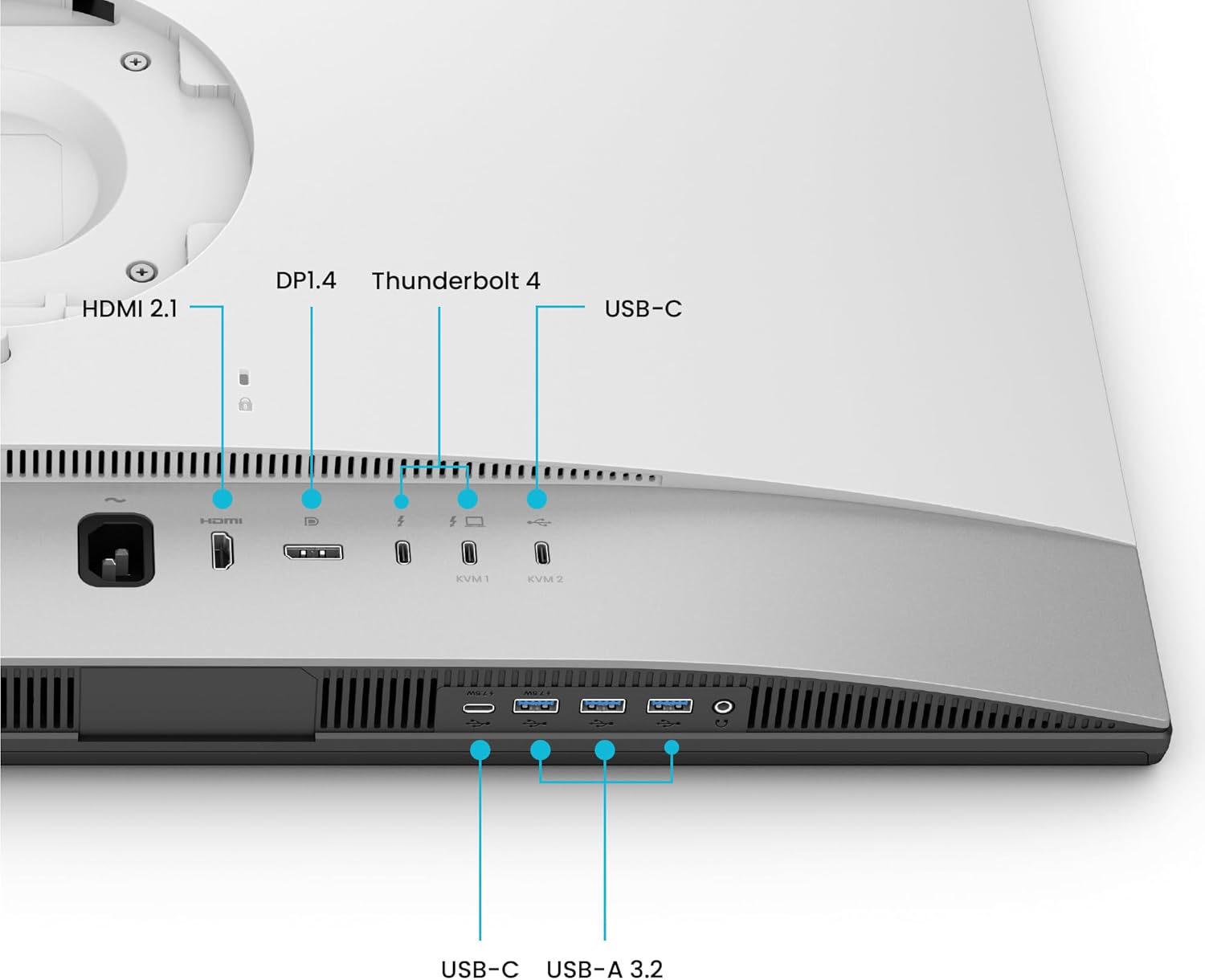
- د بریښنا پیوستون: د بریښنا تار د مانیټر د بریښنا ان پټ سره وصل کړئ او بیا د بریښنا آوټ لیټ سره.
- د ویډیو داخلونه:
- تندربولټ 4: Use a Thunderbolt 4 certified cable to connect your computer for video, data, and up to 90W power delivery. This port also supports daisy-chaining to another compatible monitor.
- HDMI2.1: Connect devices using an HDMI cable for high-resolution video and audio.
- ډیسپلی پورټ 1.4: Connect devices using a DisplayPort cable for high-resolution video and audio.
- USB پورټونه: Utilize the USB-C and USB-A 3.2 ports for connecting peripherals such as keyboards, mice, and external storage devices.
- د KVM فعالیت: The monitor features a built-in KVM switch. Connect two computers to the monitor using the appropriate video and USB upstream cables. This allows you to control both systems with a single keyboard and mouse connected to the monitor's USB ports.
4. عملیاتي لارښوونې
4.1. بریښنا فعال/بند
د مانیټر د چالانولو یا بندولو لپاره په مانیټر کې موقعیت لرونکي د بریښنا تڼۍ فشار ورکړئ. د بریښنا شاخص رڼا به هغه وخت روښانه شي کله چې مانیټر فعال وي.
4.2. On-Screen Display (OSD) Navigation and Hotkey Puck
Adjust monitor settings using the On-Screen Display (OSD) menu. The included Hotkey Puck provides quick access and navigation for various settings.
- هاټکي پک: Use the dial and programmable buttons on the Hotkey Puck to navigate the OSD, switch input sources, adjust brightness, contrast, and volume, or activate custom color modes.
- د OSD مینو: Access the main OSD menu to configure display settings, color modes, input selection, and KVM options.
4.3. Color Management
The BenQ PD3226G is designed for precise color reproduction.

- د فابریکې اندازه کول: The monitor is factory-calibrated to ensure a Delta E ≤ 2 for immediate color accuracy out of the box.
- د رنګ طریقې: Select from various pre-set color modes (e.g., sRGB, P3, Rec.709) optimized for different design workflows.
- د سافټویر کیلیبریشن: Utilize BenQ Palette Master Ultimate software for advanced hardware calibration and to maintain color accuracy over time.
4.4. KVM Switch Operation
To switch between two connected systems using the KVM function:
- Ensure both computers are connected to the monitor via their respective video inputs and USB upstream cables.
- Use the Hotkey Puck or the OSD menu to select the desired input source (KVM1 or KVM2). The monitor will automatically switch the display, keyboard, and mouse control to the selected system.
4.5. Daisy Chain Setup
The Thunderbolt 4 port supports daisy-chaining for connecting multiple monitors. Connect the Thunderbolt 4 output of your primary monitor to the Thunderbolt 4 input of a secondary compatible monitor. This allows for extended desktop setups with simplified cabling.
5. ساتنه
۴. د مانیټر پاکول
To maintain the display's quality and longevity:
- تل د مانیټر بریښنا بند کړئ او د پاکولو دمخه د بریښنا تار خلاص کړئ.
- د نرم، لینټ پاک ټوکر څخه په روښانه توګه کار واخلئampد اوبو یا یو نرم، غیر خارښونکي سکرین کلینر سره مینځل شوی.
- سکرین په نرمۍ سره پاک کړئ. د ډیر فشار څخه ډډه وکړئ.
- Do not use alcohol, ammonia, or abrasive cleaners, as these can damage the Nano Matte Panel.
- مهم: The Nano Matte Panel has a specialized reflection-free coating. DO NOT TEAR OR ATTEMPT TO REMOVE THIS LAYER. It is an integral part of the monitor's design and performance. Removing it will cause irreversible damage and void the warranty.

5.2. عمومي پاملرنه
- په مانیټر یا د هغې په کیبلونو کې د درنو شیانو له ایښودلو څخه ډډه وکړئ.
- Keep the monitor away from direct sunlight, excessive heat, or moisture.
- د ډیر تودوخې مخنیوي لپاره د مانیټر شاوخوا مناسب هوا ورکول ډاډمن کړئ.
6. ستونزه حل کول
If you encounter issues with your BenQ PD3226G monitor, refer to the following common problems and solutions:
- نه ښودنه/تور سکرین:
- ډاډ ترلاسه کړئ چې د بریښنا کیبل په خوندي ډول د مانیټر او بریښنا سایټ دواړو سره وصل دی.
- Verify that the video cable (Thunderbolt 4, HDMI, or DisplayPort) is firmly connected to both the monitor and your computer.
- Check if the correct input source is selected in the OSD menu or via the Hotkey Puck.
- Confirm your computer's display settings are configured to output to the external monitor.
- Incorrect Colors/Image Quality Issues:
- د OSD مینو له لارې مانیټر د فابریکې ډیفالټ ترتیباتو ته بیا تنظیم کړئ.
- Ensure the correct color mode is selected for your task (e.g., sRGB, P3).
- If using software calibration, ensure the calibration profile is active and up-to-date.
- د تازه معلوماتو لپاره خپل ګرافیک کارت چلوونکي وګورئ.
- KVM نه بدلیږي:
- Verify that both computers are properly connected with both video and USB upstream cables to the monitor.
- Ensure the KVM function is enabled and configured correctly in the OSD menu.
- Try restarting the monitor and the connected computers.
- غږ نشته:
- Check the monitor's volume settings in the OSD menu.
- Verify your computer's audio output is set to the BenQ monitor.
- Ensure the audio cable (if separate from video) is connected, or that the video cable supports audio transmission.
د نورو مرستو لپاره، مهرباني وکړئ د BenQ ملاتړ ته مراجعه وکړئ webسایټ یا د پیرودونکي خدمت سره اړیکه ونیسئ.
7. مشخصات
| فیچر | مشخصات |
|---|---|
| د ماډل شمیره | PD3226G |
| د سکرین اندازه | ۷۸۷ انچه |
| قرارداد | ۴K UHD (۳۸۴۰ x ۲۱۶۰ پکسلز) |
| د تازه کولو نرخ | 144Hz |
| د پینل ډول | IPS |
| رنګ Gamut | 95% P3, 100% sRGB/Rec.709 |
| د رنګ دقت | Delta E ≤ 2 (Factory Calibrated) |
| ارتباط | Thunderbolt 4 (90W PD), HDMI 2.1, DisplayPort 1.4, USB-C, USB-A 3.2 |
| KVM سویچ | جوړ شوی |
| د پینل سطحه | Nano Matte (Reflection-Free) |
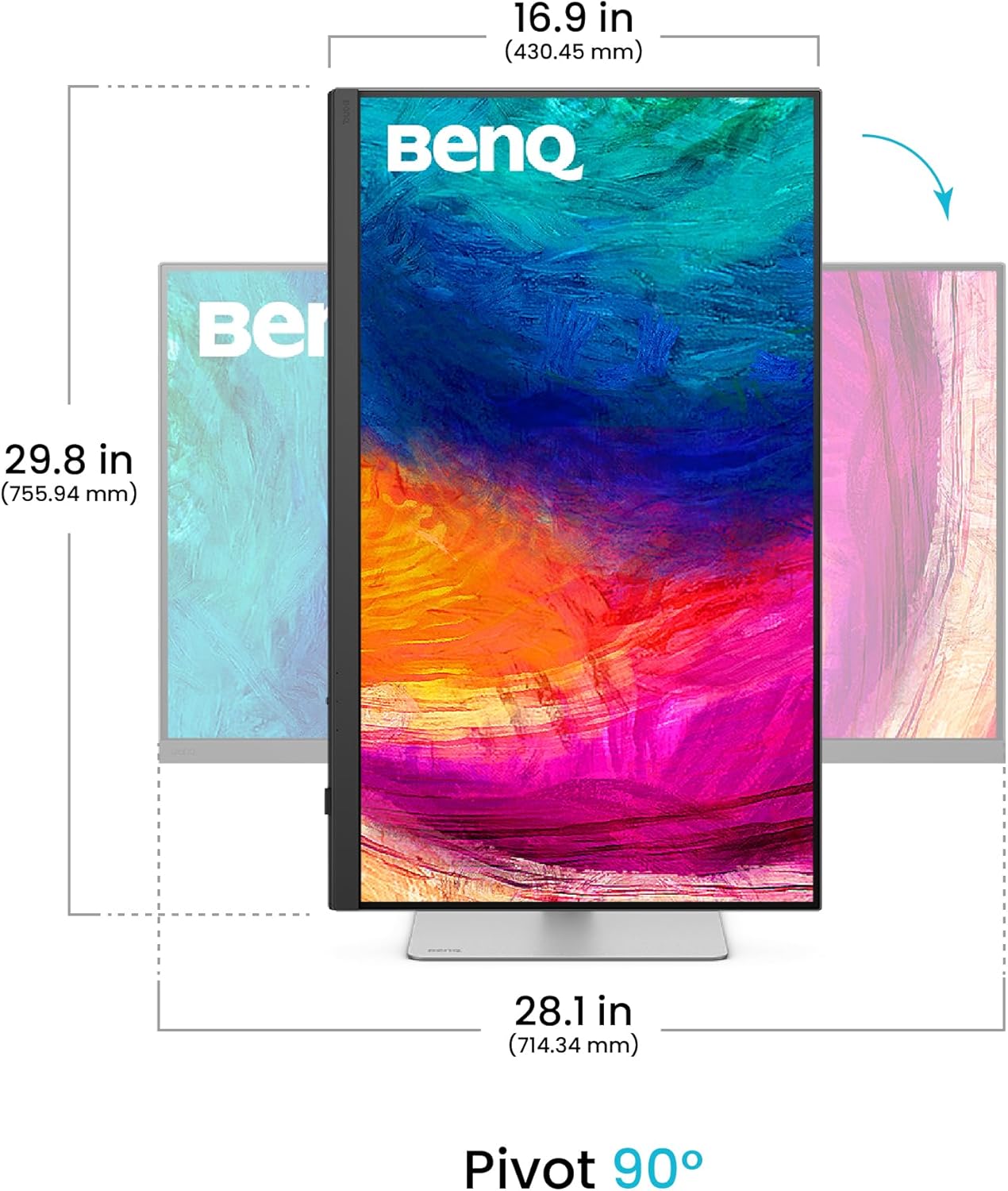
| ارګونومیک | Height Adjustable, Tilt, Swivel, Pivot (90°) |
| د توکي وزن | ۲.۴۵ پونډه |
| د محصول ابعاد (LxWxH) | 19 x 9.5 x 25.1 انچه |
| VESA ماونټ | 100 x 100 mm |
۳.۴. ارګونومیک سمونونه
د مانیټر سټینډ ستاسو د اصلاح کولو لپاره مختلف تنظیماتو ته اجازه ورکوي viewتجربه:
- د لوړوالی سمون: د مانیټر لوړوالی ۱۱۰ ملي میتر تنظیم کړئ.
- ټیلټ: Tilt the screen from -5° to 20° for comfortable viewزاویې
- محور: د پورټریټ حالت لپاره سکرین ۹۰ درجې وګرځوئ viewing.

8. تضمین او ملاتړ
For information regarding the standard manufacturer's warranty for your BenQ PD3226G monitor, please refer to the warranty card included in your product packaging or visit the official BenQ support website. BenQ also offers optional extended protection plans for purchase.
For technical support, driver downloads, and frequently asked questions, please visit the BenQ support portal: www.benq.com/en-us/support.html


