1. پیژندنه
The EMEET Piko 4K Webcam is an advanced dual-camera AI-powered device designed for high-quality video streaming, conferencing, and content creation. It features a 4K main camera for ultra-clear visuals and an AI-assisted camera for rapid autofocus and precise face lighting, even in challenging low-light conditions. Equipped with a 3-microphone array and multiple sound modes, it ensures clear audio capture. This manual provides essential information for setting up, operating, and maintaining your EMEET Piko 4K Webکیم
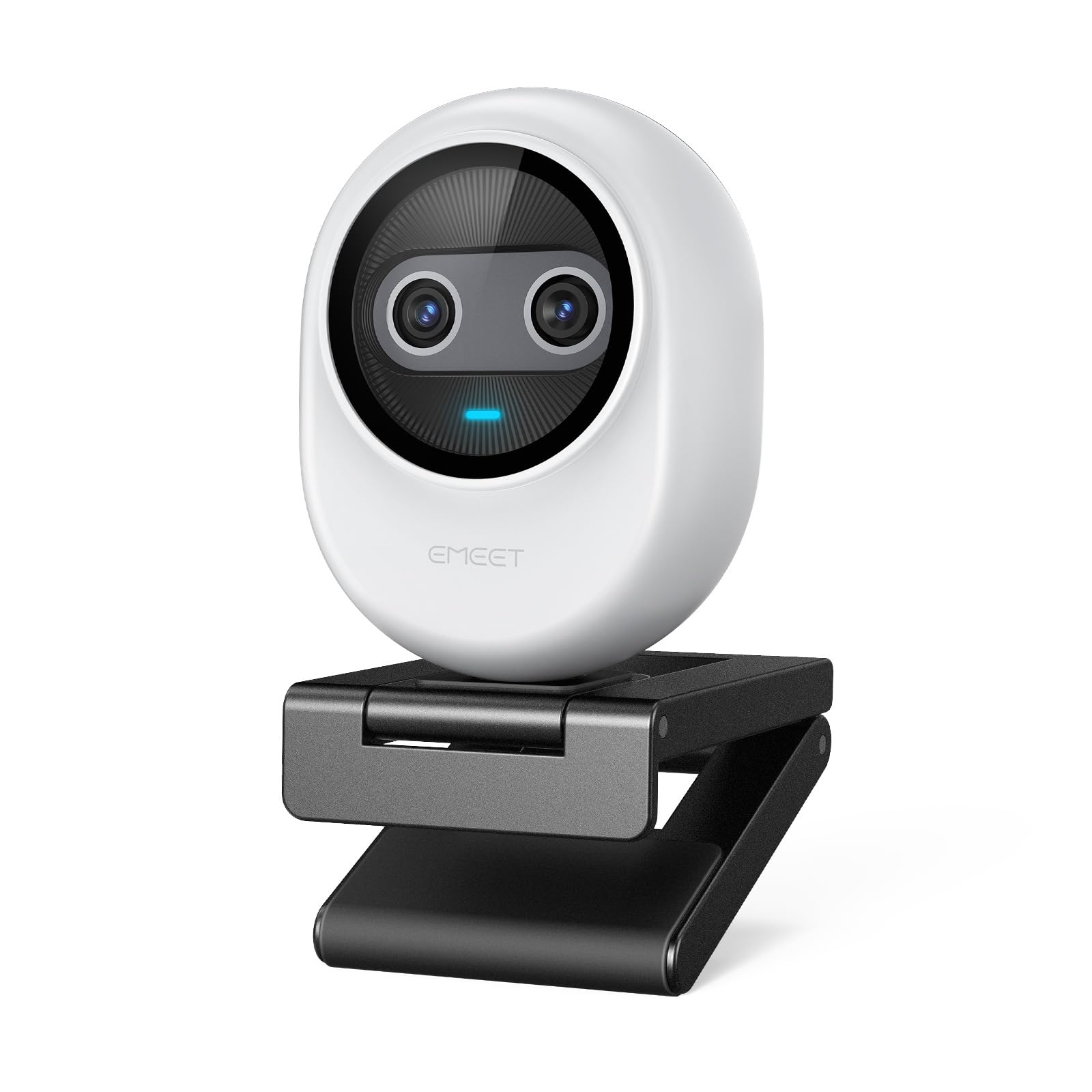
Figure 1: EMEET Piko 4K Webcam, White model.
۲. په بکس کې څه دي؟
ډاډ ترلاسه کړئ چې ټول توکي په کڅوړه کې شتون لري:
- EMEET Piko 4K Webکمره
- د USB CC کیبل
- Webcam Clip
- د کارونکي لارښود (دا لاسوند)

Figure 2: EMEET Piko Webکیمره او شامل لوازمات.
3. ترتیب کول
3.1 نښلول Webcam Clip
- سره سمون خوري webcam with the clip's mounting point.
- په نرمۍ سره فشار ورکړئ webcam onto the clip until it securely snaps into place.
۳.۲ د نصبولو Webکمره
- په مانیټر/لیپ ټاپ کې: ځای په ځای کړئ webcam clip over the top edge of your monitor or laptop screen. Adjust the clip to ensure stability.
- په ټرایپوډ کې: د webcam features a standard 1/4-inch screw thread at its base. Attach it to a compatible tripod (not included) for flexible positioning.

شکل 3: Webcam mounted on a monitor for professional calls.
۴.۱ ستاسو کمپیوټر سره نښلول
- Connect one end of the provided USB C-C cable to the USB-C port on the back of the EMEET Piko Webکیم
- Connect the other end of the USB C-C cable to an available USB-C port on your computer. If your computer only has USB-A ports, a USB-C to USB-A adapter (not included) may be required.
- د webcam is plug-and-play and should be automatically recognized by your Windows or macOS operating system.

Figure 4: USB-C connectivity and broad compatibility with various platforms.
4. کلیدي ځانګړتیاوې
4.1 Dual-Camera AI-Powered Video
The EMEET Piko features a revolutionary dual-camera system:
- 4K Main Camera: Equipped with a 1/2.8'' sensor, it captures video in Ultra HD 4K resolution, providing exceptional detail and clarity.
- AI-Assisted Camera: This secondary camera enhances the main camera's performance by providing rapid autofocus and precise face lighting adjustments, ensuring you are always well-lit and in focus. It excels in low-light environments.

Figure 5: Explanation of the 4K Imaging Camera and AI-Assisted Camera.
4.2 3 Mics Array & 3 Sound Modes
Experience clear audio with the integrated 3-microphone array and selectable sound modes:
- Noise Canceling Mode: Combines gain control with steady and sudden noise blocking, ideal for busy environments.
- د اصلي غږ حالت: Captures authentic sounds and preserves ambient audio, recommended for quiet spaces.
- ژوندی حالت: Adjusts gain and reduces background noise like air conditioning, ensuring clear audio for live streaming.

Figure 6: Visual representation of the 3-microphone array and sound mode selection.
۳.۱ ډیزاین او د لېږد وړتیا
The EMEET Piko features a rounded, sleek design with fine matte textured materials. Its compact size makes it highly portable, smaller and lighter than a typical smartphone.

Figure 7: The sleek and compact design of the EMEET Piko Webکیم
۳.۳ پراخه مطابقت
د webcam is compatible with Windows and MacOS operating systems and integrates seamlessly with popular platforms such as OBS, Twitch, YouTube, Xsplit, and ManyCam.
5. عملیاتي لارښوونې
5.1 بنسټیز کارول
Once connected, the EMEET Piko Webcam will function as a standard webcam. Select it as your preferred camera and microphone input in your video conferencing or streaming application.
5.2 EMEET Studio Software
For advanced control and customization, download and install the EMEET Studio software from the official EMEET webسایټ. دا سافټویر تاسو ته اجازه درکوي:
- Adjust video settings (brightness, contrast, sharpness, saturation, tone).
- Select different sound modes (Noise Canceling, Original Sound, Live Mode).
- Control AI features like autofocus and face tracking.
- Switch between landscape and portrait mode (requires compatible tripod).
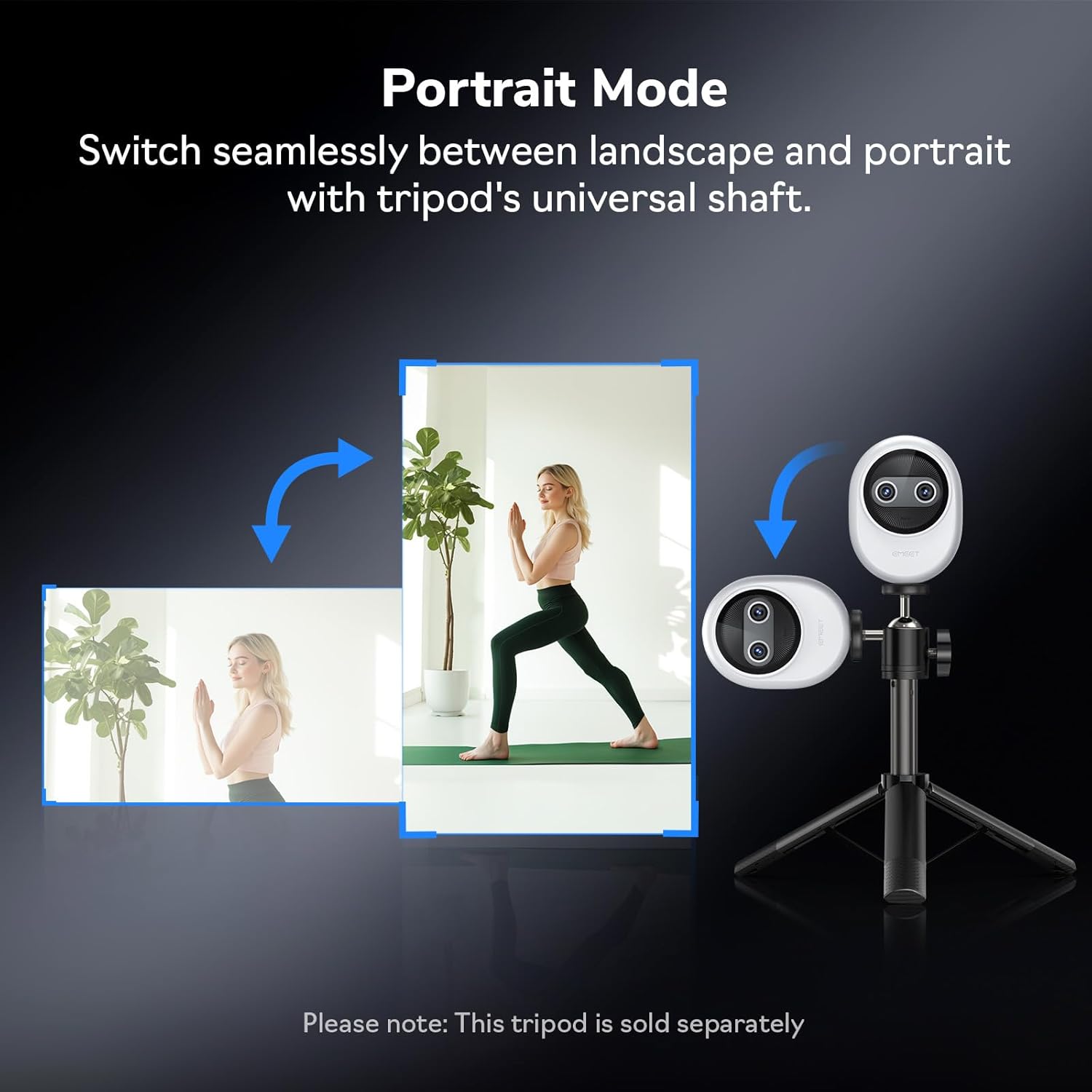
شکل 8: Webcam demonstrating seamless switching to portrait mode.
5.3 Optional Remote Control
An optional remote control (ASIN: B0FP281Z19) is available for wireless control of the webcam's functions, offering convenience during presentations or streaming sessions.

Figure 9: Optional remote control for the EMEET Piko Webکیم
6. ساتنه
- پاکول: د پاکولو لپاره نرم، وچ ټوکر وکاروئ webد کیمرې لینز او بدن. د کثافاتو پاکوونکو یا محلولونو څخه ډډه وکړئ.
- ذخیره کول: کله چې کارول نه وي، ذخیره کړئ webcam in a cool, dry place. Consider using a privacy cover (optional accessory) to protect the lens.
- د فرم ویئر تازه معلومات: Regularly check the EMEET webد فرم ویئر تازه معلوماتو لپاره سایټ ترڅو غوره فعالیت او نوي ځانګړتیاو ته لاسرسی ډاډمن شي.

Figure 10: Optional magnetic privacy cover for lens protection.
7. ستونزه حل کول
- ویډیو/آډیو نشته:
- ډاډ ترلاسه کړئ چې د USB کیبل په خوندي ډول دواړو سره وصل دی webکیم او ستاسو کمپیوټر.
- په خپل کمپیوټر کې یو بل USB پورټ هڅه وکړئ.
- تایید کړئ چې د webcam is selected as the primary video and audio device in your application settings.
- خپل کمپیوټر بیا پیل کړئ.
- د ویډیو خراب کیفیت:
- Ensure adequate lighting in your environment. The AI-assisted camera performs best with some ambient light.
- پاک کړئ webد کیمرې لینز د نرم ټوکر سره.
- Check your application settings to ensure the correct resolution (e.g., 4K) is selected.
- تازه کول webcam drivers or EMEET Studio software to the latest version.
- د آٹو فوکس مسلې:
- ډاډ ترلاسه کړئ چې د لینز مخې ته هیڅ خنډ شتون نلري.
- In EMEET Studio, verify that AI autofocus is enabled.
- Avoid rapid, excessive movement directly in front of the camera if focus hunting occurs.
8. مشخصات
| فیچر | تفصیل |
|---|---|
| برانډ | ایمیټ |
| د ماډل شمیره | E3141 |
| د توکي وزن | 1.44 اونس |
| د محصول ابعاد | 2.2 x 1.7 x 0.87 انچه |
| رنګ | سپین |
| د عکس سینسر ټیکنالوژي | CMOS |
| د ویډیو نیول حل | 4K |
| د ویډیو نیول بڼه | YUY2 / MJPEG |
| ملاتړ شوی آډیو بڼه | AAC، MP3 |
| د ارتباط ټیکنالوژي | USB |
| ځانګړي ځانګړتیاوې | 1/2.8'' Sensor, 3 Mic Array & 3 Sound Modes, Instant AI Autofocus & Adaptive Face Lighting, USB Webcam with Clip, World's 1st Dual-Camera AI-Powered 4K Webکمره |
9. تضمین او ملاتړ
EMEET products are designed for reliability and performance. For warranty information, technical support, or to register your product, please visit the official EMEET webسایټ ته مراجعه وکړئ یا د دوی د پیرودونکو خدماتو سره اړیکه ونیسئ. د تضمین ادعاوو لپاره خپل د پیرود رسید وساتئ.
10. محصول ختم شوview ویډیو
Video 1: Official EMEET Piko 4K Webکیم ختم شوview. This video highlights the key features and design of the webکیم


