پیژندنه
This manual provides essential instructions for setting up, operating, maintaining, and troubleshooting your GOBOULT Dire Smartwatch. Please read this guide thoroughly to ensure optimal performance and longevity of your device.
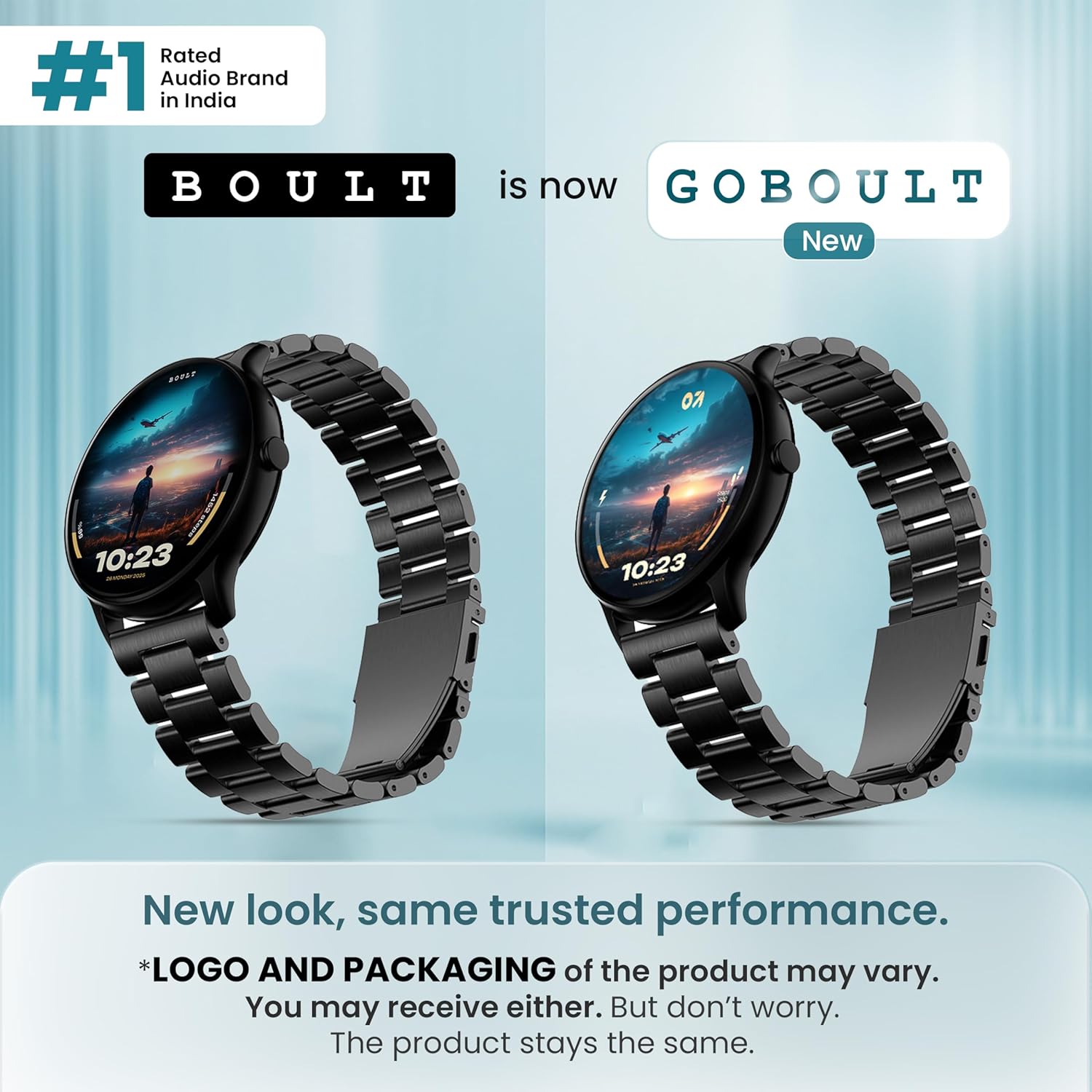
انځور: مخکینۍ برخه view of the GOBOULT Dire Smartwatch, showcasinد هغې ښودنه او تسمه.
په بکس کې څه دي
ډاډ ترلاسه کړئ چې لاندې ټول توکي ستاسو د محصول په بسته بندۍ کې شامل دي:
- GOBOULT Dire Smartwatch (Jet Black)
- د چارج کیبل
- د کارونکي لارښود (دا لاسوند)
- د تضمین کارت
چمتو کول
۱. ابتدايي چارج کول
Before first use, fully charge your smartwatch. Connect the provided charging cable to the magnetic charging points on the back of the watch and to a standard USB power adapter (not included). A full charge typically takes approximately 150 minutes.
2. بریښنا کول/بندول
- د فعالولو لپاره: Press and hold the side button until the GOBOULT logo appears on the screen.
- د بریښنا بندولو لپاره: د غاړې تڼۍ کېکاږئ او ونیسئ، بیا په سکرین کې 'بریښنا بند' غوره کړئ.
۵.۲. د اپلیکیشن نصب او جوړه کول
- Download the companion application (e.g., 'Boult Fit' or similar as indicated in the packaging) from your smartphone's app store (compatible with iOS and Android).
- ډاډ ترلاسه کړئ چې ستاسو په سمارټ فون کې بلوتوټ فعال دی.
- اپلیکیشن پرانیزئ او د حساب جوړولو یا ننوتلو لپاره په سکرین کې لارښوونې تعقیب کړئ.
- Select 'Add Device' or 'Pair Device' within the app and choose 'Boult Dire' from the list of available devices.
- په خپل سمارټ فون او سمارټ واچ دواړو کې د جوړه کولو غوښتنه تایید کړئ.
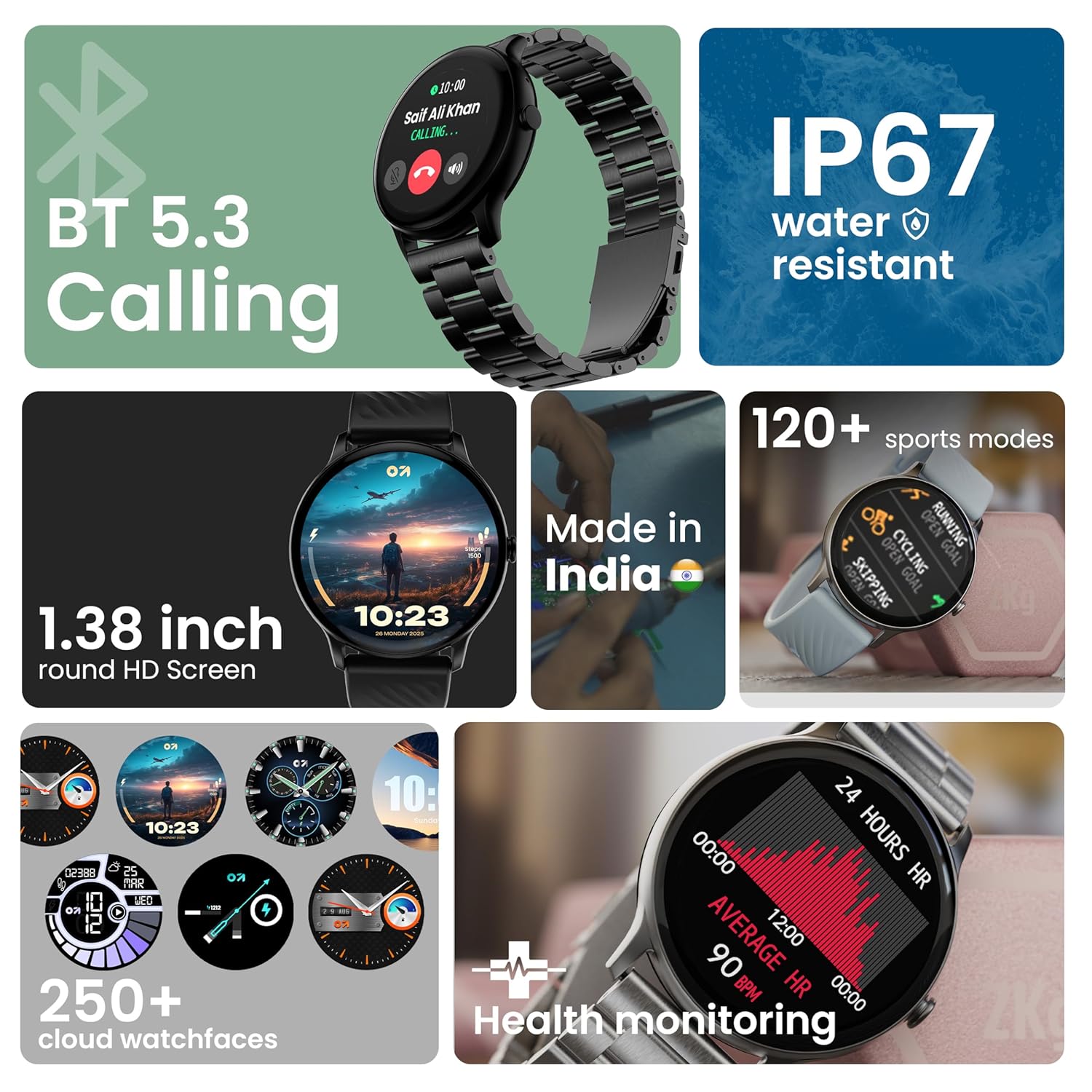
انځور: اوورview of key smartwatch features including Bluetooth 5.3 Calling, IP67 water resistance, 1.38-inch HD screen, 250+ watchfaces, 120+ sports modes, and health monitoring.
عملیاتي لارښوونې
۵. د ښودلو نیویګیشن
The 1.38-inch 2.5D curved HD display is fully touch-sensitive. Swipe left, right, up, or down to navigate through menus, notifications, and widgets. Tap to select items.
۴.۲. د څار مخونو تنظیمول
Your smartwatch supports over 250 cloud watch faces. To change the watch face, long-press on the current watch face on the home screen, then swipe left or right to browse and tap to select. More options are available through the companion app.
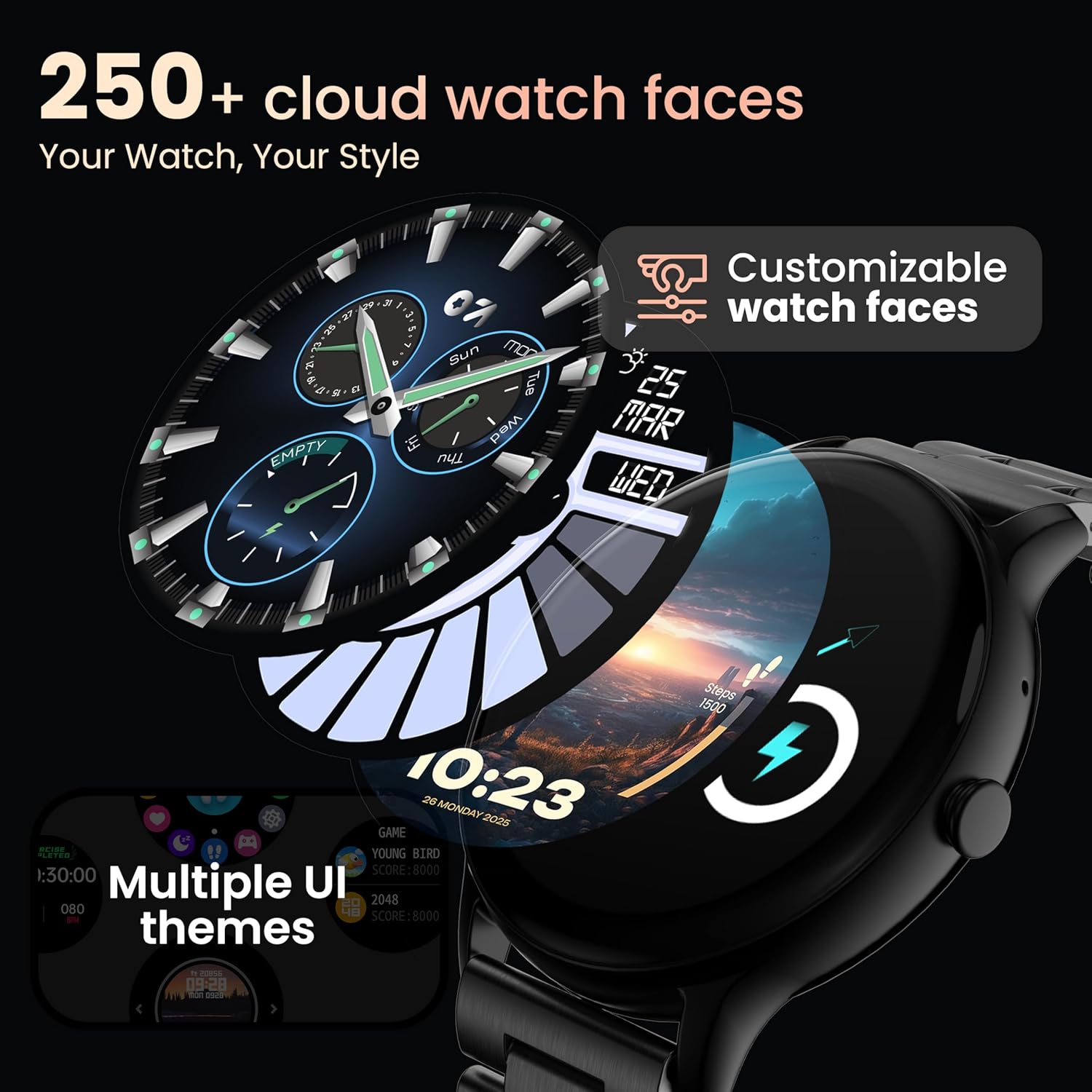
Image: A visual representation of various customizable watch faces and UI themes available on the smartwatch.
۱. بلوتوث زنګ وهل
With Bluetooth 5.2 technology, you can make and receive calls directly from your wrist. The smartwatch features a dedicated speaker and microphone. Access the call function from the main menu to dial, answer, or reject calls. Contact synchronization is available via the companion app.
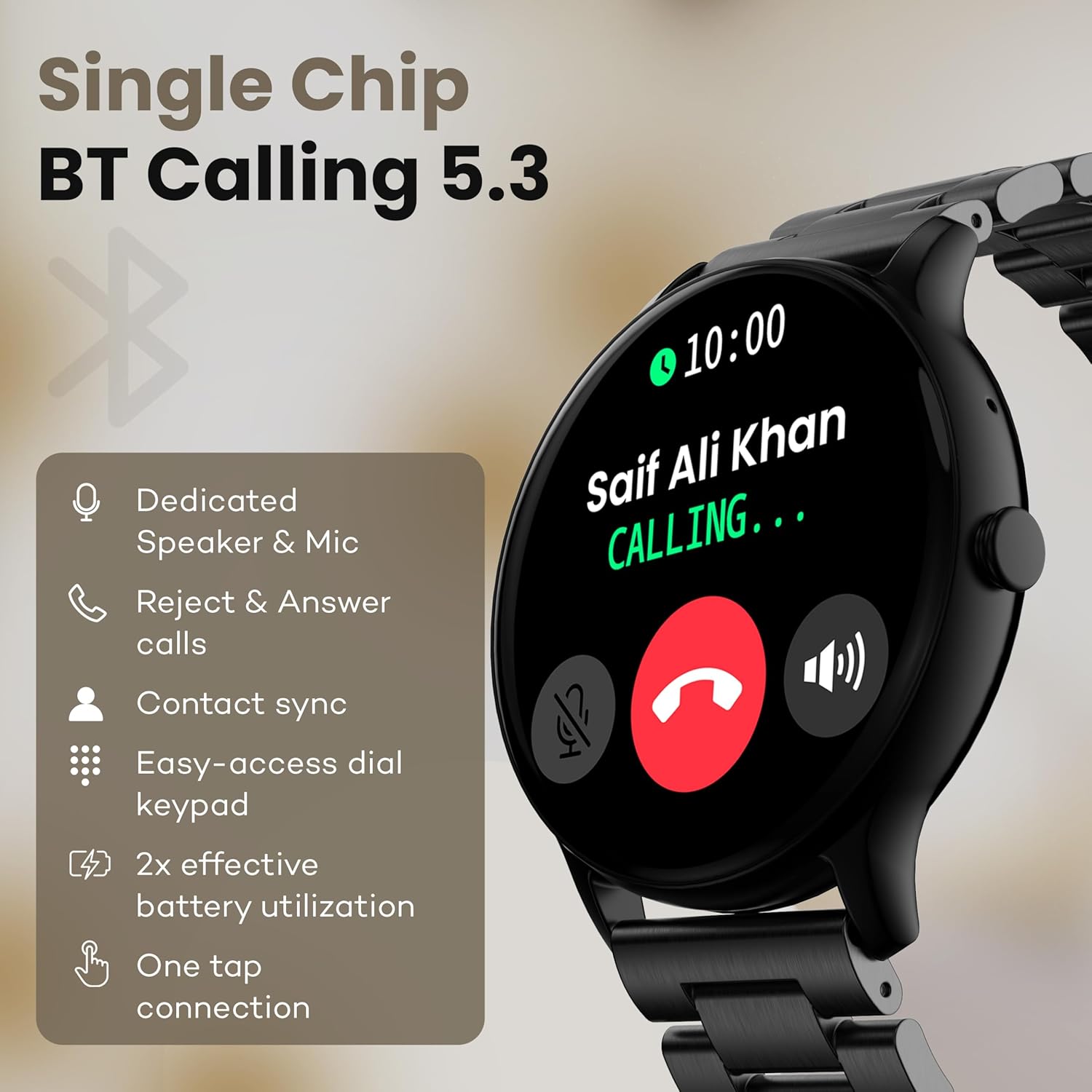
Image: The smartwatch screen showing an incoming call, highlighting features like dedicated speaker & mic, call rejection/answering, contact sync, and easy-access dial keypad.
۴. د سپورت طریقې
The device supports over 120 sports modes. Navigate to the 'Sports' menu to select your activity. The watch will track metrics such as calories burned, distance, and heart rate during your workout.
۴. د مصنوعي ذهانت غږ مرستیال
Activate the AI Voice Assistant feature (if enabled via the app) to control your watch or smartphone using voice commands.
6. د کیمرې کنټرول
Use your smartwatch as a remote shutter for your smartphone camera. Open the camera control feature on your watch and tap to take a picture.
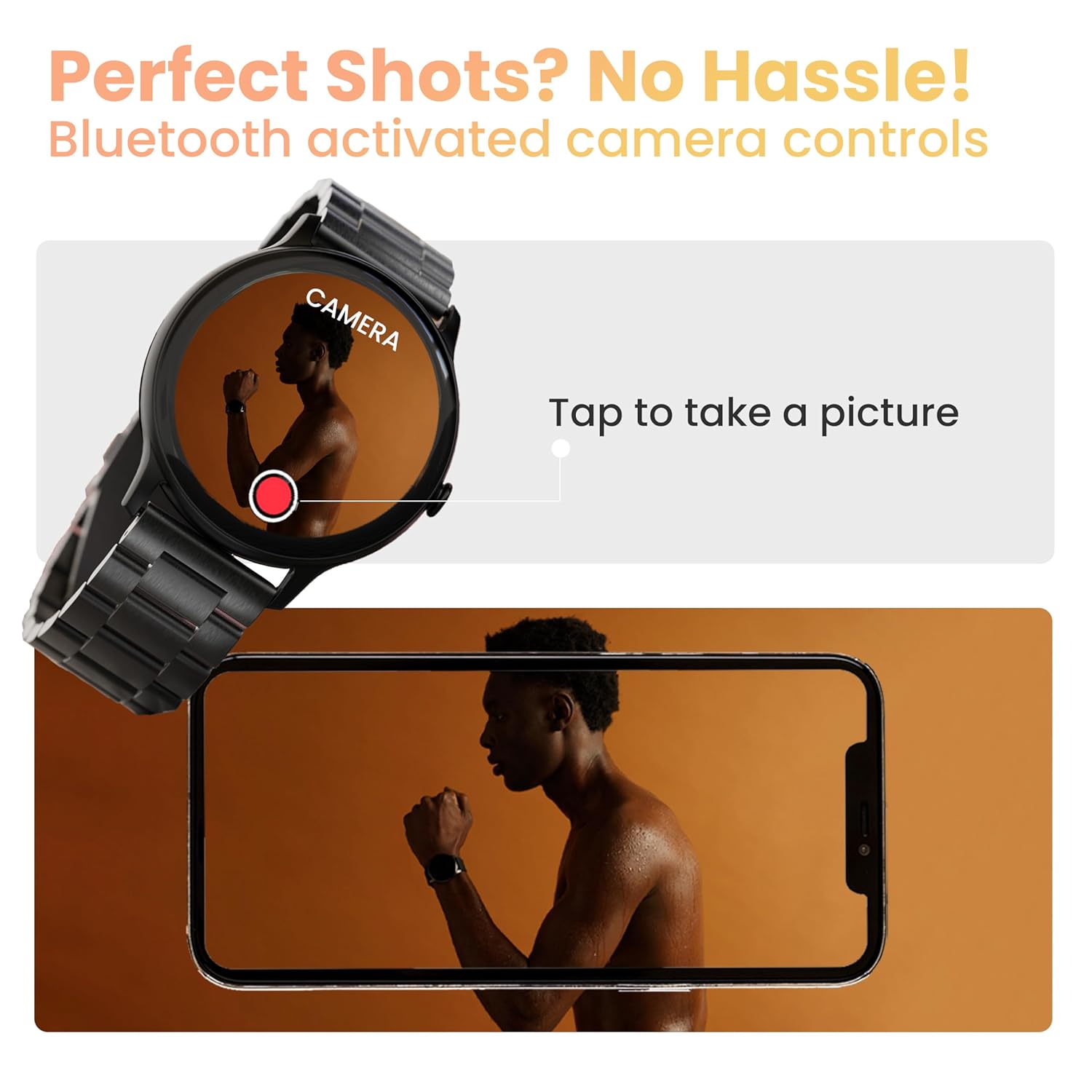
Image: The smartwatch displaying a camera interface, indicating its ability to control a smartphone camera via Bluetooth.
7. خبرتیاوې
Receive notifications from your paired smartphone directly on your wrist. Ensure notification permissions are granted in the companion app.

Image: The smartwatch displaying various updates and reminders, such as message notifications and 'Time to Drink Water'.
8. Mini Games
The smartwatch includes pre-installed mini-games for entertainment. Access them through the main menu.
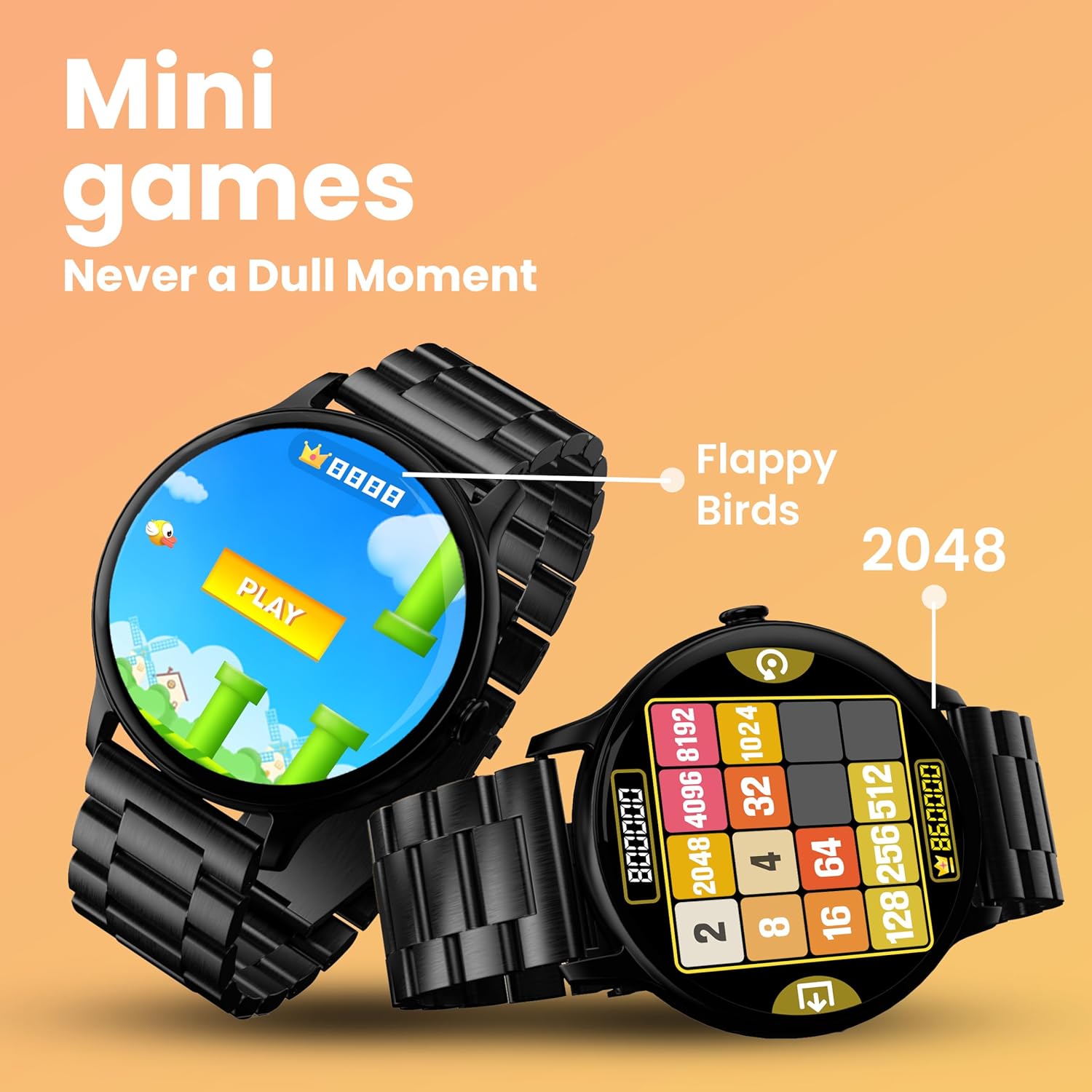
Image: The smartwatch screen showing two mini-games, 'Flappy Birds' and '2048', available for play.
د روغتیا څارنې ځانګړتیاوې
Your GOBOULT Dire Smartwatch is equipped with several health monitoring functions:
- ۲۴x۷ د زړه ضربان څارونکی: په دوامداره توګه ستاسو د زړه ضربان د ورځې په اوږدو کې تعقیبوي.
- د SpO2 د وینې اکسیجن سنتریت مانیټر: ستاسو د وینې اکسیجن کچه اندازه کوي.
- د ښځو د میاشتني دورې تعقیب: د میاشتني دورې تعقیب او وړاندوینه کې مرسته کوي.
- د څښاک د اوبو یادونې: Prompts you to drink water at regular intervals.
- بې ځایه یادونه: کله چې تاسو د ډیر وخت لپاره غیر فعال یاست نو تاسو ته خبرداری ورکوي.
- د خوب څارنه: ستاسو د خوب نمونې او کیفیت تحلیل کوي.
- Calories Count & Meditation: Tracks calorie expenditure and offers guided meditation features.
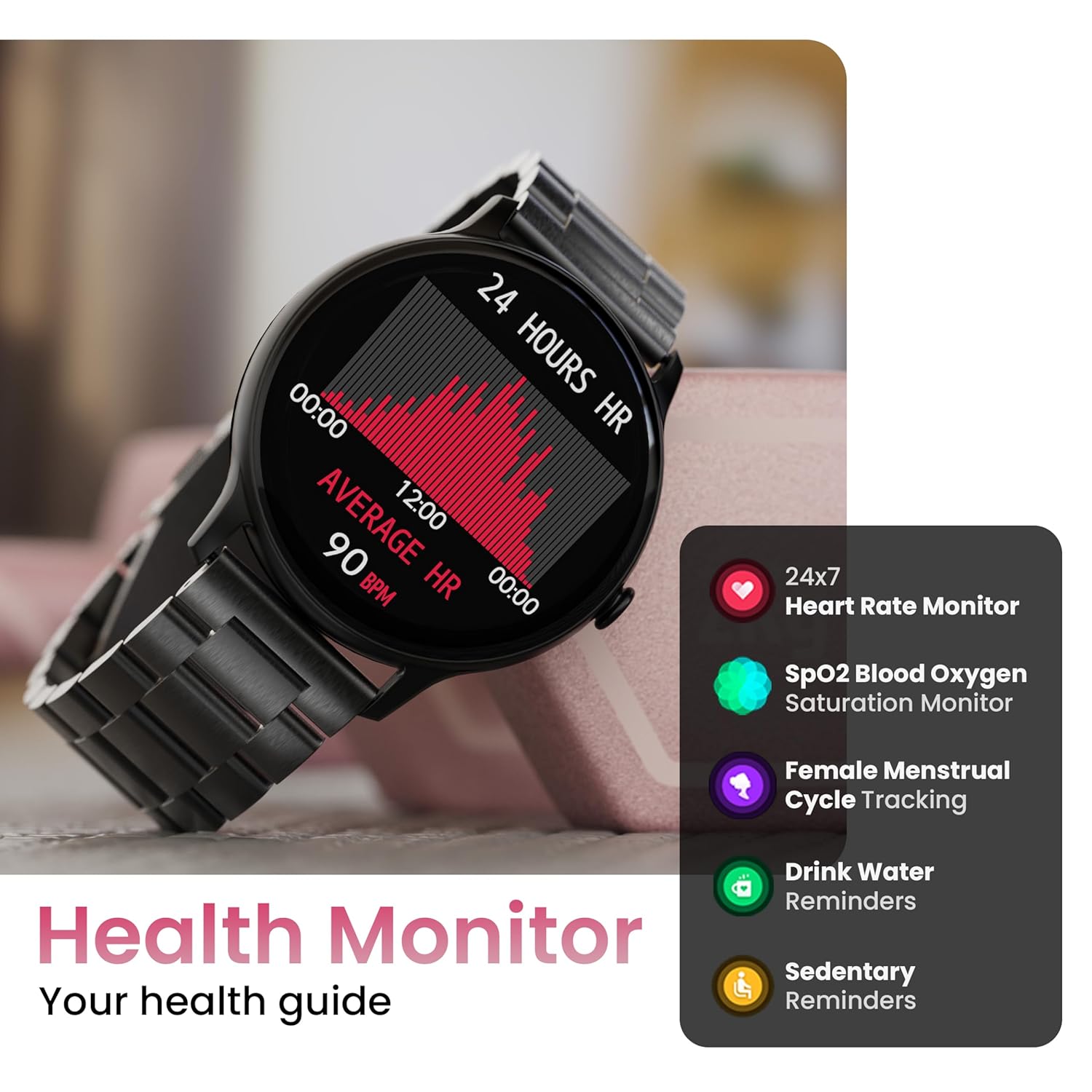
Image: The smartwatch displaying a heart rate graph, alongside icons for Heart Rate Monitor, SpO2, Female Menstrual Cycle Tracking, Drink Water Reminders, and Sedentary Reminders.
سمارټ ځانګړتیاوې
زما تلیفون ومومئ
If your paired smartphone is misplaced, use the 'Find Device' feature on your smartwatch. Navigate to the watch menu, select 'Find Device', and tap the search button. Your connected phone will ring or vibrate, helping you locate it.
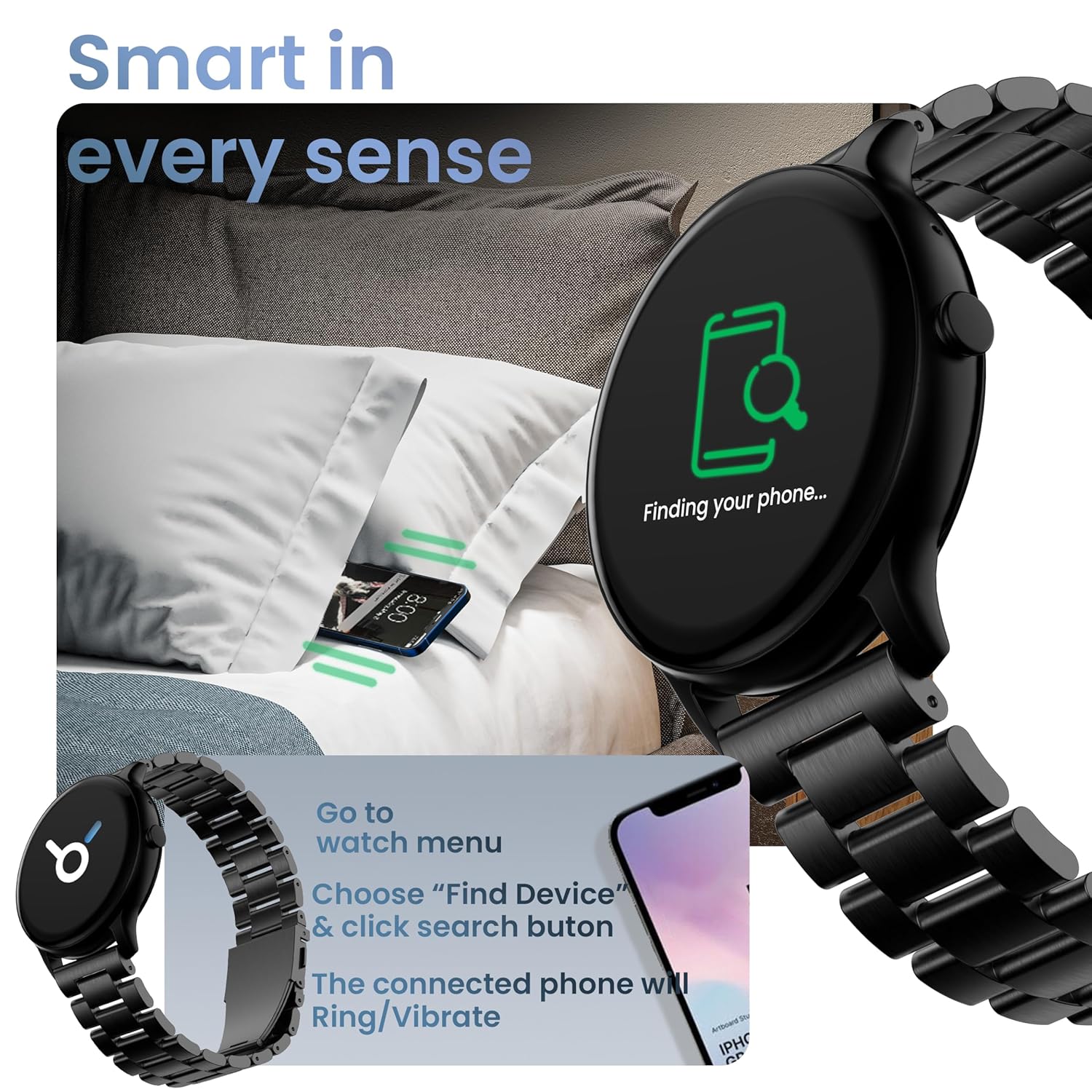
Image: The smartwatch displaying 'Finding your phone...' with an illustration of a phone vibrating under a pillow, demonstrating the 'Find Device' function.
ساتنه
د وسیله پاکول
سمارټ واچ په منظم ډول د نرم، وچ، لینټ پاک ټوکر سره پاک کړئ. د سختې خاورې لپاره، یو څه کم کړئampټوکر د اوبو سره ومینځئ. د سختو کیمیاوي موادو یا خړوبونکو موادو کارولو څخه ډډه وکړئ.
د اوبو او دوړو مقاومت (IP67)
The GOBOULT Dire Smartwatch is IP67 rated, meaning it is resistant to dust and can withstand immersion in water up to 1 meter for 30 minutes. It is suitable for daily use, including splashes and sweat. However, it is not recommended for swimming, showering with hot water, or diving.
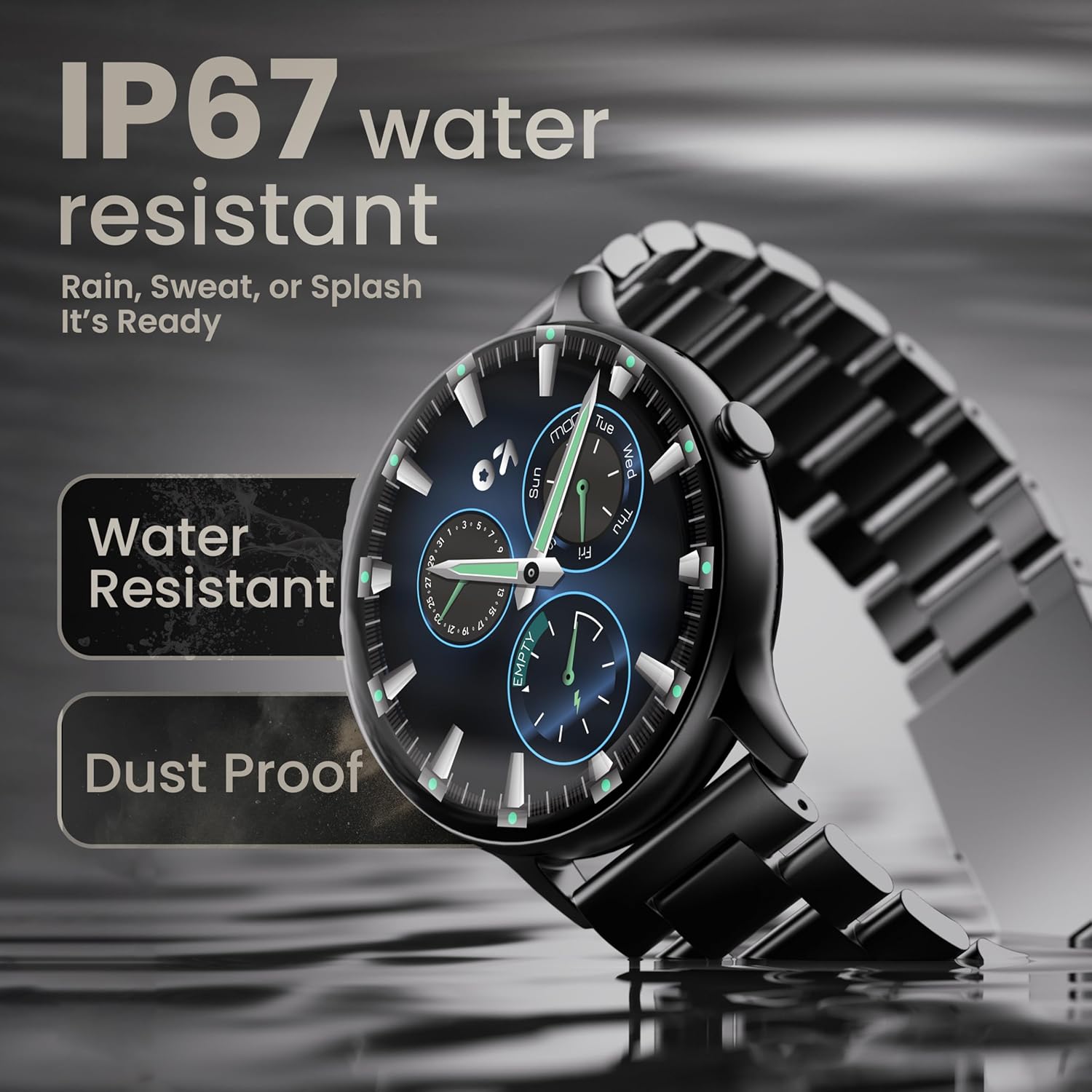
Image: The smartwatch submerged partially in water, with text indicating 'IP67 water resistant' and 'Rain, Sweat, or Splash It's Ready'.
د بیټرۍ پاملرنه
To maximize battery life (up to 7 days on average), avoid extreme temperatures and fully discharge the battery occasionally before recharging. Use only the provided charging cable.
د ستونزو حل کول
| ستونزه | د حل لاره |
|---|---|
| وګورئ چې نه چالانیږي | ډاډ ترلاسه کړئ چې ساعت په بشپړه توګه چارج شوی دی. لږترلږه د 30 دقیقو لپاره یې چارجر سره وصل کړئ. |
| د سمارټ فون سره جوړه نشي کیدی | Make sure Bluetooth is enabled on your phone. Restart both the watch and phone. Ensure the companion app is installed and open. Check if the watch is already paired with another device. |
| خبرتیاوې نه ښکاري | Verify that notification permissions are granted for the companion app in your phone's settings. Ensure the watch is connected via Bluetooth. |
| د روغتیا ناسم معلومات | ډاډ ترلاسه کړئ چې ساعت ستاسو په لاس کې په کلکه اغوستل شوی دی، نه ډیر تنګ او نه ډیر خلاص. د ساعت په شا سینسر پاک کړئ. |
| د بیټرۍ لنډ ژوند | Reduce screen brightness, disable unnecessary features like continuous heart rate monitoring if not needed, and limit frequent notifications. Ensure background app usage is optimized. |
مشخصات
| فیچر | تفصیل |
|---|---|
| برانډ | ګوبولټ |
| د ماډل نوم | Boult Dire |
| د ښودلو اندازه | ۷۸۷ انچه |
| د ښودلو ډول | HD، 2.5D منحنی |
| روښانتیا | 500 نټونه |
| بلوتوث نسخه | 5.2 |
| د اوبو مقاومت | IP67 (د دوړو او اوبو په وړاندې مقاومت لرونکی) |
| د بیټرۍ ژوند (اوسط) | 7 ورځې |
| د بیټرۍ چارج وخت | 150 دقیقې |
| د عملیاتي سیسټم مطابقت | iOS، Android |
| د توکي وزن | 40 ګرامه |
| د چوکاټ مواد | زنک الماس |
| شاملې برخې | Charging Cable, Smartwatch, User Manual, Warranty Card |
تضمین او ملاتړ
Your GOBOULT Dire Smartwatch comes with a manufacturer's warranty. Please refer to the included Warranty Card for detailed terms, conditions, and duration of the warranty period.
For technical assistance, product inquiries, or warranty claims, please contact GOBOULT customer support through the contact information provided on your Warranty Card or the official GOBOULT webسایټ


