1. پیژندنه
The ZEBRONICS Pixigo A16 is a 15.6-inch portable monitor designed for enhanced productivity and entertainment on the go. Featuring a Full HD 1080p resolution, anti-glare screen, and versatile connectivity options, it serves as an ideal secondary display for laptops, smartphones, and gaming consoles. Its lightweight design and 180° adjustable stand ensure flexibility and ease of use in various environments.
2. د بسته محتويات
ډاډ ترلاسه کړئ چې لاندې ټول توکي ستاسو په بسته کې شامل دي:
- مانیټر - ۱ واحد
- Mini HDMI Cable - 1 unit
- Type C DP Cable - 1 unit
- Power Adapter - 1 unit
- User Manual - 1 unit
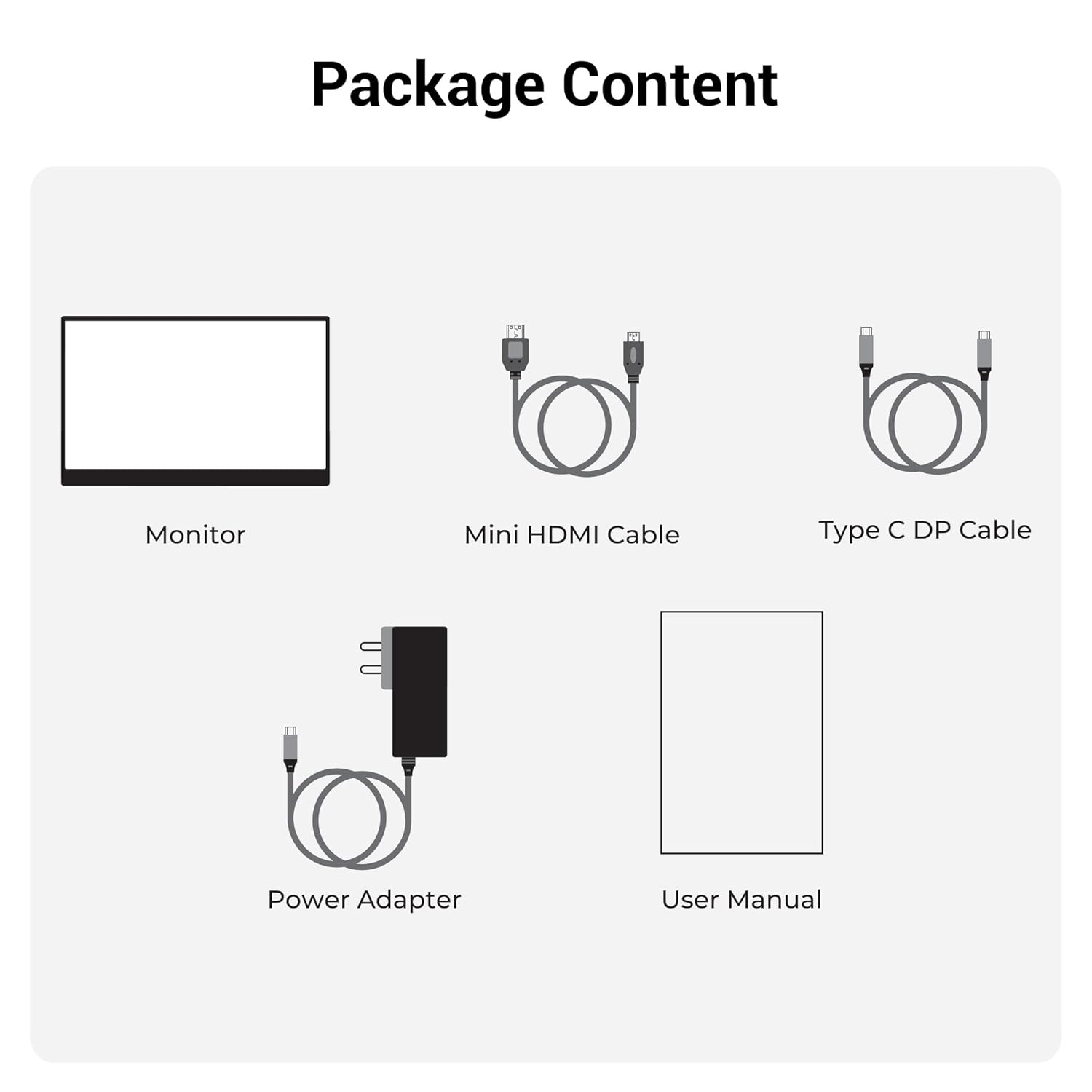
شکل 2.1: د بسته محتويات
3. محصول ختم شوview
۳.۲ بندرونه او کنټرولونه
Familiarize yourself with the various ports and control buttons on your Pixigo A16 monitor:
- مینی HDMI پورټ: For video input from devices with HDMI output.
- Type C Port 2 (Power + Display): Supports both power delivery and display signal via a single Type-C cable.
- Type C Port 1 (Only Power): Dedicated for power input to the monitor.
- Power / Return Button: Used to power the monitor on/off and navigate back in the OSD menu.
- د LED شاخص: Shows the power status of the monitor.
- Roller Key / Menu: Used to access and navigate the On-Screen Display (OSD) menu and adjust settings.
- د سر غوږ جیک: د بهرنیو آډیو وسیلو د نښلولو لپاره.

شکل ۳.۱: د بندرونو او کنټرولونو څارنه
3.2 کلیدي ځانګړتیاوې
- 15.6-inch FHD 1080p Display: Delivers sharp and vivid visuals with a resolution of 1920x1080.
- Anti-glare Screen: Minimizes reflections and eye strain for comfortable viewing.
- ۲۷۰ درجې د تنظیم وړ موقف: Offers flexible positioning to achieve the optimal viewزاویه.
- دوه ګونی داخلول: Features 1x Type-C DP port and 1x Mini HDMI port for broad compatibility.
- جوړ شوي سپیکرونه: مدغم آډیو محصول چمتو کوي.
- کم وزن او د پور وړ وړ: Compact design for easy transport and use in various locations.
- ۵۰۰ نټونه روښانتیا: Ensures a bright and vibrant screen, even in well-lit environments.
- 16.7 ملیون رنګونه: Supports accurate color reproduction.
- ۵:۳ اړخ نسبت: Ideal for media consumption and multitasking.
- په دیوال کې د ایښودلو وړ: Supports wall mounting for a clutter-free setup.

شکل ۸: د ښودلو ځانګړتیاوې
4. ترتیب کول
Follow these steps to set up your ZEBRONICS Pixigo A16 portable monitor:
- مانیټر خلاص کړئ: په احتیاط سره مانیټر او ټول لوازم له بسته بندۍ څخه لرې کړئ.
- موقف ځای په ځای کړئ: Adjust the integrated 180° stand to your desired viewزاویه.
- بریښنا وصل کړئ: Connect the provided Power Adapter to the Type C Port 1 (Power Only) on the monitor and plug it into a power outlet.
- وسیله سره وصل کړئ:
- For Type-C Devices (with DisplayPort Alt Mode): Use the Type C DP Cable to connect your device (laptop, smartphone) to Type C Port 2 (Power + Display) on the monitor. This single cable can provide both power and display signal.
- For HDMI Devices: Use the Mini HDMI Cable to connect your device (laptop, gaming console) to the Mini HDMI Port on the monitor. Ensure the monitor is also powered via Type C Port 1.
- پاور آن: Press the Power / Return Button to turn on the monitor.

Figure 4.1: Wide Compatibility with PC, Laptop, Mobile, and Gaming Console
5. عملیاتي لارښوونې
5.1 بنسټیز عملیات
- پاور آن/بند: Press and hold the Power / Return Button for a few seconds.
- د سرچینې انتخاب The monitor should automatically detect the input source. If not, access the OSD menu using the Roller Key and manually select the input.
- د حجم سمون: Use the Roller Key to adjust the volume of the built-in speakers or connected headphones.
۳.۱ د پردې پرده ښودنه (OSD) مینو
The OSD menu allows you to customize various display settings:
- Press the Roller Key to open the OSD menu.
- Roll the Roller Key up or down to navigate through menu options.
- Press the Roller Key to select an option or confirm a setting.
- Press the Power / Return Button to go back to the previous menu or exit the OSD.
۵.۵ د سټینډ تنظیم کول
The integrated stand can be adjusted up to 180 degrees to find the most comfortable viewing angle for your needs. Simply pivot the monitor on its stand to tilt it forward or backward.

Figure 5.1: 180° Adjustable Stand
6. ساتنه
د خپل مانیټر د اوږد عمر او غوره فعالیت ډاډمن کولو لپاره، د ساتنې دا لارښوونې تعقیب کړئ:
- د سکرین پاکول: د نرم، لینټ پاک ټوکر څخه لږ څه کار واخلئampد اوبو یا غیر خړوبونکي سکرین کلینر سره مینځل شوی. د سخت کیمیاوي موادو یا خړوبونکي موادو څخه ډډه وکړئ.
- د سي پاکولasing: مانیټر پاک کړئ جasing د نرم، وچ ټوکر سره.
- ذخیره کول: کله چې په کارولو کې نه وي، مانیټر په یخ او وچ ځای کې وساتئ، د مستقیم لمر وړانګو او سختې تودوخې څخه لرې.
- سمبالول: Handle the monitor with care, especially when transporting it. Its lightweight design makes it portable, but it should still be protected from impacts.
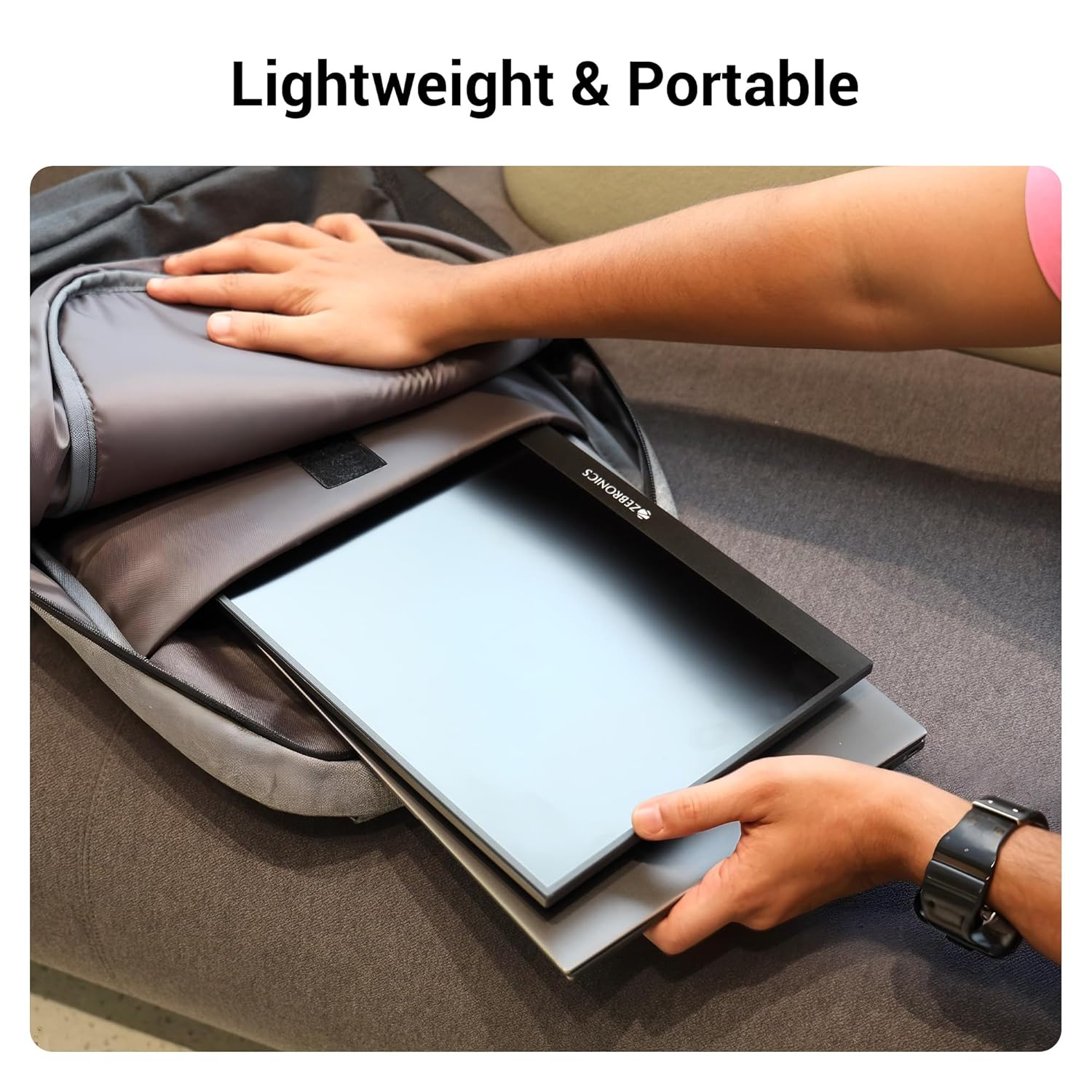
شکل ۵: سپک او د انتقال وړ ډیزاین
7. ستونزه حل کول
که تاسو د خپل مانیټر سره ستونزې سره مخ شئ، لاندې عامې ستونزې او حل لارې وګورئ:
| ستونزه | احتمالي لامل | د حل لاره |
|---|---|---|
| نه ښودنه/نه سیګنال | د ننوتلو ناسمه سرچینه غوره شوې؛ د کیبل اتصال خلاص دی؛ ناکافي بریښنا. | Check cable connections (HDMI/Type-C). Ensure the monitor is powered. Select the correct input source via the OSD menu. For Type-C, ensure your device supports DisplayPort Alt Mode. |
| ځلیدونکی سکرین | Faulty cable; Incompatible resolution/refresh rate; Power fluctuations. | Try a different cable. Adjust the resolution or refresh rate on your connected device. Ensure stable power supply. |
| غږ نشته | Volume too low/muted; Incorrect audio output selected on device. | Increase monitor volume using the Roller Key. Check audio settings on your connected device to ensure audio is routed to the monitor. |
| مانیټر نه چالانیږي | No power; Power adapter issue. | Ensure the power adapter is securely connected to the monitor (Type C Port 1) and a working power outlet. |
8. مشخصات
Detailed technical specifications for the ZEBRONICS Pixigo A16 portable monitor:
- نښه: زربونیکس
- ماډل: Zeb-Pixigo A16
- د سکرین اندازه: 15.6 انچونه (39.6 سانتي متره)
- د سکرین ریزولوشن: ۱۹۲۰ x ۱۰۸۰ پکسلز (FHD ۱۰۸۰ پکسلز)
- د اړخ نسبت: 16:9
- روښانتیا: 300 نټونه
- د رنګ ملاتړ: 16.7 ملیون رنګونه
- د سکرین سطحې توضیحات: Matte (Anti-glare)
- ارتباط: 1x Mini HDMI Port, 2x Type C Ports (1x Power + Display, 1x Power Only), Headphone Jack
- جوړ شوي سپیکرونه: هو
- د توکي وزن: 804 ګرامه
- د محصول ابعاد (LxWxH): 1.7 x 35.5 x 22.2 سانتي متره
9. تضمین او ملاتړ
For warranty information, technical support, or service inquiries, please refer to the warranty card included in your package or visit the official ZEBRONICS webسایټ. د تضمین ادعاوو لپاره د پیرود ثبوت په توګه د پیرود رسید وساتئ.


