1. پیژندنه
This manual provides essential information for the proper setup, operation, and maintenance of your Poly Rove 20 DECT PH HS cordless phone. Please read these instructions carefully before using the device to ensure optimal performance and safety.
2. د بسته محتويات
ډاډ ترلاسه کړئ چې ټول توکي ستاسو د محصول په کڅوړه کې شتون لري:
- Poly Rove 20 DECT PH HS Handset
- د چارج کولو زنګون
- د چارج کولو زانګو لپاره د بریښنا اډاپټر
- د چارج وړ بیټرۍ کڅوړه
- د بیلټ کلیپ
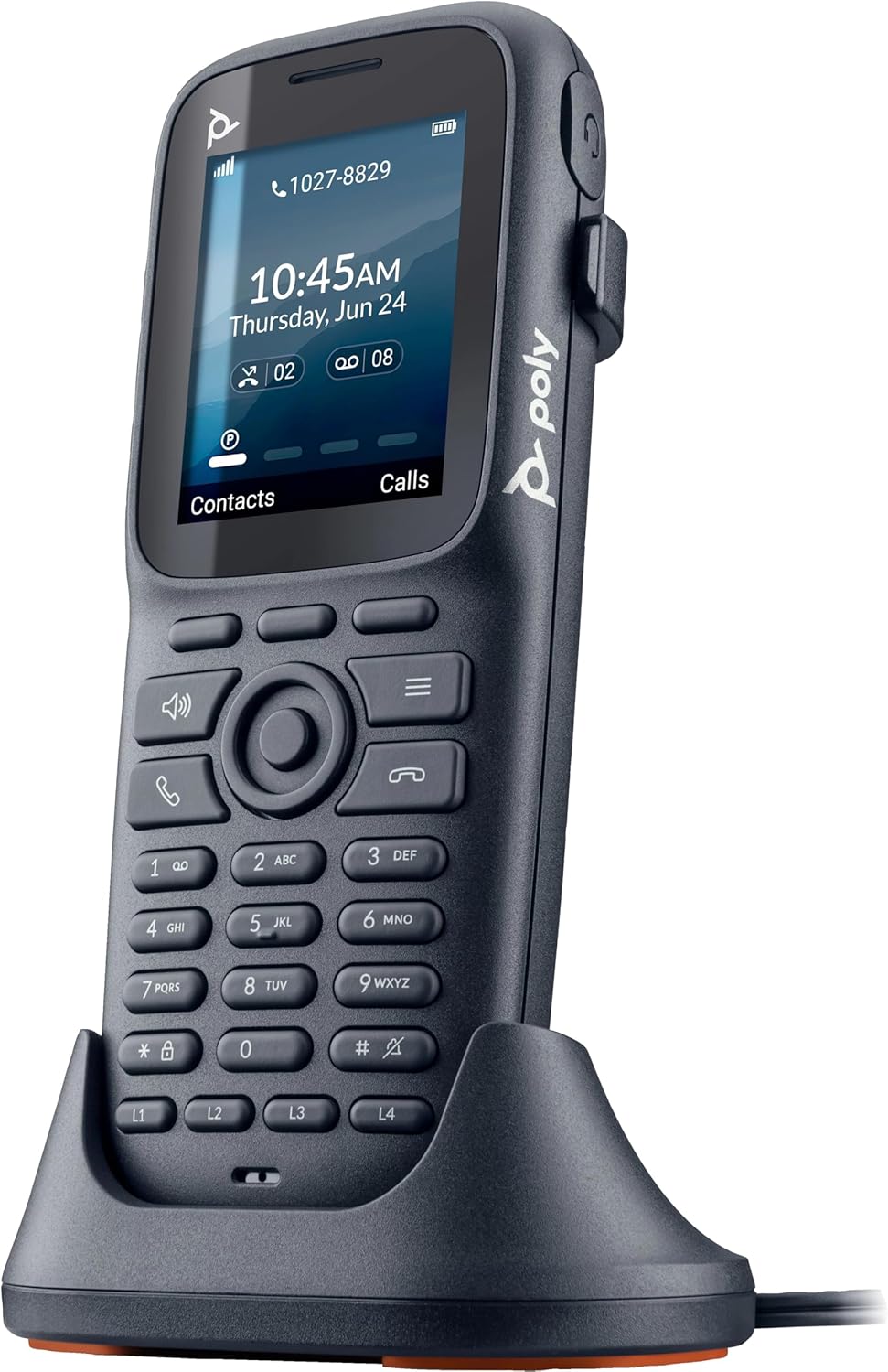
Image: The Poly Rove 20 DECT PH HS handset placed in its charging cradle, illustrating the charging setup.
3. ترتیب کول
3.1. د بیټرۍ نصب کول
- د هینډسیټ په شا کې د بیټرۍ کمپارټمینټ پوښ لرې کړئ.
- د چارج وړ بیټرۍ کڅوړه دننه کړئ، د سم قطبیت ډاډ ترلاسه کړئ.
- د بیټرۍ کمپارټ پوښ بدل کړئ.
3.2. د دستګاه چارج کول
- Connect the power adapter to the charging cradle and plug it into a power outlet.
- Place the handset into the charging cradle. The display will indicate charging status.
- د بیټرۍ بشپړ ظرفیت ډاډمن کولو لپاره، هینډسیټ ته اجازه ورکړئ چې د لومړني کارونې دمخه لږترلږه 4 ساعته چارج شي.
3.3. Registering the Handset to a DECT Base Station
The Poly Rove 20 DECT PH HS handset must be registered to a compatible DECT base station (sold separately) to function. Refer to your DECT base station's manual for specific registration instructions. General steps typically include:
- Put your DECT base station into registration mode.
- On the Rove 20 handset, navigate to the 'Settings' or 'Registration' menu.
- Select 'Register Handset' and follow the on-screen prompts. You may need to enter a PIN (default is often 0000 or 1234).
- Once registered, the handset will display the base station name or a confirmation message.
4. عملیاتي لارښوونې

انځور: مخکینۍ برخه view of the Poly Rove 20 DECT PH HS handset, showing the display, keypad, and function buttons.
4.1. بریښنا کول/بندول
- د بریښنا د فعالولو لپاره: فشار ورکړئ او ونیسئ زنګ وهل/بریښنا پای ته ورسوئ تڼۍ تر هغه وخته پورې چې ښودنه روښانه شي.
- د بریښنا بندولو لپاره: فشار ورکړئ او ونیسئ زنګ وهل/بریښنا پای ته ورسوئ button until the 'Power Off' option appears, then confirm.
4.2. زنګ وهل
- د کیپډ په کارولو سره د تلیفون شمیره دننه کړئ.
- فشار ورکړئ زنګ ووهئ button (green handset icon) to initiate the call.
4.3. زنګ ته ځواب ورکول
- کله چې تلیفون زنګ ووهي، فشار ورکړئ زنګ ووهئ button (green handset icon) to answer.
4.4. د زنګ وهلو پای
- فشار ورکړئ پای کال button (red handset icon) to terminate an active call.
4.5. د حجم تنظیم کول
- د زنګ وهلو په جریان کې، دا وکاروئ پورته/ ښکته د اییر پیس یا سپیکر حجم تنظیمولو لپاره د نیویګیشن کیلي.
4.6. Using the Belt Clip

انځور: اړخ view of the Poly Rove 20 DECT PH HS handset, showing the integrated belt clip for portability.
Attach the provided belt clip to the back of the handset for convenient carrying. Ensure it clicks securely into place.
5. ساتنه
5.1. پاکول
- د هینډسیټ او چارج کولو زنګون د نرم، d سره پاک کړئamp ټوکر
- سخت کیمیاوي توکي او کثافات پاکونکي مه کاروئ.
- ډاډ ترلاسه کړئ چې وسیله بنده شوې او د پاکولو دمخه د بریښنا سرچینې څخه غیر پلګ شوې.
5.2. د بیټرۍ پاملرنه
- د بیټرۍ د غوره ژوند لپاره، د سختې تودوخې څخه ډډه وکړئ.
- که چیرې هینډسیټ د اوږدې مودې لپاره ونه کارول شي، نو بیټرۍ یې لرې کړئ.
- Replace the battery when its performance significantly degrades.
6. ستونزه حل کول
| ستونزه | احتمالي لامل | د حل لاره |
|---|---|---|
| هینډسیټ نه چالانیږي. | بیټرۍ ختمه شوې یا په سمه توګه نه ده نصب شوې. | Ensure battery is installed correctly and charge the handset for at least 30 minutes. |
| زنګونه نشي وهلی یا یې ترلاسه کولی نشي. | Handset is not registered to a DECT base station or out of range. | Verify handset registration. Move closer to the DECT base station. Check base station power. |
| ضعیف غږ کیفیت. | مداخله یا کمزوری سیګنال. | Move away from other electronic devices. Ensure handset is within optimal range of the base station. |
| هینډسیټ چارج نه کوي. | Cradle not powered or handset not seated correctly. | Check power adapter connection. Ensure handset is properly seated in the cradle. Clean charging contacts. |
7. مشخصات
- نښه: HP
- ماډل: Rove 20 DECT PH HS
- د تلیفون ډول: بې تاره
- مواد: پلاستیک
- د بریښنا سرچینه: د بیټرۍ چلول
- د ډایلر ډول: واحد کیپډ
- د توکي ابعاد (L x W x H): 7.1 x 3.5 x 2.3 انچه
- د ځواب ورکولو سیسټم ډول: ډیجیټل
- د توکي وزن: 8 اونس
- مطابقت لرونکي وسایل: IP networks, VoIP services, PSTN/ISDN networks, DECT-compatible base stations
- د تلیفون د خبرو وخت: 35 ساعته
- څو کرښې عملیات: څو کرښې عملیات
- د تلیفون سټینډ بای وخت: ۸ ساعته
- د زنګ وهونکي پیژندنه: هو
- جوړونکی: HP POLY VOICE
- UPC: 197497473193
8. تضمین او ملاتړ
For warranty information, technical support, or service inquiries, please refer to the official HP website or contact HP customer support directly. Keep your purchase receipt as proof of purchase for warranty claims.
د اروپايي اتحادیې د اضافي پرزو د شتون موده: ۲ کاله.