1. پیژندنه
Welcome to the user manual for your Jooeniok L81 Smart Watch. This guide provides detailed instructions on how to set up, operate, and maintain your device, ensuring you get the most out of its features. The Jooeniok L81 is designed to enhance your daily life with its communication, fitness tracking, and health monitoring capabilities.
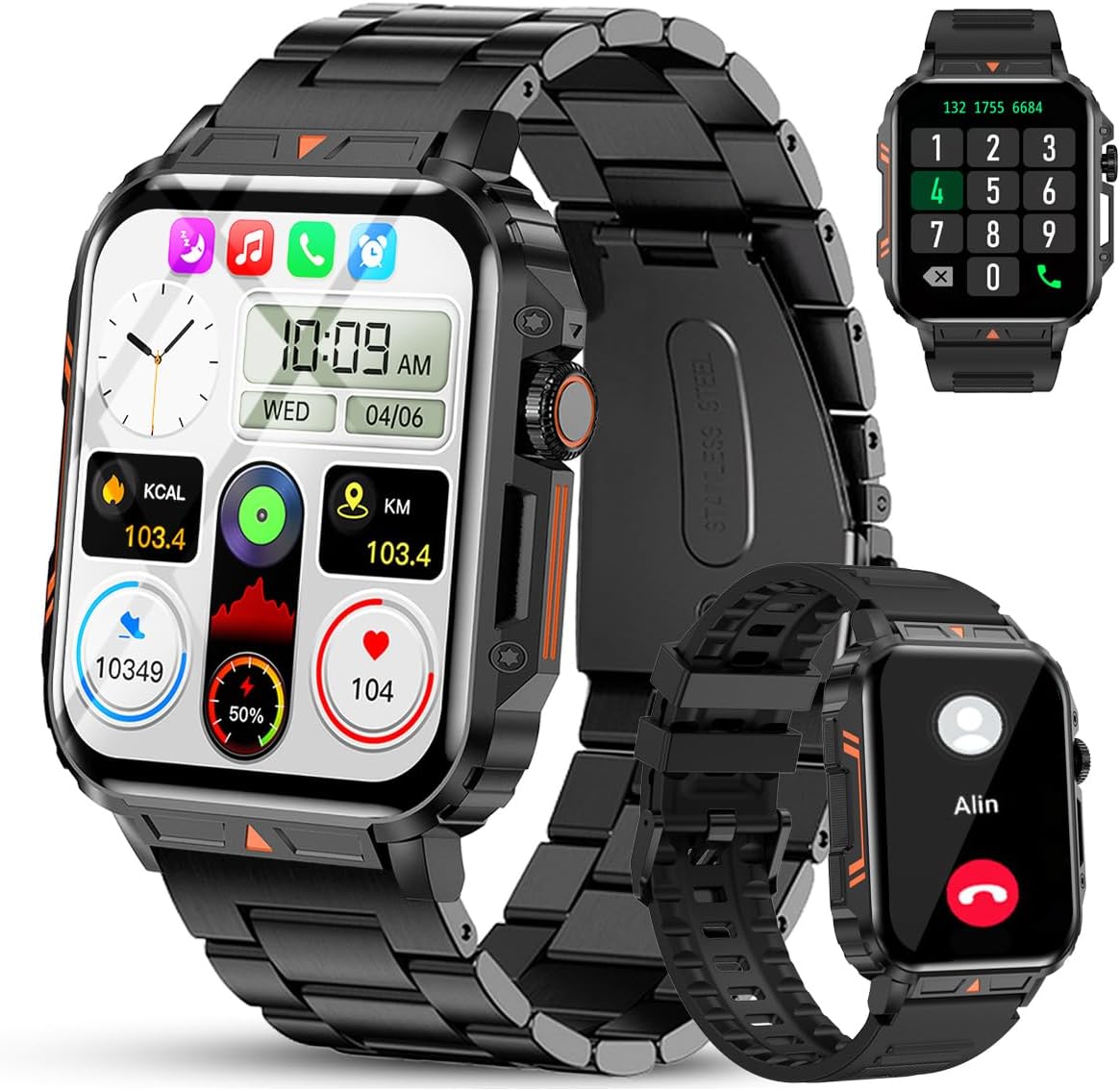
Image 1.1: The Jooeniok L81 Smart Watch, showcasing its main display and interchangeable straps.
2. کلیدي ځانګړتیاوې
- Bluetooth Calling & Message Alerts: Make and receive calls, read messages, and receive notifications from various apps directly on your watch.
- 1.95'' HD Touch Screen & DIY Dial: Enjoy a clear display and personalize your watch face.
- 112+ د سپورت طریقې: Track a wide range of activities including running, cycling, badminton, and hiking.
- IP68 واټر پروف: Suitable for daily use, hand washing, and outdoor activities in rain. (Note: Not recommended for diving, showering, or sauna.)
- روغتیا څارنه: Monitor heart rate, blood oxygen (SpO2), blood pressure, and sleep patterns.
- اوږدمهاله بیټرۍ: د اوږدې مودې کارونې لپاره د ۱۰۰۰mAh بیټرۍ سره سمبال شوی.
- څو اړخیزه: Includes features like timer, alarm, stopwatch, weather, calendar, water reminder, sedentary reminder, and remote photo control.
3. د تنظیم کولو لارښود
۱. د سمارټ واچ چارج کول
Before initial use, fully charge your Jooeniok L81 Smart Watch. Connect the magnetic charging cable to the charging contacts on the back of the watch and plug the USB end into a standard USB power adapter (not included) or a computer's USB port. The watch display will indicate charging status.

Image 3.1: Illustration of the watch dimensions and the location of the charging contacts.
۵.۲. د اپلیکیشن نصب او جوړه کول
- اپلیکیشن ډاونلوډ کړئ: Scan the QR code provided in the watch's quick start guide or search for the official companion app (e.g., "FitCloudPro" or similar, check packaging for exact name) in the Apple App Store (for iOS) or Google Play Store (for Android).
- بلوتوث فعال کړئ: ډاډ ترلاسه کړئ چې ستاسو په سمارټ فون کې بلوتوټ فعال دی.
- اپلیکیشن خلاص کړئ: نصب شوی اپلیکیشن لانچ کړئ او د حساب جوړولو یا ننوتلو لپاره په سکرین کې لارښوونې تعقیب کړئ.
- وسیله اضافه کړئ: Within the app, navigate to the "Device" or "Add Device" section. The app will search for available Bluetooth devices. Select "L81" or the corresponding device name when it appears.
- جوړه کول تایید کړئ: ستاسو په ساعت او تلیفون کې د جوړې غوښتنه ممکن ښکاره شي. په دواړو وسیلو کې جوړه تایید کړئ.
- اجازه ورکول: د اپلیکیشن د سم فعالیت لپاره اړین اجازې (د بیلګې په توګه، خبرتیاوې، موقعیت، اړیکې) ته اجازه ورکړئ.
The watch is compatible with Android 5.1 and above, and iOS 10.0 and above.
3.3. Initial Settings and Language
After successful pairing, the watch should automatically synchronize time and language settings with your phone. If the watch displays an incorrect language, navigate to the watch's settings menu (usually by swiping down from the main screen or pressing the side button to access the app list, then finding the 'Settings' icon). Look for 'Language' or 'System' settings to change it to English or your preferred language.
4. عملیاتي لارښوونې
4.1. بنسټیز نیویګیشن
- ټچ سکرین: د مینو او ځانګړتیاو له لارې د نیویګیټ کولو لپاره کیڼ/ښي، پورته/ښکته سوائپ کړئ. د غوره کولو لپاره ټایپ کړئ.
- د غاړې تڼۍ: Press to return to the main screen or access the app list. Long press for power options.
- Crown Button (if present): Rotate to scroll through lists or adjust settings, press to select.
۳.۲. د بلوتوث زنګ وهل او خبرتیاوې
Once paired, your watch can handle calls and display notifications. Ensure Bluetooth is connected and the companion app has the necessary permissions.
- زنګ وهل: Access the dial pad or contact list on your watch to initiate calls.
- تلیفونونه ترلاسه کول: کله چې زنګ راشي، تاسو کولی شئ مستقیم له ساعت څخه یې ځواب ورکړئ یا یې رد کړئ.
- خبرتیاوې: Swipe down from the main screen or access the notification center to view incoming messages from SMS, WhatsApp, Facebook, and other apps.
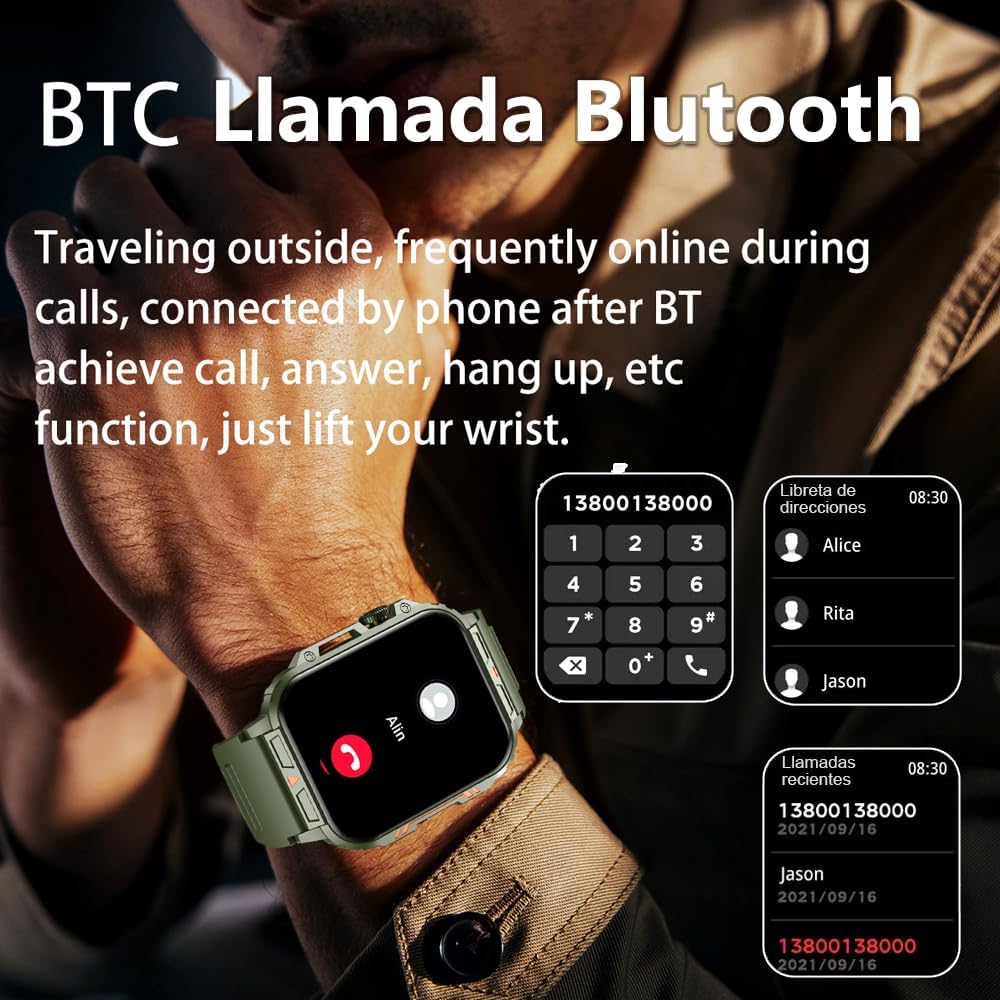
Image 4.1: The watch screen showing an incoming call and the dial pad for making calls.

Image 4.2: The watch displaying notifications from various social media and messaging applications.
۴. د سپورت طریقې
The watch supports over 112 sports modes. To access them, navigate to the 'Sports' or 'Workout' section on your watch. Select your desired activity to start tracking. The watch will record steps, distance, and calories.

Image 4.3: Icons representing various sports modes available on the watch.
۳. د روغتیا څارنه
The Jooeniok L81 provides continuous monitoring of several health metrics. Access these features through the watch's menu or the companion app.
- د زړه ضربان: The watch uses an optical sensor to monitor your heart rate. View په ساعت کې د ریښتیني وخت معلومات یا په ایپ کې تفصيلي رجحانات.
- Blood Oxygen (SpO2) & Blood Pressure: Initiate a measurement from the watch. Results are displayed on the screen and recorded in the app for historical analysis.
- د خوب څارنه: Wear the watch to bed for automatic sleep tracking. It analyzes deep sleep, light sleep, and awake times, providing a comprehensive sleep quality report in the app.
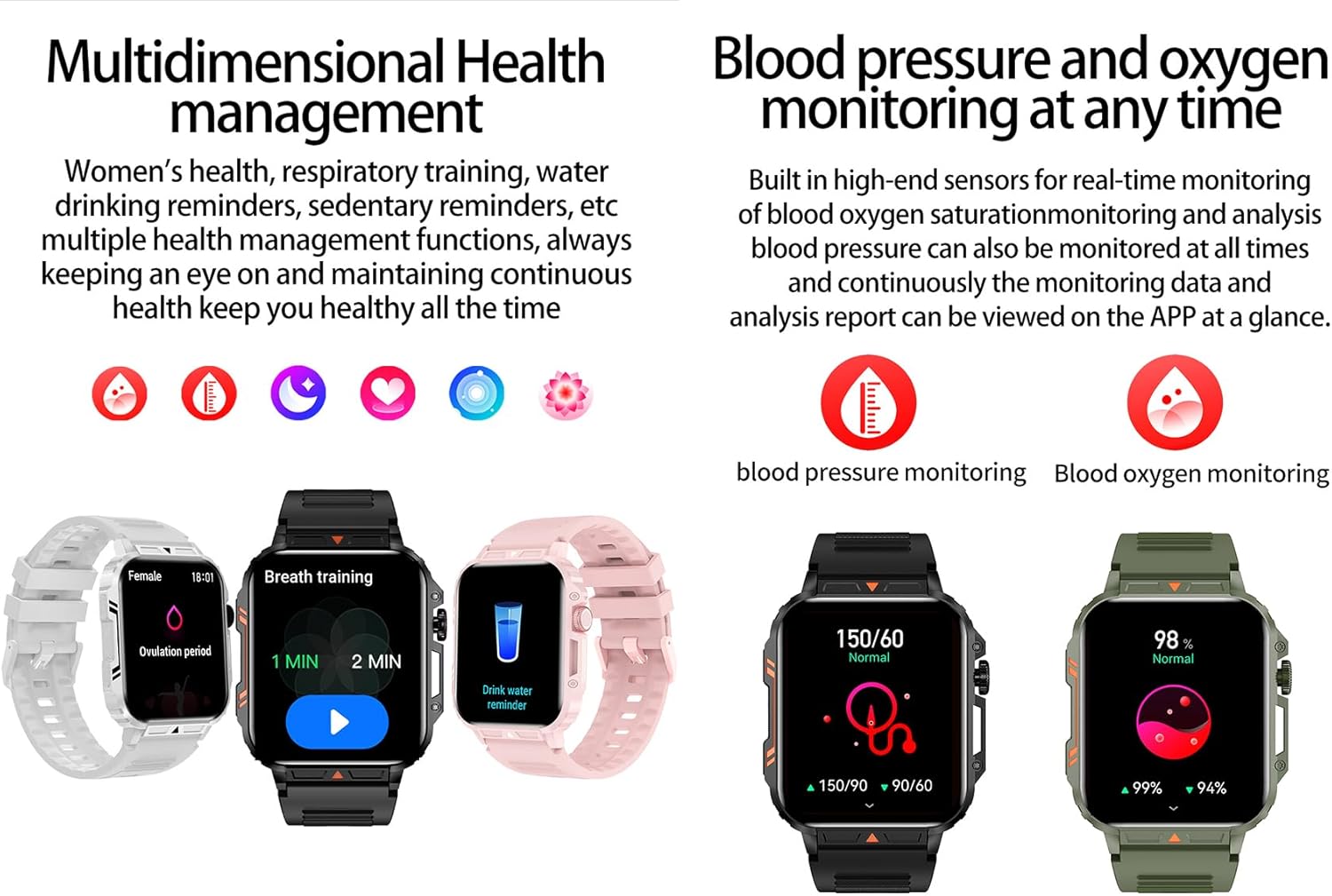
Image 4.4: Watch screens showing blood pressure and blood oxygen monitoring results.

Image 4.5: Watch screens showing real-time heart rate and a summary of sleep data.
4.5. AI Intelligent Voice Function
After connecting the watch to your phone via Bluetooth, activate the voice function on the watch. This allows you to use voice commands to open applications, check weather, make calls, or navigate, offering a hands-free experience.
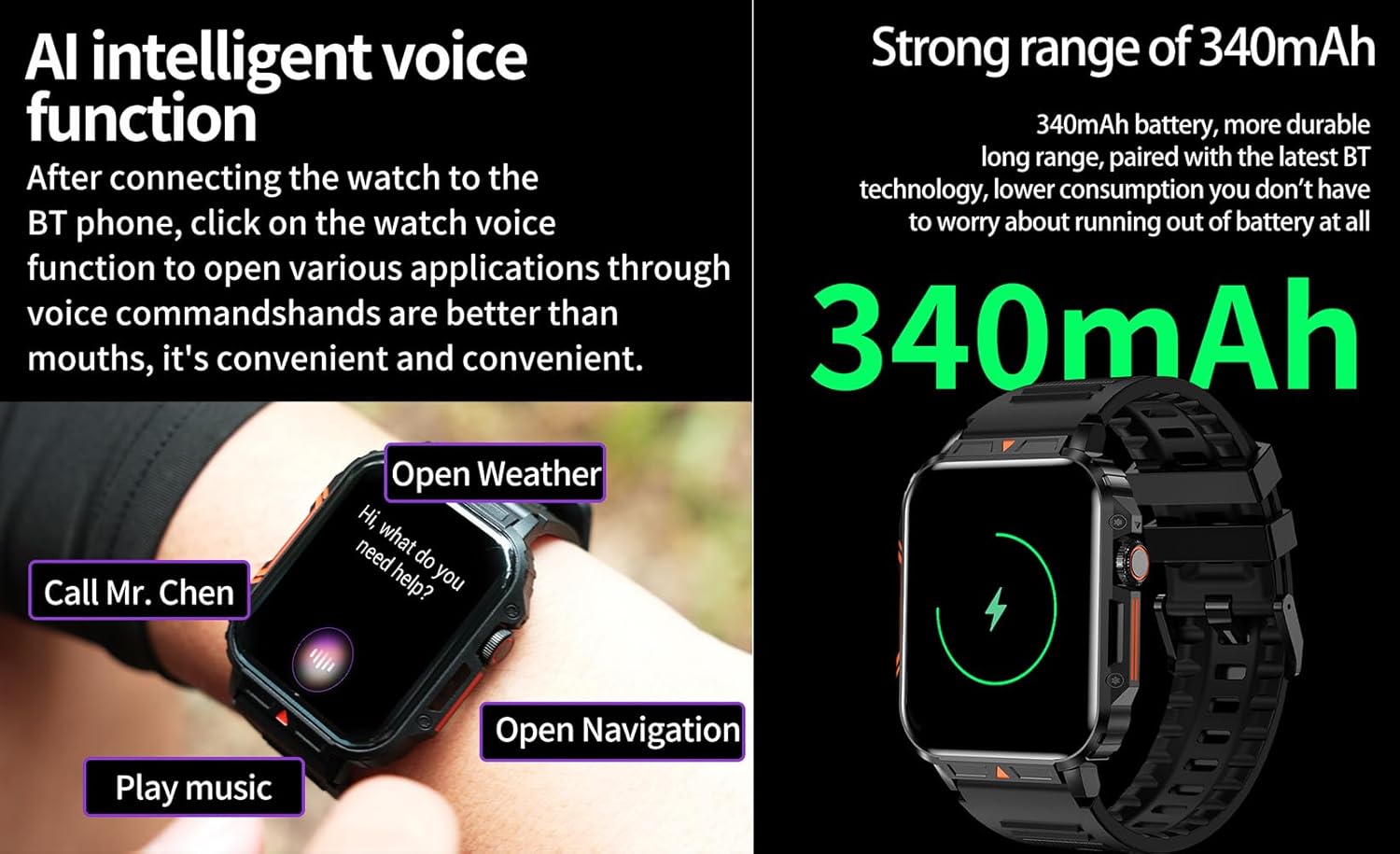
Image 4.6: The watch screen illustrating the AI voice assistant interface with exampحکمونه.
4.6. DIY Dial
Personalize your watch face by using the DIY dial feature within the companion app. You can often upload custom images or choose from a variety of pre-designed watch faces.
5. ساتنه
۳. د اوبو مقاومت
The Jooeniok L81 Smart Watch is IP68 waterproof and dustproof. This means it is resistant to dust and can withstand immersion in water up to 1.5 meters for up to 30 minutes. It is suitable for daily use, hand washing, and light rain.
مهم: ساعت دی نه recommended for diving, hot showers, or saunas, as steam and high water pressure can compromise the seals and cause damage.

Image 5.1: The watch shown with water splashes, indicating its water resistance.
5.2. پاکول
Regularly clean your watch and strap to prevent skin irritation and maintain functionality. Use a soft, damp cloth to wipe the screen and body. For the strap, follow the manufacturer's recommendations for the specific material (e.g., silicone, metal).
- د سختو کیمیاوي موادو یا خړوبولو موادو کارولو څخه ډډه وکړئ.
- ډاډ ترلاسه کړئ چې ساعت د چارج کولو یا اوږدې مودې کارولو دمخه په بشپړه توګه وچ دی.
5.3. د بیټرۍ پاملرنه
د بیټرۍ ژوند اوږدولو لپاره:
- د سخت تودوخې څخه ډډه وکړئ.
- بیټرۍ په مکرر ډول مه پریږدئ چې په بشپړه توګه وچه شي.
- د ورکړل شوي کیبل په کارولو سره ساعت چارج کړئ.
Image 5.2: The watch screen highlighting its 340mAh battery capacity.
6. ستونزه حل کول
| ستونزه | احتمالي حل |
|---|---|
| ساعت نه چالانېږي. | ډاډ ترلاسه کړئ چې ساعت په بشپړه توګه چارج شوی دی. لږترلږه د 30 دقیقو لپاره یې چارجر سره وصل کړئ. |
| د سمارټ فون سره جوړه نشي کیدی. |
|
| Incorrect language displayed. | Navigate to the watch's settings menu, find 'Language' or 'System' settings, and select your preferred language. If paired, the app might also have a language setting. |
| Touch screen unresponsive or intermittent. |
|
| خبرتیاوې نه دي ترلاسه شوي. |
|
| Health monitoring data seems inaccurate. |
|
7. مشخصات
| فیچر | تفصیل |
|---|---|
| د ماډل نوم | L81 |
| برانډ | جونیوک |
| د سکرین اندازه | ۷۸۷ انچه |
| د ارتباط ټیکنالوژي | بلوتوث |
| د بې سیمه مواصلاتو معیار | بلوتوث |
| عملیاتي سیسټم | Android (compatible with Android 5.1+ and iOS 10.0+) |
| د حافظې د ذخیره کولو ظرفیت | 128 MB |
| بیټرۍ | 1 Lithium Polymer battery (340mAh, included) |
| د اوبو مقاومت | IP68 |
| ځانګړي ځانګړتیاوې | Activity Tracker, Notifications, Phone Call, Time Display, Heart Rate Monitor, Blood Oxygen Monitor, Sleep Monitor, 112+ Sports Modes, AI Voice Function |
| ابعاد (تقریبا) | Watch face: 44mm (width) x 52mm (height); Thickness: 12mm; Strap length: 260mm |
8. تضمین او ملاتړ
The Jooeniok L81 Smart Watch is backed by a د 365 ورځو تضمین د پیرود نیټې څخه. دا تضمین د عادي استعمال لاندې د تولید نیمګړتیاوې او نیمګړتیاوې پوښي.
For technical support, warranty claims, or any questions regarding your product, please contact Jooeniok customer service through the retailer's platform or the contact information provided on the product packaging or official webسایټ
مهرباني وکړئ د تضمین تصدیق لپاره د پیرود ثبوت وساتئ.


