پیژندنه
Thank you for choosing the Cherry KW 3000 Wireless Keyboard. This full-size keyboard is designed for quiet and comfortable typing, featuring 2.4 GHz wireless technology for reliable connectivity with Windows and Mac operating systems. This manual provides essential information for setting up, operating, and maintaining your keyboard.
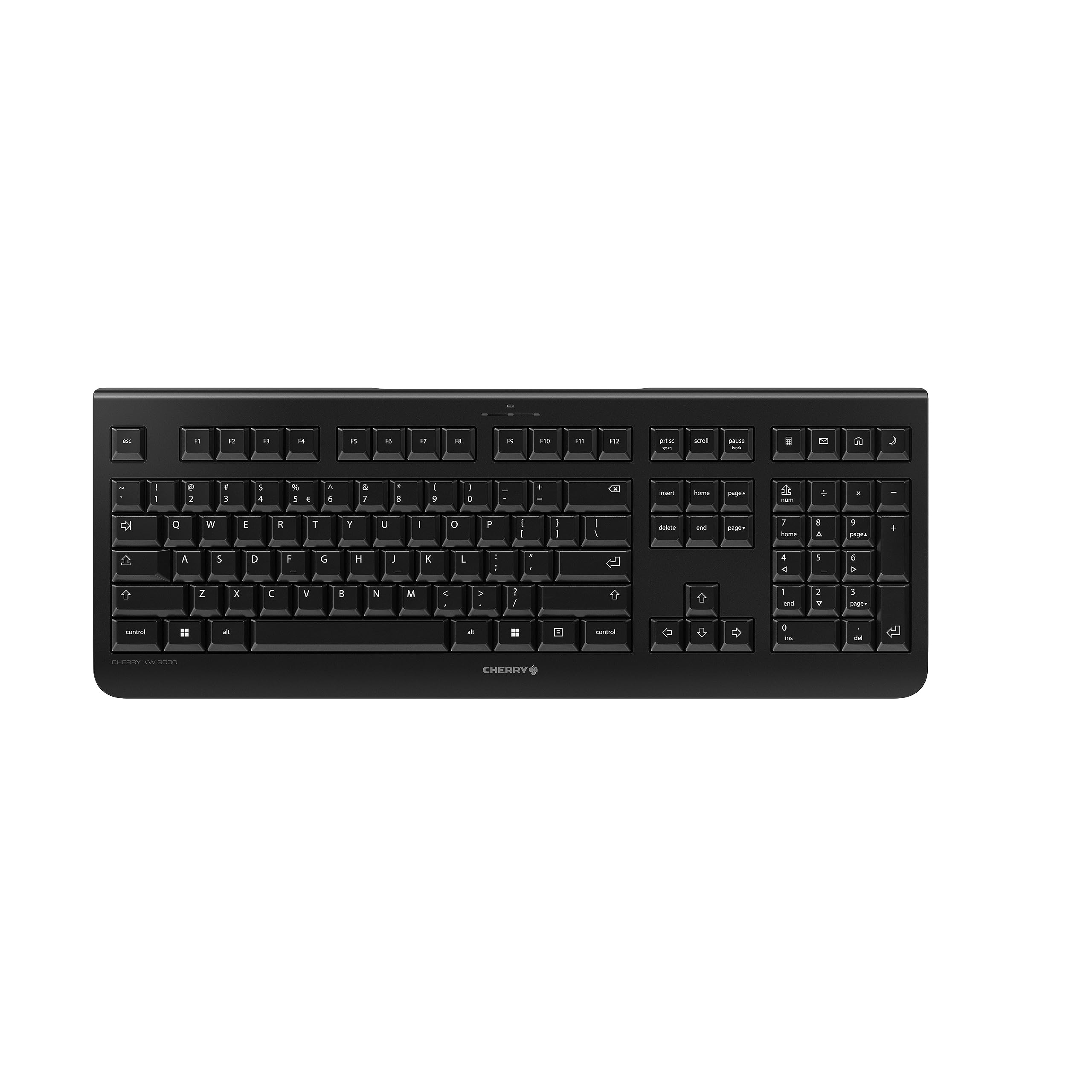
Image: The Cherry KW 3000 Wireless Keyboard, a full-size black keyboard, is shown on a light-colored desk mat. A laptop and an external monitor are visible in the background, indicating a typical office or home workspace setup. A computer mouse is also next to the keyboard.
د بسته محتويات
مهرباني وکړئ د لاندې توکو لپاره په بسته کې وګورئ:
- Cherry KW 3000 Wireless Keyboard
- USB Nano Receiver (dongle)
- 2 x AAA بیټرۍ
- د چټک پیل لارښود (دا سند)
چمتو کول
Follow these steps to set up your Cherry KW 3000 Wireless Keyboard:
- بیټرۍ داخل کړئ: Locate the battery compartment on the underside of the keyboard. Open the cover and insert the two AAA batteries, ensuring correct polarity (+/-). Close the battery cover securely.
- د USB رسیدونکي سره وصل کړئ: Plug the USB nano receiver into an available USB-A port on your computer (Windows or Mac). The operating system will automatically detect and install the necessary drivers.
- ټایپ کول پیل کړئ: Your keyboard is now ready for use. There is no on/off switch; the keyboard enters a power-saving sleep mode automatically when not in use and wakes up with any key press.

Image: The underside of the keyboard is shown, highlighting the battery compartment. The adjustable feet are also visible in their extended position.

Image: A small black USB nano receiver, labeled 'CHERRY', is shown on a light-colored surface, ready to be plugged into a computer's USB port.
عملیاتي لارښوونې
بنسټیز کارول
The Cherry KW 3000 features a standard full-size QWERTY layout, including a numeric keypad and function keys. Simply begin typing as you would with any standard keyboard.
هټکیز
The keyboard includes four dedicated hotkeys for quick access to common functions:
- محاسب: Opens the calculator application.
- برېښناليک: Launches your default email client.
- براوزر: ستاسو ډیفالټ خلاصوي web براوزر
- د خوب حالت: Puts your computer into sleep mode.

انځور: نږدې انځور view of the upper right section of the keyboard, showing the four dedicated hotkeys with icons for calculator, email, web browser, and sleep mode.
د تنظیم وړ پښې
For ergonomic comfort, the keyboard is equipped with stable fold-out feet on the underside. You can extend these feet to adjust the typing angle to your preference. The keyboard also features a non-slip bottom for stability.
انځور: یو اړخ پروfile of the Cherry KW 3000 keyboard, illustrating its slim design and the adjustable feet extended to provide an elevated typing angle.
ځانګړتیاوې
- ۲.۴ GHz بېسیم ټیکنالوژي: Provides a stable and reliable connection with a range of up to 10 meters.
- د بشپړې اندازې ترتیب: Includes a numeric keypad and cursor keys for comprehensive functionality.
- د خاموش غشا کیلي: Designed for low-noise typing, ideal for office and home environments.
- دوامدار ډیزاین: Built for longevity with a keystroke lifespan of up to 10 million actuations.
- هټکیز: Four convenient hotkeys for quick access to essential applications.
- د تنظیم وړ ارګونومیک: Fold-out feet allow for customizable typing angles.
- پلګ او پلی کول: Easy installation without the need for complex software.

Image: A close-up of the keyboard keys, emphasizing their low-profile design and durable lettering, indicative of a quiet and long-lasting typing experience.
ساتنه
پاکول
To clean your keyboard, disconnect the USB receiver from your computer. Use a soft, lint-free cloth slightly dampened with water or a mild cleaning solution. Avoid excessive moisture and do not spray cleaners directly onto the keyboard. For cleaning between keys, use compressed air or a small brush.
د بیټرۍ بدلول
When the keyboard's performance degrades or it stops responding, it's likely time to replace the batteries. Open the battery compartment on the underside, remove the old AAA batteries, and insert new ones, observing the correct polarity. Dispose of old batteries responsibly according to local regulations.
د ستونزو حل کول
- کیبورډ ځواب نه ورکوي:
- ډاډ ترلاسه کړئ چې د USB ریسیور په خوندي ډول ستاسو په کمپیوټر کې په کار کونکي USB پورټ کې پلګ شوی دی.
- بیټرۍ وګورئ. که ټیټې یا خالي وي نو بدل یې کړئ.
- د رینج مسلو د له منځه وړلو لپاره کیبورډ د USB ریسیور ته نږدې کړئ.
- د USB ریسیور په بل USB پورټ کې د پلګ کولو هڅه وکړئ.
- کیلي چپکونکې یا غیر ځواب ورکوونکې دي:
- Clean the keyboard as described in the Maintenance section to remove any debris that might be affecting key presses.
- وقفې وقفې اړیکه:
- Ensure there are no large metal objects or other wireless devices causing interference between the keyboard and the receiver.
- Try using the keyboard in a different location to check for environmental interference.
مشخصات
| فیچر | تفصیل |
|---|---|
| د ماډل شمیره | JK-3000EU-2 |
| د ارتباط ټیکنالوژي | 2.4 GHz Wireless (USB-A receiver) |
| د کیبورډ توضیحات | جھلی |
| مطابقت لرونکې وسیلې | ماک، وینډوز |
| ځانګړي ځانګړتیاوې | Durable, Hotkeys and Media Keys, Wireless |
| رنګ | تور |
| مواد | پلاستیک |
| د محصول ابعاد | 18.03 x 6.69 x 0.79 انچه (45.8 x 17 x 2 سانتي متره) |
| د توکي وزن | ۶ پونډه (۳ کیلو ګرامه) |
| بیټرۍ | 2 AAA بیټرۍ (شامل دي) |
| جوړونکی | چیری |
تضمین او ملاتړ
Cherry products are manufactured to high-quality standards. This product comes with a standard manufacturer's warranty against defects in materials and workmanship. For specific warranty terms, duration, and to access customer support, please refer to the official Cherry webسایټ ته مراجعه وکړئ یا مستقیم د دوی د پیرودونکو خدماتو سره اړیکه ونیسئ. د تضمین ادعاوو لپاره د پیرود ثبوت وساتئ.
د خوندیتوب معلومات
- کیبورډ د مایعاتو یا ډیر رطوبت سره مه ښکاره کوئ.
- د سخت تودوخې څخه ډډه وکړئ.
- د کیبورډ د جلا کولو یا بدلولو هڅه مه کوئ. دا به تضمین باطل کړي.
- بیټرۍ د ماشومانو له لاسرسي لرې وساتئ. که وخوړل شي، سمدستي طبي پاملرنه وغواړئ.
- Dispose of batteries and electronic waste responsibly.


