پیژندنه
The Philips Air Performer 7000 Series (Model AMF765/30) is a versatile 2-in-1 device designed to purify the air and provide cooling. It effectively removes 99.97% of invisible particles and automatically adjusts its performance to maintain optimal air quality and comfort in your environment.
This manual provides essential information for the safe and efficient use of your Philips Air Performer. Please read it thoroughly before operating the device and retain it for future reference.
د خوندیتوب مهم معلومات
Before using the appliance, read this user manual and the important information leaflet carefully and save them for future reference.
- د حجم ډاډ ترلاسه کړئtage په وسیلې کې ښودل شوي د محلي مینز حجم سره سمون لريtagد نښلولو دمخه.
- که چیرې پلګ، د بریښنا تار، یا پخپله وسیله زیانمنه شوې وي، نو وسیله مه چلوئ.
- وسیله د ماشومانو له لاسرسي لرې وساتئ.
- د هوا داخلې یا بهر مه بندوئ.
- تل د فلټرونو پاکولو یا بدلولو دمخه وسیله خلاص کړئ.
- یوازې د اصلي فیلیپس بدیل فلټرونه وکاروئ.
محصول پای ته ورسیدview
The Philips Air Performer combines advanced air purification with a powerful fan for cooling. It features a multi-layer filtration system and smart sensing technology.

Image: The Philips Air Performer 7000 Series device, showcasinد هغې ښکلی ډیزاین او مدغم نندارتون.
کلیدي ځانګړتیاوې:
- Purifies rooms up to 70 m².
- HEPA and Activated Carbon filter system.
- Clean Air Delivery Rate (CADR) of 270 m³/hour.
- Connects to the Air+ app for smart control.
- Sleep mode with ultra-quiet operation.
چمتو کول
- بسته بندي کول: Carefully remove the appliance and all packaging materials. Retain packaging for potential future transport.
- د فلټر لګول:
The filters are typically pre-installed but may have protective packaging. Open the filter compartment (usually at the base or back) and remove any plastic wrapping from the HEPA and Activated Carbon filters. Insert them correctly according to the markings.

انځور: یوه چاودنه شوې view showing the multi-layer filtration system of the Philips Air Performer, including HEPA and activated carbon filters.
- ځای په ځای کول: Place the appliance on a stable, level surface, ensuring at least 20 cm (8 inches) of clear space around the air inlets and outlets for optimal airflow.
- د بریښنا پیوستون: د برښنا تار په یو ځمکني بریښنایی پلورنځي کې ولګوه.
- د اپلیکیشن اتصال (اختیاري): Download the Philips Air+ app from your device's app store. Follow the in-app instructions to connect your Air Performer for remote control and monitoring.
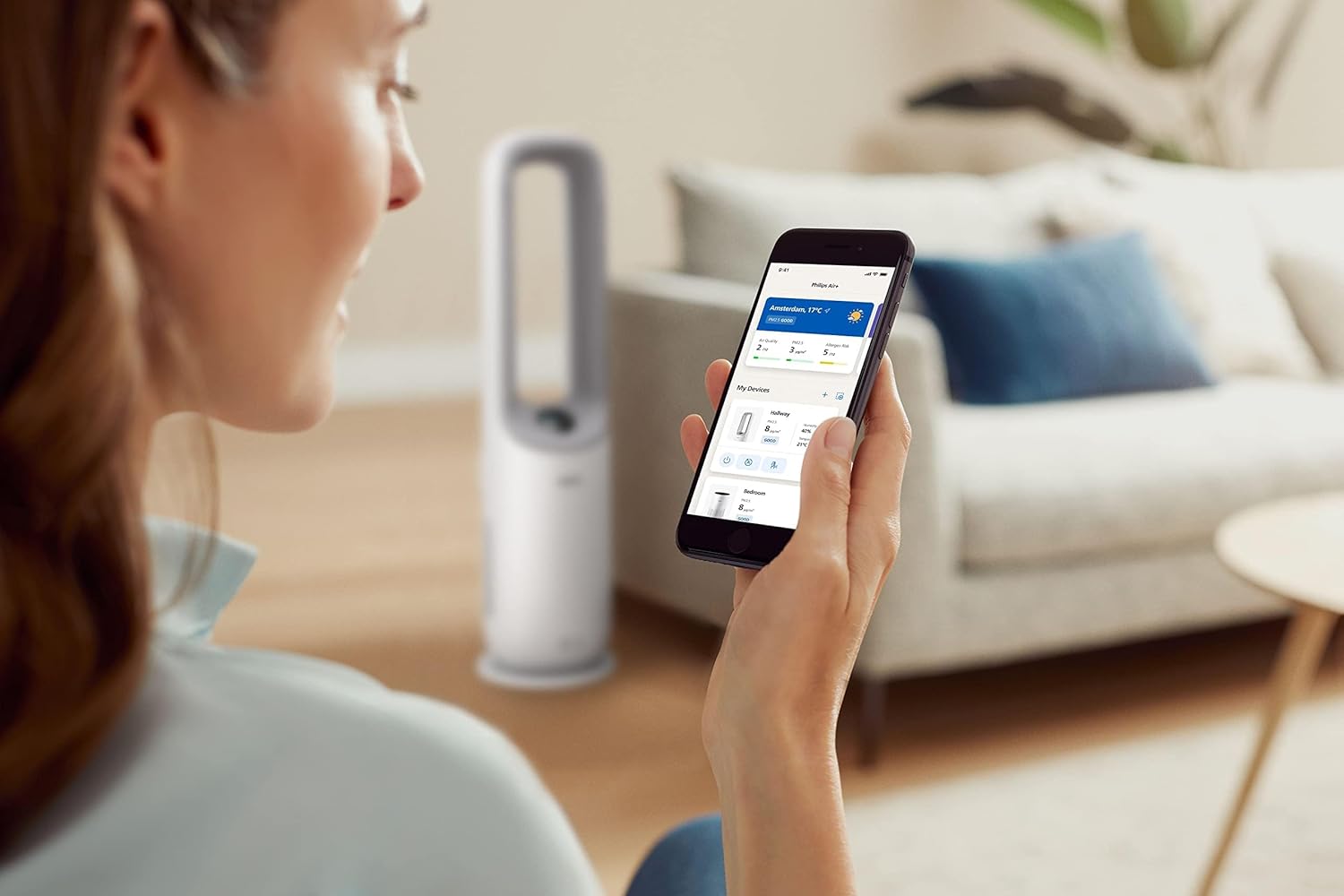
Image: A user interacting with the Philips Air+ mobile application, demonstrating remote control capabilities for the Air Performer.
عملیاتي لارښوونې
پاور آن/بند
Press the power button on the device or in the Air+ app to turn the appliance on or off.
عملیاتي طریقې
- د موټرو حالت: The appliance automatically adjusts fan speed and purification settings based on detected air quality.
- د لاسي فین سرعت: Adjust the fan speed manually using the control panel or app.
- د خوب حالت: Reduces fan speed and dims display lights for quiet operation during sleep.

Image: The Philips Air Performer operating in a dimly lit bedroom, highlighting its quiet sleep mode feature.
د هوا جریان
The device may feature oscillation or adjustable airflow direction. Use the control panel or app to set the desired airflow for cooling.

Image: The Philips Air Performer emitting a powerful stream of purified and cooled air, demonstrating its fan function.
Smart Sensing and Coverage
The Air Performer continuously monitors air quality using advanced sensors, automatically adjusting its operation to maintain optimal conditions. Its design ensures efficient air circulation, purifying and cooling rooms up to 70 m².

Image: The Philips Air Performer using a red laser to detect airborne particles, illustrating its smart sensing capabilities.
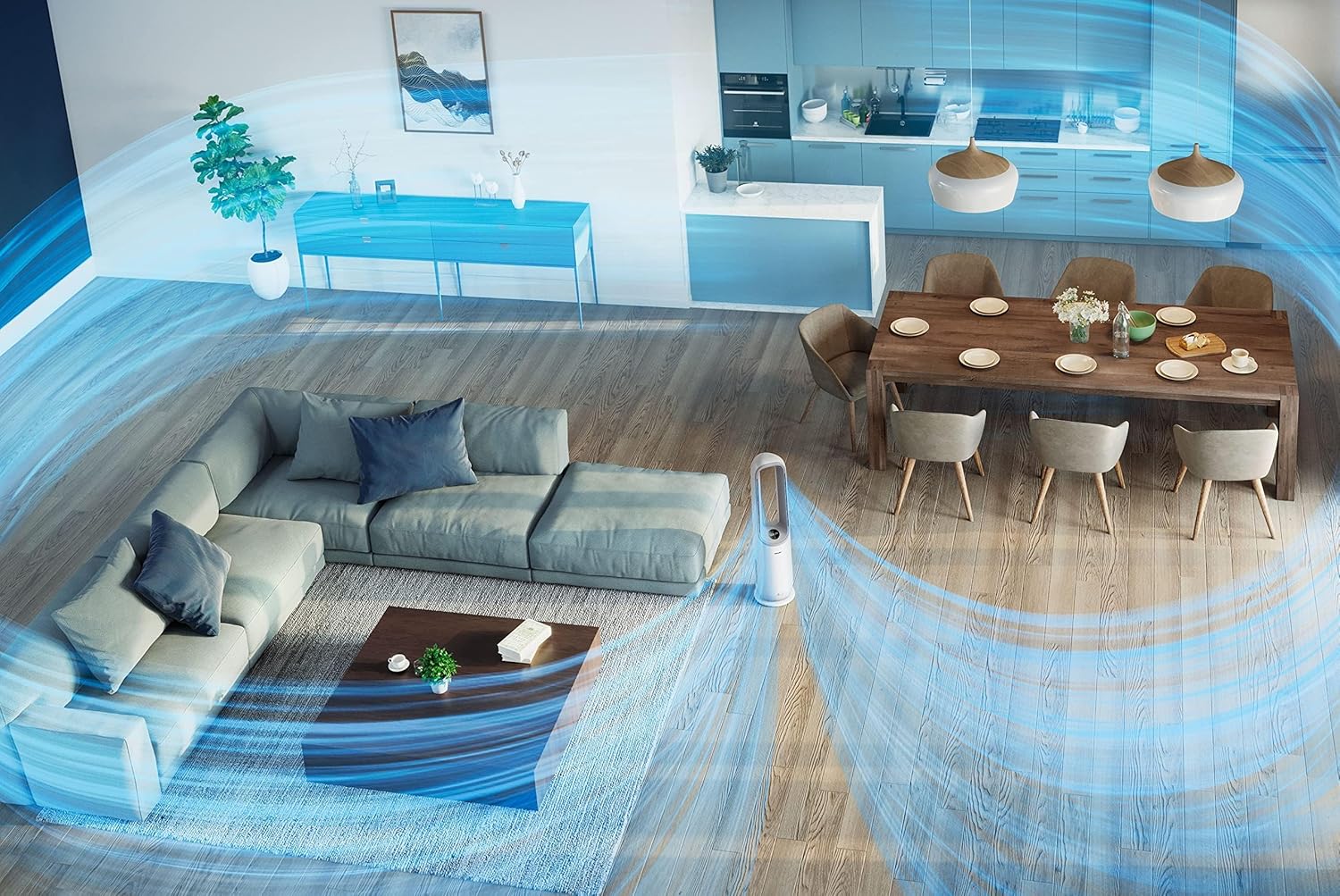
انځور: یوه هوايي view of a living space showing the Philips Air Performer effectively circulating purified air across the entire room.
ساتنه
د وسایلو پاکول
- تل د پاکولو دمخه وسیله انپلګ کړئ.
- بهرنۍ برخه په نرم او وچ ټوکر سره پاکه کړئ. د کثافاتو پاکوونکو یا محلولونو څخه کار مه اخلئ.
- Clean the air inlet and outlet grilles with a soft brush or vacuum cleaner.
د فلټر بدلول
The appliance will indicate when filters need replacement. Refer to the Air+ app or the device display for filter status.
- وسیله وتړئ او خلاص کړئ.
- د فلټر لاسرسي پینل پرانیزئ.
- Remove the used filters and dispose of them properly.
- Unpack new Philips original filters and insert them into the appliance.
- د فلټر لاسرسي پینل وتړئ.
- Plug in the appliance and reset the filter lifetime counter (if applicable, follow on-screen or app instructions).
یادونه: Filter lifespan varies based on usage and air quality. Only use genuine Philips replacement filters to ensure optimal performance.
د ستونزو حل کول
| ستونزه | احتمالي لامل | د حل لاره |
|---|---|---|
| وسیله نه ځي. | نه دی لګېدلی؛ بریښنا بنده دهtage; damaged cord. | Check power connection; verify power supply; inspect cord for damage. |
| د هوا د پاکولو ضعیف فعالیت. | Filters are dirty or incorrectly installed. | Check filter status; clean or replace filters; ensure correct installation. |
| Fan not providing sufficient cooling. | Fan speed too low; blocked air outlets. | Increase fan speed; ensure clear path for airflow. |
| وسیله شور ده. | Filters are very dirty; foreign object inside. | Replace filters; check for and remove any obstructions. |
| د Air+ ایپ سره وصل نشو. | Bluetooth/Wi-Fi off; incorrect pairing steps. | Ensure Bluetooth/Wi-Fi is enabled; restart app and appliance; follow app pairing instructions carefully. |
مشخصات
| فیچر | تفصیل |
|---|---|
| د ماډل شمیره | د AMF765/30 معرفي کول |
| د محصول ابعاد | 34.1 x 34.1 x 115.2 سانتي متره |
| د توکي وزن | 7.3 کیلو ګرامه |
| د فلټر ډول | HEPA، فعال کاربن |
| د پاک هوا تحویلي نرخ (CADR) | 270 m³/ساعت |
| Room Size (CADR) | تر 70 m² پورې |
| د بریښنا سرچینه | د بریښنا تار شوی |
| د کنټرول طریقه | اپلیکیشن، ریموټ کنټرول |
| رنګ | سپین |
| مجلس ته اړتیا ده | نه |
| بیټرۍ ته اړتیا ده | نه |
تضمین او ملاتړ
This Philips Air Performer (Model AMF765/30) comes with a 2-year manufacturer's warranty. Please retain your proof of purchase for warranty claims.
For technical support, troubleshooting assistance, or to purchase replacement parts and filters, please visit the official Philips website or contact Philips customer service in your region. You can find contact information on the Philips webسایټ یا ستاسو د محصول سره شامل شوي تضمین کارت کې.
آنلاین ملاتړ: www.philips.com/support