پیژندنه
This manual provides instructions for the installation, use, and maintenance of your Usmile FPV Goggle Faceplate Foam replacement pads. These soft, thin sponge pads are designed to enhance comfort and improve the light seal of various FPV goggles.
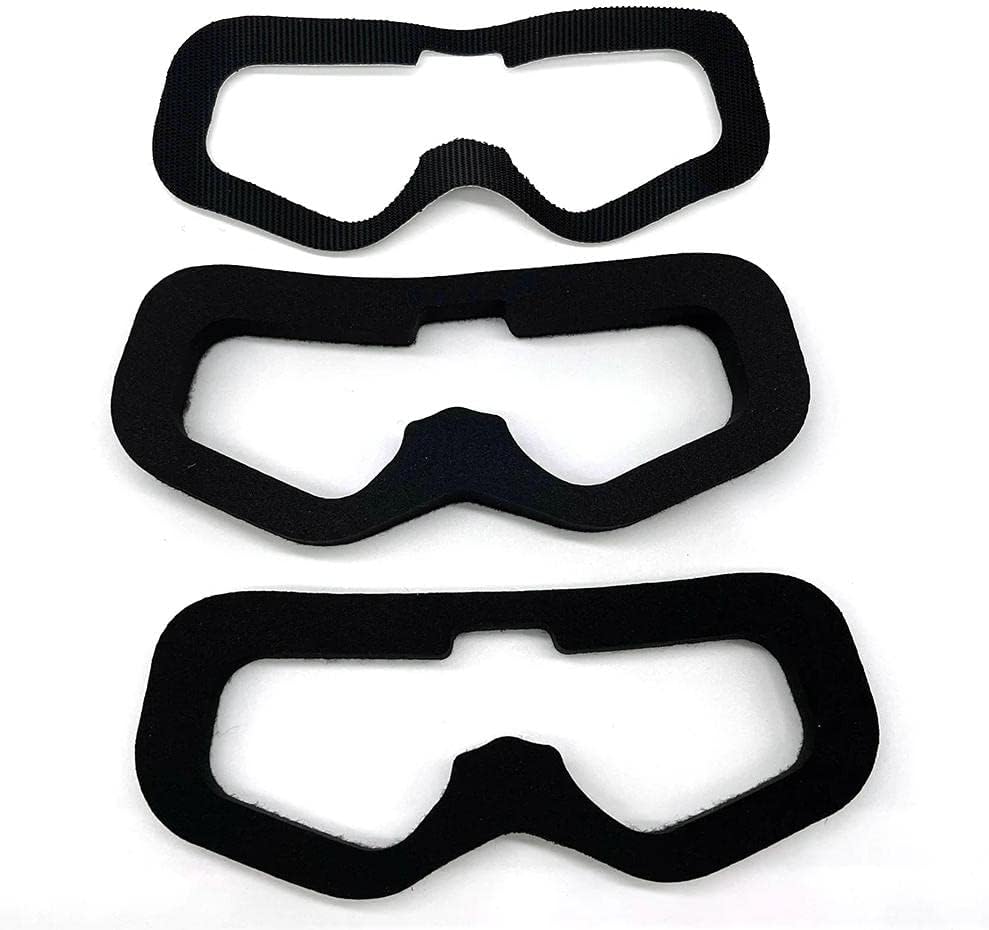
Image: The two Usmile FPV goggle faceplate foam pads included in the package.
د بسته محتويات
- 1 x Thick Sponge Pad
- 1 x Thin Sponge Pad
مطابقت
These faceplate foam pads are compatible with a variety of FPV goggles, including but not limited to:
- FatShark HD3
- FatShark HDO
- FatShark HDO2
- Eachine Ev200d
- Eachine Ev300d
- Skyzone 03o
- Skyzone 04x
- چلند V6
- Aomway V1S
Note: Some goggle models may require minor trimming for optimal fit.
تنظیم او نصب کول
Follow these steps to replace or install your Usmile FPV Goggle Faceplate Foam pads:
- Prepare your Goggles: Ensure your FPV goggles are clean and free of dust or debris on the faceplate area. If replacing existing foam, carefully peel off the old foam and any remaining adhesive.

Image: Removing the old foam from the FPV goggles.
- Choose the Right Pad: Select either the thick or thin sponge pad based on your preference for comfort and desired distance from the goggle lenses. The pads are designed to be very soft and durable.
- Align the Pad: Carefully align the new Usmile foam pad with the contours of your goggle faceplate. Ensure the cutouts for the nose bridge and eye areas match perfectly.
- Apply the Pad: The foam pads typically come with an adhesive backing (often Velcro). Peel off the protective layer from the adhesive side of the foam pad.
- پیډ خوندي کړئ: Press the foam pad firmly onto the goggle faceplate, starting from one end and working your way around, ensuring a secure and even attachment. Apply gentle pressure to ensure good adhesion.
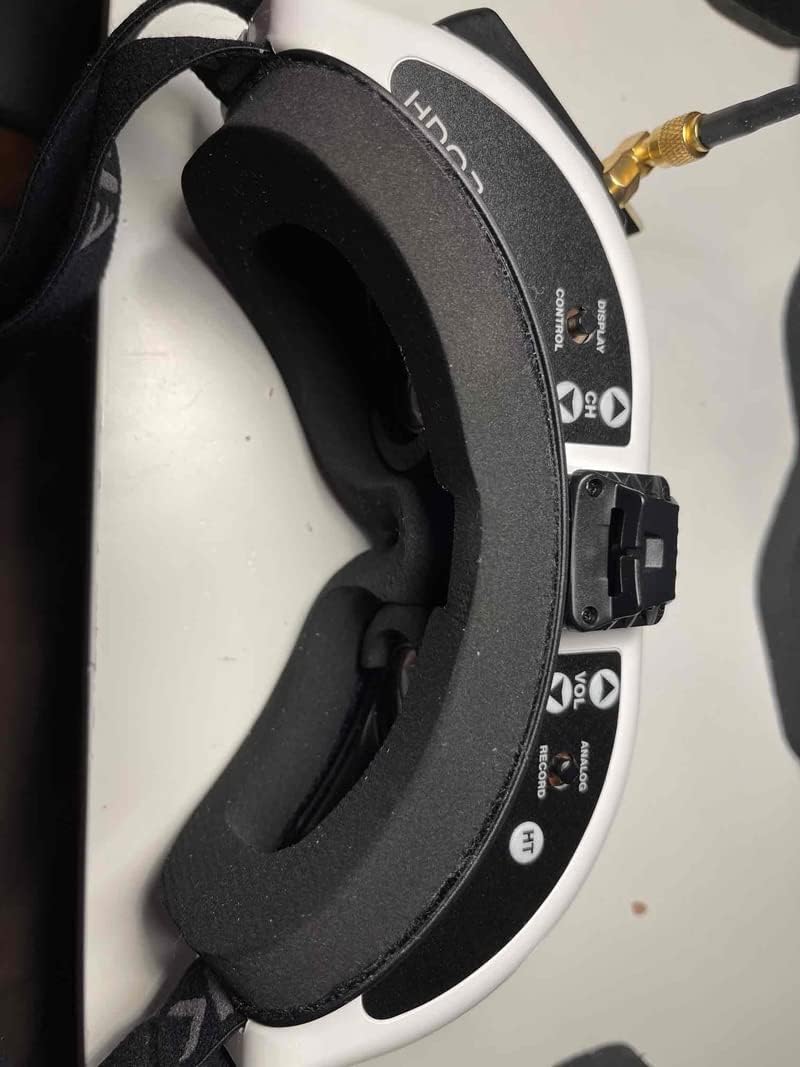
Image: The new foam pad installed on the FPV goggles.
- فټ چک کړئ: Once installed, try on your goggles to ensure a comfortable fit and an effective light seal around your eyes. Adjust if necessary.
عملیاتي لارښوونې
The Usmile faceplate foam pads are designed for passive operation, providing enhanced comfort and light blocking during FPV goggle use. Once installed, no further operational steps are required.
- راحت: The soft sponge material conforms to your face, reducing pressure points and allowing for extended periods of comfortable use.
- Light Seal: The design helps to block ambient light from entering the goggle view, improving immersion and clarity of the FPV feed.
ساتنه
To ensure the longevity and hygiene of your Usmile faceplate foam pads, follow these maintenance guidelines:
- پاکول: Gently wipe the foam surface with a damp cloth. For deeper cleaning, use a mild soap solution and rinse thoroughly. Allow the pads to air dry completely before reattaching to your goggles. Avoid harsh chemicals or abrasive cleaners.
- ذخیره کول: When not in use, store your goggles in a clean, dry place away from direct sunlight and extreme temperatures to prevent material degradation.
- معاینه: Periodically inspect the foam for signs of wear, tear, or compression. Replace pads if they no longer provide adequate comfort or light seal.
د ستونزو حل کول
| ستونزه | احتمالي لامل | د حل لاره |
|---|---|---|
| Poor light seal / Light leakage |
|
|
| د کارولو پرمهال ناامني |
|
|
| Pad detaching from goggles |
|
|
مشخصات
| د ماډل شمیره | US-823 |
| مواد | Soft Thin Sponge |
| ابعاد (محصول) | 3 x 2 x 0.8 inches (approximate, for individual pad) |
| وزن (محصول) | ۶.۶ اونس (ټوله بسته) |
| جوړونکی | اسمایل |
| د اصلي هیواد | چین |
تضمین او ملاتړ
Usmile strives to provide high-quality products. For any questions regarding installation, compatibility, or product performance, please contact your retailer or the manufacturer directly. Specific warranty information may vary by region and retailer.
Please refer to the original product packaging or purchase documentation for detailed warranty terms and contact information.


