1. پیژندنه
This manual provides comprehensive instructions for the setup, operation, and maintenance of your CPVAN Wireless Security Camera (Model BC01). Please read this guide thoroughly before using the product to ensure optimal performance and safety.

Figure 1: CPVAN Wireless Security Camera (Model BC01)
2. د محصول ب Featuresې
- ۱۰۸۰P HD ویډیو: Captures clear 1080P HD video and images with a 120-degree wide-angle view.
- AI Recognition & Smart Motion Detection: Accurately analyzes and recognizes people, vehicles, pets, and packages, sending instant notifications.
- د شپې لید رنګ: Integrated white and infrared light sources provide full-color and infrared night vision up to 33 ft.
- دوه لارې آډیو: Built-in microphone and speaker for real-time two-way communication.
- Siren Alarm & Spotlight: Deter unwanted visitors with an audible siren and flashing white light.
- Wire-Free & Waterproof: Rechargeable battery for 1-5 months of use on a single charge and IP65 waterproof rating for outdoor installation.
- د ذخیره کولو اختیارونه: Supports up to 128GB SD card and free 3-day rolling cloud storage.
۲. په بکس کې څه دي؟
ډاډ ترلاسه کړئ چې ټولې برخې په بسته کې شتون لري:
- CPVAN Wireless Security Camera (BC01)
- د خولو لگول
- د USB چارج کیبل
- د نصبولو پیچونه او دیوال لنگرونه
- د کارن لارښود
4. د تنظیم کولو لارښود
4.1 ابتدايي چارج کول
Before first use, fully charge the camera. Connect the provided USB cable to the camera's charging port and a compatible USB power adapter (not included). The indicator light will be yellow during charging and turn green when fully charged. A full charge may take 8-10 hours.

Figure 2: Camera charging port and indicator light. The yellow light indicates charging, green indicates fully charged.
4.2 App Installation & Account Creation
- Download the 'VicoHome' app from your smartphone's App Store (iOS) or Google Play Store (Android).
- Open the VicoHome app and create a new account using your email address. Follow the on-screen prompts to set up your account details and password.
- Verify your account using the confirmation code sent to your registered email.
4.3 Camera Pairing & Wi-Fi Connection
- In the VicoHome app, select 'Add a new camera' or the '+' icon to begin the pairing process.
- Turn on the camera by long-pressing the power button for 3 seconds. The camera will emit voice prompts and its indicator light will flash.
- Confirm in the app that the camera is emitting a beeping sound.
- Input your 2.4GHz Wi-Fi network password when prompted by the app. Ensure your Wi-Fi signal is strong in the camera's intended location.
- The app will display a QR code. Position the camera to scan this QR code from your phone screen. Hold the camera about 4-12 inches from the phone.
- Once the camera successfully scans the QR code, it will emit a voice prompt indicating connection. The app will then show 'Connection succeeded'.
- Name your camera and set its location within the app (e.g., 'Front Door', 'Garden').
Video 1: This video demonstrates the step-by-step process of connecting the CPVAN Wireless Security Camera to the VicoHome app, including account creation, camera power-on, and scanning the QR code for Wi-Fi pairing.
4.4 د کیمرې پورته کول
The camera can be installed indoors or outdoors. Choose a location with a clear view and strong Wi-Fi signal.
- Secure the mounting bracket to the desired surface using the provided screws and wall anchors.
- کیمره د نصب کولو بریکٹ سره وصل کړئ او د غوره پوښښ لپاره یې زاویه تنظیم کړئ.
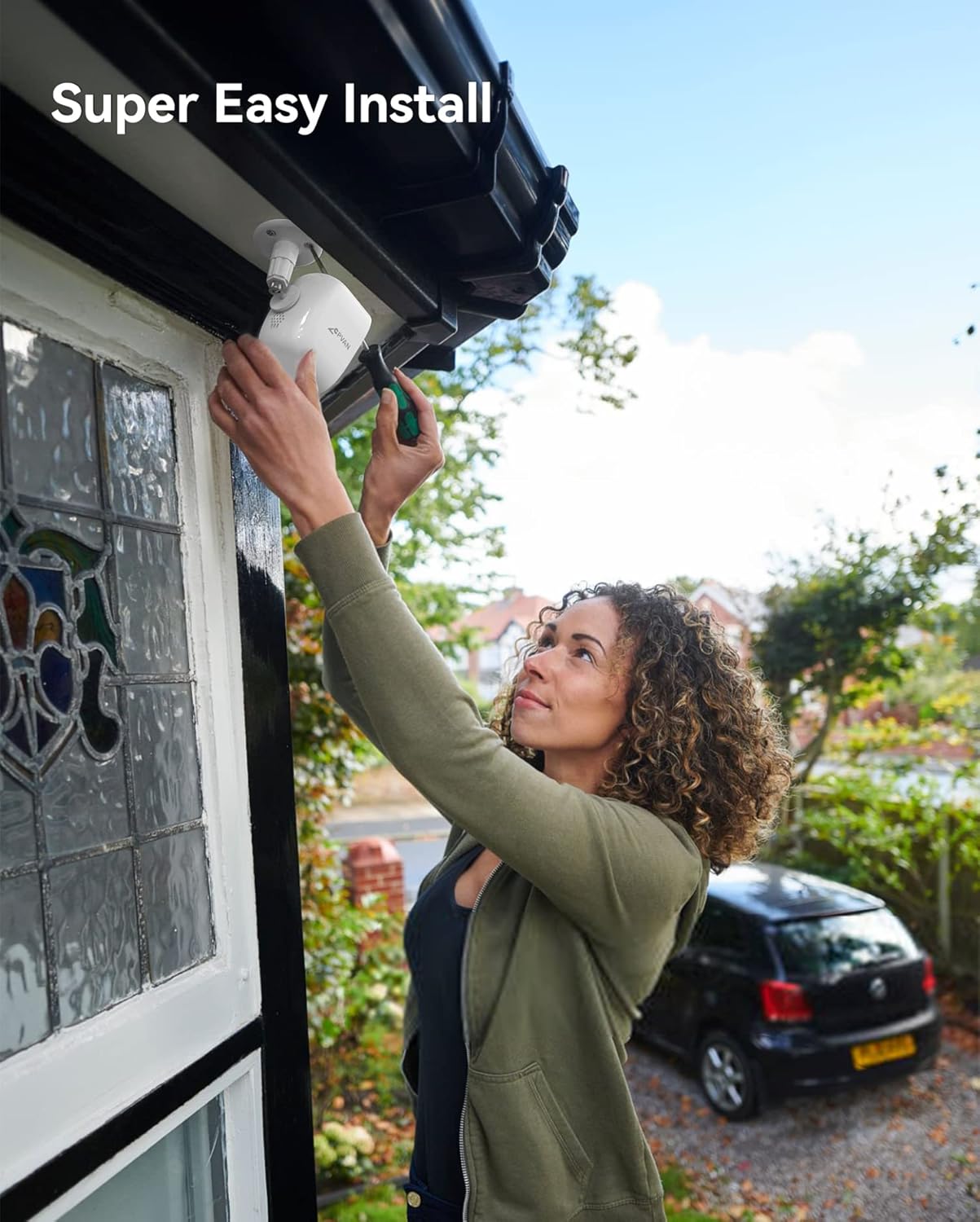
Figure 3: Illustration of easy camera installation on an outdoor wall.
5. عملیاتي لارښوونې
5.1 ژوندی View & پلے بیک
Access the VicoHome app to view ژوندی اوسیtage from your camera at any time. You can also review recorded events stored on the SD card or cloud.
Figure 4: VicoHome app interface displaying recorded events and cloud storage options.
5.2 Motion Detection & AI Recognition
The camera uses PIR motion detection and AI recognition to identify specific objects and send alerts.
- د پییر سینسر: د دقیق حرکت کشف لپاره د تودوخې لاسلیکونه کشف کوي.
- د مصنوعي ذهانت پیژندنه: Distinguishes between people, vehicles, pets, and packages to reduce false alarms.

Figure 5: AI recognition actively identifying a person and a pet within the camera's view.
۴.۴ د فعالیت زونونه
د کیمرې دننه ځانګړي ساحې تعریف کړئ view for motion detection. This helps in focusing on critical areas and minimizing unwanted notifications.
Video 2: This video illustrates how to set up custom activity zones within the VicoHome app, allowing users to define specific areas for motion detection and alerts.
۵.۳ د شپې لید حالتونه
کیمره د شپې لید دوه طریقې وړاندې کوي:
- اورکت حالت: روښانه تور او سپین فو چمتو کويtagد ټیټ رڼا شرایطو کې.
- بشپړ رنګین حالت: Utilizes the built-in spotlight to capture color video at night.

Figure 6: Comparison of day, white light (color night vision), and infrared night vision modes.
Video 3: This video showcases the camera's night vision capabilities, demonstrating its ability to capture clear footagد ټیټ رڼا شرایطو کې.
5.5 2-Way Audio & Siren Alarm
Use the 2-way audio feature to communicate with visitors or deter intruders. Activate the siren alarm directly from the app for added security.

Figure 7: Two-way audio communication feature in use.
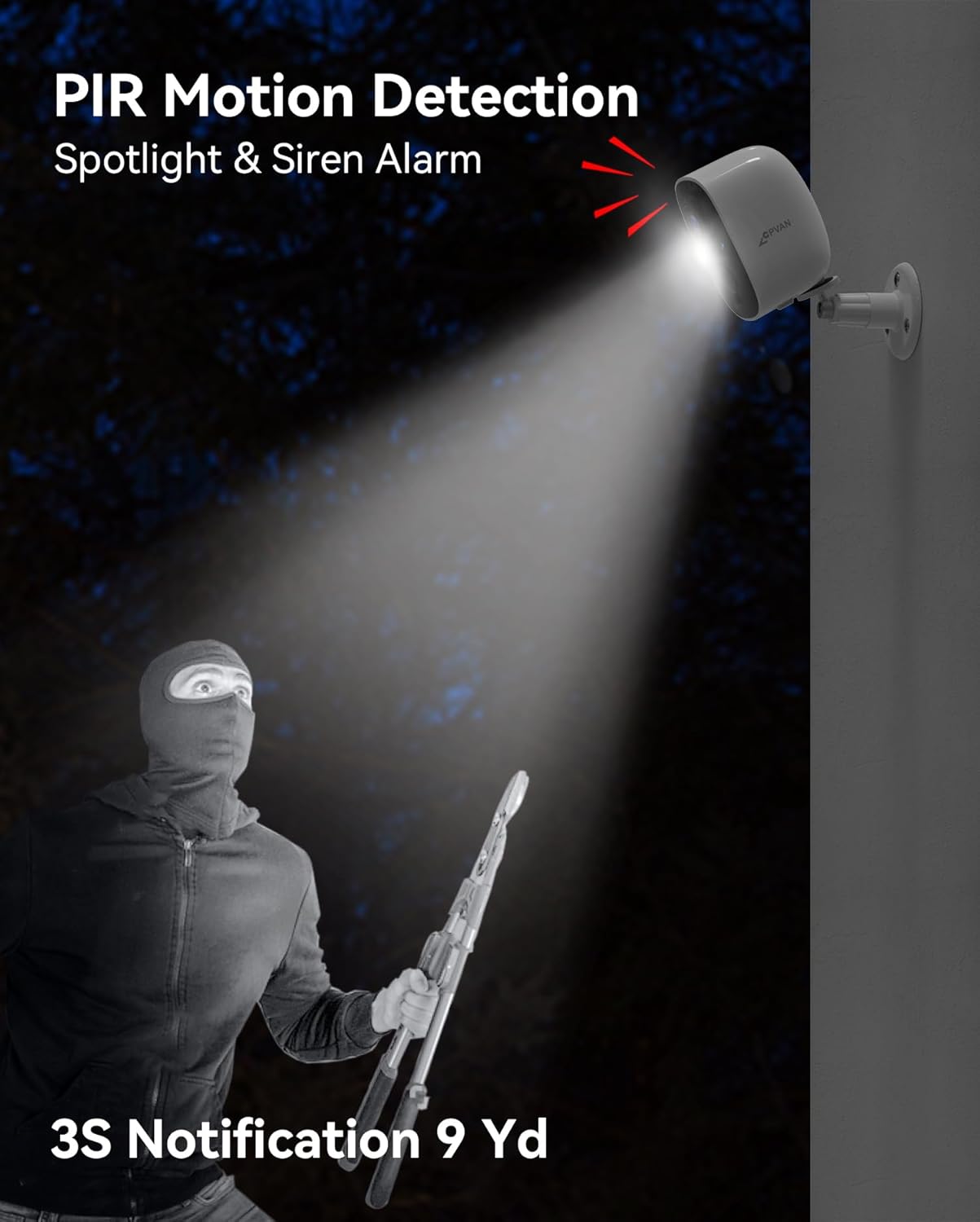
Figure 8: The camera's spotlight and siren alarm activating upon detecting an intruder.
6. ساتنه
6.1 د بیټرۍ مدیریت
The camera is powered by a rechargeable lithium-ion battery, offering 1 to 5 months of usage depending on activity. Monitor battery levels via the VicoHome app and recharge as needed using the provided USB cable.

Figure 9: The camera can be paired with an optional solar panel for continuous charging.
۶.۳ د هوا مقاومت
With an IP65 waterproof rating, the camera is designed to withstand various weather conditions, including rain, snow, and extreme temperatures.

Figure 10: The camera's IP65 rating ensures durability in various weather conditions.
6.3 پاکول
په دوره یي ډول د کیمرې لینز او بدن د نرم، ډamp ټوکر د روښانه انځور کیفیت ډاډمن کولو لپاره. د سختو کیمیاوي موادو کارولو څخه ډډه وکړئ.
7. ستونزه حل کول
- کیمره له وای فای سره نه نښلي: Ensure the camera is within range of your 2.4GHz Wi-Fi network. Verify the Wi-Fi password entered in the app is correct.
- د انځور کمزوری کیفیت: Check if the camera lens is clean and free from obstructions. Ensure adequate lighting, especially at night.
- بیټرۍ په چټکۍ سره له مینځه وړل: Reduce the sensitivity of motion detection or the frequency of recordings. Ensure the camera is fully charged.
- د حرکت کشف خبرتیاوې نشته: Verify that motion detection is enabled in the app settings and that activity zones are correctly configured.
- د اپلیکیشن مسلې: Ensure your VicoHome app is updated to the latest version. Restart the app or your smartphone if issues persist.
8. مشخصات
| فیچر | تفصیل |
|---|---|
| د ماډل شمیره | BC01 |
| د ویډیو نیول حل | 1080p |
| د مؤثره ویډیو حل | 1080 پکسلز |
| اغیزمن لاهم حل | 16 MP |
| د ارتباط ټیکنالوژي | بې سیم (وائی فای) |
| د بریښنا سرچینه | د بیټرۍ چلول (1 لیتیم آیون بیټرۍ شامله ده) |
| د کور دننه / بهر کارول | دننه، بهر |
| د اوبو د مقاومت کچه | واټر پروف (IP65) |
| د شپې لید لړۍ | 33 پښه |
| ځانګړي ځانګړتیاوې | Motion Sensor, Night Vision, 2-Way Audio, AI Recognition, Siren Alarm, Spotlight |
| ذخیره کول | SD Card (up to 128GB), Cloud Storage |
| د توکي ابعاد (L x W x H) | 2.64 x 2.28 x 3.5 انچه |
| د توکي وزن | 7 اونس (0.2 کیلوګرامه) |
| د کنټرول طریقه | اپلیکیشن (ویکو هوم) |
9. تضمین او ملاتړ
For warranty information and technical support, please refer to the documentation included with your product or visit the official CPVAN website. If you encounter any issues not covered in this manual, please contact CPVAN customer service for assistance.


