1. پیژندنه
This manual provides essential instructions for setting up, operating, and maintaining your ENHANCE Colmi V23 Smart Watch. Please read this manual thoroughly before using the device to ensure proper function and longevity.

Figure 1.1: ENHANCE Colmi V23 Smart Watch
2. د خوندیتوب معلومات
Disclaimer: This device is not a medical device and is not intended to replace a Sphygmomanometer (an instrument for measuring blood pressure). Individuals with hypertension or other medical conditions should consult their doctor before using this device for health monitoring purposes.
۲. په بکس کې څه دي؟
- 1x ENHANCE Colmi V23 Smart Watch
- 1x چارج کیبل
- 1x د کارونکي لارښود
4. ترتیب کول
۲.۲ د سمارټ واچ چارج کول
Before initial use, fully charge your smart watch. Connect the magnetic charging cable to the charging points on the back of the watch and plug the USB end into a power adapter (not included) or a computer's USB port. A full charge typically takes approximately 2 hours.

شکل ۳: د سمارټ واچ چارج کول
۳.۳ د اپلیکیشن نصب او جوړه کول
- ډاونلوډ کړئ "Da Fit" application from your device's app store (compatible with iOS 9.0 and above, Android 4.0 and above). You can also scan the QR code provided in the included manual to download the app.
- په خپل سمارټ فون کې د دا فټ ایپ خلاص کړئ.
- Follow the in-app instructions to add a new device. Select the V23 Smart Watch from the list of available devices to pair.
- ډاډ ترلاسه کړئ چې د جوړه کولو پروسې په جریان کې ستاسو په سمارټ فون کې بلوتوټ فعال شوی دی.
۳. د سمارټ واچ چلول
۵.۲ د ټچ سکرین نیویګیشن
The ENHANCE Colmi V23 features a 1.3-inch HD color full touch screen for easy operation. Swipe left, right, up, or down to navigate through menus and functions. Tap to select options.

Figure 5.1: Touch Screen Interface Overview
۲.۴ د څار مخونو تنظیمول
Personalize your smart watch with over 100 watch faces available through the Da Fit application. You can also create custom watch faces using your own photos.
- په خپل سمارټ فون کې د دا فټ ایپ خلاص کړئ.
- Navigate to "Add a Device" > "WATCH FACES".
- Select an existing watch face or choose "Edit" to customize with a picture.
- Select your desired picture, adjust its position, and save.
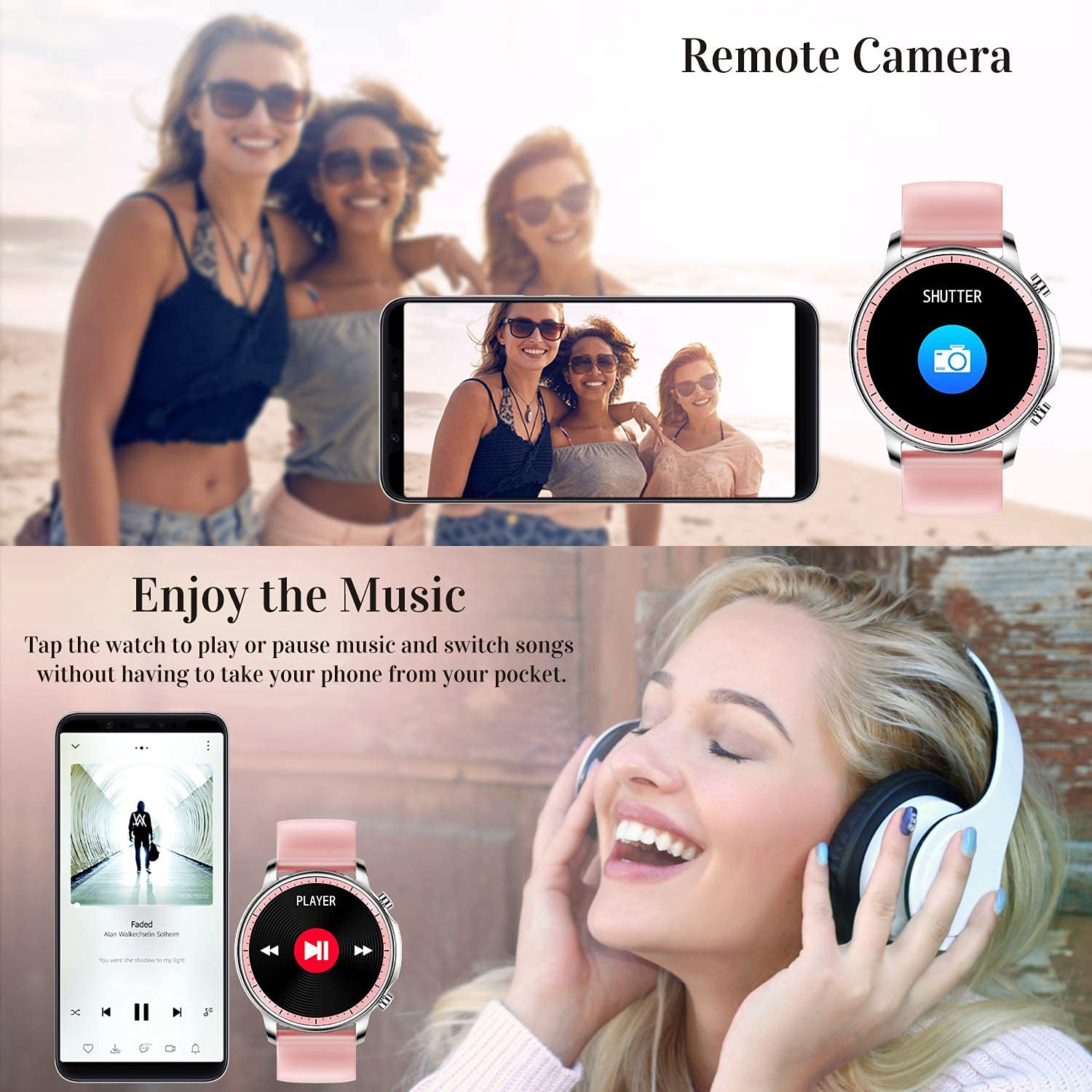
Figure 5.2: Customizing Watch Faces
5.3 خبرتیاوې
Receive call, message, email, and app notifications directly on your smart watch. (Note: The watch cannot answer or make calls.)

Figure 5.3: Call and Message Reminders
5.4 د میوزیک کنټرول
Control music playback on your smartphone directly from your watch. Tap to play/pause or switch songs without needing to access your phone.
5.5 ریموټ کیمره
Use your smart watch as a remote shutter for your smartphone camera. This feature allows you to take photos from a distance.

Figure 5.4: Remote Camera and Music Control
6. ځانګړتیاوې
6.1 د روغتیا څارنه
- Heart Rate (HR) Monitor: په دوامداره توګه د ورځې په اوږدو کې ستاسو د زړه ضربان څاري.
- Blood Pressure (BP) Monitor: Provides blood pressure readings. (Refer to safety disclaimer in Section 2).
- د وینې اکسیجن (SpO2) څارنه: د وینې د اکسیجن د اشباع کچه اندازه کوي.
- د خوب تعقیبونکی: Records sleep information, including deep sleep, light sleep, and awake time, to help you understand your sleep patterns.
- د ښځینه روغتیا تعقیب: Offers features for tracking female health cycles.

Figure 6.1: Heart Rate and Blood Pressure Monitoring

Figure 6.2: Smart Sleep Monitoring
۳.۲ د فعالیت تعقیب
The smart watch offers 7 data record modes to track various sports activities:
- ګرځېدل
- چلول
- سایکل چلول
- باسکیټبال
- فوټبال
- بیډمنټن
- Skipping
This feature helps you monitor your exercise data and gain insights into your fitness levels.

Figure 6.3: Smart Watch Functions Overview
۵.۲ هوښیار یادونې
- بې ځایه یادونه: Reminds you to move and stay active after periods of inactivity.
- د الارم ساعت: په مستقیم ډول په خپل ساعت کې الارمونه تنظیم کړئ.
6.4 نورې دندې
- سټاپ واچ
- Fun Game
7. ساتنه
۲.۷ د اوبو مقاومت
The ENHANCE Colmi V23 Smart Watch is IP68 waterproof, making it resistant to daily wet conditions such as hand washing or light rain. Avoid prolonged submersion in water, hot water, or steam, and do not operate buttons underwater.
7.2 پاکول
ساعت او تسمه په منظم ډول د نرم، وچ ټوکر سره پاک کړئ. که اړتیا وي، لږ څه وکاروئamp ټوکر واچوئ او بیا په ښه توګه وچ کړئ. د سختو کیمیاوي موادو یا خړوبولو موادو کارولو څخه ډډه وکړئ.
7.3 د بیټرۍ پاملرنه
د بیټرۍ د ژوند اوږدولو لپاره، د بیټرۍ په بشپړ ډول د بار بار چارج کولو څخه ډډه وکړئ. کله چې د بیټرۍ کچه ټیټه وي ساعت چارج کړئ. کله چې د اوږدې مودې لپاره نه کارول کیږي نو ساعت په یخ او وچ ځای کې وساتئ.
8. ستونزه حل کول
- ساعت نه چالانېږي: ډاډ ترلاسه کړئ چې ساعت په بشپړه توګه چارج شوی دی. لږترلږه د 30 دقیقو لپاره یې چارجر سره وصل کړئ.
- ساعت د تلیفون سره نه جوړیږي: Make sure Bluetooth is enabled on your phone and the watch is within range. Restart both the watch and your phone, then try pairing again through the Da Fit app.
- د روغتیا ناسم معلومات: Ensure the watch is worn snugly on your wrist, not too tight or too loose. Clean the sensor on the back of the watch. Remember, this device is not a medical instrument.
- خبرتیاوې نه ښکاري: Check notification settings in the Da Fit app and your phone's system settings to ensure permissions are granted for the app to display notifications.
9. مشخصات
| برانډ | لوړول |
| ماډل | V23 Smart watch |
| د محصول ابعاد | 1.03 x 2 x 4.15 سانتي متره |
| د توکي وزن | 42 ګرامه |
| د سکرین اندازه | ۷۸۷ انچه |
| قرارداد | 240 x 230 |
| د ښودلو ډول | ډیجیټل LCD |
| د بیټرۍ ظرفیت | ۲۰۰۰۰ mAh (لیتیم پولیمر) |
| د چارج کولو طریقه | Magnetic Wire Charging |
| بې سیم ډول | بلوتوث |
| مطابقت لرونکې وسیلې | Mobile Phone (Android 4.0+ & iOS 9.0+) |
| عملیاتي سیسټم | Android او iOS |
| د اوبو مقاومت | IP68 |
| مواد | پلاستیک |
10. تضمین او ملاتړ
For warranty information and customer support, please refer to the documentation included with your product or contact ENHANCE customer service. The included user manual contains details regarding warranty terms and contact information.


