1. پیژندنه
Thank you for choosing the boAt Airdopes 641 Truly Wireless Earbuds. This manual provides essential information for setting up, operating, and maintaining your earbuds to ensure optimal performance and longevity. Please read this guide carefully before using the product.
2. محصول ختم شوview
The boAt Airdopes 641 are designed for a seamless audio experience, featuring advanced connectivity and intuitive controls.

انځور: Key features of the Airdopes 641, highlighting RGB LEDs, Instant Wake N' Pair (IWP) technology, Bluetooth 5.0 connectivity, 6mm Dual Drivers for audio, and a Capacitive Touch Panel for controls.
2.1 اجزا
- ایربودز: Left and Right truly wireless earbuds with in-ear design.
- د چارج کولو قضیه: د اییربډونو چارج کولو او ذخیره کولو لپاره د پورټ ایبل قضیه.
- د USB ډول-C کیبل: د قضیې چارج کولو لپاره.
- د کارونکي لارښود: دا سند.
2.2 ځانګړتیاوې
- بلوتوث 5.0: د باثباته او موثر بېسیم اتصال لپاره.
- IWP (Instant Wake N' Pair): Enables quick pairing with your device once the case lid is opened.
- Capacitive Touch Panel: For easy control of music, calls, and voice assistant.
- 6mm Dual Drivers: د غږ یوه په زړه پورې تجربه وړاندې کوي.
- د RGB LEDs: Indicator lights for status.
- د حیوان حالت: Low latency mode for gaming.
- IPX5 Water & Sweat Shield: د څاڅکو او خولې په وړاندې محافظت چمتو کوي.
- تر ۴۸ ساعتونو پورې ټول پلې بیک: Combined battery life of earbuds and charging case.
- د USB ډول-C چارج کول: عصري او اسانه چارج کولو بندر.
3. ترتیب کول
۴.۱ د ایربډز او کیس چارج کول
د لومړي ځل کارولو دمخه، ډاډ ترلاسه کړئ چې د غوږ بډونه او د چارج کولو قضیه دواړه په بشپړ ډول چارج شوي دي.
- Place both earbuds into the charging case, ensuring they are correctly seated. The earbuds will automatically begin charging.
- Connect the USB Type-C charging cable to the charging port on the case and plug the other end into a compatible USB power adapter (not included).
- The LED indicators on the case will show the charging status. Once fully charged, the indicators may change or turn off.
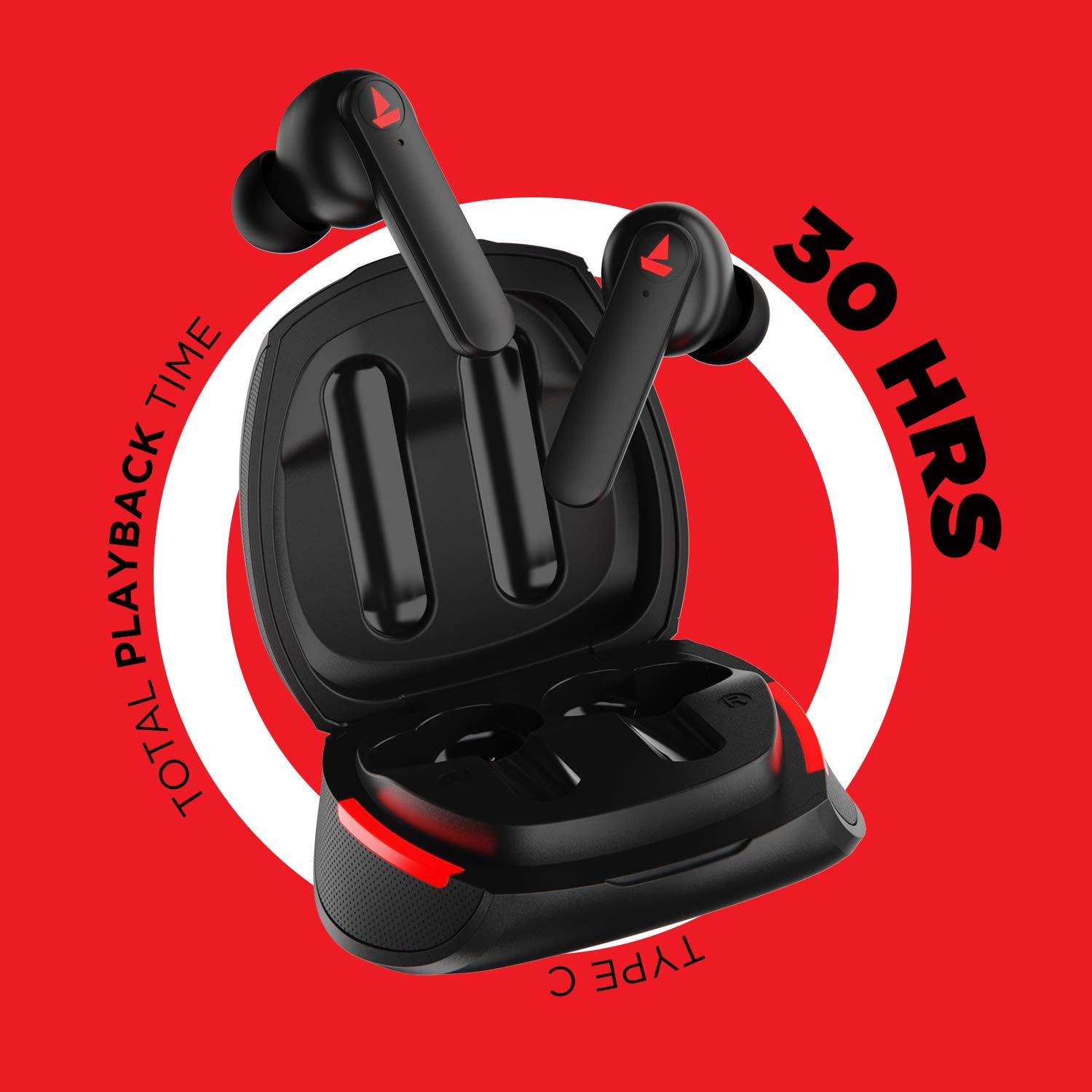
انځور: The Airdopes 641 earbuds resting in their charging case, illustrating the Type-C charging capability and the impressive 30 hours of total playback time.
3.2 Initial Pairing (IWP Technology)
The Airdopes 641 feature Instant Wake N' Pair (IWP) technology for quick and effortless connection.
- د چارج کولو قضیې پوښ خلاص کړئ. د غوږ بډونه به په اوتومات ډول فعال شي او د جوړه کولو حالت ته ننوځي.
- On your smartphone or Bluetooth-enabled device, enable Bluetooth.
- لټون "Airdopes 641" in the list of available devices and select it to pair.
- یوځل چې جوړه شي، تاسو به د غږ غږ واورئ، او د غوږ بډونه به د کارولو لپاره چمتو وي.
- The earbuds will automatically connect to the last paired device when the case lid is opened, provided Bluetooth is enabled on the device.
4. عملیاتي لارښوونې
۸ پاور آن/بند
- پاور آن: Open the charging case lid. The earbuds will power on automatically. Alternatively, long-press the Capacitive Touch Control (CTC) on both earbuds for 3 seconds.
- بندول: Place the earbuds back into the charging case and close the lid. They will power off automatically. Alternatively, long-press the CTC on both earbuds for 5 seconds.
4.2 Capacitive Touch Controls (CTC)
The Airdopes 641 feature intuitive touch controls on each earbud.
- پلی کول / ودرول: Single tap on either earbud's CTC.
- بله لار: Double tap on the right earbud's CTC.
- مخکینی لار Double tap on the left earbud's CTC.
- ځواب / پای کال: Single tap on either earbud's CTC.
- زنګ رد کړئ: Long press on either earbud's CTC for 2 seconds.
- د غږ همکار فعاله کړئ: Triple tap on either earbud's CTC.
- حجم پورته کول: Long press the right earbud's CTC.
- کموالی: Long press the left earbud's CTC.
۵.۵ بیسټ موډ (د ټیټ ځنډ لوبې)
Activate BEAST Mode for a low-latency audio experience, ideal for gaming.

انځور: The Airdopes 641 earbuds and their sleek charging case, emphasizing the "BEAST Mode" feature designed to provide a low-latency audio experience for gamers.
- Activate BEAST Mode: Triple tap on the right earbud's CTC.
- Deactivate BEAST Mode: Triple tap on the right earbud's CTC again.
5. ساتنه
Proper care ensures the longevity and performance of your Airdopes 641.
5.1 پاکول
- په نرمۍ سره د غوږ بډونه او د چارج کولو کیس د نرم، وچ، لینټ پاک ټوکر سره پاک کړئ.
- د کثافاتو پاکوونکي، الکول، یا کیمیاوي محلولونه مه کاروئ.
- Regularly clean the ear tips and mesh to prevent wax buildup, which can affect sound quality.
۳.۲ د اوبو او خولې مقاومت (IPX5)

انځور: The Airdopes 641 earbuds and their charging case surrounded by water splashes, illustrating their IPX5 rating for water and sweat resistance.
The Airdopes 641 are rated IPX5, meaning they are protected against low-pressure water jets from any direction. This makes them suitable for workouts and light rain.
- د غوږونو غوږوالۍ په اوبو کې مه ډوبوئ.
- Do not expose them to high-pressure water or steam.
- ډاډ ترلاسه کړئ چې د غوږ بډونه وچ دي مخکې له دې چې بیرته چارج کولو کیس کې ځای په ځای کړئ ترڅو د زیان مخه ونیول شي.
5.3 ذخیره کول
اییربډونه د چارج کولو په قضیه کې ذخیره کړئ کله چې کارول نه وي ترڅو د دوی ساتنه وکړي او چارج یې وساتي.
6. ستونزه حل کول
If you encounter issues with your Airdopes 641, try the following solutions.
۶.۱ د غوږۍ غوږۍ نه جوړېږي/نښلېږي
- ډاډ ترلاسه کړئ چې دواړه غوږونه چارج شوي دي.
- Make sure Bluetooth is enabled on your device and the earbuds are within range.
- Try forgetting "Airdopes 641" from your device's Bluetooth list and re-pairing.
- Perform a factory reset as described below.
6.2 د فابریکې ری سیٹ
A factory reset can resolve many common issues by restoring the earbuds to their original settings.

انځور: A visual guide detailing the steps for a factory reset of the Airdopes 641. It emphasizes clearing the device from pairing history first, then long-pressing the Capacitive Touch Control (CTC) on both earbuds inside the case for 10 seconds until a green LED flashes three times, followed by closing and reopening the case.
- لومړی ګام: Before performing the reset, clear "Airdopes 641" from your pairing device history by forgetting the device on your phone/tablet.
- لومړی ګام: Place both earbuds back inside the charging case in the correct orientation.
- لومړی ګام: Long press the Capacitive Touch Control (CTC) on both earbuds inside the case for up to 10 seconds. The successful reset will be indicated by the flashing of a green LED three times.
- لومړی ګام: د چارج کولو قضیې پوښ وتړئ او بیا یې بیا خلاص کړئ.
- لومړی ګام: Once you take the earbuds out from the charging case, they automatically restart and are ready for a new pairing.
Note: Please make sure the case is charged before performing a factory reset.
۸.۱ غږ نشته/ټیټ غږ
- په خپل وسیله او ایربډ دواړو کې د غږ کچه وګورئ.
- ډاډ ترلاسه کړئ چې اییربډونه ستاسو په غوږونو کې په سمه توګه ځای پر ځای شوي دي.
- د غوږ د غوټۍ له جال څخه هر ډول کثافات پاک کړئ.
- د غوږونو بیا جوړه کولو هڅه وکړئ.
7. مشخصات
| د ماډل نوم | ایرډوپس 641 |
| د ارتباط ټیکنالوژي | بې سیم (بلوتوث) |
| د بې سیمه مخابراتو ټیکنالوژي | بلوتوث 5.0 |
| د کنټرول ډول | لمس، د غږ کنټرول |
| د آډیو ډرایور ډول | متحرک ډرایور (۱۶.۱ ملي متره) |
| د غوږ ځای پرځای کول | په غوږ کې |
| د فارم فکتور | په غوږ کې |
| مواد | پلاستیک |
| د اوبو د مقاومت درجه | IPX5 |
| د چارج کولو بندر | د USB ډول-C |
| مطابقت لرونکې وسیلې | Tablets, Cellphones, Laptops, Desktops, Smart Speaker, Television |
8. تضمین او ملاتړ
For warranty information and customer support, please refer to the warranty card included with your product or visit the official boAt webسایټ د تضمین ادعاګانو لپاره خپل د پیرود رسید وساتئ.
جوړونکی: Imagine Marketing Pvt Ltd


