پیژندنه
This manual provides essential information for the safe and efficient use of your Samsung 65AU9005 4K UHD Smart TV. Please read these instructions carefully before operating the device and retain them for future reference.
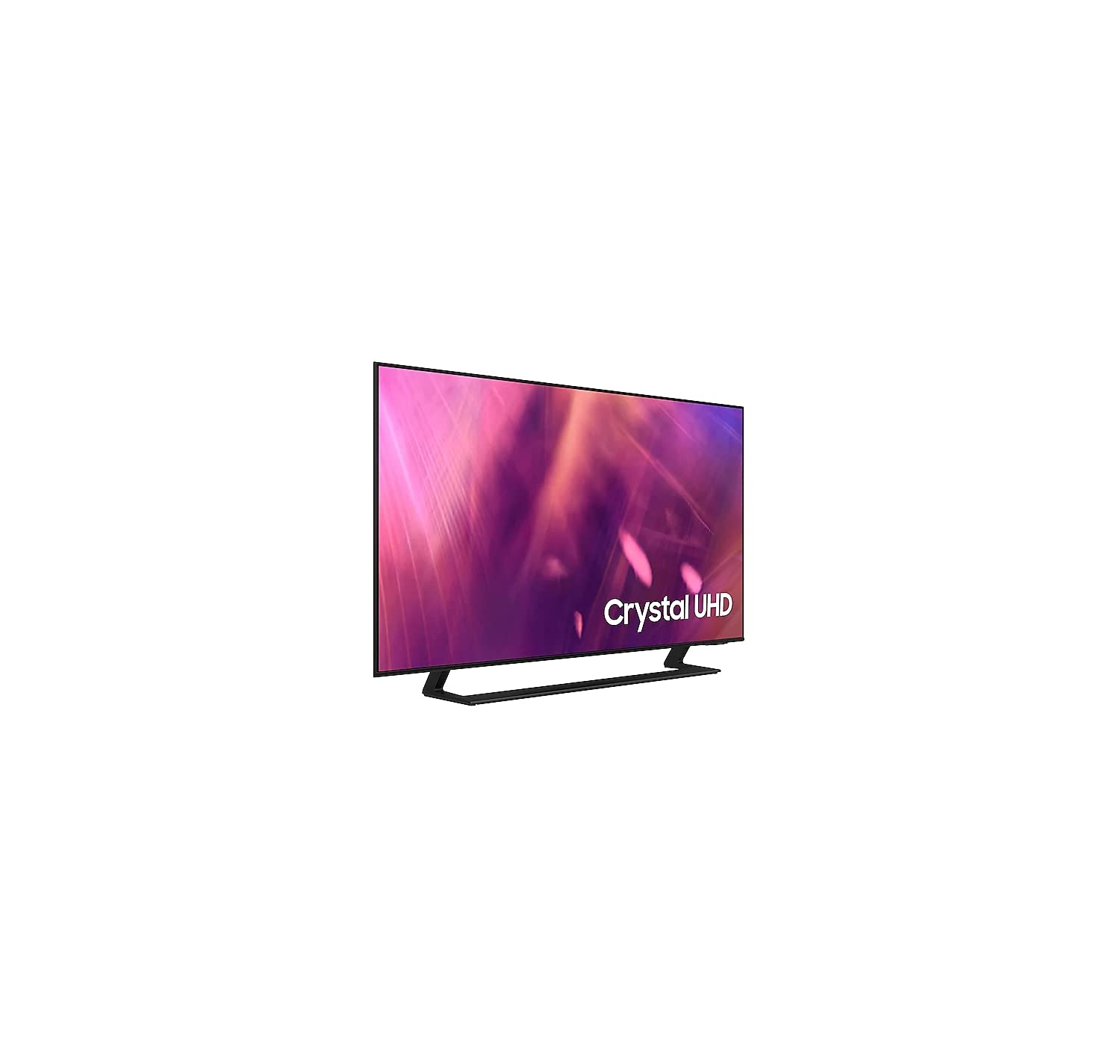
Image: Samsung 65AU9005 4K UHD Smart TV displayed on a media console in a modern living room.
د خوندیتوب مهم معلومات
د دې ټلویزیون کارولو پرمهال تل د خوندیتوب لومړني احتیاطي تدابیر تعقیب کړئ ترڅو د اور، بریښنا شاک او ټپي کیدو خطر کم کړئ.
- دا وسیله باران یا رطوبت ته مه رسوئ.
- د وینټیلیشن هیڅ خلاصون مه بندوئ.
- تلویزیون د تودوخې سرچینو ته نږدې مه کېږدئ لکه ریډیټرونه، د تودوخې راجسترونه، بخارۍ، یا نور وسایل (په شمول د ampلایفیر) چې تودوخه تولیدوي.
- د بریښنا تار د چلولو یا پنچ کیدو څخه خوندي کړئ.
- یوازې د جوړونکي لخوا مشخص شوي ضمیمې / لوازم وکاروئ.
- ټول خدمتونه وړ خدمت پرسونل ته راجع کړئ.
د تنظیم کولو لارښود
۱. د پیک کولو او سټینډ اسمبلۍ خلاصول
Carefully remove the TV from its packaging. Place the TV face down on a soft cloth or cushion to prevent screen damage. Attach the stand to the TV using the provided screws, ensuring it is securely fastened.

انځور: مخکینۍ برخه view of the Samsung 65AU9005 TV mounted on its stand.
Alternatively, for wall mounting, refer to the wall mount kit instructions (sold separately) and ensure proper ventilation around the TV.

Image: Technical diagram showing the dimensions of the Samsung 65AU9005 TV with and without its stand, including screen width, screen height, and depth.
2. د بهرنیو وسایلو نښلول
- ځواک: د برېښنا تار له تلویزیون سره وصل کړئ او بیا د دیوال له لارې وصل کړئ.
- HDMI: Use HDMI cables to connect devices like Blu-ray players, game consoles, or set-top boxes to the HDMI ports on the TV.
- USB: د میډیا پلے بیک یا سافټویر تازه معلوماتو لپاره د USB ذخیره کولو وسایل وصل کړئ.
- ایترنیټ: For a wired internet connection, connect an Ethernet cable from your router to the LAN port on the TV.
- وای فای: For wireless internet, the TV will guide you through connecting to your home Wi-Fi network during initial setup.
3. د ابتدايي ترتیب وزرډ
Upon first power-on, the TV will launch an initial setup wizard. Follow the on-screen prompts to:
- د خپلې خوښې ژبه وټاکئ.
- Connect to your network (wired or wireless).
- Scan for available channels (if using an antenna or cable connection).
- د شرایطو او مقرراتو سره موافقه وکړئ.
- Set up your Samsung account (optional, but recommended for full Smart TV features).
ستاسو د تلویزیون چلول
بنسټیز کنټرولونه
- ځواک: د تلویزیون د فعالولو یا بندولو لپاره په ریموټ کنټرول کې د بریښنا تڼۍ فشار ورکړئ.
- حجم: د غږ کچه تنظیمولو لپاره د حجم تڼۍ (+/-) وکاروئ.
- چینل: Use the Channel buttons (up/down) to change channels.
- سرچینه: Press the Source button to select input sources (HDMI 1, HDMI 2, TV, etc.).
- سمارټ هب: Press the Smart Hub button to access the Smart TV platform with apps and services.
د انځور او غږ ترتیبات
Access the TV's settings menu to customize picture and sound. Key features include:
- Crystal UHD Processor: Optimizes all images to 4K resolution, enhancing color and dynamic range.
- HDR10+: Increases the range of light levels on your TV for a wider spectrum of colors and visual detail, even in dark scenes.
- د برعکس لوړونکی: Analyzes each image to create more natural and realistic shades, adding depth.
- OTS Lite (Object Tracking Sound Lite): Sound is reproduced precisely where the action occurs on screen.
- د کیو-سمفوني: When paired with a compatible Samsung soundbar, the TV and soundbar speakers operate simultaneously for an enhanced surround sound experience.
سمارټ ځانګړتیاوې
- د سمارټ تلویزیون پلیټ فارم: Offers a wide range of content and applications.
- Voice Assistants (Alexa): Integrated voice control for navigating the TV and accessing features.
- ټپ View: Tap your compatible smartphone to the TV to mirror its content automatically.
- ملټي View: Divide your TV screen into multiple sections to enjoy several content sources simultaneously. You can adjust the size and volume for each section.
- په تلویزیون کې کمپیوټر: Connect your TV to a computer to use it as a large monitor for work or browsing.
د لوبو ځانګړتیاوې
- Motion Xcelerator Turbo: Optimizes the sharpness of moving images for smooth gameplay at 120 Hz.
- Panoramic Game Mode: Change the screen aspect ratio to 21:9 or 32:9 for a wider view during gaming.
ساتنه
ستاسو تلویزیون پاکول
- سکرین: په نرمۍ سره سکرین د نرم، لینټ نه پاک ټوکر سره پاک کړئ. د سختو نښو لپاره، په نرمۍ سرهampټوکر د اوبو یا ځانګړي سکرین پاکونکي سره ومینځئ. مایع په مستقیم ډول په سکرین مه سپری کوئ.
- بدن: د تلویزیون چوکاټ او ودرید د نرم او وچ ټوکر سره پاک کړئ. د کثافاتو پاکوونکو یا محلولونو کارولو څخه ډډه وکړئ.
- تل د پاکولو دمخه تلویزیون خلاص کړئ.
د سافټویر تازه معلومات
Ensure your TV's software is up to date for optimal performance and security. You can usually check for updates via the TV's settings menu (Settings > Support > Software Update).
د ستونزو حل کول
که تاسو په خپل تلویزیون کې ستونزې سره مخ شئ، لاندې عامې ستونزې او حل لارې وګورئ:
| ستونزه | احتمالي حل |
|---|---|
| هیڅ ځواک نشته | وګورئ چې د بریښنا تار په خوندي ډول د تلویزیون او دیوال ساکټ سره وصل دی. ساکټ د بل وسیلې سره ازموینه وکړئ. |
| انځور نشته، خو غږ شته | Ensure the correct input source is selected. Check HDMI or other video cables for secure connections. Try restarting the TV. |
| غږ نشته، خو انځور شته | د غږ کچه او خاموش ترتیبات وګورئ. ډاډ ترلاسه کړئ چې بهرني آډیو وسایل (ساؤنډ بار، ریسیور) په سمه توګه وصل شوي او فعال دي. |
| ریموټ کنټرول کار نه کوي | په ریموټ کنټرول کې بیټرۍ بدل کړئ. ډاډ ترلاسه کړئ چې د ریموټ او د تلویزیون سینسر ترمنځ هیڅ خنډ شتون نلري. |
| د وائی فای سره وصل نشو | Check your router and modem. Restart both the router and the TV. Re-enter the Wi-Fi password carefully. |
| د انځور کیفیت ستونزې (د مثال په توګه، تیاره، تحریف شوې) | Check the source content quality. Adjust picture settings (brightness, contrast, sharpness). Ensure cables are not damaged. |
If the problem persists, consult the full e-manual available on your TV or visit the Samsung support webسایټ
مشخصات
| فیچر | تفصیل |
|---|---|
| برانډ | سامسونگ |
| د ماډل شمیره | UE65AU9005KXXC |
| د کال ماډل | 2021 |
| ټیکنالوژي ښکاره کول | LED |
| د سکرین اندازه | 65 inches (as per product title) |
| قرارداد | ۳۸۴۰ x ۲۱۶۰ پکسلز (۴K UHD) |
| د تازه کولو نرخ | 60 Hz (Motion Xcelerator Turbo for 120Hz gaming) |
| ارتباط | بلوتوث، ایترنیټ، HDMI، USB، وای فای |
| ټول USB پورټونه | 1 |
| ځانګړي ځانګړتیاوې | Smart TV, Internet, Alexa Integration, HDR10+, Multi View، ټپ کړئ View |
| د محصول ابعاد (W x D x H) | ۶۲.۲۹ x ۴۶.۶ x ۱۱ سانتي متره (د سټینډ سره، تقریبا.) |
| د محصول وزن | 22 کیلو ګرامه |
| شاملې برخې | User manual, power cable, remote control |
تضمین او ملاتړ
د تضمین په اړه د تفصيلي معلوماتو لپاره، مهرباني وکړئ د خپل محصول سره شامل شوي تضمین کارت ته مراجعه وکړئ یا د سامسنګ رسمي ملاتړ ته مراجعه وکړئ. website for your region. The included user manual (this document) and remote control are covered by standard product support.
For further assistance, software updates, or to download the full e-manual, please visit www.samsung.com/support.


