پیژندنه
Thank you for choosing the REMAX CozyPods W8N Bluetooth Headphones. These in-ear headphones are designed to provide a high-quality audio experience with advanced features such as Bluetooth 5.3 connectivity, noise reduction, and a long-lasting battery. This manual will guide you through the setup, operation, maintenance, and troubleshooting of your new headphones.
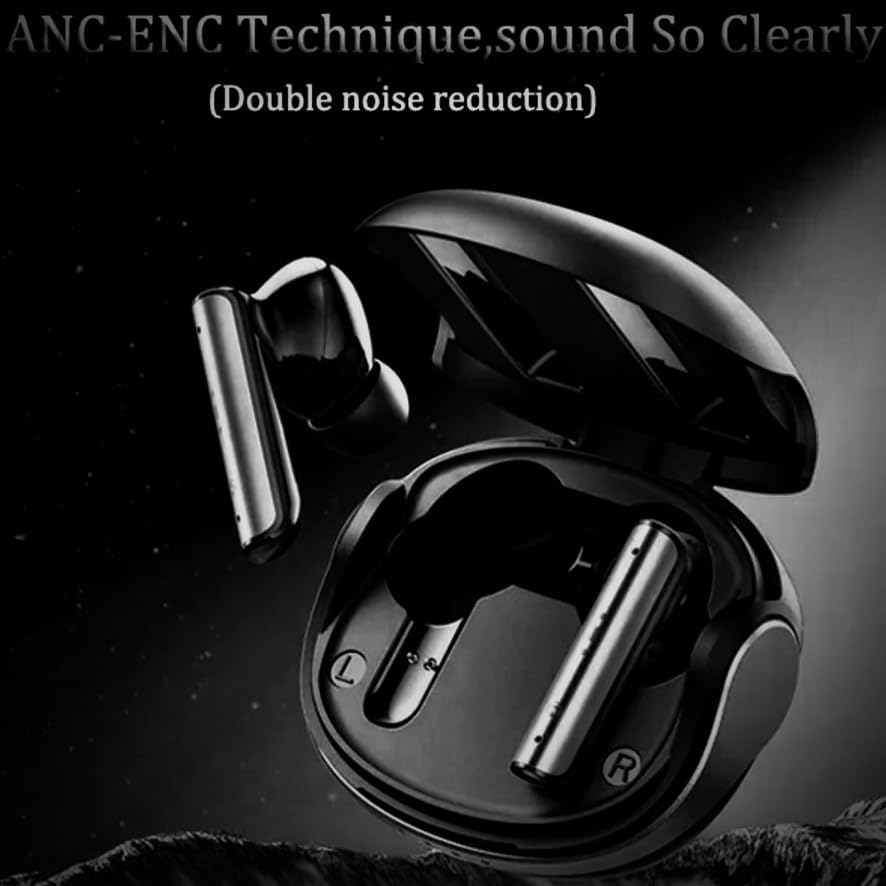
Image: The REMAX CozyPods W8N Bluetooth headphones resting inside their sleek black charging case, ready for use.
چمتو کول
۳.۱. د هیډفونونو او کیس چارج کول
Before first use, fully charge the CozyPods W8N and their charging case. The charging time for both is approximately 1.5 hours.
- هیډفونونه د چارج کولو قضیه کې ځای په ځای کړئ.
- د چارج کولو قضیه د یو مناسب USB کیبل په کارولو سره د بریښنا سرچینې سره وصل کړئ.
- د قضیې په شاخص څراغونه به د چارج کولو حالت وښيي. یوځل چې په بشپړ ډول چارج شي، څراغونه به د بشپړیدو یا بندیدو ښودنه وکړي.
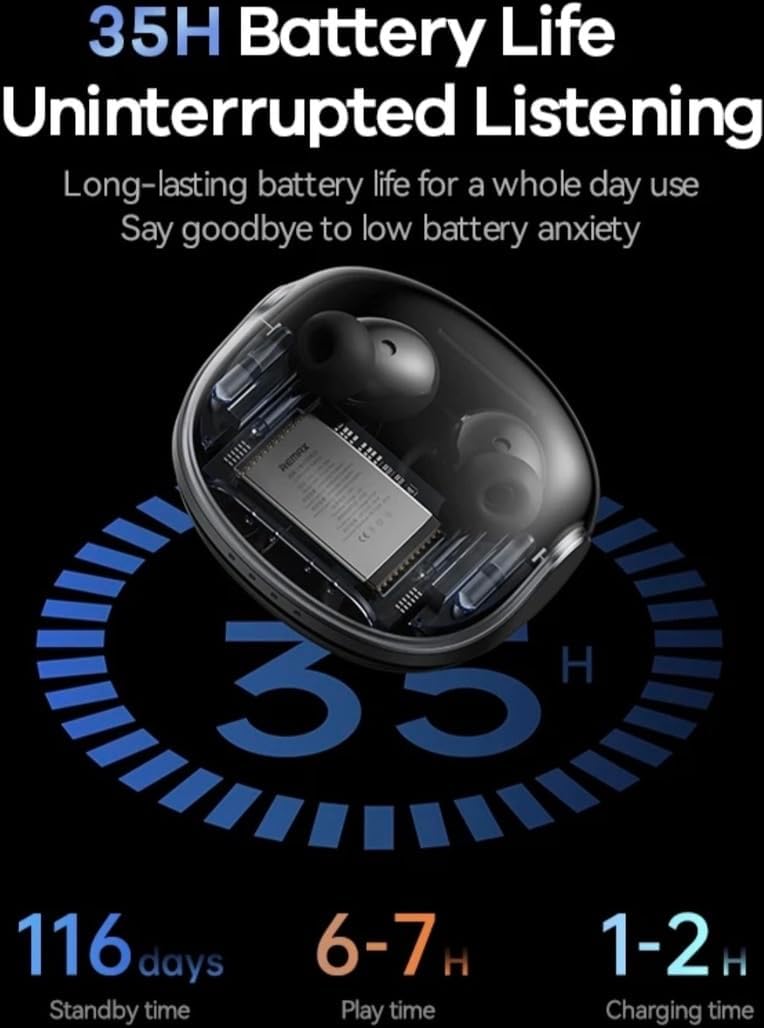
Image: An illustration detailing the battery performance of the CozyPods W8N, highlighting 35 hours of total battery life with the charging case, 116 days of standby time, 6-7 hours of continuous play time, and a 1-2 hour charging duration.
2. د بلوتوث جوړه کول
To connect your CozyPods W8N to a device:
- ډاډ ترلاسه کړئ چې هیډفونونه چارج شوي او د چارج کولو کیس دننه دي.
- د چارج کولو قضیه پرانیزئ. هیډفونونه به په اتوماتيک ډول د جوړې کولو حالت ته ننوځي.
- On your device (smartphone, PC, Macbook, etc.), go to the Bluetooth settings.
- لټون available devices and select "REMAX CozyPods W8N" from the list.
- یوځل چې وصل شو، تاسو به د تایید غږ واورئ، او هیډفونونه به د کارونې لپاره چمتو وي.
عملیاتي لارښوونې
1. د ټچ کنټرولونه
The CozyPods W8N feature intuitive touch controls for managing your audio and calls. Specific gestures may vary slightly, but common functions include:
- پلی کول / ودرول: په دواړو غوږونو کې یو ځل کلیک وکړئ.
- بله لار: په ښي غوږۍ کې دوه ځله ټایپ کړئ.
- مخکینی لار په چپ غوږۍ کې دوه ځله ټایپ کړئ.
- ځواب / پای کال: په دواړو غوږونو کې یو ځل کلیک وکړئ.
- زنګ رد کړئ: هر یو ایربډ فشار ورکړئ او ونیسئ.
- د غږ همکار فعاله کړئ: په دواړو غوږونو درې ځله ټایپ کړئ.
2. Noise Cancellation (ANC+ENC)
The CozyPods W8N incorporate ANC (Active Noise Cancellation) and ENC (Environmental Noise Cancellation) for an enhanced listening and call experience. ANC reduces ambient noise for clearer audio playback, while ENC focuses on isolating your voice during calls for improved clarity for the listener.

Image: A visual representation of the ANC-ENC technique in the CozyPods W8N, showing sound waves being actively cancelled to provide clear audio and calls.
3. مطابقت
These headphones are compatible with a wide range of Bluetooth-enabled devices, including:
- سمارټ فونونه (iOS، Android)
- ټابلیټونه
- Laptops (PC, Macbook)
- ډیسټاپونه
- سمارټ سپیکرونه
۵. ټیټ ځنډ لوبې
Experience gaming with minimal delay thanks to the headphones' low latency design, ensuring synchronized audio and visuals.

Image: A graphic highlighting the 38ms low latency feature of the CozyPods W8N, depicted with a mobile phone displaying a gaming scene, emphasizing a responsive audio experience for gamers.
ساتنه
1. پاکول
د غوره فعالیت او حفظ الصحې ساتلو لپاره:
- په نرمۍ سره د غوږ بډونه او د چارج کولو کیس د نرم، وچ، لینټ پاک ټوکر سره پاک کړئ.
- د کثافاتو پاکوونکي، الکول، یا کیمیاوي محلولونه مه کاروئ.
- ډاډ ترلاسه کړئ چې د چارج کولو تماسونه پاک او له کثافاتو پاک دي.
۳. د اوبو مقاومت
The CozyPods W8N are rated IPX6 water and dust resistant. This means they can withstand strong jets of water, making them suitable for workouts and light rain. However, they are not designed for submersion in water. Avoid exposing them to saltwater or other liquids.
3. ذخیره کول
کله چې په کارولو کې نه وي، هیډفونونه د دوی د چارج کولو په قضیه کې وساتئ ترڅو دوی د دوړو، زیان څخه خوندي کړي، او چارج وساتي.
د ستونزو حل کول
If you encounter issues with your CozyPods W8N, try the following solutions:
- غږ نشته: Ensure headphones are paired correctly and volume is turned up on both the headphones and your device. Check if the headphones are charged.
- د جوړه کولو مسلې: Turn off Bluetooth on your device, then turn it back on. Forget the device in your Bluetooth settings and try pairing again. Ensure no other devices are connected to the headphones.
- د چارج کولو ستونزې: Verify the charging cable and power adapter are working. Ensure the charging contacts on the earbuds and case are clean.
- موقتي اړیکه: Move closer to your connected device. Avoid environments with strong electromagnetic interference.
- بیا تنظیمول: If issues persist, consult the manufacturer's website for specific reset instructions, as this can often resolve software glitches.
مشخصات
| ماډل | Cozypods W8N |
| مواد | ABS + د کمپیوټر پلاستیک |
| بلوتوث نسخه | V5.3 (JL 7006A8) |
| د عملیاتو Voltage | 3.3V |
| خنډ | 32Ω |
| د سپیکر ځواک | 3mW |
| د هیډفون بیټرۍ | 40mAh |
| د چارج کولو قضیه بیټرۍ | 360mAh |
| د چارج کولو وخت | ۸ ساعته |
| د زنګ وهلو وخت | ۸ ساعته |
| د میوزیک غږولو وخت | ۸ ساعته (د چارج کولو کیس سره تر ۳۲ ساعتونو پورې) |
| ولاړ وخت | 180 ورځې |
| د اوبو مقاومت | IPX6 |
| ځانګړي ځانګړتیاوې | ANC+ENC Noise Reduction, Water & Dust Density |
| د کنټرول طریقه | لمس |
تضمین او ملاتړ
REMAX products are designed and manufactured to the highest quality standards. For information regarding warranty coverage, technical support, or service inquiries, please refer to the warranty card included with your purchase or visit the official REMAX webسایټ. مهرباني وکړئ د تضمین ادعاوو لپاره د پیرود ثبوت وساتئ.


