1. پیژندنه
This manual provides detailed instructions for the setup, operation, and maintenance of your BenQ PD2700U 27-inch 4K UHD IPS monitor. Please read this manual thoroughly before using the product to ensure proper functionality and safety. Keep this manual for future reference.
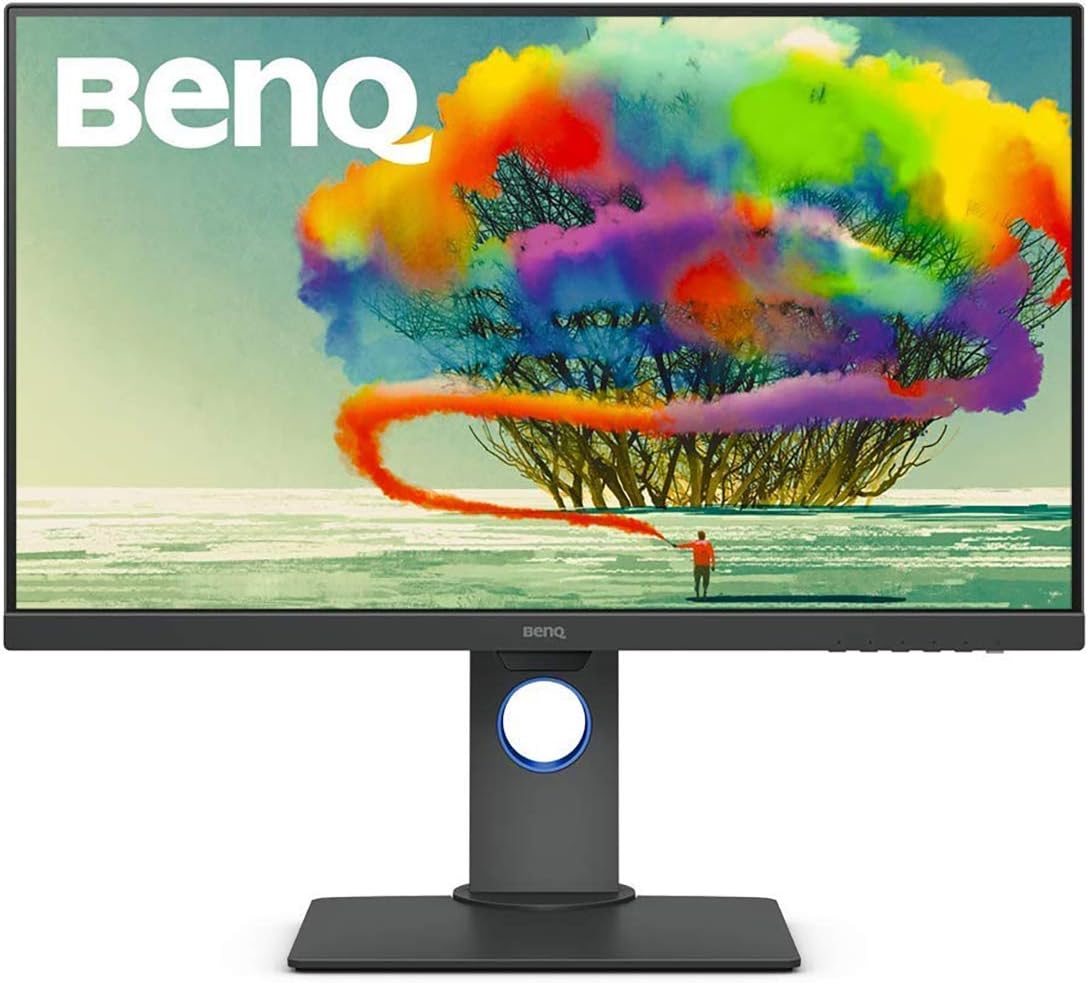
Figure 1: BenQ PD2700U 27-inch 4K UHD IPS Monitor (Front View)
2. د خوندیتوب معلومات
د اور، بریښنا شاک او ټپي کیدو خطر کمولو لپاره تل د خوندیتوب دا اساسي احتیاطي تدابیر تعقیب کړئ:
- مانیټر باران یا رطوبت ته مه ښکاره کوئ.
- مانیټر مه خلاصوئ casinج. دننه د کارونکي لپاره د خدمت وړ برخې نشته.
- د مانیټر شاوخوا مناسب هوا ورکول ډاډمن کړئ.
- یوازې هغه بریښنا اډاپټر وکاروئ چې د مانیټر سره چمتو شوی وي.
- Keep the monitor away from heat sources and direct sunlight.
۲. په بکس کې څه دي؟
ډاډ ترلاسه کړئ چې ټول توکي په بسته بندۍ کې شتون لري:
- د بین کیو PD2700U مانیټر
- د بریښنا اډاپټر
- دسپورتپورټ کیبل
- د USB 3.0 Upstream کیبل
- د چټک پیل لارښود
- د حساب ورکولو راپور
4. ترتیب کول
۳.۱ فزیکي غونډه
Attach the stand to the monitor panel. Ensure it clicks securely into place. For VESA mounting, remove the stand and attach a compatible VESA mount (100x100mm) to the monitor's rear panel.

Figure 2: Monitor Dimensions and Rear Panel
کمپیوټر سره پیوستول
Connect the monitor to your computer using one of the following cables:
- ډیسپلی پورټ: Connect one end of the DisplayPort cable to the monitor's DisplayPort input and the other end to your computer's DisplayPort output.
- HDMI: Connect an HDMI cable (not included) to the monitor's HDMI input and your computer's HDMI output.
For USB hub functionality, connect the included USB 3.0 upstream cable from the monitor to a USB 3.0 port on your computer.
۸ پاور آن/بند
Connect the power adapter to the monitor and then to a power outlet. Press the power button located on the bottom right of the monitor to turn it on or off.
5. د مانیټر چلول
۴.۱ د پردې پرده ښودنه (OSD) نیویګیشن
Use the buttons on the bottom right bezel of the monitor to navigate the OSD menu. The buttons allow you to access various settings including Picture Mode, Color, Display, KVM Switch, Audio, Custom Key, and System settings.
۴.۴ د انځور طریقې
The PD2700U offers several optimized picture modes for different professional applications:
- حرکت: Enhances dark areas without overexposing bright regions.
- CAD/CAM: Provides superior contrast for lines and shapes in technical drawings.
- تیاره خونه: په تیاره چاپیریال کې د کار لپاره د عکس روښانتیا او برعکس تنظیموي.
- HDR: High Dynamic Range mode for compatible content.
- ټیټ نیلي رڼا: Reduces blue light emissions to minimize eye strain.
- ریکارډ ۷۰۹: Standard for HDTV production.
- sRGB: Standard Red Green Blue color space.
- کارن: د تنظیم کولو وړ تنظیمات.

Figure 3: Monitor's Expertized Color Modes
5.3 AQCOLOR Technology
BenQ's AQCOLOR technology ensures accurate color reproduction. The PD2700U is factory-calibrated and comes with a calibration report, guaranteeing Delta E≤3 for precise color performance.

Figure 4: AQCOLOR Technology for Accurate Colors
۲.۵ د سترګو پاملرنې ټیکنالوژي
The monitor incorporates BenQ's exclusive Eye-Care technology, including Flicker-Free and Low Blue Light features, to reduce eye fatigue during extended use.
د 5.5 KVM سویچ فعالیت
The built-in KVM (Keyboard, Video, Mouse) switch allows you to control two different computer systems using a single keyboard, mouse, and the PD2700U monitor. Connect your peripherals to the monitor's USB hub and the two computers to the monitor's video inputs and USB upstream ports.
5.6 Daisy Chain Setup
Utilize the DisplayPort output to daisy chain multiple monitors, creating an extended desktop environment with fewer cables.
۳.۳ ارګونومیک سمونونه
The monitor stand supports tilt, pivot, swivel, and height adjustments for optimal viewراحت.

Figure 5: Ergonomic Adjustments
5.8 Software Calibration
For advanced color management and consistency across multiple BenQ monitors, utilize the Display ColorTalk and Palette Master Ultimate software.
Video 1: Instructions for using BenQ Display ColorTalk software to achieve color consistency across multiple monitors.
Video 2: Guide to using BenQ PD Series Palette Master Ultimate software for monitor calibration.
6. ساتنه
6.1 پاکول
د مانیټر سکرین پاکولو لپاره، په نرمۍ سره یې د نرم، لینټ نه پاک ټوکر سره پاک کړئ. د سختو نښو لپاره، dampen the cloth slightly with water or a mild, non-abrasive screen cleaner. Avoid using alcohol-based cleaners or harsh chemicals.
6.2 ذخیره کول
When storing the monitor, ensure it is in a cool, dry place, away from direct sunlight and extreme temperatures. Use the original packaging if available for best protection.
7. ستونزه حل کول
- ځواک نشته: وګورئ چې د بریښنا کیبل په خوندي ډول د مانیټر او بریښنا ساکټ دواړو سره وصل دی. ډاډ ترلاسه کړئ چې د بریښنا ساکټ فعال دی.
- هیڅ سیګنال نشته: Verify that the video cable (DisplayPort, HDMI) is correctly connected to both the monitor and the computer. Ensure the correct input source is selected in the OSD menu.
- ځلیدونکی سکرین: Check the video cable connection. Try a different video cable or port. Ensure your graphics card drivers are up to date.
- ناسم رنګونه: Reset the monitor to factory default settings via the OSD menu. Perform a software calibration using Display ColorTalk or Palette Master Ultimate.
8. مشخصات
| فیچر | مشخصات |
|---|---|
| د ماډل شمیره | PD2700U |
| د سکرین اندازه | ۷۸۷ انچه |
| قرارداد | ۳۸۴۰x۲۱۶۰ (۴K UHD) |
| د پینل ډول | IPS |
| رنګ Gamut | 100% Rec.709, 100% sRGB |
| ډیلټا ای | ≤3 |
| ارتباط | DisplayPort, HDMI, USB 3.0 Hub (4 ports) |
| ويناوالو | جوړ شوی |
| ارګونومیک | خښته، محور، څرخیدونکی، د لوړوالي تنظیم کول |
| وزن | ۲.۴۵ پونډه |
| ابعاد (LxWxH) | 9.06 x 14.49 x 24.5 انچه |
9. تضمین او ملاتړ
For warranty information and technical support, please refer to the warranty card included with your product or visit the official BenQ webسایټ. د پیرود ثبوت په توګه د پیرود رسید وساتئ.


