پیژندنه
This manual provides essential instructions for setting up, operating, maintaining, and troubleshooting your Huawei Watch GT Fashion smartwatch. Please read this manual thoroughly to ensure proper use and to maximize the device's features.

Image: Huawei Watch GT Fashion Smartwatch with a brown leather strap, displaying a digital watch face with time and step count.
چمتو کول
۱. ابتدايي چارج کول
Before first use, fully charge your Huawei Watch GT Fashion. Connect the charging cradle to a power adapter and place the watch onto the cradle, ensuring the charging contacts align. The watch will display a charging indicator.
۳.۳. ستاسو د سمارټ فون سره جوړه کول
- Download the Huawei Health App ستاسو د سمارټ فون د اپلیکیشن پلورنځي څخه (د انډرایډ لپاره ګوګل پلی سټور، د iOS لپاره ایپل اپلیکیشن پلورنځی).
- ډاډ ترلاسه کړئ چې ستاسو د سمارټ فون بلوتوث فعال دی.
- Open the Huawei Health App, navigate to Devices, and select "Add device". Choose your Huawei Watch GT Fashion from the list.
- Follow the on-screen prompts on both your watch and smartphone to complete the pairing process. Confirm the pairing code if prompted.
System Requirements: Android 4.4 or later; iOS 9.0 or later.
3. د سافټویر تازه معلومات
After pairing, the Huawei Health App may prompt you to update the watch's software. It is recommended to perform these updates to ensure optimal performance and access to the latest features. Ensure your watch is sufficiently charged before starting an update.
عملیاتي لارښوونې
بنسټیز نیویګیشن
- ټچ سکرین: د مینو او خبرتیاو له لارې د نیویګیټ کولو لپاره پورته، ښکته، کیڼ یا ښي خوا ته سوائپ کړئ. د توکو غوره کولو لپاره ټایپ کړئ.
- پورتنۍ تڼۍ: د اپلیکیشن لیست ته د لاسرسي لپاره فشار ورکړئ یا کور سکرین ته بیرته راشئ.
- ښکته تڼۍ: Customizable for quick access to a specific function, such as workout modes.

Image: The Huawei Watch GT Fashion highlighting its 1.39" AMOLED touchscreen and ultra-slim 10.6 mm profile.
د روغتیا څارنه
- Heart Rate Monitoring (TruSeen 3.0): The watch continuously monitors your heart rate using innovative sensors, providing real-time data. Access heart rate graphs via the Huawei Health App.
- Sleep Tracking (TruSleep 2.0): In collaboration with Harvard Medical School CDB Center, the watch identifies common sleep issues and offers over 200 suggestions to improve sleep quality.
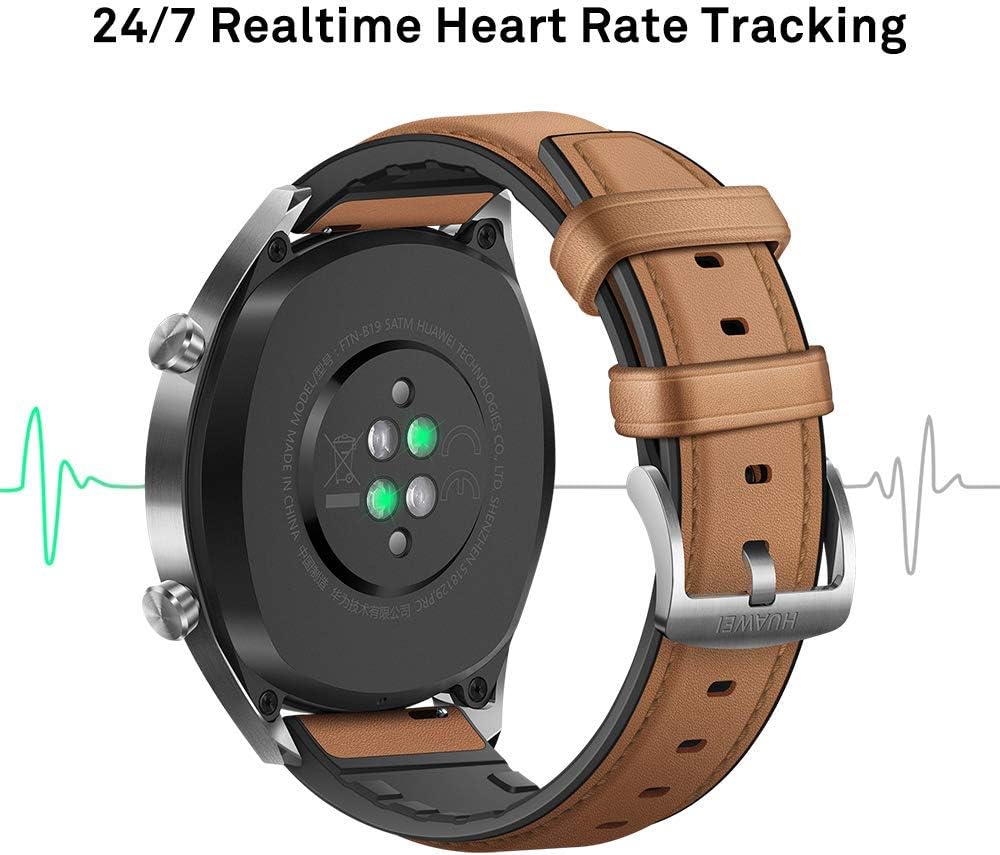
انځور: شاته view of the Huawei Watch GT Fashion, illustrating the optical heart rate sensors for 24/7 real-time tracking.
Activity Tracking and GPS
- څو سپورتي حالتونه: The watch supports various indoor and outdoor sports modes, including running, cycling, swimming, and more. Select your activity from the watch's menu to start tracking.
- د GPS موقعیت: Equipped with 3 global satellite positioning systems (GPS, GLONASS, GALILEO), the watch offers fast and precise positioning for outdoor activities.
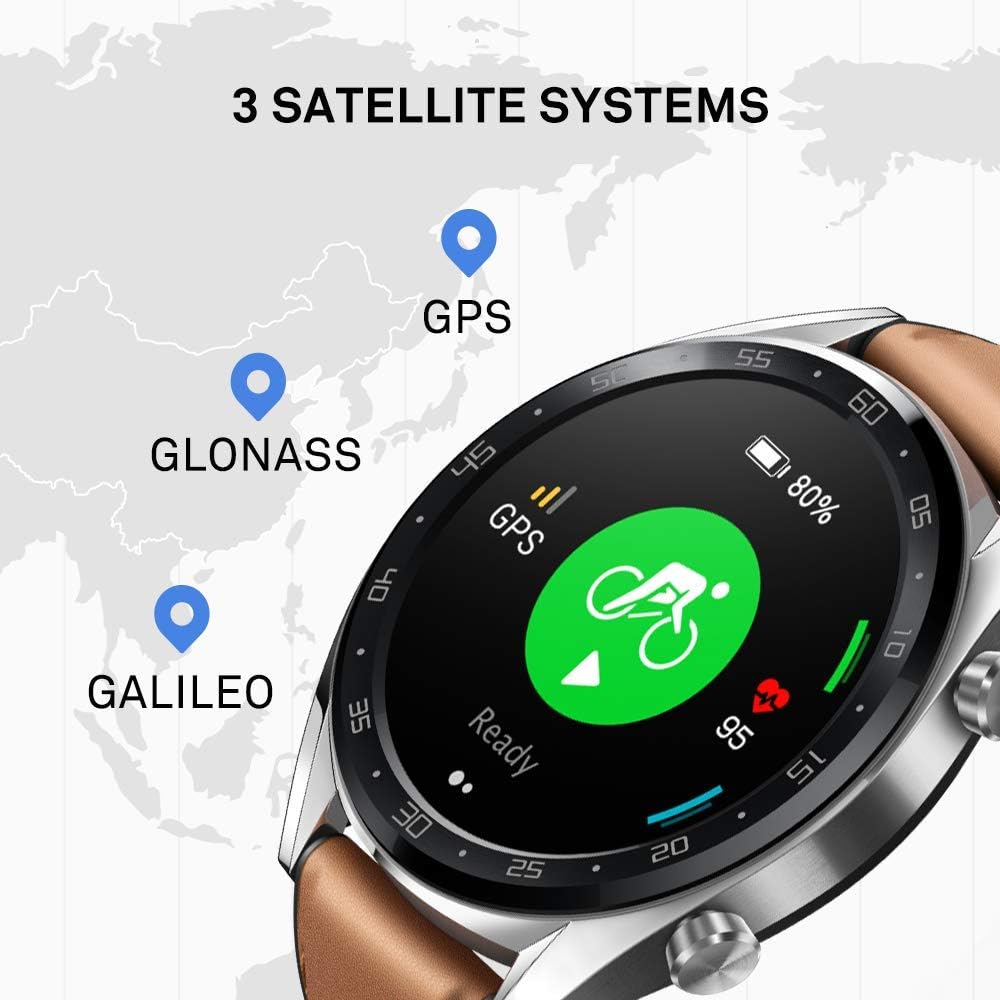
Image: The Huawei Watch GT Fashion screen showing icons for GPS, GLONASS, and GALILEO satellite systems, indicating global positioning capabilities.
خبرتیاوې او نورې ځانګړتیاوې
- سمارټ خبرتیاوې: Receive call, message, and app notifications directly on your wrist when connected to your smartphone.
- د اوبو مقاومت: The watch is water-resistant up to 50 meters, suitable for swimming and shallow water activities. Avoid hot water or steam.
- د بیټرۍ ژوند: The watch offers up to two weeks of battery life under typical usage conditions (heart rate monitor on, 90 mins exercise/week). Battery life varies with usage.

Image: An infographic detailing battery life scenarios for the Huawei Watch GT Fashion: 2 weeks with heart rate and exercise, 30 days with notifications only, and 22 hours with all activity modes and GPS on.
ساتنه
د ساعت پاکول
- ساعت په منظم ډول پاک کړئ جasing and strap with a soft, damp ټوکر
- ډاډ ترلاسه کړئ چې د ساعت په شا کې د چارج کولو تماسونه پاک او وچ دي ترڅو د چارج کولو ستونزو مخه ونیول شي.
- د سختو کیمیاوي موادو یا کثافاتو موادو کارولو څخه ډډه وکړئ، ځکه چې دا کولی شي د ساعت پای ته زیان ورسوي.
د پټو بدلول
The Huawei Watch GT Fashion uses standard 22mm interchangeable straps. To replace the strap, locate the quick-release pins on the underside of the strap and slide them to detach. Attach a new strap by reversing the process.
د بیټرۍ پاملرنه
- Charge the watch using only the provided charging cradle and a compatible power adapter.
- Avoid exposing the watch to extreme temperatures, which can affect battery life and performance.
- If storing the watch for an extended period, charge it to approximately 50% to preserve battery health.
د ستونزو حل کول
ساعت نه چالانېږي او نه چارج کېږي
- Ensure the charging contacts on both the watch and cradle are clean and free of debris.
- ډاډ ترلاسه کړئ چې د چارج کولو کیبل او د بریښنا اډاپټر په سمه توګه کار کوي.
- د مختلف بریښنا سرچینې هڅه وکړئ.
د جوړې مسلې
- ډاډ ترلاسه کړئ چې ستاسو په سمارټ فون کې بلوتوټ فعال دی او ساعت په حد کې دی.
- خپل سمارټ فون او واچ دواړه بیا پیل کړئ.
- Unpair the watch from your smartphone's Bluetooth settings and attempt to pair again through the Huawei Health App.
- Ensure the Huawei Health App is updated to the latest version.
Inaccurate Heart Rate or GPS Data
- For heart rate, ensure the watch is worn snugly on your wrist, not too tight or too loose.
- For GPS, ensure you are in an open outdoor area with a clear view د آسمان
- Sync your watch with the Huawei Health App regularly to ensure updated satellite data.
بیا تنظیمول وګوره
If issues persist, you may need to reset your watch to factory settings. This will erase all data on the watch. Navigate to ترتیبات> سیسټم> بیا تنظیم کړئ ستاسو په ساعت کې. کله چې غوښتنه وشي عمل تایید کړئ.
مشخصات
| د ماډل نوم | Watch GT Fashion |
| د ماډل شمیره | 55023253 |
| ښودل | ۵ انچه AMOLED، ۱۲۸۰ x ۷۲۰ ریزولوشن |
| ابعاد | 1.06 x 4.65 x 4.65 سانتي متره (0.42 x 1.83 x 1.83 انچه) |
| وزن | 46 ګرامه (پرته له پټې) |
| د بیټرۍ ژوند | تر لسو ورځو پورې (معمولي کارول) |
| سینسرونه | Accelerometer, Gyroscope, Magnetometer, Optical Heart Rate, Ambient Light, Barometer |
| ارتباط | Bluetooth BT4.2, BLE, GPS (GPS, GLONASS, GALILEO) |
| د اوبو مقاومت | ۱۰ اې ټي ایم (۱۰۰ متره) |
| د سیسټم اړتیاوې | Android 4.4 or later; iOS 9.0 or later |
د تضمین معلومات
Your Huawei Watch GT Fashion is covered by a limited warranty. For detailed warranty terms and conditions, please refer to the warranty card included with your product or visit the official Huawei webستاسو د سیمې لپاره سایټ. د تضمین ادعاوو لپاره د پیرود ثبوت وساتئ.
ملاتړ
د نورو مرستو لپاره، تخنیکي ملاتړ، یا view frequently asked questions, please visit the official Huawei support webسایټ:
consumer.huawei.com/en/support/
You can also contact Huawei customer service through the contact information provided on their support page.


