پیژندنه
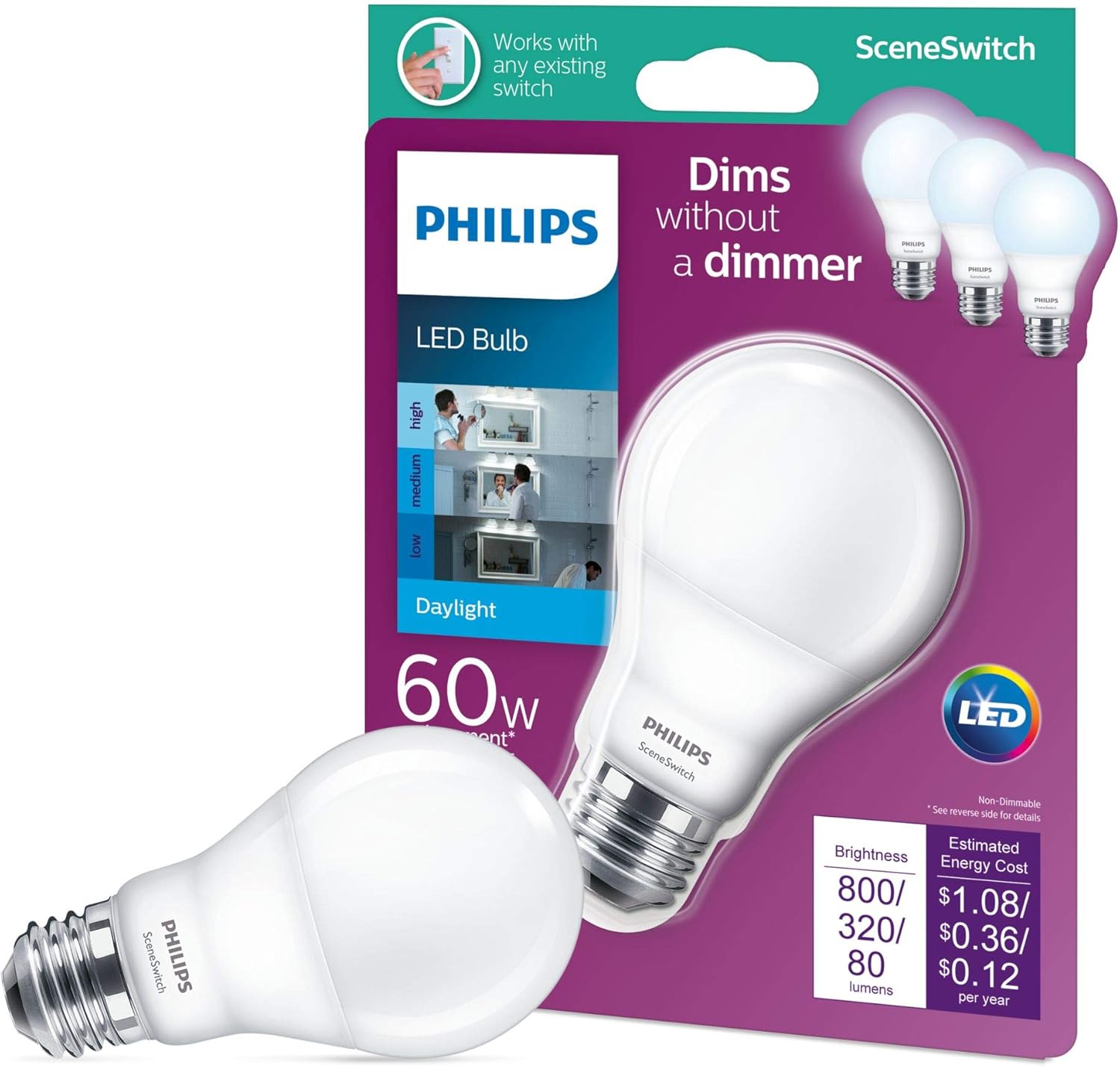
This manual provides instructions for the Philips SceneSwitch A19 LED Light Bulb. This innovative bulb allows you to easily change your room's ambiance using your existing light switch, cycling through bright, natural, and cozy warm light settings. Designed with EyeComfort technology, it ensures flicker-free illumination for visual comfort.
نصب کول
- Ensure the power to the light fixture is turned off at the circuit breaker before installation.
- Carefully remove the old bulb from the fixture.
- Screw the Philips SceneSwitch A19 LED Light Bulb into the E26 base socket until snug. Do not overtighten.
- د رڼا فکسچر ته بریښنا بیرته راستانه کړئ.

عملیات
The Philips SceneSwitch bulb offers three distinct light settings:
- Bright Light (Daylight 5000K, 800 Lumens): Ideal for tasks requiring high visibility.
- Natural Light (320 Lumens): Suitable for general illumination.
- Cozy Warm Glow (80 Lumens): Perfect for relaxation or ambient lighting.
To cycle through these settings, simply use your standard wall light switch:
- Turn the switch ON. The bulb will illuminate in the first setting (Bright Light).
- Turn the switch OFF, then immediately ON again. The bulb will switch to the next setting (Natural Light).
- Repeat the OFF/ON sequence to move to the third setting (Cozy Warm Glow).
- Continue the sequence to return to the first setting.
The bulb has a memory function. If left off for more than 6 seconds, it will reset to the default Bright Light setting when turned on again.
پاملرنه او ساتنه
- پاکول: Ensure the power is off before cleaning. Wipe the bulb with a soft, dry cloth. Do not use liquid cleaners or abrasive materials.
- بدلول: This LED bulb is designed for a long lifespan (up to 15,000 hours). It does not contain user-serviceable parts. Replace the entire bulb when it reaches the end of its life.
- تخریب: Dispose of the bulb according to local regulations for electronic waste.
د ستونزو حل کول
| ستونزه | احتمالي لامل | د حل لاره |
|---|---|---|
| بلب نه روښانه کیږي. | No power to the fixture, bulb not screwed in properly, bulb has reached end of life. | Check power supply, ensure bulb is securely screwed in, replace bulb if necessary. |
| بلب فلیکر. | Loose connection, incompatible dimmer (this bulb is non-dimmable). | Ensure bulb is securely screwed in. This bulb is non-dimmable; do not use with dimmer switches. |
| د سین سویچ فعالیت کار نه کوي. | Switch sequence too slow, bulb not resetting. | Ensure you are cycling the switch OFF/ON within 6 seconds to change settings. If left off longer, it will reset to the default bright setting. |
د محصول مشخصات
| برانډ | فیلیپس |
| د ماډل شمیره | VC0S2_9290012614 |
| د رڼا ډول | LED |
| د بلب شکل اندازه | A19 |
| د بلب اساس | E26 |
| واټtage | 9 واټ |
| د انډیشینټ مساوي | 60 واټ |
| روښانتیا | 800 / 320 / 80 Lumens (SceneSwitch) |
| د رنګ د حرارت درجه | 5000 کیلوین (د ورځې رڼا) |
| والیtage | 120 ولټه |
| د کور دننه / بهر کارول | دننه |
| ځانګړي ځانګړتیاوې | SceneSwitch, EyeComfort, Flicker Free, Low power consumption |
| اوسط ژوند | 15,000 ساعته |
| د کنټرول طریقه | Existing Wall Switch |
| ختم | يخ وهل |
| dimmable | نه |
| د رنګ رینډینګ انډیکس (CRI) | 80 |
د تضمین معلومات
For specific warranty details, please refer to the documentation included with your purchase or visit the official Philips webسایټ
د پیرودونکي ملاتړ
For further assistance or technical support, please contact Philips customer service. Contact information can typically be found on the product packaging or the official Philips support webسایټ


