پیژندنه
The Cambridge Audio Minx Air 200 V2 is a sophisticated wireless music system designed to deliver high-quality audio with versatile connectivity options. This manual provides essential information for setting up, operating, maintaining, and troubleshooting your Minx Air 200 V2 system, ensuring optimal performance and longevity.
The Minx Air 200 V2 features a powerful amplifier and a built-in subwoofer, providing rich, room-filling sound. It supports AirPlay, Bluetooth, and Internet Radio, allowing you to stream music from various sources, including over 20,000 internet radio stations. Control is made easy through dedicated smartphone applications for Android and Apple devices, which allow adjustment of stations, volume, bass, and EQ settings.
محصول پای ته ورسیدview
The Minx Air 200 V2 is a compact yet powerful unit, measuring approximately 45 x 22 x 17.4 cm and weighing 5.1 kg. Its sleek black design with rounded corners ensures it blends seamlessly into any living space. Key features include:
- Wireless connectivity for flexible placement.
- Bluetooth for direct device pairing.
- یوځای شوی amplifier for robust sound output.
- AirPlay support for Apple devices.
- Access to Internet Radio stations.
- Control via smartphone apps (Android and Apple).
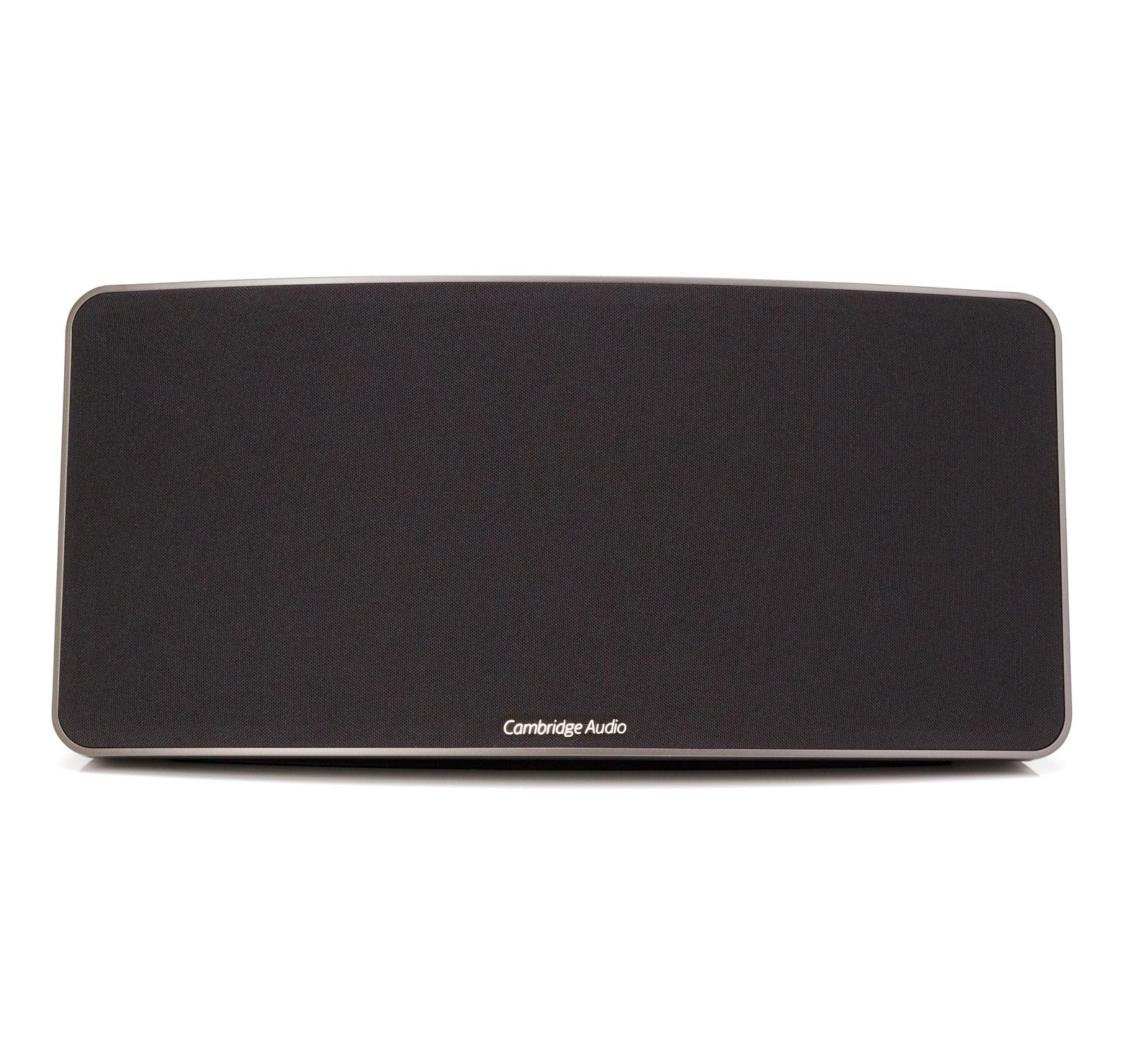
یو مخ view of the Cambridge Audio Minx Air 200 V2 Wireless Music System, featuring a black speaker grille and a sleek, rectangular design with rounded corners. The Cambridge Audio logo is visible at the bottom center of the grille.
چمتو کول
- بسته بندي کول: Carefully remove the Minx Air 200 V2 from its packaging. Ensure all components, including the speaker unit and remote control, are present.
- د بریښنا پیوستون: Connect the power cable to the rear of the unit and plug it into a suitable wall outlet.
- اپلیکیشن ډاونلوډ: Download the official "Minx Air" application from your device's app store (available for Android and Apple). This app is essential for initial setup and advanced control.
- د شبکې اتصال (وای فای):
- Open the Minx Air app on your smartphone or tablet.
- Follow the on-screen instructions within the app to connect your Minx Air 200 V2 to your home Wi-Fi network. This typically involves selecting your network and entering the password.
- بلوتوث
- Press the Bluetooth button on the Minx Air 200 V2 or select Bluetooth mode via the app.
- On your device (smartphone, tablet, computer), go to Bluetooth settings and select "Minx Air 200" from the list of available devices to pair.
عملیات
The Minx Air 200 V2 offers multiple ways to enjoy your music:
- ایر پلی: For Apple devices, select the Minx Air 200 V2 as your audio output device from the AirPlay menu within your music application.
- بلوتوث: Once paired, simply play audio from your Bluetooth-enabled device, and it will stream wirelessly to the Minx Air 200 V2.
- انټرنیټ راډیو: Use the Minx Air app to browse and select from thousands of internet radio stations. You can save your favorite stations as presets for quick access.
- مرستندویه توکي: The unit includes RCA (cinch) and 3.5mm auxiliary inputs for connecting external audio sources like CD players or PCs. Note that if both inputs receive a signal simultaneously, both will be played.
کنټرولونه:
- د سمارټ فون اپلیکیشن: The Minx Air app provides comprehensive control over volume, bass, EQ settings, source selection, and internet radio station management.
- ریموټ کنټرول: A dedicated remote control is included for basic functions such as power, volume, and source selection.
- On-Unit Buttons: The unit itself features physical buttons for essential controls.
ساتنه
Proper maintenance ensures the longevity and optimal performance of your Minx Air 200 V2:
- پاکول: Use a soft, dry cloth to wipe the exterior surfaces. Avoid abrasive cleaners, waxes, or solvents as they may damage the finish. Do not spray liquids directly onto the unit.
- وینټیلیشن: ډاډ ترلاسه کړئ چې واحد مناسب هوا لري. د هوا د بهېدو هیڅ لاره مه بندوئ.
- ځای په ځای کول: واحد په یوه مستحکم، هواره سطحه کې د مستقیم لمر وړانګو، تودوخې سرچینو او ډیر رطوبت څخه لرې ځای په ځای کړئ.
- ځواک: که چیرې واحد د اوږدې مودې لپاره ونه کارول شي، نو د بریښنا کیبل د دیوال له سایټ څخه جلا کړئ.
د ستونزو حل کول
If you encounter issues with your Minx Air 200 V2, refer to the following common problems and solutions:
- غږ نشته:
- Check if the unit is powered on and the volume is not muted or set too low.
- Ensure the correct input source is selected (AirPlay, Bluetooth, Aux).
- Verify that the audio source device is playing and its volume is up.
- د بلوتوټ ارتباط مسلې:
- Ensure the Minx Air 200 V2 is in Bluetooth pairing mode.
- Move your device closer to the speaker to reduce interference.
- د وسیلې د جلا کولو او بیا جوړولو هڅه وکړئ.
- Restart both the Minx Air 200 V2 and your Bluetooth device.
- Wi-Fi/Internet Radio Connection Problems:
- ډاډ ترلاسه کړئ چې ستاسو د وای فای شبکه فعاله او باثباته ده.
- Check your Wi-Fi password if re-entering it during setup.
- Restart your Wi-Fi router and the Minx Air 200 V2.
- Verify that the Minx Air app is up to date.
- App Not Responding/Poor Performance:
- Close and reopen the Minx Air app.
- Ensure your smartphone/tablet's operating system is up to date.
- د خپل وسیلې په ایپ پلورنځي کې د ایپ تازه معلوماتو لپاره وګورئ.
- تحریف شوی غږ:
- Reduce the volume on both the speaker and the source device.
- Check audio cables if using auxiliary inputs for secure connection.
- Adjust bass and EQ settings via the app.
If problems persist, consult the Cambridge Audio support webد نورو مرستو لپاره سایټ ته مراجعه وکړئ یا د دوی د پیرودونکو خدماتو سره اړیکه ونیسئ.
مشخصات
| فیچر | مشخصات |
|---|---|
| د ماډل نوم | هوا 200 |
| د ماډل شمیره | C10617 |
| د سپیکر ډول | د کتابونو الماری |
| ځانګړي ځانګړتیاوې | Amplifier, Bluetooth, Wireless |
| وړاندیز شوي استعمالونه | موسیقي |
| مطابقت لرونکې وسیلې | سمارټ فون |
| د واحد شمیره | 1.0 شمېره |
| د کنټرولر ډول | Android, App Control, Button |
| شاوخوا د غږ چینل ترتیب کول | 2.0 |
| شاملې برخې | Speaker unit, Remote Control/App |
| د توکي وزن | 5.1 کیلوګرامه |
| پنروک دی | دروغ |
| جوړونکی | کیمبرج آډیو |
| برخه شمیره | 5055300407610 |
| هډوتري برسیر | بلوتوث |
| د تونر ټیکنالوژي | انټرنیټ راډیو |
| واټtage | ۴۵ واټه |
| د ځواک سرچینې ډول | د بیټرۍ چلول |
| بیټرۍ پکې شاملې دي | نه |
| بیټرۍ ته اړتیا ده | نه |
| بيسيم ستندرد | 802.11b، 802.11g |
| فریکونسی | 0.02 MHz |
| Has Audio Recording Capabilities | نه |
| د چارج وړ بیټرۍ پکې شامله ده | نه |
| ریموټ شامل دي | نه |
| د نصب کولو ډول | ټابلیټ |
| د آډیو وتلې حالت | سټیریو |
| د ارتباط ټیکنالوژي | بلوتوث |
| د سپیکر اعظمي تولید ځواک | 200 واټ |
تضمین او ملاتړ
For information regarding the warranty of your Cambridge Audio Minx Air 200 V2, please refer to the documentation provided at the time of purchase or visit the official Cambridge Audio webسایټ. د تضمین شرایط او مقررات ممکن د سیمې له مخې توپیر ولري.
For technical support, product registration, or service inquiries, please contact Cambridge Audio customer support directly through their official website or the contact information provided in your product packaging. Keeping your purchase receipt is recommended for any warranty claims.


