1. پیژندنه
The Vivitek D519 is a versatile and portable digital projector designed to deliver high-quality presentations and media experiences. Featuring 3000 lumens of brightness, XGA (1024x768) native resolution, and a 15,000:1 contrast ratio, it ensures clear and vibrant images. This manual will guide you through the setup, operation, and maintenance of your D519 projector.
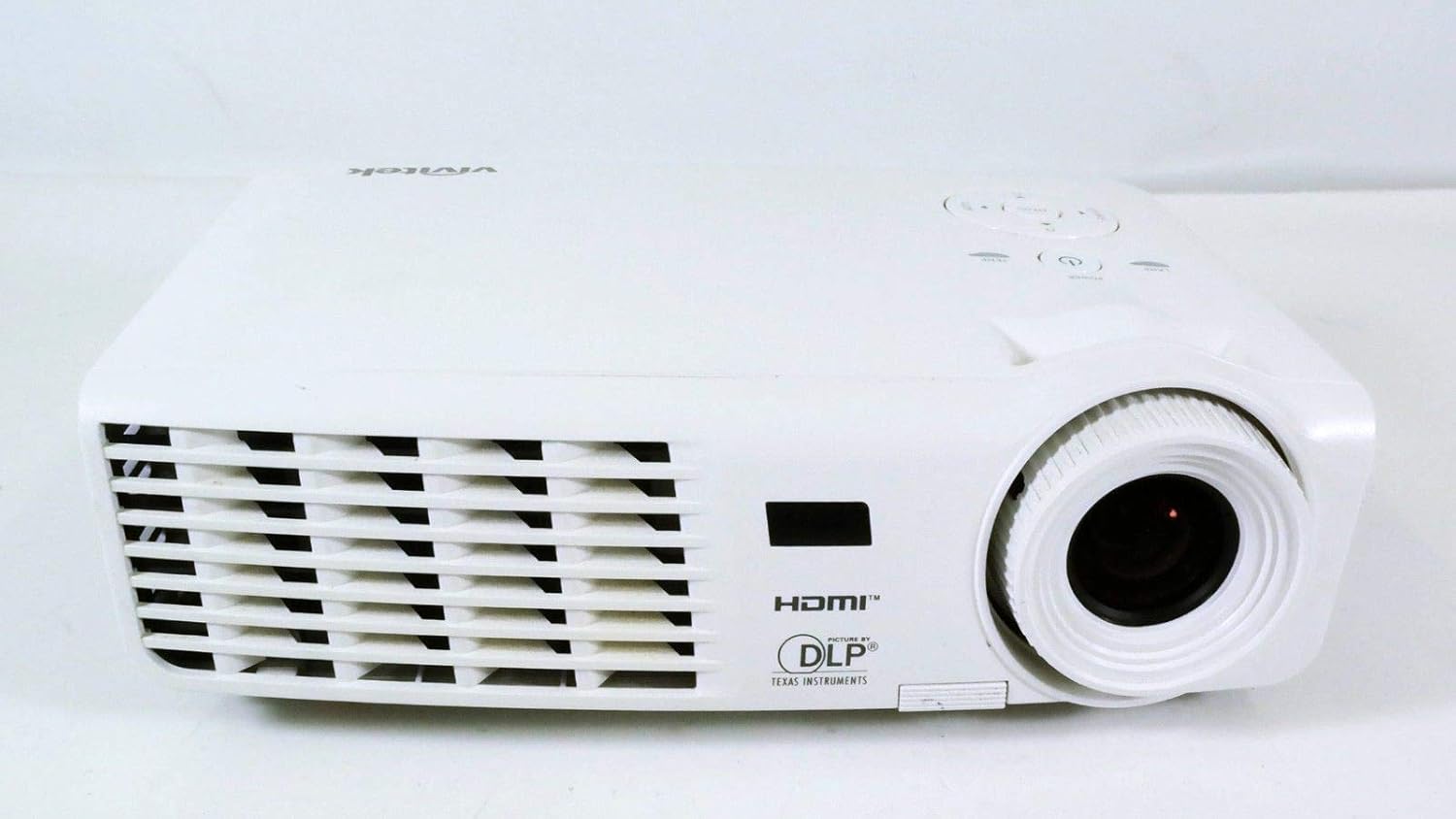
شکل 1.1: مخکی view of the Vivitek D519 Projector, showing the lens and ventilation.
2. ترتیب کول
2.1 Unpacking the Projector
په احتیاط سره د بسته بندۍ څخه ټولې برخې لرې کړئ. ډاډ ترلاسه کړئ چې لاندې لیست شوي ټول توکي شتون لري:
- Vivitek D519 Projector
- د AC بریښنا تار
- د VGA کیبل
- ریموټ کنټرول (د بیټرۍ سره)
- د لیږد قضیه
- User's Manual (CD)
- د لینس کیپ
- د تضمین کارت
۴.۱ فزیکي ځای پر ځای کول
Place the projector on a stable, flat surface or mount it securely. Ensure adequate ventilation around the projector to prevent overheating. Avoid placing it near heat sources or in direct sunlight.
2.3 د نښلولو وسایل
The D519 offers various connectivity options. Connect your source device (e.g., laptop, DVD player) to the appropriate input port on the projector.

شکل 2.1: شاته view of the Vivitek D519 Projector, highlighting the HDMI, VGA, S-Video, and audio input ports.
- HDMI: For high-definition digital video and audio. Connect an HDMI cable from your source to the projector's HDMI port.
- VGA: For analog computer video. Connect a VGA cable from your computer to the projector's VGA port.
- آډیو په: For analog audio input. Connect audio cables to the L-AUDIO-R or AUDIO IN ports as needed.
- S- ویډیو: د معیاري تعریف ویډیو لپاره.
- RS-232: For projector control via a computer or control system.
2.4 فعالول
Connect the AC power cord to the projector's power inlet and then to a power outlet. Press the ځواک button on the projector's control panel or the remote control to turn on the projector. The power indicator light will illuminate.
۴. د پروجیکټر چلول
3.1 د کنټرول پینلview
The control panel on top of the projector allows for basic operation without the remote control.

شکل 3.1: پورته view of the Vivitek D519 Projector, showing the control panel with power, menu, source, and navigation buttons.
- د بریښنا تڼۍ: پروجیکټر چالان یا بند کړئ.
- سرچینه تtonۍ: Cycles through available input sources (HDMI, VGA, S-Video, etc.).
- د مینو تڼۍ: د پرمختللو ترتیباتو لپاره د پردې پرده ښودنې (OSD) مینو ته لاسرسی لري.
- د نیویګیشن تڼۍ (پورته/ښکته/کیڼ/ښي): د مینو انتخابونو له لارې نیویګیټ کولو او ترتیباتو تنظیم کولو لپاره کارول کیږي.
- د اتومات تtonۍ: Automatically adjusts the image for optimal display.
۴.۳ د انځور تنظیم کول
Once the projector is powered on and an input source is selected, you may need to adjust the image for clarity and size.
- د تمرکز زنګ: د عکس د تیزولو لپاره د لینز شاوخوا د تمرکز حلقه وګرځوئ.
- د زوم حلقه: Rotate the zoom ring to adjust the image size without moving the projector. The D519 has a 1.1:1 zoom ratio.
- د کیسټون سمون: If the image appears trapezoidal, use the keystone correction feature (accessible via the OSD menu) to square the image.
3.3 Using the On-Screen Display (OSD) Menu
فشار ورکړئ مینو button on the projector or remote to access the OSD. Use the navigation buttons to browse categories such as Picture, Display, Setup, and Information. Press ننوتل (or the center button on the navigation pad) to select an option and adjust settings.
4. ساتنه
۴ لamp ژوند او بدیل
پروجکټور lamp has a rated life of 4000 hours in Standard mode and up to 6000 hours in Economy mode. When the lamp د خپل ژوند پای ته رسېږي، lamp indicator light will illuminate, and a message may appear on screen. Refer to the detailed user manual (on CD) for lamp د بدیل لارښوونې.
۴.۱ د پروجیکټر پاکول
- لینز: د نظري لینزونو لپاره په ځانګړي ډول ډیزاین شوي نرم، لینټ نه پاک ټوکر وکاروئ. د کثافاتو پاکونکي مه کاروئ.
- Casing: پروجیکټر پاک کړئ casing د نرم سره، damp ټوکر د سختو کیمیاوي موادو او محلولونو کارولو څخه ډډه وکړئ.
- د هوا ویښتان: Regularly check and clean the air vents to ensure proper airflow and prevent dust buildup, which can lead to overheating. Use a soft brush or compressed air.
5. ستونزه حل کول
This section addresses common issues you might encounter with your Vivitek D519 projector.
| ستونزه | احتمالي لامل | د حل لاره |
|---|---|---|
| په پرده هیڅ عکس نشته | Power cable disconnected; Incorrect input source; Source device off. | Check power connection; Press 'Source' button to select correct input; Ensure source device is on. |
| انځور غلی دی | لینز له تمرکز څخه بهر دی؛ پروجیکټر د سکرین څخه ډیر نږدې/لرې دی. | Adjust the focus ring; Adjust projector distance or use zoom ring. |
| انځور trapezoidal دی | پروجیکټر د سکرین سره عمودي نه دی. | Adjust keystone correction via OSD menu. |
| Projector shuts down unexpectedly | Overheating; Lamp د ژوند پای ته نږدې. | Ensure vents are clear; Allow projector to cool; Consider lamp replacement if indicator light is on. |
| Distorted image on startup | Software glitch; Connection issue. | Restart the projector; Check all cable connections; If persistent, consult Vivitek support. |
6. مشخصات
Key technical specifications for the Vivitek D519 Projector:
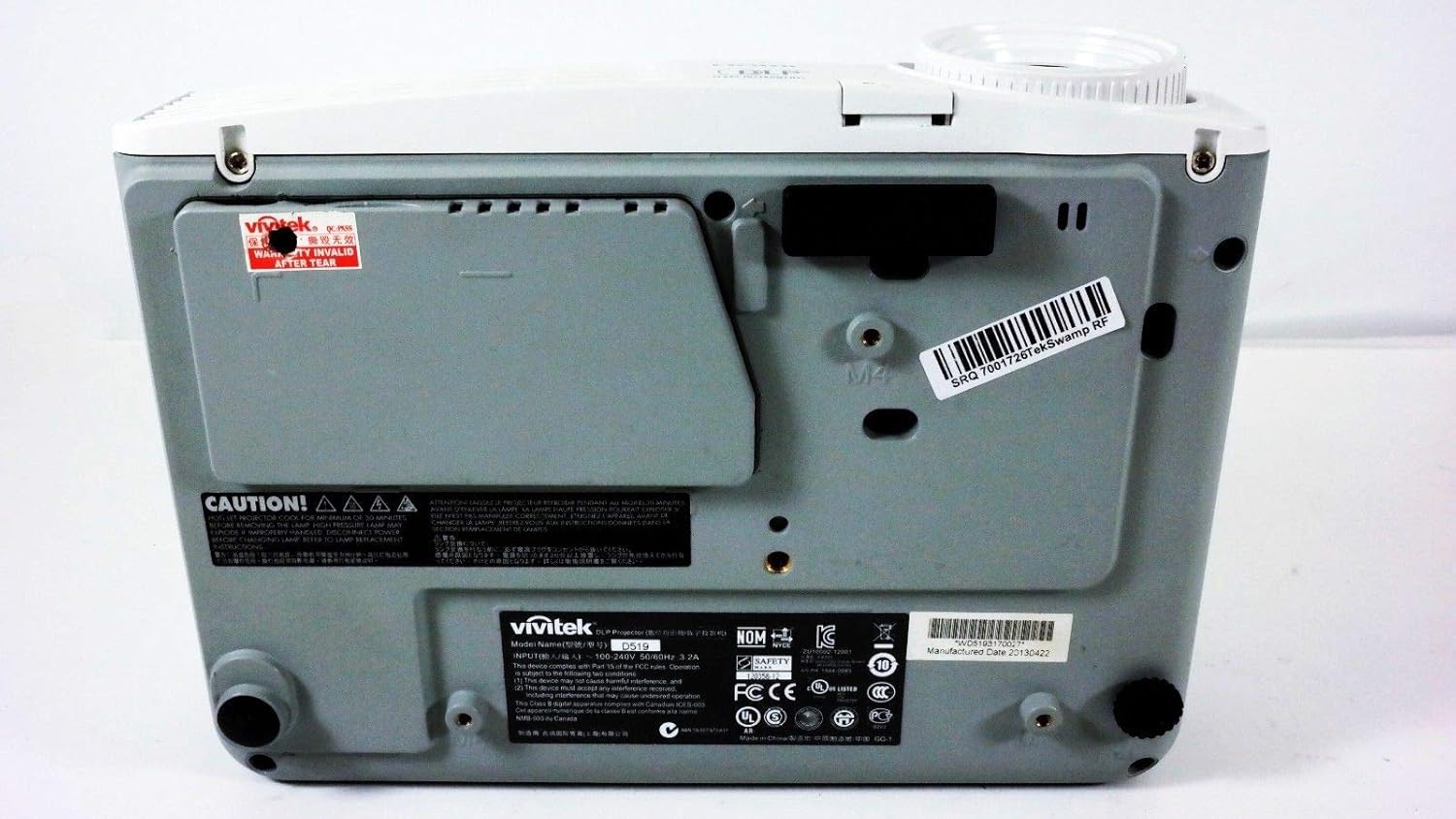
شکل 6.1: لاندې view of the Vivitek D519 Projector, showing the product label with model and serial information.
| فیچر | تفصیل |
|---|---|
| د ماډل شمیره | DPU35-262VVUA |
| ټیکنالوژي ښکاره کول | Single 0.55” DLP Display Technology by Texas Instruments |
| اصلي حل | XGA (1024 x 768) |
| روښانتیا | 3000 Lumens |
| د تناسب تناسب | 15,000:1 |
| Lamp ژوند | 4000 hours (Standard) / 6000 hours (Economy) |
| د زوم تناسب | 1.1:1 (Manual Zoom and Focus) |
| ارتباط | HDMI v1.3, VGA, S-Video, L-Audio-R, Audio In, RS-232 |
| ځانګړي ځانګړتیاوې | HD Compatible, 3D-Ready, Screen Size compatibility: 40 - 300 inches |
| د محصول ابعاد | 7.5 x 10.3 x 3.1 انچه |
| د توکي وزن | ۲.۴۵ پونډه |
7. تضمین او ملاتړ
Your Vivitek D519 projector comes with a limited warranty. Please refer to the Warranty Card included in your product packaging for detailed terms and conditions. For technical support, service, or warranty claims, please contact Vivitek customer service through their official webسایټ یا ستاسو د تضمین اسنادو کې چمتو شوي د اړیکو معلومات.
It is recommended to register your product online to receive updates and support.


