1. پیژندنه
This manual provides essential instructions for the safe and efficient operation of your BenQ MX520 DLP Projector. Please read this manual thoroughly before using the projector and retain it for future reference.
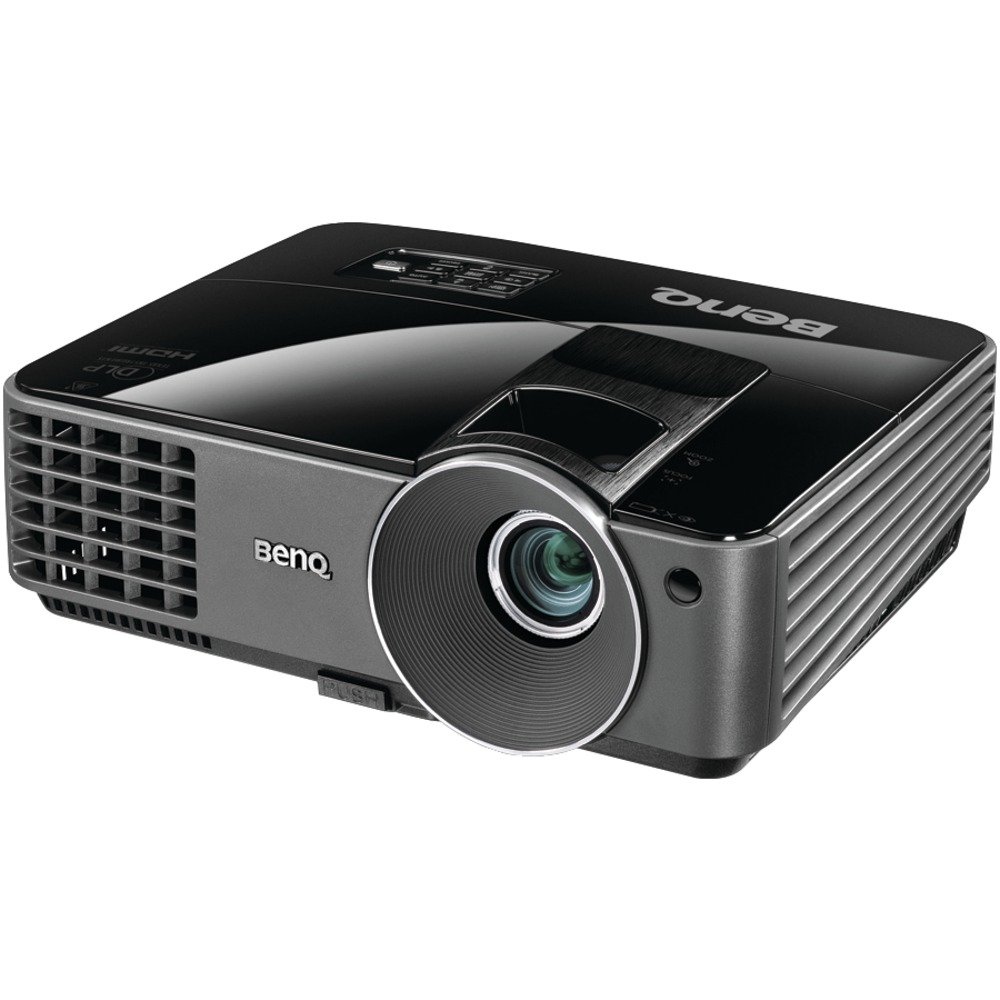
Image 1.1: BenQ MX520 DLP Projector. This image displays the projector from a front-right angle, highlighting its compact design, the main projection lens, and the BenQ logo.
The BenQ MX520 is a DLP projector designed for various projection needs, offering 3000 ANSI lumens brightness, a 13000:1 contrast ratio, and XGA (1024x768) resolution. It supports multiple 3D formats and incorporates SmartEco Technology for optimized lamp life and power efficiency.
2. د محصول ب Featuresې
- High Brightness and Contrast: 3000 ANSI lumens and a 13000:1 contrast ratio for clear and vibrant images.
- د XGA قرارداد: Native 1024 x 768 resolution for detailed presentations.
- د سمارټ اکو ټیکنالوژي: Optimizes lamp power for energy savings and extended lamp تر 6500 ساعتونو پورې ژوند.
- 3D چمتو: Supports DLP Link 3D projection, including field-sequential, frame packing, top-and-bottom, and side-by-side 3D formats.
- له فلټر څخه پاک ډیزاین: Reduces maintenance requirements by eliminating the need for filter cleaning or replacement.
- Advanced Power Management:
- د اکو خالي حالت: Allows blanking the screen to redirect audience focus or save power when not in use.
- د سرچینې نه موندل شوی حالت: Automatically switches to Eco Blank Mode if no display source is detected for three minutes.
- 0.5W Standby Power: Minimizes power consumption when inactive.
- اتومات بریښنا بند: Automatically powers off if no signal is detected for a set period.
- Signal Power On: Automatically turns on the projector when an input signal is detected.
- مستقیم بریښنا آن: Powers on automatically when connected to a power source.
- Reduced Cooling Time: Cooling time has been significantly reduced for quicker shutdown.
- د HDTV مطابقت: Supports 480i, 480p, 576i, 576p, 720p, 1080i, 1080p.
3. ترتیب کول
3.1 پاکول او ځای پرځای کول
- پروجیکټر او ټول لوازم په احتیاط سره له بسته بندۍ څخه لرې کړئ.
- Place the projector on a stable, flat surface in the desired projection area. Ensure adequate ventilation around the unit.
- Avoid placing the projector in direct sunlight or near heat sources.
3.2 د نښلولو بریښنا
- د بریښنا تار د پروجیکټر د بریښنا انلیټ سره وصل کړئ.
- د برښنا تار بله پای په یو ځمکني بریښنایی پلورنځي کې ولګوه.
- The power indicator light on the projector should illuminate.
۱.۳ د ننوتلو سرچینو نښلول
The BenQ MX520 supports various input sources. Connect your device (e.g., computer, Blu-ray player) to the projector using the appropriate cable.
- HDMI: د لوړ تعریف ډیجیټل ویډیو او آډیو لپاره.
- VGA (D-Sub): د انالوګ کمپیوټر سیګنالونو لپاره.
- S- ویډیو: د معیاري تعریف ویډیو لپاره.
- جامع ویډیو (RCA): د معیاري تعریف ویډیو لپاره.
- آډیو دننه / بهر: د بهرنیو آډیو وسیلو د نښلولو لپاره.
- مینی USB: د خدمت یا کنټرول موخو لپاره.
یادونه: For optimal picture quality with HDMI, use a High-Speed HDMI cable.
3.4 د انځور سمون
- زوم: Adjust the zoom ring on the lens to achieve the desired image size on your screen.
- تمرکز: After adjusting the zoom, rotate the focus ring on the lens until the image appears sharp and clear.
- د کیسټون سمون: Use the projector's menu or dedicated buttons to correct any trapezoidal distortion if the projector is not perfectly perpendicular to the screen.
4. عملیاتي لارښوونې
4.1 بریښنا کول / بندول
- پاور آن: Press the power button on the projector or remote control. The lamp will take a moment to warm up before the image appears.
- بندول: Press the power button again. The projector will enter a cooling cycle. Do not unplug the projector during this cycle. Wait for the cooling fan to stop before disconnecting power.
۶.۲ د ننوتنې سرچینې انتخاب
Use the "Source" button on the projector or remote control to cycle through available input sources (HDMI, VGA, S-Video, etc.) until your desired source is displayed.
4.3 SmartEco Modes
The BenQ MX520 features SmartEco Technology to optimize power consumption and extend lamp ژوند:
- د سمارټ ایکو حالت: Automatically adjusts lamp power based on content to deliver optimal brightness and contrast while maximizing energy savings.
- د اکو خالي حالت: Activates a blank screen, reducing lamp power to 30% when the projector is not actively displaying content. This can be manually activated or automatically engaged if no source is detected.
- د سرچینې نه موندل شوی حالت: If the projector remains on for over three minutes without an active input signal, it will automatically switch to Eco Blank Mode to conserve energy.
4.4 3D Projection
To enjoy 3D content, ensure your source device is outputting a compatible 3D signal and you are using DLP Link compatible 3D glasses. Refer to your 3D source device's manual for specific setup instructions.
5. ساتنه
۴ لamp ژوند
پروجکټور lamp has an estimated life of up to 6500 hours, depending on usage mode. When the lamp reaches the end of its life, a warning message will appear, and the lamp indicator will illuminate. Refer to the service section for lamp replacement instructions (if applicable, or contact support).
5.2 د فلټر ساتنه
The BenQ MX520 features a filter-free design, eliminating the need for regular filter cleaning or replacement. This reduces ongoing maintenance costs and effort.
۶.۱ د لینز پاکول
To clean the projector lens:
- Ensure the projector is turned off and cooled down.
- Use a soft, lint-free lens cloth. Gently wipe the lens surface.
- If the image appears blurred after cleaning, re-adjust the focus using the focus ring on the lens. Applying pressure during cleaning can temporarily shift the focus.
5.4 عمومي پاکول
پروجیکټر پاک کړئ casing د نرم، وچ ټوکر سره. د کثافاتو پاکوونکي یا محلول مه کاروئ.
6. ستونزه حل کول
- هیڅ انځور ندی ښودل شوی:
- ډاډ ترلاسه کړئ چې پروجیکټر فعال دی او lamp ګرم شوی دی.
- Verify that the input source cable is securely connected to both the projector and the source device.
- Select the correct input source using the "Source" button.
- وګورئ چې ایا د سرچینې وسیله فعاله ده او سیګنال تولیدوي.
- خړ انځور:
- د پروجکټور لینز کې د تمرکز حلقه تنظیم کړئ.
- Ensure the projection surface is flat and the projector is at an appropriate distance.
- Projector Shuts Down Unexpectedly:
- Check for proper ventilation; ensure vents are not blocked.
- If the projector enters "No Source Detected Mode," it will go into Eco Blank mode. If no signal is detected for a longer period, it may auto power off.
- Allow sufficient cooling time after shutdown before restarting.
- ریموټ کنټرول کار نه کوي:
- ډاډ ترلاسه کړئ چې د ریموټ او پروجیکټر د IR ریسیور ترمنځ هیڅ خنډ شتون نلري.
- بیټرۍ په ریموټ کنټرول کې ځای په ځای کړئ.
7. مشخصات
| د ماډل شمیره | MX520 |
| ټیکنالوژي ښکاره کول | DLP |
| اصلي حل | XGA (1024 x 768) |
| روښانتیا | 3000 د ANSI Lumens |
| د تناسب تناسب | 13000:1 |
| Lamp Life (Normal/Eco/SmartEco) | تر ۶۰۰۰ ساعتونو پورې (سمارټ ایکو موډ) |
| د ارتباط ټیکنالوژي | HDMI, VGA, S-Video, Composite Video, Audio In/Out, Mini USB |
| ځانګړي ځانګړتیاوې | 3D-Ready, SmartEco Technology, Filter-Free Design |
| د محصول اندازه کول (W x H x D) | 11.3 x 4.5 x 9.2 انچه (نږدې) |
| د توکي وزن | ۲.۴۵ پونډه |
| جوړونکی | BenQ |
8. تضمین او ملاتړ
For detailed warranty information, please refer to the warranty card included with your product or visit the official BenQ website. Technical support and service contact information can also be found on the BenQ support pages.
For further assistance, please contact BenQ customer support.


