پیژندنه
The Anker A7726121 Ultra-Slim Bluetooth Keyboard is designed to provide a comfortable and efficient typing experience across various devices. Its compact and lightweight design makes it ideal for portability, while its low-profile keys ensure quiet and comfortable use. This manual provides instructions for setting up, operating, maintaining, and troubleshooting your keyboard.

Image: Anker A7726121 Ultra-Slim Bluetooth Keyboard shown alongside a tablet, demonstrating its compact size and compatibility.
د بسته محتويات
- Anker Ultra-Slim Bluetooth Keyboard
- ښه راغلاست لارښود
Note: Two AAA batteries are required for operation and are not included in the package.
چمتو کول
1. د بیټرۍ نصب کول
- د کیبورډ په لاندې برخه کې د بیټرۍ کڅوړه ومومئ.
- د بیټرۍ کمپارټ پوښ خلاص کړئ.
- دوه AAA بیټرۍ دننه کړئ، د سم قطبیت ډاډ ترلاسه کړئ (+/-).
- د بیټرۍ کمپارټ پوښ په خوندي ډول وتړئ.
2. د بلوتوث جوړه کول
- Turn on the keyboard using the power switch, typically located on the bottom or side.
- Press the Bluetooth pairing button (often labeled with a Bluetooth symbol or 'Connect') on the keyboard. The indicator light should begin to flash, indicating it is in pairing mode.
- On your device (tablet, smartphone, computer), navigate to the Bluetooth settings.
- ډاډ ترلاسه کړئ چې ستاسو په وسیله بلوتوټ فعال شوی.
- لټون available Bluetooth devices. The keyboard should appear as "Anker A7726".
- Select "Anker A7726" from the list of available devices.
- If prompted, enter the pairing code displayed on your device using the Anker keyboard and press Enter.
- Once paired, the indicator light on the keyboard will stop flashing and remain solid or turn off, depending on the model. Your keyboard is now ready for use.
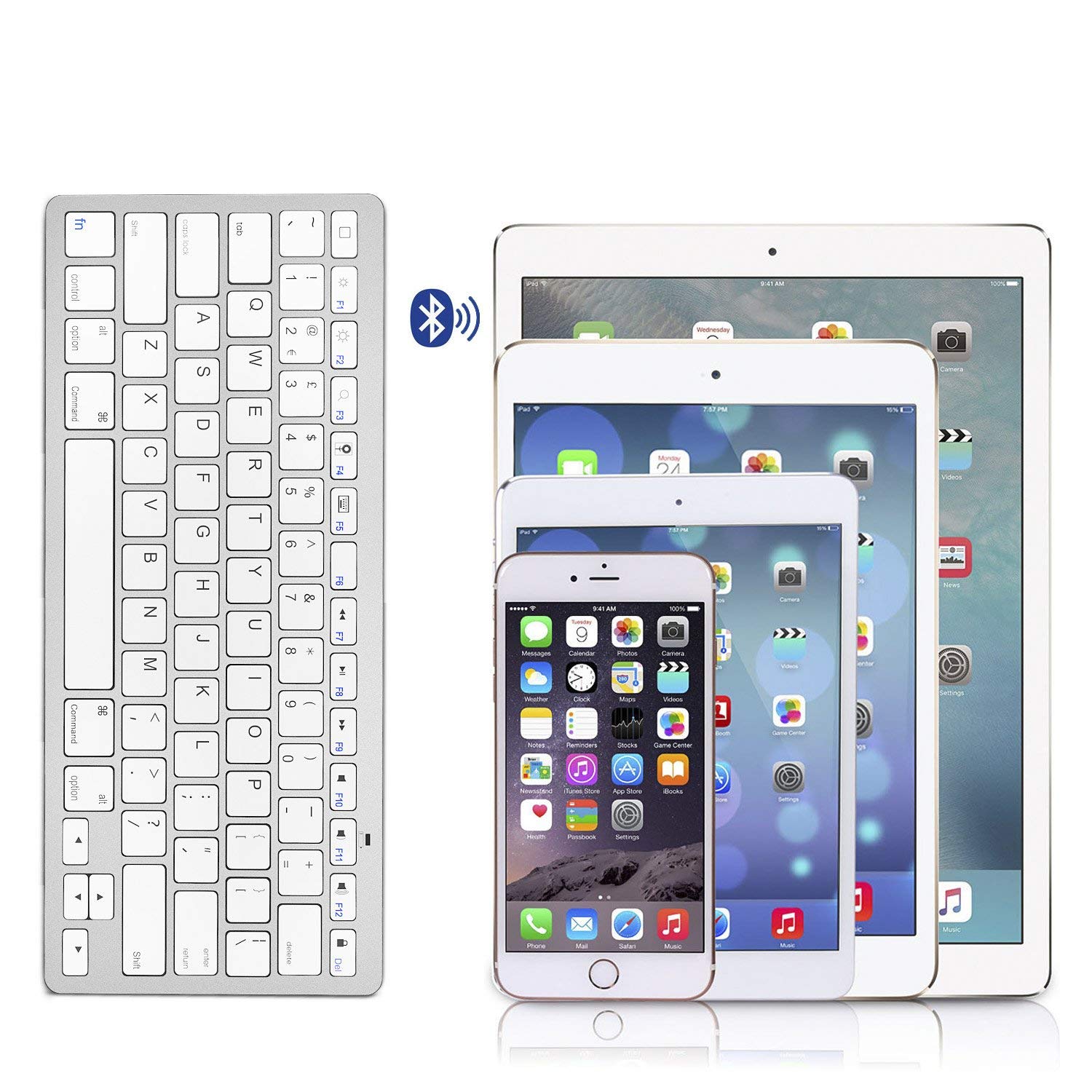
Image: The Anker A7726121 keyboard shown wirelessly connected to an iPad, iPhone, and iPad Mini, illustrating its multi-device compatibility.
عملیاتي لارښوونې
مطابقت
The Anker A7726121 keyboard is cross-compatible with a wide range of operating systems and devices:
- iOS: iPad, iPhone, iPod Touch (Bluetooth 3.0 and above)
- اندروید: Smartphones or tablets (Android 3.0 and above)
- ماک: iMac/Macbooks (Mac OS X 10.2.8 or above). Note: Not compatible with Mac Mini.
- وینډوز: Bluetooth-enabled PCs or Laptops (Windows XP/Vista/7/8)
- Windows Mobile: 5.0 او پورته
Note: Some exceptions may apply. Not compatible with Moto RAZR.
د فعالیت کیلي او لنډلارې
The keyboard features dedicated hotkeys for various functions across different operating systems. These keys provide quick access to media controls and system functions.

انځور: نږدې انځور view of the Anker A7726121 keyboard keys, highlighting the layout and function key labels.
د بریښنا مدیریت
The keyboard is designed for ultra-low power consumption, allowing for extended use. It features an automatic sleep mode to conserve battery life:
- د اتوماتیک خوب حالت: If the keyboard is inactive for a period, it will automatically enter sleep mode to save power.
- Waking the Keyboard: To wake the keyboard, simply press any key. It may take a few seconds to reconnect to your device.
- د بیټرۍ ژوند: With typical usage (approximately two hours per day), the keyboard can last over three months between battery changes.
ساتنه
پاکول
د کیبورډ بڼه او فعالیت ساتلو لپاره:
- ډاډ ترلاسه کړئ چې کیبورډ د پاکولو دمخه بند دی.
- د نرم، لینټ پاک ټوکر څخه لږ څه کار واخلئampد اوبو یا نرم پاکولو محلول سره پای ته رسیدلی.
- د سختو کیمیاوي موادو، خړوبونکو پاکوونکو، یا ډیر رطوبت کارولو څخه ډډه وکړئ.
- For cleaning between keys, use compressed air or a soft brush.
د بیټرۍ بدلول
When the keyboard's performance degrades or it fails to connect, it may be time to replace the batteries. Follow the battery installation steps outlined in the Setup section.
د ستونزو حل کول
If you encounter issues with your Anker A7726121 keyboard, refer to the following common solutions:
- کیبورډ نه نښلي یا په مکرر ډول منقطع کیږي:
- Ensure the keyboard is turned on and has fresh batteries.
- ډاډ ترلاسه کړئ چې ستاسو په وسیله کې بلوتوټ فعال شوی دی.
- Try re-pairing the keyboard with your device (unpair and then pair again).
- Move the keyboard closer to your device to rule out range issues or interference.
- کیبورډ او خپل وسیله دواړه بیا پیل کړئ.
- Keys are unresponsive or typing incorrectly:
- د بیټرۍ کچه چیک کړئ او د اړتیا په صورت کې یې بدل کړئ.
- Ensure the keyboard is properly paired.
- Clean the keyboard to remove any debris that might be obstructing keys.
- Test the keyboard with another compatible device to determine if the issue is with the keyboard or the original device.
- Keyboard enters sleep mode too frequently:
- This is a power-saving feature. Press any key to wake the keyboard.
- Ensure your device's Bluetooth settings are stable and not causing frequent disconnections.
مشخصات
| فیچر | تفصیل |
|---|---|
| د ماډل شمیره | AK-A7726121 |
| د ارتباط ټیکنالوژي | بلوتوث 3.0 |
| د عملیاتي سیسټم مطابقت | iOS, Android, Mac OS X, Windows, Windows Mobile |
| د بریښنا سرچینه | 2 x AAA بیټرۍ (شامل ندي) |
| د بیټرۍ ژوند اټکل شوی | Over 3 months (based on 2 hours/day use) |
| ابعاد (LxWxH) | 28.5 x 11.99 x 0.61 سانتي متره (11.2 x 4.7 x 0.2 انچه) |
| د توکي وزن | 191 ګرامه (6.7 اوز) |
| رنګ | سپین |

Image: Technical diagram showing the precise dimensions of the Anker A7726121 Ultra-Slim Bluetooth Keyboard.
تضمین او ملاتړ
Anker provides an 18-month worry-free warranty for this product. For any questions, issues, or support needs, please refer to the contact information provided in your welcome guide or visit the official Anker support webسایټ


