Wstęp
The OTTOCAST Mini Tube 2026 is a wireless adapter designed to convert your vehicle's existing wired Apple CarPlay or Android Auto system into a wireless one. This device offers seamless auto-connection, stable performance, and a premium aluminum design for an enhanced in-car experience.

Image: The OTTOCAST Mini Tube 2026 adapter connected in a car, displaying the wireless CarPlay interface on the vehicle's screen.
1. Przewodnik konfiguracji
1.1 Zawartość opakowania

Image: Contents of the OTTOCAST Mini Tube 2026 package. It includes the Wireless CarPlay Adapter, a USB-A to USB-C Adapter, a User Manual, and the Product Packaging.
Zanim zaczniesz, upewnij się, że wszystkie elementy są obecne:
- 1 x OTTOCAST Mini Tube 2026 Wireless CarPlay & Android Auto Adapter
- 1 x przejściówka z USB-A na USB-C
- 1 x Instrukcja obsługi
1.2 Podłączanie urządzenia
The OTTOCAST Mini Tube 2026 is designed for truly plug-and-play operation. Follow these steps to connect it to your vehicle:
- Locate the USB port in your vehicle that supports wired Apple CarPlay or Android Auto. This is typically a USB-A port.
- If your vehicle has a USB-C port, use the provided USB-A to USB-C adapter to connect the Mini Tube.
- Plug the OTTOCAST Mini Tube 2026 directly into the identified USB port.
- Urządzenie włączy się automatycznie.
Video: A demonstration of unboxing the OTTOCAST Mini Tube 2026 and plugging it into a car's USB port. The video also shows the device's compact size and design.
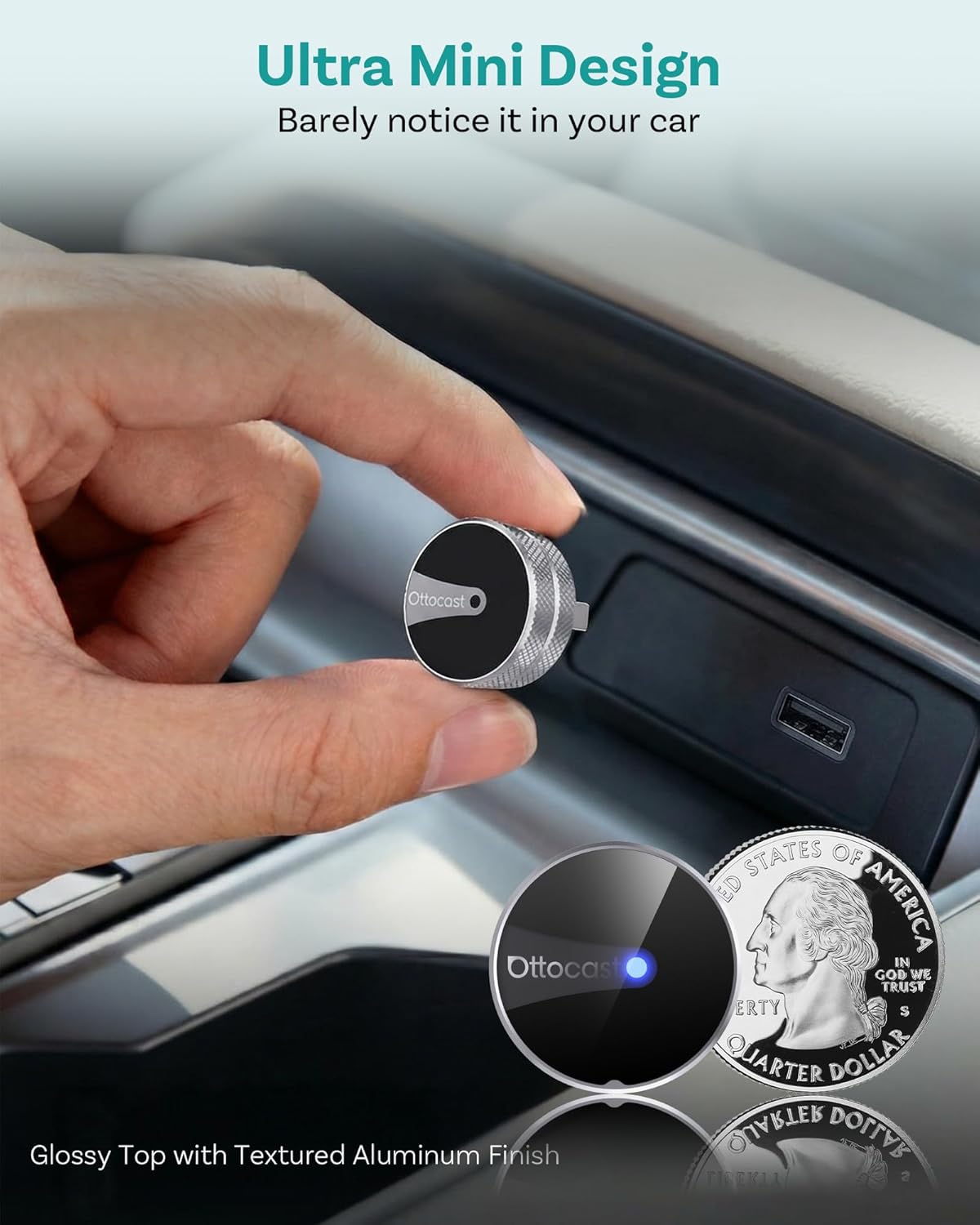
Image: The compact size of the OTTOCAST Mini Tube 2026, shown held between fingers and next to a US quarter for scale, highlighting its ultra-mini design.
1.3 parowanie Bluetooth
Once the Mini Tube is plugged in, you will need to pair your smartphone via Bluetooth:
- On your smartphone (iPhone or Android), go to your Bluetooth settings.
- Szukaj available devices. The Mini Tube will appear as "CAR2-XXXX" (the exact name may vary).
- Select the device to pair. Confirm any pairing requests on both your phone and the car's display.
- Once paired, your phone will automatically connect to wireless CarPlay or Android Auto.
Video: A demonstration of Bluetooth pairing for both iPhone and Android devices with the OTTOCAST Mini Tube 2026, showing the pairing process on both phone screens and the car's display.
Notatka: The device works quietly in the background, connecting your CarPlay or Android Auto automatically so you can focus on the road.
2. Instrukcja obsługi
2.1 Połączenie automatyczne
After the initial setup, the OTTOCAST Mini Tube 2026 will automatically connect to your paired smartphone each time you start your vehicle. No need for cables or additional steps.

Image: A driver interacting with the car's display, which shows a wireless CarPlay interface, demonstrating the automatic connection feature of the OTTOCAST Mini Tube 2026.
2.2 Korzystanie z CarPlay i Android Auto
Once connected, you can access all standard CarPlay and Android Auto features directly on your car's infotainment screen. This includes:
- Nawigacja: Use your preferred navigation apps like Apple Maps, Google Maps, or Waze.
- Muzyka i dźwięk: Stream music, podcasts, and audiobooks from apps such as Apple Music, Spotify, YouTube Music, and more.
- Sterowanie głosowe: Utilize Siri or Google Assistant for hands-free commands, calls, and messages.
- Rozmowy bez użycia rąk: Make and receive calls safely through your car's audio system.
- Wiadomości: Wysyłaj i odbieraj wiadomości za pomocą poleceń głosowych.

Obraz: Podział view showing both Apple CarPlay and Android Auto interfaces on a car's display, highlighting various applications for navigation, music, and communication.
Video: Demonstrates the use of music, navigation, voice control, and hands-free calling features within both CarPlay and Android Auto interfaces via the adapter.
2.3 Maintaining Original Car Controls
The OTTOCAST Mini Tube 2026 maintains full functionality of your vehicle's original control methods, including:
- Sterowanie głosowe
- Sterowanie za pomocą ekranu dotykowego
- Sterowanie pokrętłem OEM
- Sterowanie z kierownicy

Image: Illustrates how the OTTOCAST Mini Tube 2026 supports existing car controls, including voice commands, touchscreen interaction, OEM knob, and steering wheel buttons.
3. Konserwacja
3.1 Aktualizacje online (OTA)
The OTTOCAST Mini Tube 2026 supports Over-The-Air (OTA) updates to ensure optimal performance and compatibility. To check for and install updates:
- Connect your smartphone to the Mini Tube.
- Access the device's settings via your phone (specific method may vary, often through a web interface or companion app if available).
- Look for an "Online Update" or "System Version" section.
- If an update is available, follow the on-screen prompts to install it. Ensure a stable internet connection during the update process.
Video: Shows a smartphone screen displaying the OTTOCAST Mini Tube's settings interface, including options for online updates and problem description submission.
3.2 Czyszczenie
To maintain the device's appearance and functionality, gently wipe the exterior with a soft, dry cloth. Avoid using harsh chemicals or abrasive cleaners.
4. Rozwiązywanie Problemów
4.1 Problemy z połączeniem
- Urządzenie nie zostało rozpoznane: Ensure the Mini Tube is securely plugged into the correct USB port (the one that supports wired CarPlay/Android Auto). Try a different USB port if available.
- Parowanie Bluetooth nie powiodło się: Make sure Bluetooth is enabled on your phone and the Mini Tube is discoverable. Forget previous pairings on your phone and try again.
- Przerywane połączenie: Check for any physical obstructions or loose connections. Ensure your phone's software is up to date.
4.2 Zgodność
The OTTOCAST Mini Tube 2026 is designed to work with cars that already support wired Apple CarPlay or Android Auto. It is compatible with iPhone (iOS 10+) and Android phones (Android 11+).
Important: This device is NOT compatible with BMW & Tesla vehicles.

Image: Displays a wide range of compatible car brands and highlights compatibility with iPhone (iOS 10+) and Android (Android 11+) devices. Explicitly states non-compatibility with BMW and Tesla.
4.3 Problemy z wydajnością
- Opóźnienie: Ensure your phone has sufficient processing power and storage. Close unnecessary background apps on your phone.
- Problemy z dźwiękiem: Check your car's audio settings and ensure the volume is adjusted correctly.
5. Specyfikacje
| Marka | OTTOCAST |
| Model | Mini Tube 2026 |
| Funkcja specjalna | Hands-Free Calls, Low Latency |
| Technologia łączności | Bluetooth, Wi-Fi (5 GHz) |
| Tworzywo | Aluminium |
| Wymiary produktu | 0.98" dł. x 0.98" szer. x 0.98" wys. |

Image: The OTTOCAST Mini Tube 2026 highlighting its key features: Plug & Play, OTA Updates, Mini Size, and Easy to Use.
6. Gwarancja i wsparcie
OTTOCAST products come with a standard manufacturer's warranty. For detailed warranty information, technical support, or to report an issue, please refer to the contact information provided in your product packaging or visit the official OTTOCAST webstrona.
When contacting support, please have your product model (Mini Tube 2026) and purchase details ready.