Wstęp
Thank you for choosing the EarFun Air Pro 4+ Adaptive Noise Cancelling Wireless Earbuds. This manual provides detailed instructions to help you set up, operate, and maintain your earbuds for optimal performance. Please read this manual thoroughly before use and retain it for future reference.
Co jest w pudełku
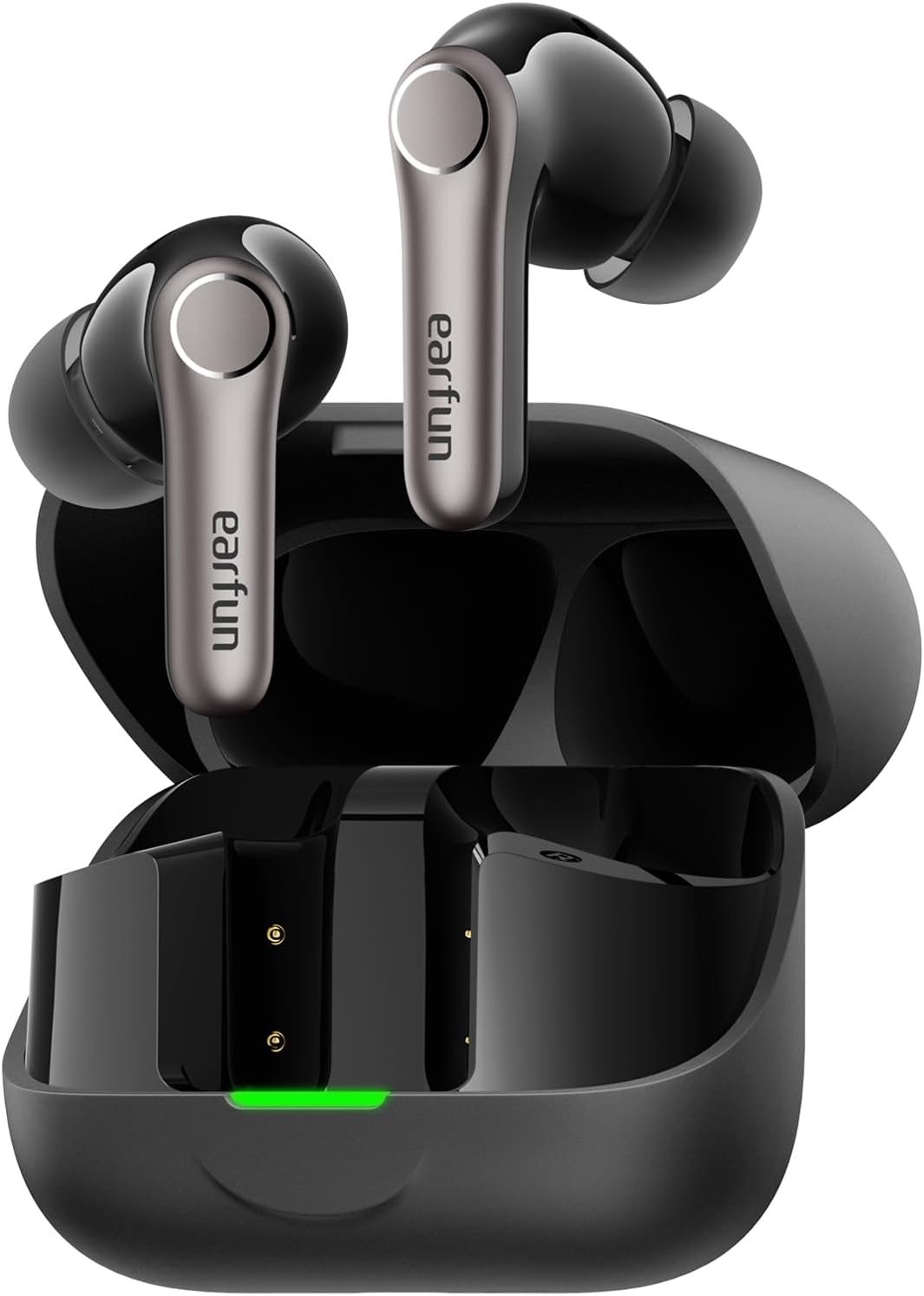
- EarFun Air Pro 4+ Earbuds
- Etui ładujące
- Kabel ładujący USB-C
- Instrukcja obsługi
- Różne rozmiary końcówek dousznych
Organizować coś
1. Ładowanie początkowe
- Umieść obie wkładki douszne w etui ładującym.
- Podłącz kabel USB-C do portu ładowania w obudowie i do źródła zasilania.
- Ensure the earbuds and case are fully charged before first use. The LED indicator on the case will show charging status.

2. Wybór odpowiednich końcówek dousznych
A proper fit is crucial for sound quality and noise cancellation. Experiment with the included eartips to find the size that provides the best seal and comfort for your ears.

3. Parowanie z urządzeniem
- Otwórz etui ładujące. Słuchawki automatycznie przejdą w tryb parowania (diody LED zaczną migać).
- Włącz Bluetooth na swoim urządzeniu (smartfonie, tablecie itp.).
- Szukaj "EarFun Air Pro 4+" in the list of available devices and select it to connect.
- For Android devices, Google Fast Pair is supported for quick connection.

Instrukcja obsługi
1. Włączanie/wyłączanie zasilania
- Włączanie: Otwórz etui z funkcją ładowania, a słuchawki włączą się automatycznie.
- Wyłączone: Umieść wkładki douszne z powrotem w etui ładującym i zamknij pokrywę.
2. Sterowanie dotykowe
The EarFun Air Pro 4+ features customizable touch controls. Refer to the EarFun App for detailed customization options.
| Działanie | Funkcja (domyślna) |
|---|---|
| Pojedyncze dotknięcie (lewo/prawo) | Volume Down / Volume Up |
| Podwójne dotknięcie (lewo/prawo) | Odtwórz/Pauza |
| Potrójne dotknięcie (lewo/prawo) | Poprzedni utwór / następny utwór |
| Długie naciśnięcie (w lewo/w prawo) | Noise Control / Voice Assistant |
3. Tryby kontroli hałasu
Utilize the EarFun QuietSmart 3.0 technology for various listening experiences:
- Adaptacyjna hybrydowa aktywna redukcja szumów (ANC): Reduces ambient noise by up to 50dB, intelligently adjusting based on your surroundings.
- Tryb dźwięków otoczenia: Umożliwia słyszenie otoczenia podczas słuchania dźwięku.
- Tryb normalny: Standard audio playback without noise cancellation or ambient sound.
- Wind Noise Cancelling: Specifically designed to reduce wind interference during calls or listening outdoors.
4. Połączenie wielopunktowe
The earbuds support connecting to two devices simultaneously (e.g., phone and laptop) for seamless switching between audio sources.
5. Auracast Broadcast Audio
With Auracast technology, you can share audio with others or tune into public audio broadcasts in compatible environments.
6. Smart In-Ear Detection
Audio playback automatically pauses when you remove an earbud and resumes when you put it back in.
7. Tryb gry (niskie opóźnienie)
Activate Gaming Mode via the EarFun App for ultra-low latency (under 50ms), enhancing your gaming and video experience.
8. Zarządzanie połączeniami
Equipped with 6-Mic AI Beamforming and Qualcomm cVc 8.0 technology, the earbuds ensure clear calls by focusing on your voice and suppressing background noise.
Ładowanie i bateria
- Czas pracy baterii: Up to 12 hours on a single charge (normal mode), and up to 54 hours with the charging case.
- Szybkie ładowanie: 10-minutowe ładowanie wystarcza na około 3 godzin odtwarzania.
- Etui ładujące: Supports both USB-C cable charging and wireless charging.
Konserwacja i pielęgnacja
- Odporność na wodę i kurz: The earbuds are IP55 rated, protecting against sweat, light rain, and dust. The charging case is not water-resistant.
- Czyszczenie: Regularly clean the earbuds and charging case with a soft, dry cloth. Ensure charging contacts are free of debris.
- Składowanie: Gdy nie są używane, przechowuj słuchawki douszne w etui ładującym, aby je chronić i przedłużyć żywotność baterii.
Rozwiązywanie problemów
If you encounter any issues, please refer to the EarFun App's FAQ section or contact customer support. Common issues and solutions include:
- Brak dźwięku: Check device volume, earbud battery, and Bluetooth connection.
- Problemy z parowaniem: Ensure earbuds are in pairing mode, disable/enable Bluetooth on your device, or reset the earbuds.
- Słaba jakość dźwięku: Check eartip fit, clean earbuds, or adjust EQ settings in the EarFun App.
- Redukcja szumów jest nieskuteczna: Ensure proper eartip seal and select the appropriate ANC mode.
Specyfikacje
| Funkcja | Szczegół |
|---|---|
| Nazwa modelu | EarFun Air Pro 4+ |
| Numer modelu | TW700B |
| Kontrola hałasu | Adaptacyjna hybrydowa aktywna redukcja szumów (do 50 dB) |
| Sterowniki audio | Dual-Driver Synergy: 10mm composite dynamic driver + ultra-light FeatherBA balanced armature |
| Łączność | Bluetooth 6.0 |
| Kodeki audio | Qualcomm aptX Lossless, Snapdragon Sound, LDAC, LC3, LE Audio, SBC, AAC |
| Mikrofony | 6-Mic AI Beamforming with Qualcomm cVc 8.0 ENC |
| Czas pracy baterii (słuchawki douszne) | Do 20 000 godzin (tryb normalny) |
| Całkowity czas odtwarzania (z etui) | Do 20 000 godzin (tryb normalny) |
| Odporność na wodę | IP55 (tylko słuchawki douszne) |
| Cechy specjalne | Multipoint Connection, Auracast Broadcast Audio, Google Fast Pair, Smart In-Ear Detection, Gaming Mode (<50ms latency) |
| Metoda kontroli | Aplikacja, dotyk |
| Waga przedmiotu | 1.87 uncji (53 grama) |
| Wymiary produktu | 2.36 x 1.97 x 1.1 cala |
Gwarancja i wsparcie
EarFun products typically come with a manufacturer's warranty. Please refer to the warranty card included in your product packaging or visit the official EarFun website for detailed warranty information and support options. For technical assistance or inquiries, contact EarFun customer service.


