1. Wprowadzenie
The ANCEL HD7000 Elite is a professional-grade heavy duty truck diagnostic tool designed for comprehensive vehicle analysis and maintenance. This device supports advanced functions such as DPF regeneration, idle and speed limit adjustments, and service resets for a wide range of commercial vehicles. It provides full-system diagnostics with live data and network topology mapping to efficiently identify and resolve vehicle issues.
Wideo: Ponadview of the ANCEL HD7000 Elite's capabilities, highlighting its role in maintaining truck performance and minimizing downtime.
2. Konfiguracja
2.1 Włączanie
The HD7000 Elite features a vehicle-powered, battery-free design for enhanced reliability and stable cold-weather operation. To power on the device, connect it to the truck's diagnostic port and press and hold the Power button for 3 seconds.
2.2 Podłączanie do pojazdu
Utilize the appropriate diagnostic cable (9PIN or 16PIN) to connect the scanner to your truck's diagnostic port. The device will draw power directly from the vehicle upon connection and power-on.

Obraz: Tył view of the ANCEL HD7000 Elite device, illustrating the various ports for connecting to different truck diagnostic interfaces.
Video: Demonstrates three methods to power on and initiate the ANCEL HD7000 Elite, including connecting to the truck's diagnostic port.
3. Instrukcja obsługi
3.1 Regeneracja filtra DPF
Perform parked DPF regeneration directly from the cab to address carbon buildup in the Diesel Particulate Filter. This function is supported for most Cummins, Paccar, Caterpillar, Detroit, HD Volvo, Mack, International, Isuzu, Fuso, Hino, and UD engines. Ensure the engine is running, coolant temperature is above 60°C/140°F, vehicle speed is 0 MPH, engine load is below 20%, and exhaust gas temperatures meet specified conditions before initiating regeneration. Park the machine in an open area on level ground, shift transmission to neutral or park, and apply the parking brake.

Image: Illustrates the DPF Reset & Forced Regeneration capability, showing compatibility with various heavy-duty truck brands.

Image: Detailed diagram explaining the DPF regeneration process and listing compatible heavy-duty brands like Cummins, Paccar, Caterpillar, Detroit, and Volvo.
3.2 Idle & Speed Limit Adjustment
Adjust and restore factory-approved idle and speed parameters directly from the cab for Detroit, Cummins, International, and Volvo engines. This helps improve fuel efficiency and ensures compliance. Access this function within the 'Diesel Engine' menu.

Image: Highlights the Speed & Idle Adjustment feature, showing its benefits for fuel efficiency and safety across various engine types.

Image: Visual representation of the Idle & Speed Limit Adjustment function, emphasizing extended idling for comfort, safer driving speeds, and improved fuel efficiency.
3.3 Service Reset
Clear service lights after routine maintenance, such as oil changes, for Isuzu, Fuso, and Hino vehicles. This eliminates the need for dealer visits and reduces downtime.

Image: Demonstrates the Quick Maintenance Light Reset function, showing its application for Isuzu, Fuso, and Hino trucks after an oil change.
3.4 Full-System Diagnostics & Live Data
Perform comprehensive full-system scans across engine, ABS, transmission, body, and more for major commercial trucks including Kenworth, Freightliner, Peterbilt, International, Volvo, Mack, and Western Star. The Live Network Topology Map visualizes the vehicle's communication network to quickly pinpoint faulty modules or broken connections. Clear, plain-English fault descriptions help in understanding issues.
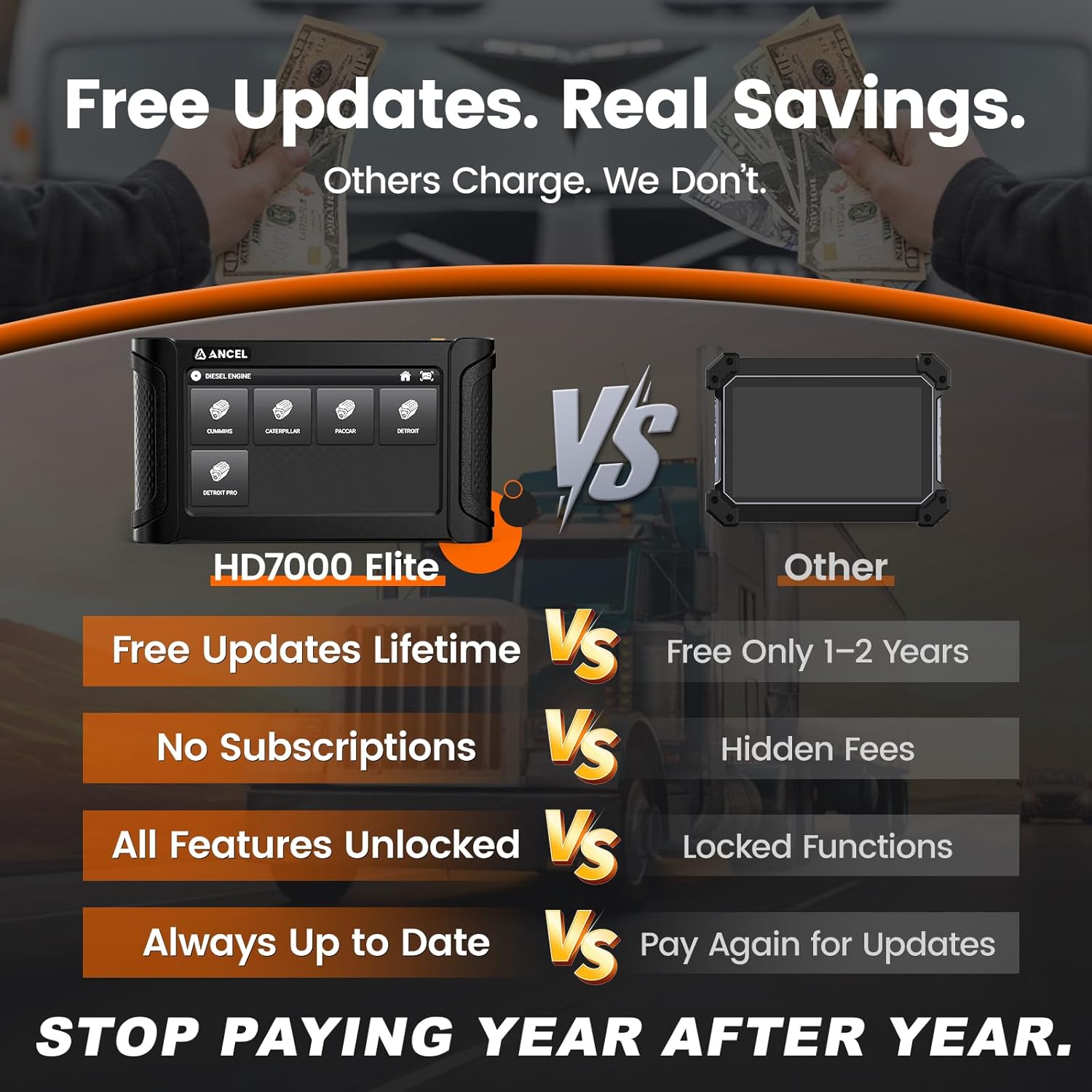
Image: Illustrates the diagnostic process, showing how the device quickly identifies faults across all systems with a network topology map.

Image: Shows the deep diagnostic capabilities with full-system scanning, including support for SAE J1939, J1708, UDS, and CDL protocols.

Image: Details the precise diagnostic process, including reading VIN, displaying and clearing trouble codes, and tracking live data such as RPM, temperature, and sensors.
Video: Demonstrates the full network visibility feature of the HD7000 Elite, showing how it pinpoints faults in minutes.
Video: Shows the HDOBD testing process using a similar ANCEL device, including system scans, DPF regen, and live data monitoring.
4. Konserwacja
4.1 Aktualizacje oprogramowania
The HD7000 Elite offers lifetime free Wi-Fi updates. Connect the device to a 2.4G or 5G Wi-Fi network to easily download and install the latest software, ensuring compatibility with new truck models and access to all features without additional costs or cables.

Image: Explains the three-step process for performing lifetime free Wi-Fi updates, ensuring the device remains current with new truck models and features.
5. Rozwiązywanie Problemów
If you encounter any issues or need to confirm support for specific functions, utilize the built-in Feedback feature on the device. Alternatively, you can contact customer support via email at toptool-service@outlook.com for technical assistance.
6. Specyfikacje
| Funkcja | Szczegół |
|---|---|
| Producent | ANULUJ |
| Model | HD7000Elite |
| Waga przedmiotu | 4.4 funta |
| Wymiary opakowania | 11.3 x 6.46 x 6.06 cala |
| Źródło zasilania | Vehicle 9PIN/16PIN diagnostic port |
| System operacyjny | Android 5.1.1 |
| Rozmiar ekranu | 7 cali |
| Typ dopasowania samochodowego | Universal Fit (Heavy Duty Trucks) |

Image: Highlights the robust hardware and smart diagnostic features, including Quad-Core Processor, 2GB RAM + 32GB Storage, Dual-Band Wi-Fi, and Type-C Power Supply.
7. Co znajduje się w pudełku
- HD7000Elite Diagnostic Tool
- Zapalniczka
- Kabel typu C
- Bateria Clamps
- OBD II to DB15 Cable
- CAT 9-Pin Adapter
- Cummins 3-Pin (F&M) Adapter
- Volvo 8-Pin Adapter
- Diesel 9-Pin Adapter
- Diesel 6-Pin Adapter

Image: Displays the complete kit contents, including the HD7000 Elite device and various essential cables and adapters for immediate use.
Video: Showcases the complete kit of the HD7000 Elite, emphasizing its readiness for use with all necessary cables and adapters included.
8. Gwarancja i wsparcie
The ANCEL HD7000 Elite comes with lifetime free software updates, ensuring your device remains current with the latest vehicle models and diagnostic capabilities. Additionally, lifetime technical support is provided to assist with any operational questions or issues. Easy returns are also available for ownership confidence.


