Wstęp
Welcome to your new Acoath 1000X Handheld Digital Miniscope. This device is designed to introduce children to the microscopic world with ease and clarity. It features a 2-inch HD IPS screen, up to 1000X magnification, and adjustable LED lighting to provide an optimal viewing experience. Please read this manual carefully to ensure proper use, maintenance, and to maximize your exploration of the miniature world.
Produkt ponadview
Komponenty
- Acoath 1000X Handheld Digital Miniscope
- Kabel do ładowania USB typu C.
- Falrep
- Instrukcja obsługi

Główne cechy
- Wyświetlacz o wysokiej rozdzielczości: 2-inch HD IPS screen for clear viewing.
- Powiększenie: Up to 1000X zoom for detailed observation.
- Regulowane oświetlenie: 8 built-in LED lights with three brightness levels (10%, 50%, 100%).
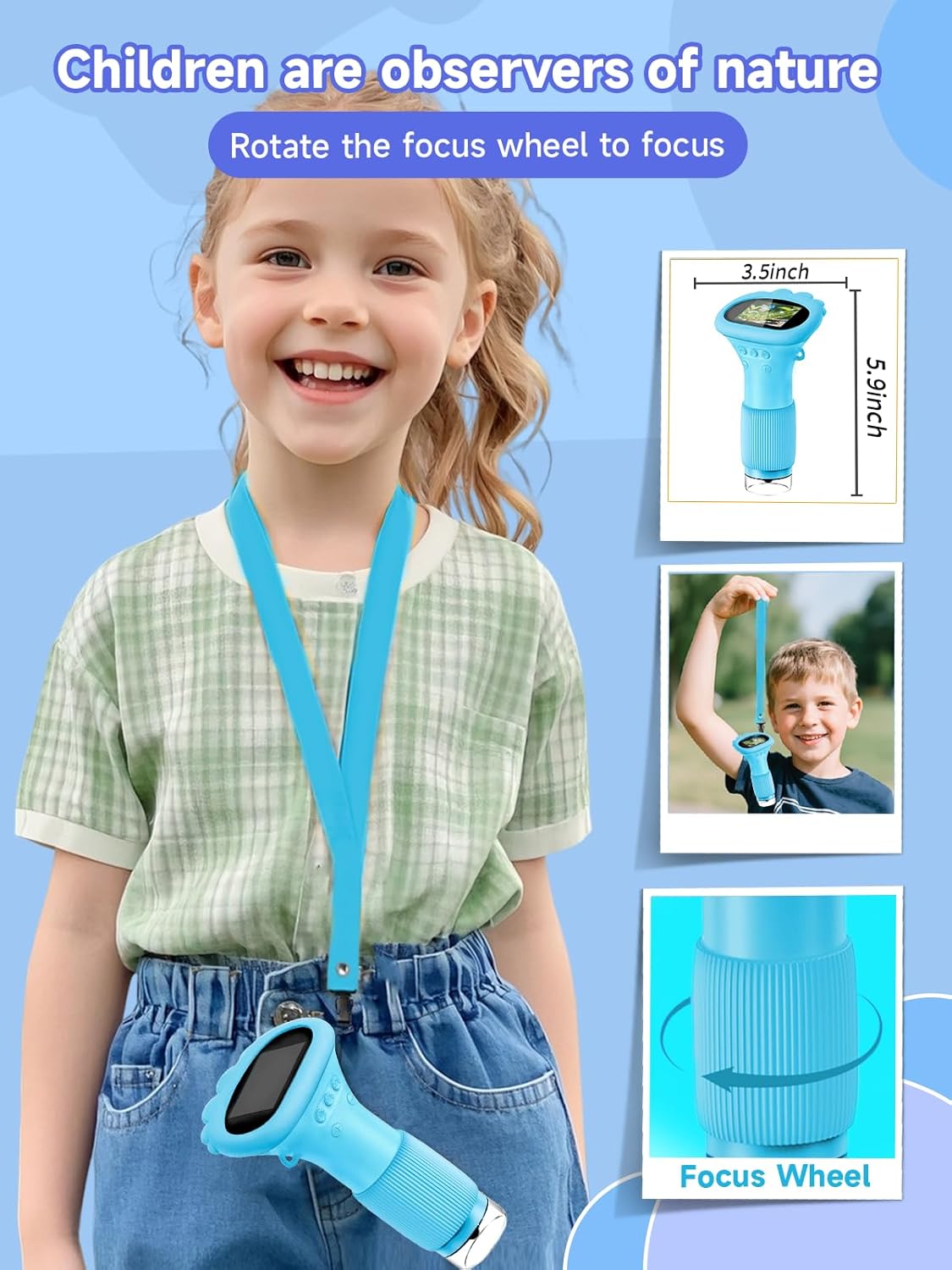
- Ruchliwość: Lightweight design with a 50 cm lanyard for easy carrying.
- Składowanie: Built-in storage for up to 200 photos, with support for external memory cards for video recording.
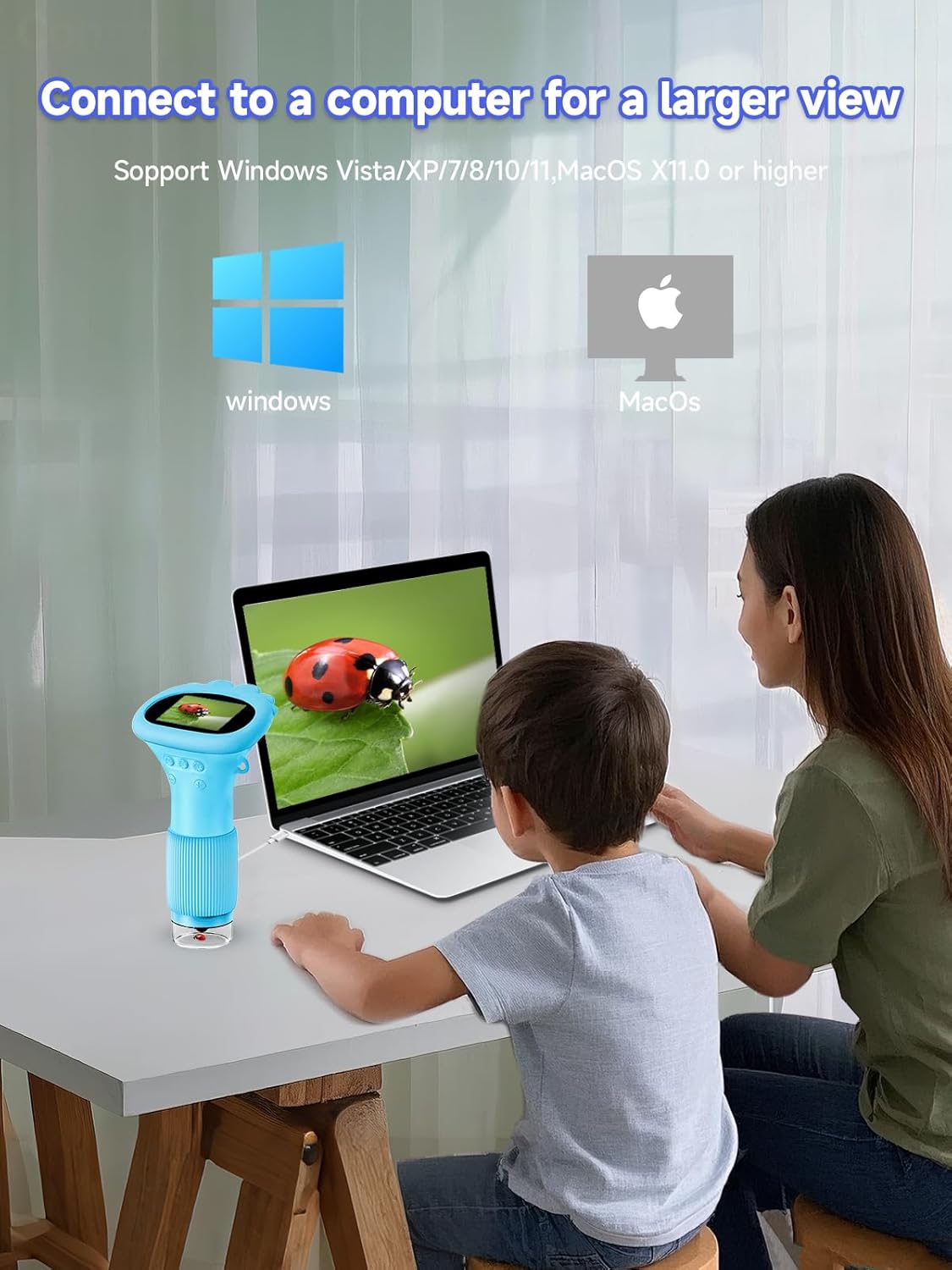
- Łączność z komputerem: Compatible with Windows Vista/XP/7/8/10/11 and macOS X 11.0 or later for larger screen viewi przesyłanie danych.

Organizować coś
Ładowanie urządzenia
Before first use, fully charge the miniscope. Connect the provided USB Type-C cable to the charging port on the device and the other end to a standard USB power adapter (not included) or a computer USB port. The device uses one internal Lithium Ion battery.
Włączanie/wyłączanie
To turn the miniscope on or off, press and hold the power button located on the device's body for approximately 2-3 seconds.
Instalacja karty pamięci (opcjonalnie)
To expand storage for more photos and enable video recording, insert a compatible memory card (MicroSD card, not included) into the designated slot on the side of the device. Ensure the card is inserted correctly until it clicks into place.
Instrukcja obsługi
Skupienie
To achieve a clear image, place the miniscope's lens close to the object you wish to observe. Slowly rotate the focus wheel, located on the lower part of the microscope body, until the image on the 2-inch screen appears sharp and clear.

Regulacja świateł LED
The miniscope is equipped with 8 adjustable LED lights to illuminate your subject. To adjust the brightness, long-press the "-" or "+" buttons on the device. You can cycle through three brightness levels: 10%, 50%, and 100%.

Regulacja powiększenia
To change the magnification level, press the "+" and "-" buttons (short press) on the device. The miniscope supports magnification levels of 200X, 400X, 600X, and 1000X.

Przechwytywanie zdjęć i filmów
Press the dedicated Photo button to capture still images. The miniscope has built-in storage for approximately 200 photos. For video recording, an external memory card must be installed. Once installed, select the video mode and press the record button to start/stop recording.
Łączenie się z komputerem
The Acoath Digital Miniscope can be connected to a computer for a larger viewing experience and to manage captured files. Use the provided Type-C cable to connect the miniscope to your computer. It is compatible with Windows Vista/XP/7/8/10/11 and macOS X 11.0 or later. Once connected, the computer's built-in camera software can be used for real-time viewing, photo capture, video recording, and file składowanie.
Konserwacja
Czyszczenie
To clean the exterior of the miniscope, use a soft, dry, lint-free cloth. For the lens, use a specialized lens cleaning cloth. Do not use liquid cleaners, solvents, or abrasive materials, as these can damage the device. Ensure no moisture enters the device's ports or openings.
Składowanie
When not in use, store the Acoath Digital Miniscope in a cool, dry place, away from direct sunlight, extreme temperatures, and high humidity. Keep it protected from dust and physical impacts. Using the provided lanyard can help prevent accidental drops.
Rozwiązywanie problemów
- Urządzenie się nie włącza:
- Ensure the device is fully charged. Connect it to a power source using the USB Type-C cable and allow it to charge for at least 30 minutes before attempting to power on again. If the issue persists, try a different charging cable or power adapter.
- Obraz jest rozmazany lub nieostry:
- Rotate the focus wheel slowly until the image on the screen becomes clear. Ensure the object being viewed is within the microscope's optimal focal range. Adjust the distance between the lens and the object if necessary.
- Cannot save photos or videos:
- Verify that a compatible memory card is correctly inserted into the slot. If a card is present, check if it is full or corrupted. Try formatting the card (if the device settings allow) or using a different memory card. Ensure the device is in the correct mode (photo or video) before attempting to capture.
- Screen is too dark or too bright:
- Adjust the LED light brightness by long-pressing the "-" or "+" buttons on the device. Cycle through the 10%, 50%, and 100% brightness levels to find the optimal setting for your viewśrodowiska.
- Urządzenie nie jest rozpoznawane przez komputer:
- Ensure the USB Type-C cable is securely connected to both the miniscope and the computer. Try connecting to a different USB port on your computer. Verify that your computer's operating system (Windows Vista/XP/7/8/10/11 or macOS X 11.0 or later) is supported. Restart both the miniscope and the computer.
Specyfikacje
| Funkcja | Szczegół |
|---|---|
| Numer modelu | inskam372C |
| Wymiary produktu | 3.5 x 2.76 x 5.91 cala (8.9 x 7 x 15 cm) |
| Waga przedmiotu | 4.6 uncji (130 grama) |
| Rozmiar ekranu | 2.0 inches HD IPS |
| Maksymalne powiększenie | 1000X |
| Typ źródła światła | LED (8 regulowanych świateł) |
| Bateria | 1 bateria litowo-jonowa (w zestawie) |
| Tworzywo | Plastikowy |
| Tomtage | 5 wolty |
| Zgodność komputera | Windows Vista/XP/7/8/10/11, macOS X 11.0 or later |
Gwarancja i wsparcie
Acoath products are manufactured with quality and care. For specific warranty details, return policies, or technical assistance, please refer to the information provided on the product packaging or visit the official Acoath webStrona. Zachowaj dowód zakupu na wypadek roszczeń gwarancyjnych.