1. Wprowadzenie
Thank you for choosing the Hama Ultimate Pro Portable Bluetooth Speaker. This manual provides essential information for the safe and efficient use of your device. Please read it carefully before use and keep it for future reference.
Zawartość opakowania:
- 1x Hama Ultimate Pro Portable Bluetooth Speaker
- 1x kabel ładujący USB-C
- 1x Carrying Strap
- 1x Instrukcja obsługi
2. Instrukcje bezpieczeństwa
- Do not open the device. Incorrect assembly can lead to electric shock, fire, or damage.
- Keep the device away from extreme temperatures, direct sunlight, and humidity.
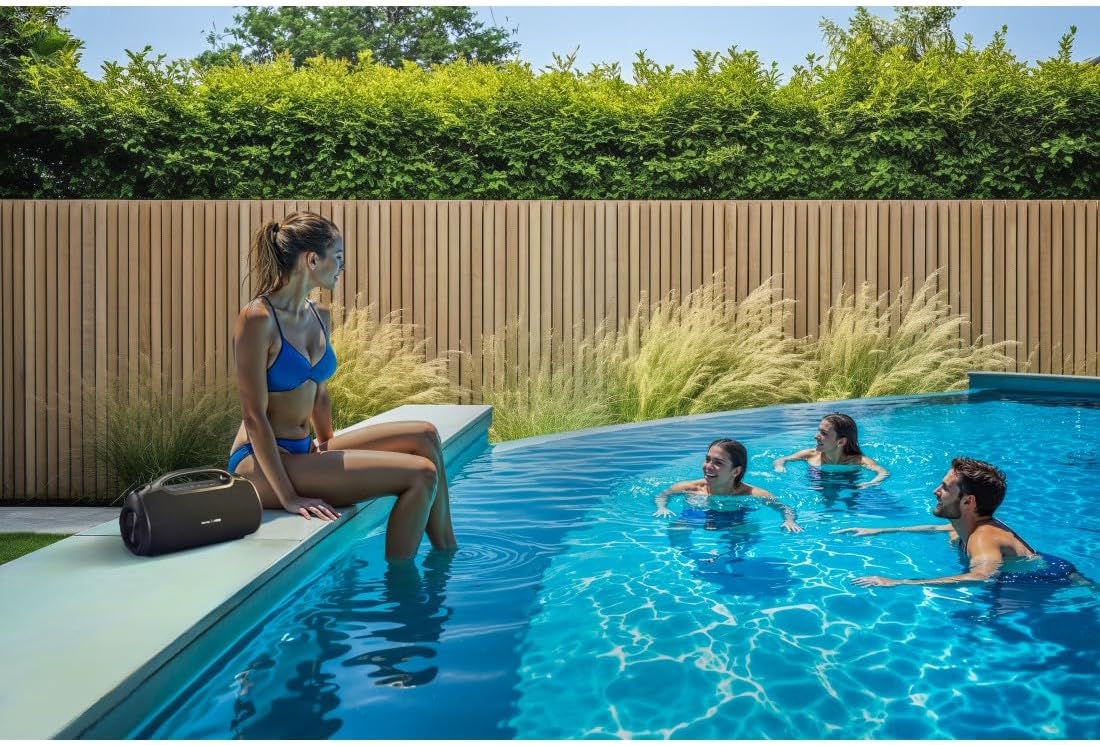
- This speaker is rated IPX6, meaning it is protected against strong continuous rain and splashing water. Do not submerge the speaker in water.
- Do ładowania należy używać wyłącznie dołączonego kabla USB-C.
- Nie używaj urządzenia, jeśli jest widocznie uszkodzone.
- Protect the battery from overheating.
3. Koniec produktuview
Familiarize yourself with the speaker's features and connections.

The Hama Ultimate Pro speaker highlights its key features: 24-hour battery life, IPX6 waterproof rating, Bluetooth connectivity, and 120W sound output.
Panel sterowania:

Szczegółowy view of the speaker's top control panel, showing buttons for power, volume adjustment, play/pause, mode selection, and equalizer settings.
- Przycisk zasilania: Naciśnij i przytrzymaj, aby włączyć/wyłączyć. Naciśnij krótko, aby sprawdzić stan baterii.
- Ściszanie (-): Zmniejsz głośność.
- Przycisk Odtwórz/Pauza: Odtwórz lub wstrzymaj dźwięk.
- Zwiększanie głośności (+): Zwiększ głośność.
- Przycisk trybu (M): Przełączaj się między trybami wejściowymi (Bluetooth, AUX, USB).
- Equalizer Button (EQ): Cycle through equalizer presets (Bass Sound, Power Sound, Balanced Sound).
Porty i połączenia:

The speaker's rear port panel includes a USB-C charging port, a USB-A port for external devices, a reset button, and a 6.3mm jack input.
- Port USB-C: For charging the speaker and for Power Bank output.
- Port USB-A: For playing music from USB storage devices or for Power Bank output.
- Wejście AUX (gniazdo 3.5 mm): Do podłączania zewnętrznych urządzeń audio za pomocą kabla audio 3.5 mm.
- Microphone/Guitar Input (6.3mm Jack): Do podłączenia mikrofonu lub gitary.
- Przycisk resetowania: Use a thin object to press and reset the speaker if needed.
4. Konfiguracja
4.1 Ładowanie głośnika
- Podłącz dołączony kabel ładujący USB-C do portu USB-C głośnika.
- Connect the other end of the USB-C cable to a suitable USB power adapter (not included). A 30W charger is recommended for fast charging.
- The charging indicator will show the charging status. The speaker is fully charged in approximately 2.5 hours.
4.2 Włączanie/wyłączanie
- To turn on: Press and hold the Power button for a few seconds until you hear an audible prompt.
- To turn off: Press and hold the Power button for a few seconds until you hear an audible prompt.
4.3 parowanie Bluetooth
- Ensure the speaker is powered on and in Bluetooth mode (indicated by a flashing blue LED). If not, press the Mode button (M) to switch to Bluetooth mode.
- Na swoim urządzeniu (smartfonie, tablecie, laptopie) włącz Bluetooth i wyszukaj dostępne urządzenia.
- Select "Hama Ultimate Pro" from the list of devices.
- Po sparowaniu dioda LED zaświeci się na niebiesko i usłyszysz dźwięk potwierdzający.
4.4 Podłączanie przez wejście AUX
- Podłącz jeden koniec kabla audio 3.5 mm (nie ma go w zestawie) do portu wejściowego AUX w głośniku.
- Podłącz drugi koniec do wyjścia audio urządzenia zewnętrznego.
- Press the Mode button (M) on the speaker to switch to AUX mode.
4.5 Connecting USB Storage
- Włóż dysk flash USB zawierający dźwięk filedo portu USB-A w głośniku.
- Press the Mode button (M) to switch to USB mode. The speaker will automatically begin playing audio from the USB drive.
4.6 Connecting Microphone or Guitar
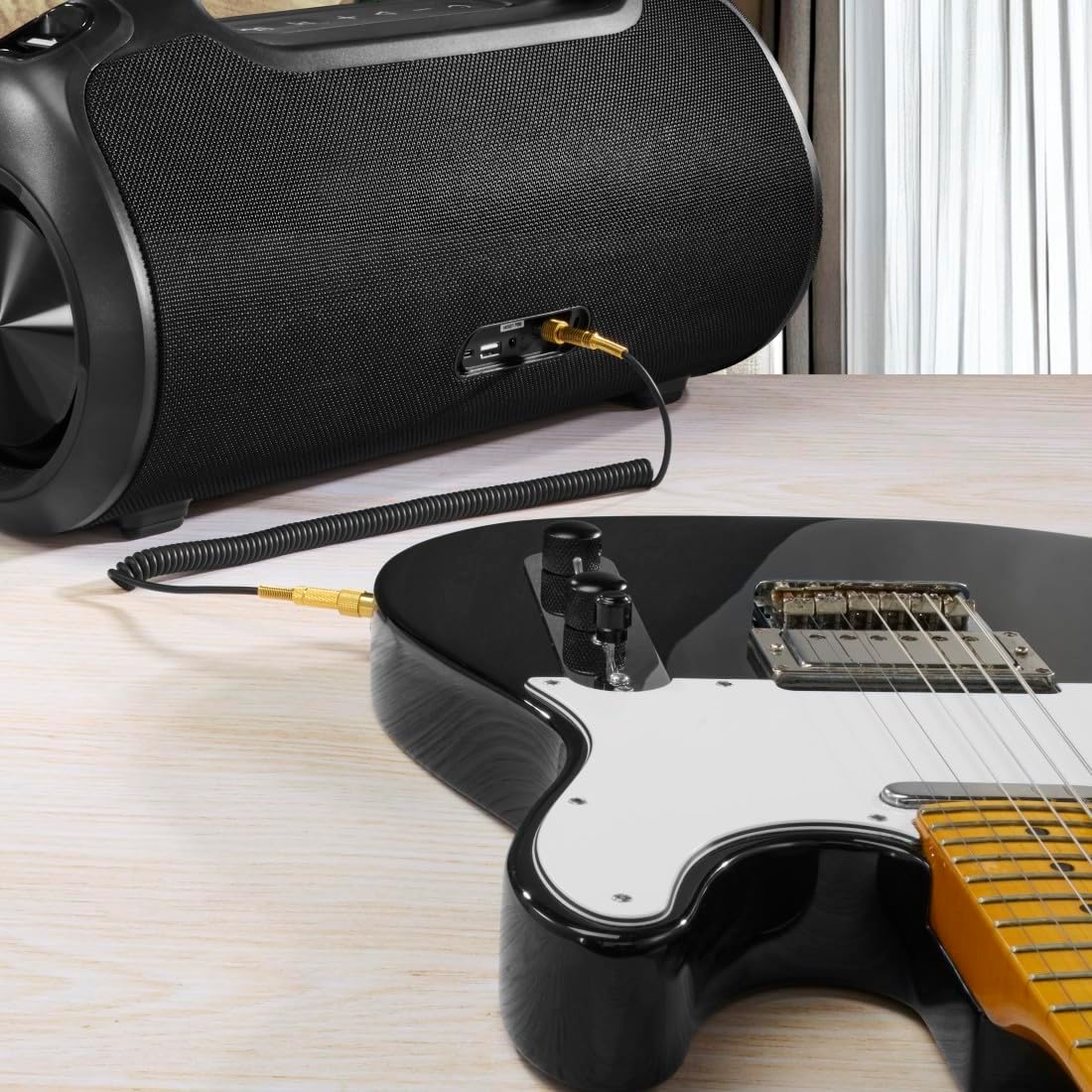
The speaker can be used as an amplifier by connecting an electric guitar via its 6.3mm jack input.
A microphone can be connected to the speaker's 6.3mm jack input for karaoke or public speaking.
- Connect your microphone or guitar to the 6.3mm jack input on the speaker.
- Adjust the volume on your connected device and the speaker as needed.
4.7 Prawdziwe bezprzewodowe parowanie stereo (TWS)
The Hama Ultimate Pro supports TWS for connecting two speakers for a stereo sound experience. Refer to the specific TWS pairing instructions in the full manual if available, as this feature typically involves pressing a dedicated TWS button on both speakers simultaneously.
5. Obsługa głośnika
5.1 Podstawowe elementy sterujące odtwarzaniem
- Odtwórz/Pauza: Krótko naciśnij przycisk odtwarzania/pauzy.
- Zwiększenie głośności: Naciśnij krótko przycisk zwiększania głośności (+).
- Ściszanie: Naciśnij krótko przycisk zmniejszania głośności (-).
- Następny utwór: Naciśnij i przytrzymaj przycisk zwiększania głośności (+).
- Poprzedni utwór: Naciśnij i przytrzymaj przycisk zmniejszania głośności (-).
5.2 Tryby korektora
The speaker offers three distinct equalizer modes to optimize your listening experience:
- Dźwięk basowy: Enhances low frequencies for a deeper bass response.
- Power Sound: Provides a balanced, powerful sound profile.
- Zrównoważony dźwięk: Offers a neutral and clear audio output.
To switch between modes, short press the EQ button on the control panel.
5.3 Hama Smart Home App Control

The Hama Smart Home app allows for convenient control and customization of the speaker, including battery status and sound settings.
Download the "Hama Smart Home" app from your device's app store to access additional features:
- Custom equalizer settings.
- Change the speaker's name.
- View precise battery status in percentage.
- Remote control of playback and settings.
5.4 Funkcja Power Banku

The speaker's integrated power bank allows you to charge external devices like smartphones via its USB-C or USB-A ports.
The Hama Ultimate Pro speaker features an integrated power bank function, allowing you to charge other devices:
- Connect your smartphone, tablet, or other USB-powered device to the USB-C or USB-A port on the speaker using a compatible charging cable.
- The speaker's internal battery will begin charging your connected device.
6. Konserwacja
6.1 Czyszczenie
The speaker has a resistant and washable surface. To clean:
- Ensure the speaker is turned off and all cables are disconnected.
- Użyj miękkiego, damp cloth to wipe the surface. Do not use harsh cleaning agents or solvents.
- W przypadku uporczywych zabrudzeń można użyć łagodnego roztworu mydła, a następnie przetrzeć czystą, miękką szmatką.amp płótno.
- Allow the speaker to dry completely before use.
6.2 Przechowywanie
- Przechowuj głośnik w chłodnym, suchym miejscu, z dala od bezpośredniego światła słonecznego i ekstremalnych temperatur.
- Jeśli akumulator będzie przechowywany przez dłuższy okres, należy ładować go do około 50% co kilka miesięcy, aby zachować jego sprawność.
6.3 Pielęgnacja baterii
- Unikaj częstego całkowitego rozładowywania akumulatora.
- Nie wystawiaj akumulatora na działanie źródeł ciepła ani bezpośredniego ognia.
- Zutylizuj baterie zgodnie z lokalnymi przepisami.
7. Rozwiązywanie Problemów
Jeśli masz problemy z głośnikiem, zapoznaj się z poniższymi typowymi rozwiązaniami:
- Brak zasilania: Upewnij się, że głośnik jest naładowany. Podłącz go do źródła zasilania za pomocą kabla USB-C.
- Nie można sparować przez Bluetooth:
- Sprawdź, czy głośnik jest w trybie parowania Bluetooth (migająca niebieska dioda LED).
- Make sure Bluetooth is enabled on your device and it is within 10 meters of the speaker.
- Usuń głośnik z listy Bluetooth swojego urządzenia i spróbuj sparować go ponownie.
- Uruchom ponownie głośnik i urządzenie.
- Brak dźwięku:
- Sprawdź poziom głośności głośnika i podłączonego urządzenia.
- Ensure the correct input mode (Bluetooth, AUX, USB) is selected on the speaker.
- Jeśli używasz wejścia AUX, upewnij się, że kabel jest całkowicie włożony i sprawny.
- Problemy z ładowaniem:
- Verify the USB-C cable is not damaged and is properly connected.
- Spróbuj użyć innego zasilacza USB.
- Speaker Unresponsive: If the speaker becomes unresponsive, use a thin object (like a paperclip) to press the Reset button located on the port panel.
8. Specyfikacje

Physical dimensions of the Hama Ultimate Pro speaker for reference.
| Numer modelu | 00188232 |
| Marka | Hama |
| Kolor | Czarny |
| Technologia łączności | Bluetooth 5.3 |
| Maksymalny zasięg | 10 metrów |
| System audio | Stereofoniczny |
| Maksymalna moc muzyki | 120 W |
| Typ baterii | Zintegrowany litowo-jonowy |
| Pojemność baterii | 4500 mAh |
| Pojemność bateriitage | 11.4 V |
| Moc baterii | 51.3 Wh |
| Maksymalna żywotność baterii | 24 godziny |
| Czas ładowania | Około 2.5 godzin |
| Obsługa USB PD | Tak |
| Stopień ochrony IP | IPX6 (Protection against strong continuous rain) |
| Wymiary (dł. x szer. x wys.) | Wymiary 46.5 x 19.2 x 25.4 cm |
| Waga | 5200 g (5.2 kg) |
| Kompatybilne urządzenia | MP3 Player, Personal Computer, Smartphone, Tablet, Television |
9. Gwarancja
Hama GmbH & Co KG provides a warranty for this product. Please refer to the warranty card included in your package or visit the official Hama webAby zapoznać się ze szczegółowymi warunkami gwarancji obowiązującymi w Twoim regionie, odwiedź naszą witrynę.
10. Wsparcie
For technical support, troubleshooting assistance, or further inquiries, please contact Hama customer service. Contact details can typically be found on the official Hama webmiejscu lub na opakowaniu produktu.
You can also visit the Hama webstrona z odpowiedziami na często zadawane pytania i dodatkowymi informacjami o produkcie: www.hama.pl


