
Introduction
The Hisense HS205G 2.0Ch Sound Bar is designed to significantly enhance your home audio experience. This manual provides comprehensive instructions for setting up, operating, and maintaining your sound bar to ensure optimal performance.

Product Overview: The Hisense HS205G 2.0Ch Sound Bar, a sleek black unit, is designed to deliver clear and powerful audio. Its compact form factor allows for easy placement in front of your television.
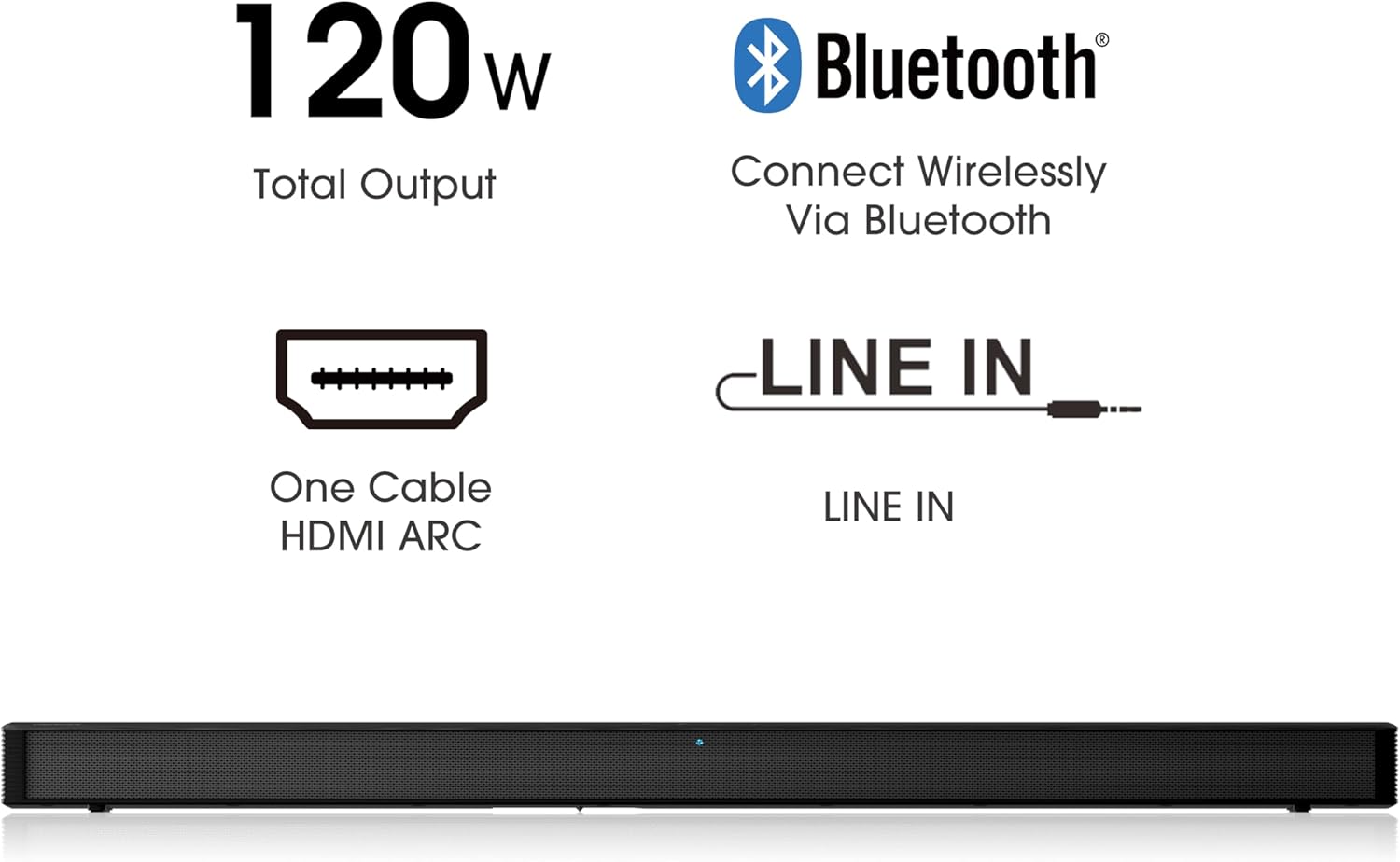
Key features include DTS Virtual:X and Dolby Audio support for immersive 3D surround sound, wireless Bluetooth streaming from smart devices, and versatile connectivity options like HDMI ARC and Optical. It is also Roku TV Ready, allowing for integrated control with your Roku TV remote.
What's in the Box
Please check the contents of your package to ensure all items are present and in good condition.
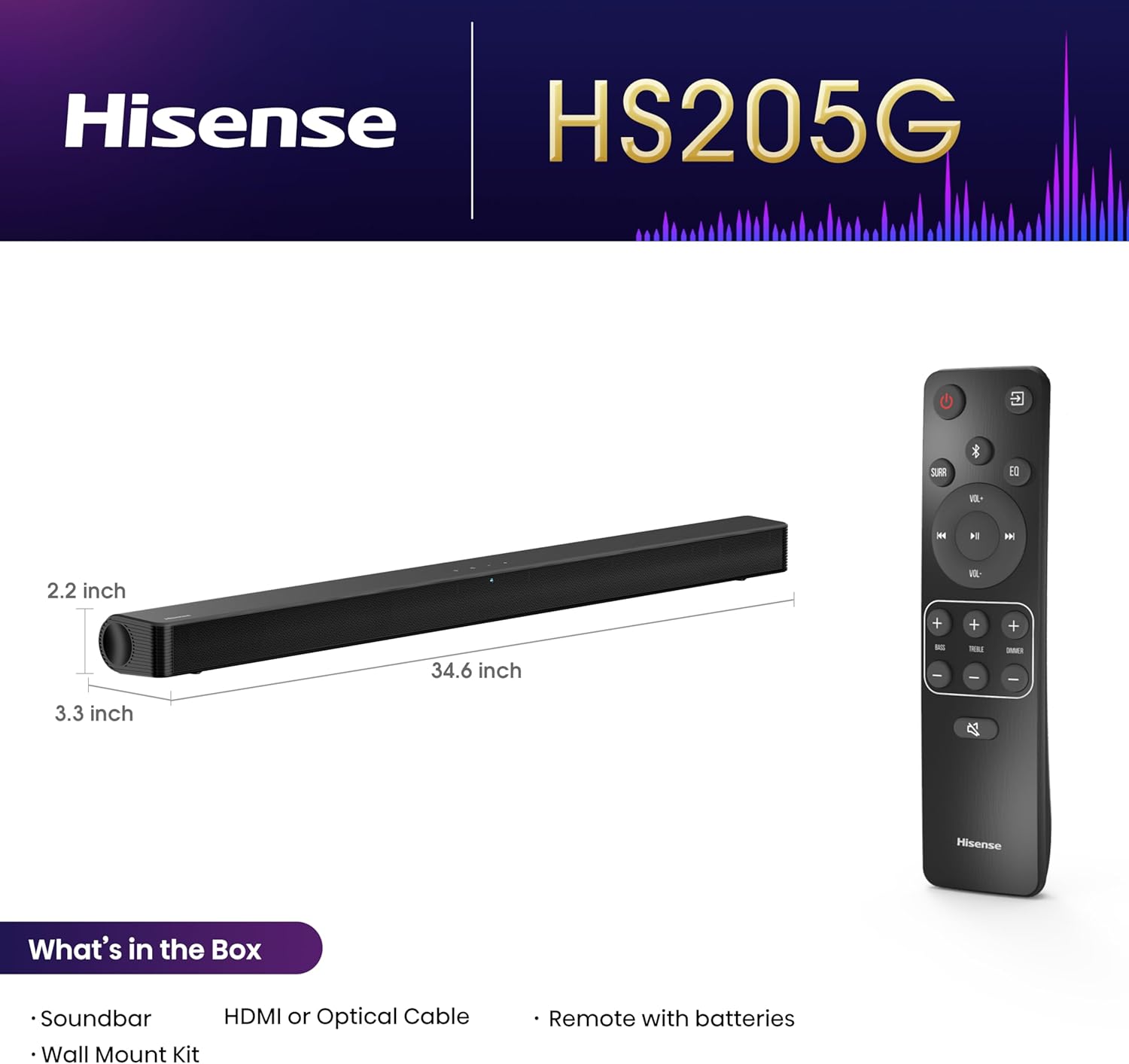
Package Contents: This image illustrates the main components included with your Hisense HS205G Sound Bar, along with its dimensions (34.6 inches long, 2.2 inches high, 3.3 inches deep).
- Hisense HS205G Sound Bar
- Remote Control (with 2 AAA batteries required)
- HDMI Cable
- User Manual & Quick Start Guide
Setup
Connecting to Your TV
For the best audio experience and integrated control, connect your sound bar to your TV using the HDMI ARC port.

Connectivity Ports: This image displays the rear of the sound bar, highlighting the available input ports for connecting to your television or other audio sources.
HDMI ARC Connection (Recommended)
- Locate the HDMI port labeled "ARC" on your TV.
- Connect one end of the provided HDMI cable to the HDMI OUT (ARC) port on the sound bar.
- Connect the other end of the HDMI cable to the HDMI ARC port on your TV.
- Ensure your TV's audio output is set to HDMI ARC or external speakers.
Optical Connection
- Connect an optical cable (not included) from the OPTICAL IN port on the sound bar to the Optical Digital Audio Out port on your TV.
- Ensure your TV's audio output is set to Optical or external speakers.
Powering On
- Connect the power cord to the sound bar's power input.
- Plug the other end of the power cord into a wall outlet.
- Press the Power button on the sound bar or the remote control to turn on the unit.
Operating Your Sound Bar
Front Panel Controls
The sound bar features convenient control buttons on its top panel.

Top Panel Controls: This image shows the power, source input, volume down, and volume up buttons located on the top surface of the sound bar.
- Power Button (⏻): Turns the sound bar on or off.
- Source Button (⌘): Cycles through available input sources (HDMI ARC, Optical, Bluetooth, USB).
- Volume Down Button (-): Decreases the volume level.
- Volume Up Button (+): Increases the volume level.
Using the Remote Control
The included remote control provides full command over your sound bar's functions.
Remote Control Layout: This image displays the full layout of the remote control, including buttons for power, input selection, volume, playback controls, and dedicated sound modes.
- Power: Turns the sound bar on/off.
- Input Source: Selects the audio input (HDMI ARC, Optical, Bluetooth, USB).
- Volume +/-: Adjusts the master volume.
- Bass +/-: Adjusts the bass level.
- Treble +/-: Adjusts the treble level.
- Mute: Mutes or unmutes the sound.
- Playback Controls: Play/Pause, Skip Forward/Backward (for Bluetooth/USB modes).
- Sound Modes: Dedicated buttons for Movie, Music, News, and Night modes.
Connectivity
Bluetooth Pairing
Connect your mobile devices wirelessly to the sound bar via Bluetooth for audio streaming.

Wireless Music Streaming: This image demonstrates the sound bar's capability to connect wirelessly to various smart devices, enabling seamless music playback.
- Press the Source button on the sound bar or remote until "BT" (Bluetooth) is displayed.
- On your mobile device, enable Bluetooth and search for "Hisense HS205G".
- Select the sound bar from the list of available devices to pair.
- Once paired, you can play audio from your device through the sound bar.
Roku TV Ready
The Hisense HS205G Sound Bar is fully compatible with any Roku TV through HDMI ARC, allowing you to control both devices with a single Roku TV remote for an integrated experience.
Audio Modes
The sound bar offers multiple audio enhancements to suit different content types and listening preferences.

Multiple Audio Enhancements: This visual guide shows the various sound modes available on the Hisense HS205G, each optimized for specific audio content.
- Movie Mode: Enhances dialogue clarity and dynamic range for cinematic experiences.
- Music Mode: Optimizes sound for music playback, providing balanced audio.
- News Mode: Boosts vocal frequencies for clearer speech, ideal for news broadcasts.
- Night Mode: Reduces dynamic range to prevent sudden loud sounds, suitable for late-night viewing.
Maintenance
Proper care and maintenance will ensure the longevity and optimal performance of your sound bar.
- Cleaning: Use a soft, dry cloth to clean the surface of the sound bar. Do not use liquid cleaners or abrasive materials.
- Placement: Avoid placing the sound bar in direct sunlight, near heat sources, or in areas with high humidity.
- Ventilation: Ensure adequate ventilation around the sound bar to prevent overheating.
Troubleshooting
If you encounter any issues with your sound bar, refer to the following table for common problems and their solutions.
| Problem | Possible Cause | Solution |
|---|---|---|
| No Sound | Incorrect input source selected; Cables not connected properly; TV audio output settings incorrect. | Ensure the correct input source is selected (e.g., HDMI ARC, Optical). Check all cable connections. Verify TV audio output is set to external speakers or ARC. |
| Bluetooth Not Connecting | Sound bar not in pairing mode; Device too far; Previously paired device connected. | Ensure sound bar is in Bluetooth pairing mode. Move device closer to sound bar. Disconnect from any previously paired devices. |
| Remote Control Not Working | Batteries are dead or inserted incorrectly; Obstruction between remote and sound bar. | Replace batteries with new AAA batteries, ensuring correct polarity. Remove any obstructions. Point remote directly at the sound bar's sensor. |
| Distorted Sound | Volume too high; Incorrect audio mode; Poor source quality. | Reduce volume. Try different audio modes. Check the quality of the audio source. |
Specifications
| Feature | Detail |
|---|---|
| Model Name | HS205G |
| Speaker Type | Soundbar |
| Speaker Maximum Output Power | 120 Watts |
| Surround Sound Channel Configuration | 2.0 |
| Audio Output Mode | Surround, 3D Spatial Audio (DTS Virtual:X), Movie Mode, Music Mode, News Mode |
| Connectivity Technology | Bluetooth, HDMI |
| Wireless Communication Technology | Bluetooth |
| Compatible Devices | MP3 Player, Television, Tablet, Smartphone |
| Control Method | Remote |
| Color | Black |
| Product Dimensions | 2.2 x 34.6 x 3.3 inches |
| Item Weight | 6.39 pounds |
| Power Source | Corded Electric |
| Batteries Required | 2 AAA batteries (for remote) |
Warranty and Support
Your Hisense HS205G Sound Bar comes with a Limited Warranty. Please refer to the warranty card included in your package for specific terms and conditions.
For technical support, troubleshooting assistance, or service inquiries, please contact Hisense Customer Service.
- Hisense Support Website: www.hisense-usa.com/support
- Customer Service Phone: Refer to your Quick Start Guide or Hisense website for regional contact numbers.
Please have your product model number (HS205G) and serial number ready when contacting support.