1. Koniec produktuview
The CAPOXO Wired 1080p Full HD Video Recording Camera is designed for discreet surveillance and recording. This device captures high-definition video with audio, features motion detection, and includes a night lamp for low-light conditions. It operates without Wi-Fi, storing recordings directly onto a memory card for easy access.
This manual provides detailed instructions for setting up, operating, and maintaining your CAPOXO camera to ensure optimal performance.
2. Zawartość opakowania
Sprawdź, czy w przesyłce znajdują się wszystkie elementy:
- CAPOXO Wired 1080p Full HD Video Recording Camera
- Kabel USB
- Instrukcja obsługi
Notatka: A Micro SD card (16GB, 32GB, or 64GB Class 10 recommended) and a 5V/1A charger are not included and must be purchased separately.
3. Funkcje produktu
- Nagrywanie wideo w jakości Full HD 1080p: Captures clear, high-definition video footage.
- Nagrywanie dźwięku: Nagrywa dźwięk wraz z wideo.
- Detekcja ruchu: Automatically triggers video recording when motion is detected.
- Noc Lamp Zdolność: Equipped with white LED lights for recording in low-light or dark conditions.
- Ciągłe nagrywanie: Records directly to a Micro SD card (not included).
- Łatwa konfiguracja: Wired operation, no complex Wi-Fi configuration required.
- Przenośna konstrukcja: Compact and easy to carry or clip.
- Obrotowy obiektyw: 90° rotatable lens for wider viewkąty.

Image: The CAPOXO camera featuring its 90-degree rotatable lens, allowing for flexible recording angles.

Obraz: Zbliżenie view of the CAPOXO camera's rotatable lens mechanism, highlighting its design for wider field of view.
4. Przewodnik konfiguracji
4.1 Ładowanie kamery
- Before first use, charge the camera for at least 1 hour.
- Connect the camera to a 5V/1A charger (not included) using the provided USB cable.
- Podczas ładowania kontrolka ładowania będzie się świecić, a po pełnym naładowaniu zgaśnie.
- A full charge provides up to 3 hours of continuous operation. The camera can also be used while charging for extended recording.
4.2 Wkładanie karty Micro SD
- Sprawdź, czy kamera jest wyłączona.
- Znajdź gniazdo karty Micro SD z boku aparatu.
- Gently insert a Class 10 Micro SD card (16GB, 32GB, or 64GB) into the slot until it clicks into place.
- Aby wyjąć kartę, delikatnie wciśnij ją ponownie, aż wysunie się.

Image: Diagram showing the CAPOXO camera's various components, including the Micro SD card slot, ON/OFF switch, and recording buttons.
5. Instrukcja obsługi
5.1 Włączanie/wyłączanie
- Aby włączyć, przesuń WŁ./WYŁ. przełączyć na pozycję „ON”.
- Aby wyłączyć, przesuń WŁ./WYŁ. przełączyć na pozycję "WYŁ".

Image: A hand demonstrating how to operate the CAPOXO camera, highlighting the easy-to-use ON/OFF switch for one-button recording.
5.2 Nagrywanie wideo
- Ensure the camera is powered on and a Micro SD card is inserted.
- Slide the "SAVE -> VIDEO" switch to the "VIDEO" position to start recording.
- The indicator light will flash to confirm recording is in progress.
- To stop recording, slide the "SAVE -> VIDEO" switch back to the "SAVE" position. The video file zostaną zapisane na karcie Micro SD.
5.3 Nagrywanie detekcji ruchu
The camera automatically records 1080p HD videos when motion is detected. This feature is active when the camera is powered on and in recording mode.
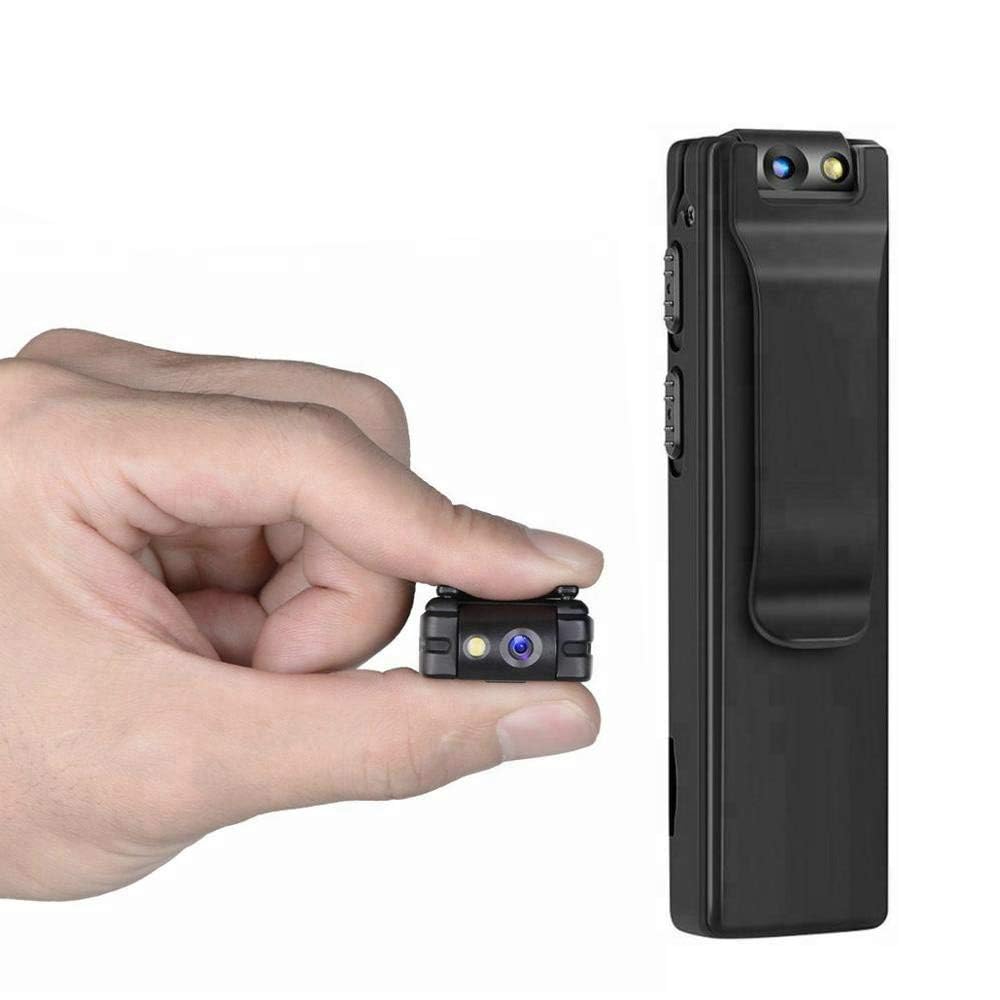
Image: Illustration of the CAPOXO camera's motion detection feature, showing it capturing activity in a room.
5.4 Noc Lamp Tryb
The camera is equipped with white LED lights to enhance visibility and recording quality in low-light or dark environments.
- To activate the night lamp, slide the "ON -> LAMP" switch to the "LAMP"pozycja.
- To deactivate, slide the switch back to the "ON" position.
5.5 Robienie zdjęć
- Upewnij się, że kamera jest włączona.
- Press the "PHOTO" button once to take a still image. The indicator light may flash briefly.
- Photos are saved to the Micro SD card.
5.6 ViewNagrania
- Wyłącz aparat.
- Remove the Micro SD card from the camera.
- Insert the Micro SD card into a computer's card reader or a compatible device.
- Uzyskaj dostęp do files on the Micro SD card to view nagrane filmy i zdjęcia.

Image: The CAPOXO camera shown in different usage environments, including an office, car, laboratory, and home, demonstrating its versatility.

Image: The CAPOXO camera depicted in diverse settings such as business meetings, family gatherings, children playing, and outdoor adventures, illustrating its broad application.
6. Konserwacja
- Czyszczenie: Use a soft, dry cloth to clean the camera body. Do not use liquid cleaners or solvents.
- Pielęgnacja soczewek: Gently wipe the lens with a microfiber cloth designed for optics. Avoid touching the lens with bare fingers.
- Składowanie: Przechowuj kamerę w chłodnym, suchym miejscu, z dala od bezpośredniego światła słonecznego i ekstremalnych temperatur.
- Czas pracy baterii: Aby przedłużyć żywotność baterii, unikaj częstego całkowitego rozładowywania. Ładuj ją regularnie, nawet jeśli nie jest używana przez dłuższy czas.
- Zarządzanie kartami SD: Regularly back up important recordings and format the Micro SD card periodically to maintain optimal performance and prevent data corruption.
7. Rozwiązywanie Problemów
Kamera się nie włącza
- Ensure the battery is charged. Connect the camera to a charger for at least 1 hour.
- Sprawdź, czy przełącznik WŁ./WYŁ. jest w pozycji „WŁ.”.
Nie można nagrać wideo
- Check if a Micro SD card is properly inserted.
- Sprawdź, czy na karcie Micro SD jest wystarczająca ilość wolnego miejsca.
- Verify the Micro SD card is Class 10 and within the supported capacity (16GB, 32GB, 64GB).
- Format the Micro SD card if it's a new card or if you encounter issues.
Słaba jakość wideo
- Ensure the camera lens is clean and free from smudges or dust.
- Check lighting conditions. Use the night lamp w warunkach słabego oświetlenia.
Wykrywanie ruchu nie działa
- Ensure the camera is powered on and in recording mode.
- Sprawdź, czy nie ma żadnych przeszkód blokujących kamerę. view.
Camera Unresponsive (Reset)
- If the camera becomes unresponsive, locate the "RESET" button (often a small pinhole).
- Use a thin object (like a paperclip) to gently press and hold the reset button for a few seconds.
- The camera should restart.
8. Specyfikacje
| Marka | CAPOXO |
| Numer modelu | Capoxo-A-Cctv-Camera |
| Rozdzielczość przechwytywania wideo | 1080p Full HD |
| Technologia łączności | Wired (USB for charging/data transfer) |
| Typ pamięci flash | Micro SD (supports 16GB, 32GB, 64GB Class 10) |
| Format przechwytywania wideo | Plik AVI |
| Obsługiwany format audio | AAC |
| Cechy specjalne | Motion Detection, Night Lamp, HD Resolution, 90° Rotatable Lens |
| Żywotność baterii | Do 3 godzin (po pełnym naładowaniu) |
| Wejście ładowania | 5V/1A (charger not included) |
| Wymiary (dł. x szer. x wys.) | 9 x 2.5 x 1 centymetrów |
| Waga przedmiotu | 250 gramów |
| Zawarte komponenty | Camera, USB Cable, Manual |
9. Gwarancja i wsparcie
For warranty information or technical support, please refer to the contact details provided with your purchase documentation or visit the official CAPOXO webstrona.
Proszę zachować dowód zakupu na wypadek ewentualnych roszczeń gwarancyjnych.


