Wstęp
Welcome to the instruction manual for your Retevis EZTalk 62 Two-Way Radio. This manual provides essential information on how to set up, operate, and maintain your device. Please read it thoroughly before using the radio to ensure optimal performance and safety.
The Retevis EZTalk 62 is a high-performance two-way radio designed for reliable communication over long distances. Key features include a powerful 5W output, a long antenna for stable signal, a 2200mAh battery for extended use, IP67 waterproofing, and specialized functions like one-touch mute and integrated hunting calls. Its user-friendly navigation menu allows for convenient operation in various outdoor environments.

Figure 1: Retevis EZTalk 62 demonstrating long-range communication.
Zawartość opakowania
Upewnij się, że w przesyłce znajdują się wszystkie elementy:
- EZTalk 62 Two-Way Radio x1
- 2200mAh Li-ion Battery x1
- Kabel ładujący typu C x1
- Pasek na nadgarstek x1
- Zaczep na pasek x1
- Instrukcja obsługi x1
- Ładowarka x1
Organizować coś
Instalacja i ładowanie baterii
To prepare your radio for use, first install the battery and then charge it fully.
- Montaż baterii: Align the 2200mAh Li-ion battery with the battery compartment on the back of the radio. Gently push until it clicks into place. Ensure it is securely fastened.
- Ładowanie: The EZTalk 62 offers two charging methods: via the included charging base or directly via the Type-C port.
- Korzystanie ze stacji ładującej: Place the radio into the charging base. The indicator light on the base will show the charging status.
- Korzystanie z kabla typu C: Connect the Type-C charging cable to the radio's Type-C port and a compatible USB power adapter.
- Allow the battery to charge completely before initial use. A full charge provides up to 20 hours of work time and 68 hours of standby time.

Figure 2: Battery compartment and 2200mAh battery.
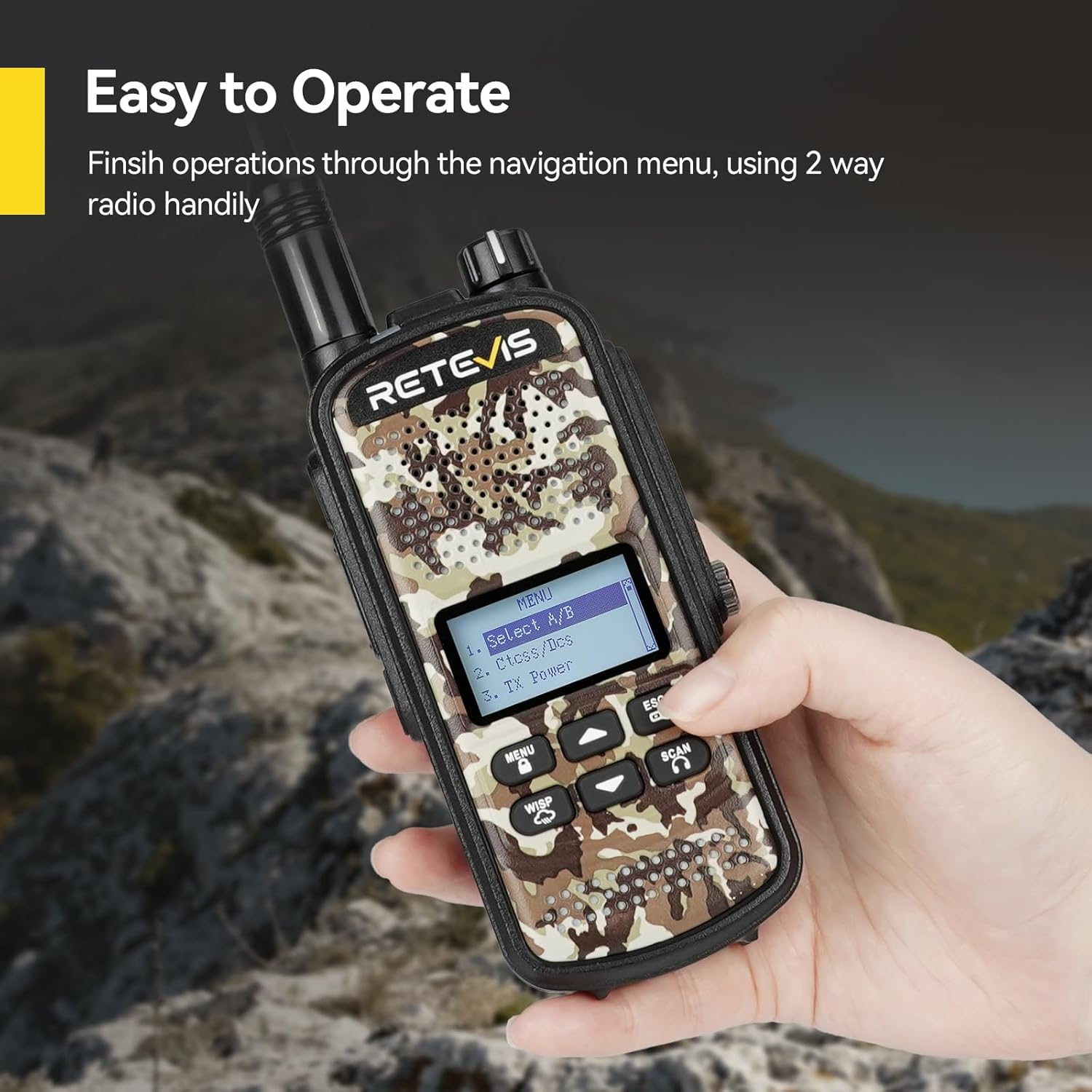
Figure 3: Type-C charging and charging base options.
Video 1: Demonstrates battery installation and charging methods for the Retevis EZTalk 62.
Instrukcja obsługi
Włączanie/wyłączanie zasilania
Aby włączyć radio, obróć pokrętło zasilania/głośności zgodnie z ruchem wskazówek zegara, aż usłyszysz kliknięcie. Aby wyłączyć, obróć je w kierunku przeciwnym do ruchu wskazówek zegara, aż usłyszysz kliknięcie.
Podstawowa komunikacja
Aby nadawać, naciśnij i przytrzymaj przycisk PTT (Push-to-Talk) z boku radia. Mów wyraźnie do mikrofonu. Puść przycisk PTT, aby odebrać.
Nawigacja po menu
The EZTalk 62 features a navigation menu for accessing various settings and functions directly on the device, eliminating the need for computer programming for basic operations.
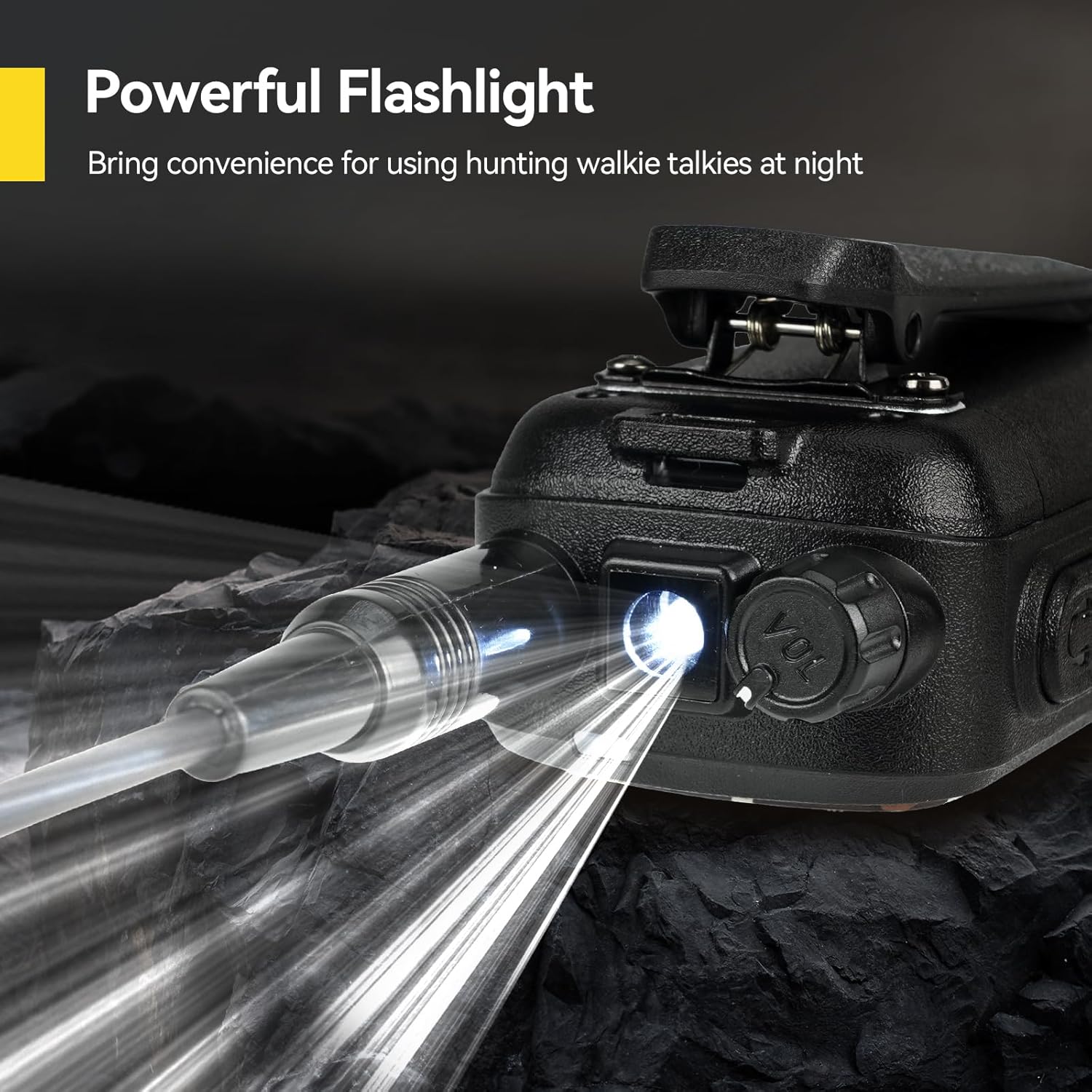
Figure 4: Navigating the menu on the Retevis EZTalk 62.
Cechy specjalne
- One-Touch Mute: Activate the mute function to silence messages and indicators, useful for discreet operation in environments where noise could be disruptive, such as hunting.
- Hunting Calls: The radio includes pre-programmed hunting calls for various animals (elk, deer, duck, hare, roe deer, wild boar, wolf). Select the appropriate call to attract target animals.
- Alert pogodowy NOAA: Stay informed about changing weather conditions with the integrated NOAA Weather Alert feature, helping to reduce risks during outdoor activities.
- Powerful Flashlight: A built-in flashlight provides convenience for using the radio in low-light conditions or at night.
- Blokada klawiszy: Prevent accidental button presses by activating the key lock function.
- Regulowane podświetlenie: Customize the display backlight intensity for comfortable vieww różnych warunkach oświetleniowych.

Figure 5: One-touch mute function.

Figure 6: Hunting calls feature.
Video 2: Demonstrates menu navigation and various features of the Retevis EZTalk 62.
Video 3: Shows the hunting call feature in action, attracting animals.

Figure 7: NOAA Weather Alert feature.

Figure 8: Powerful flashlight feature.

Figure 9: Key Lock function.

Figure 10: Adjustable Backlight setting.
Konserwacja
Wodoodporność (IP67)
The Retevis EZTalk 62 is IP67 rated, meaning it is protected against dust ingress and can withstand immersion in water up to 1 meter for 30 minutes. This makes it suitable for use in rainy conditions and humid environments. However, it is important to ensure all port covers are securely closed before exposing the radio to water.

Figure 11: IP67 Waterproof feature in action.
Video 4: Demonstrates the IP67 waterproof capability of the Retevis EZTalk 62 by submerging it in water.
Opieka ogólna
- Wyczyść radio miękką szmatką.amp płótno. Nie używaj ostrych środków chemicznych ani ściernych środków czyszczących.
- Unikaj wystawiania radia na działanie ekstremalnych temperatur lub bezpośredniego światła słonecznego przez dłuższy czas.
- Przechowuj radio w suchym i chłodnym miejscu, gdy nie jest używane.
Rozwiązywanie problemów
If you encounter issues with your Retevis EZTalk 62, please refer to the following common problems and solutions:
| Problem | Możliwa przyczyna | Rozwiązanie |
|---|---|---|
| Radio się nie włącza. | Low or depleted battery. Battery not installed correctly. | Naładuj akumulator do pełna. Zainstaluj akumulator ponownie, upewniając się, że zatrzasnął się na swoim miejscu. |
| Nie można nadawać ani odbierać. | Incorrect channel or frequency. Out of range. Antenna not properly attached. | Verify channel and frequency settings. Move closer to the other radio. Ensure antenna is securely screwed on. |
| Niska jakość dźwięku. | Low battery. Obstructions between radios. Volume too low. | Naładuj baterię. Wyjdź na otwartą przestrzeń. Dostosuj głośność. |
| Klawiatura nie odpowiada. | Blokada klawiszy jest włączona. | Deactivate the key lock function. |
If the problem persists, please contact Retevis customer support.
Specyfikacje
Detailed technical specifications for the Retevis EZTalk 62:
| Funkcja | Szczegół |
|---|---|
| Marka | Retevis |
| Numer modelu | EZTalk 62 |
| Kolor | Kamuflaż |
| Liczba kanałów | 16 |
| Funkcja specjalna | Akumulator litowo-jonowy 2200 mAh |
| Tomtage | 7.4 V (prąd stały) |
| Poziom wodoodporności | IP67 (wodoodporne) |
| Liczba baterii | 1 litowo-jonowy (w zestawie) |
| Waga przedmiotu | 285 gram |
| Poziom dźwięku | 60 decybeli |
| Kompatybilne urządzenia | Zestaw słuchawkowy |
Gwarancja i wsparcie
Retevis offers a 2-year warranty for the radio body and a 1-year warranty for accessories, along with a 30-day no-reason return policy. For warranty claims or technical support, please contact Retevis through Amazon. We aim to respond within 12 hours. Beyond the warranty period, maintenance services are still available, with buyers responsible for associated costs.


