1. Konfiguracja
1.1. Rozpakowanie
Upon opening the EarFun Wave Pro packaging, you will find the following items:
- Bezprzewodowe słuchawki EarFun Wave Pro ANC
- Travel Carry Case
- Kabel audio 3.5 mm
- Kabel ładujący USB-C
- Instrukcja obsługi
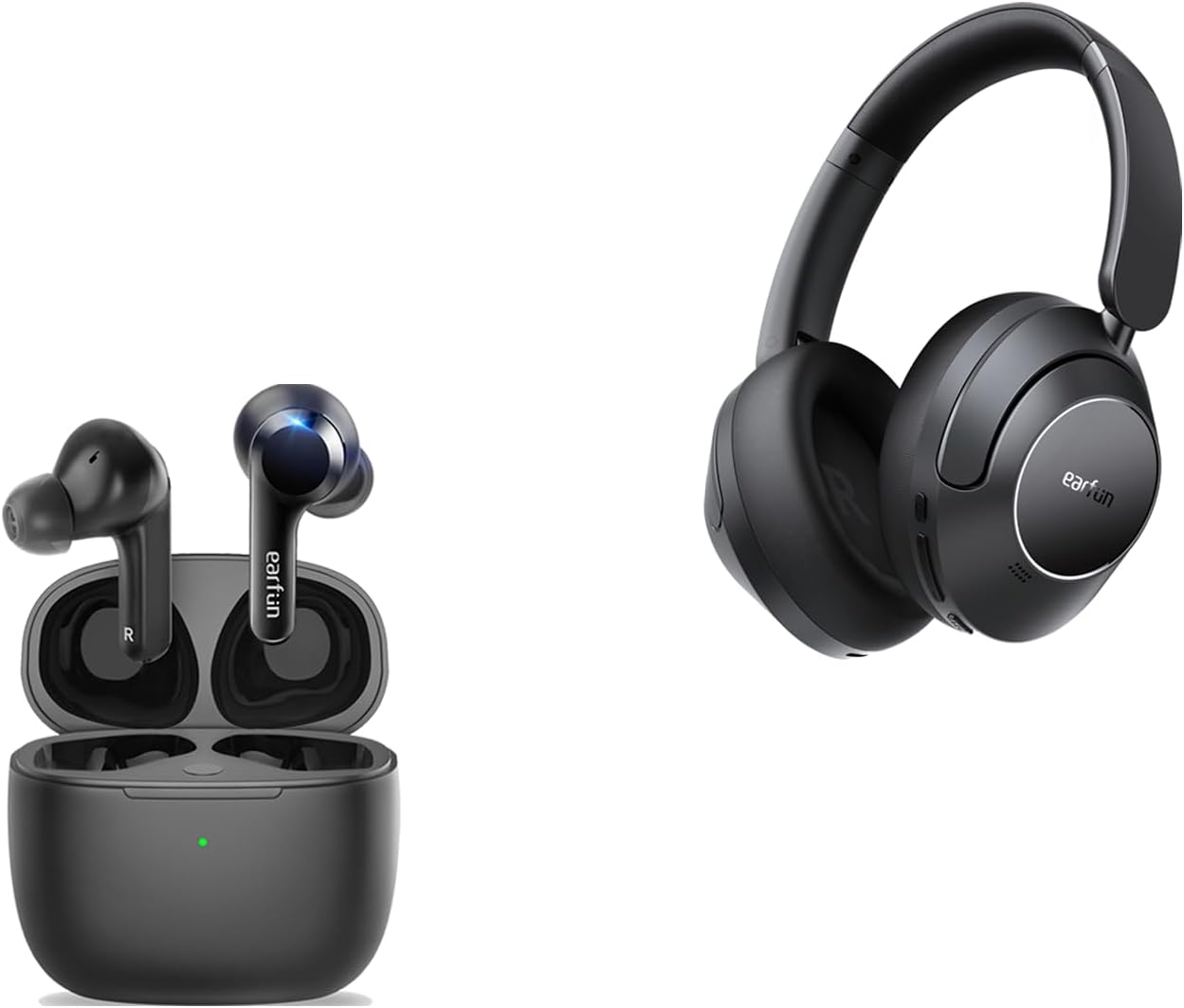
Image: EarFun Wave Pro headphones and their charging case, as found in the box.
1.2. Ładowanie
Before initial use, fully charge your EarFun Wave Pro headphones. Connect the provided USB-C charging cable to the charging port on the left earcup and a compatible power source. A full charge takes approximately 2 hours. For quick power, a 10-minute charge provides up to 10 hours of playback.
1.3. Parowanie
To pair your EarFun Wave Pro headphones with a Bluetooth device:
- Sprawdź, czy słuchawki są naładowane i wyłączone.
- Naciśnij i przytrzymaj przycisk zasilania, aż dioda LED zacznie migać, wskazując tryb parowania.
- On your device, enable Bluetooth and search for 'EarFun Wave Pro' in the list of available devices.
- Select 'EarFun Wave Pro' to complete the pairing process. The LED indicator will turn solid blue once connected.
2. Obsługa
2.1. Sterowanie
The EarFun Wave Pro headphones feature intuitive physical buttons on the right earcup for easy control:
- Przycisk ANC: Toggles between Active Noise Cancellation (ANC) modes.
- Przyciski głośności: Reguluje głośność odtwarzania.
- Przycisk włączania/wyłączania: Włącza lub wyłącza słuchawki.
Additionally, the headphones support customizable touch controls via the EarFun App for functions like answering/rejecting calls, adjusting volume, and track navigation.

Obraz: Bok view of the EarFun Wave Pro headphones, highlighting the physical control buttons.
2.2. Tryby aktywnej redukcji szumów (ANC)
The EarFun Wave Pro headphones utilize QuietSmart 2.0 Active Noise Canceling Technology, offering up to 45dB of noise reduction. You can switch between various ANC modes to suit your environment:
- Tryb normalny: Standardowe odtwarzanie dźwięku bez aktywnej redukcji szumów.
- Tryb dźwięków otoczenia: Umożliwia słyszenie otoczenia podczas słuchania dźwięku.
- Wind Noise Cancelling: Specifically reduces wind interference for clearer audio and calls.
- Komfort ANC: Provides a balanced noise cancellation suitable for everyday use.
- Silny ANC: Maximizes noise reduction for immersive listening in noisy environments.

Image: A visual representation of the 45dB active noise cancellation capability of the headphones.
2.3. EarFun App for Personalization
Enhance your listening experience by downloading the EarFun Audio App. The app allows you to:
- Adjust multi-EQ settings for personalized sound.
- Customize touch controls for various functions.
- Check battery levels of your headphones.
- Activate Game Mode for lower latency.
- Perform firmware updates for improved performance.

Image: Screenshots illustrating the customization options available within the EarFun Audio App.
2.4. Sound Signature
The EarFun Wave Pro headphones deliver Hi-Res Sound with LDAC support, powered by 40mm DLC composite dynamic drivers. This ensures a rich, immersive audio experience with clear details.
- Subbas: Provides a strong and impactful low-end.
- Mid-bass: Delivers a punchy and well-defined mid-range bass.
- Wokal: Clear and present, ensuring excellent call quality with 4-microphone noise-canceling technology.
- Maksymalne wartości: Crisp and detailed, contributing to the overall clarity of the sound.
When using the headphones in wired mode with Hi-Res audio, the sound is bright and sparkling, though the bass may be flatter compared to Bluetooth mode. For optimal bass performance, Bluetooth mode is recommended.

Obraz: szczegółowy view of the composite speaker technology, designed for exceptional sound quality.

Image: Close-up of the 40mm DLC Dynamic Driver, emphasizing its role in delivering diamond-like clarity.
2.5. Tryb gry
The EarFun Wave Pro features a dedicated Game Mode, accessible via the EarFun App, which reduces audio latency to approximately 55 milliseconds. This low latency ensures a highly synchronized audio-visual experience, making it ideal for gaming and watching videos on platforms like Netflix or YouTube.
3. Konserwacja
To ensure the longevity and optimal performance of your EarFun Wave Pro headphones, follow these maintenance guidelines:
- Czyszczenie: Regularly wipe the earcups and headband with a soft, dry cloth. For stubborn dirt, a slightly damp Można użyć ściereczki, ale należy uważać, aby wilgoć nie dostała się do kratek głośników ani portu ładowania.
- Składowanie: When not in use, store the headphones in their provided travel carry case to protect them from dust, scratches, and impacts.
- Temperatura: Avoid exposing the headphones to extreme temperatures (hot or cold) or high humidity, as this can damage internal components.
- Wodoodporność: While the product description mentions 'Water Resistant', there is no official IPX rating provided for the headphones themselves. Avoid direct exposure to water or excessive moisture.
4. Rozwiązywanie Problemów
If you encounter issues with your EarFun Wave Pro headphones, try the following solutions:
- Brak zasilania: Upewnij się, że słuchawki są w pełni naładowane. Podłącz je do źródła zasilania i sprawdź wskaźnik ładowania.
- Problemy z parowaniem: Turn off Bluetooth on your device and then turn it back on. Forget the 'EarFun Wave Pro' from your device's Bluetooth list and attempt to re-pair. Ensure the headphones are in pairing mode.
- Brak dźwięku: Sprawdź poziom głośności zarówno w słuchawkach, jak i w podłączonym urządzeniu. Upewnij się, że słuchawki są prawidłowo sparowane i wybrane jako wyjście audio.
- ANC nie działa: Toggle through the ANC modes using the dedicated button or the EarFun App. Ensure the earcups are properly sealed around your ears.
- Zniekształcony dźwięk: Move closer to your connected device to ensure a stable Bluetooth connection. Try playing audio from a different source or device.
- Problemy z aktualizacją oprogramowania sprzętowego: Ensure the headphones are connected to your phone and have at least 30% battery. Do not exit the app or run other applications during the update process.
If problems persist, consult the EarFun Audio App for further assistance or contact EarFun customer support.
5. Specyfikacje
| Funkcja | Specyfikacja |
|---|---|
| Nazwa modelu | EarFun Air (Note: Product is Wave Pro, but JSON lists Air as model name) |
| Technologia łączności | Bezprzewodowy (Bluetooth) |
| Wersja Bluetooth | 5.2 |
| Kontrola hałasu | Aktywna redukcja szumów (do 45 dB) |
| Typ sterownika audio | Dynamic Driver (40mm DLC) |
| Żywotność baterii (ANC wyłączone) | Do 80 godzin |
| Żywotność baterii (ANC włączony) | Do 55 godzin |
| Szybkie ładowanie | 10 minut ładowania wystarcza na 10 godziny odtwarzania |
| Port ładowania | USB-C |
| Gniazdo audio | 3.5 mm Jack |
| Obsługiwane kodeki | LDAC, AAC, SBC |
| Dźwięk wysokiej rozdzielczości | Certyfikowany dźwięk Hi-Res |
| Mikrofony | 5-microphone AI algorithm for clarity calls |
| Low Latency (Game Mode) | ~55 ms |
| Połączenie wielopunktowe | Connects to 2 devices simultaneously |
| Kształt słuchawki | Na ucho |
| Tworzywo | Plastik, silikon, elastomer termoplastyczny (TPE) |
6. Gwarancja i wsparcie
EarFun products are designed for reliability and performance. For information regarding your product's warranty, please refer to the warranty card included in the packaging or visit the official EarFun webstrona.
For technical support, troubleshooting assistance, or any product-related inquiries, please contact EarFun customer service through their official channels. Keep your purchase receipt or order details handy for faster service.


