Produkt ponadview
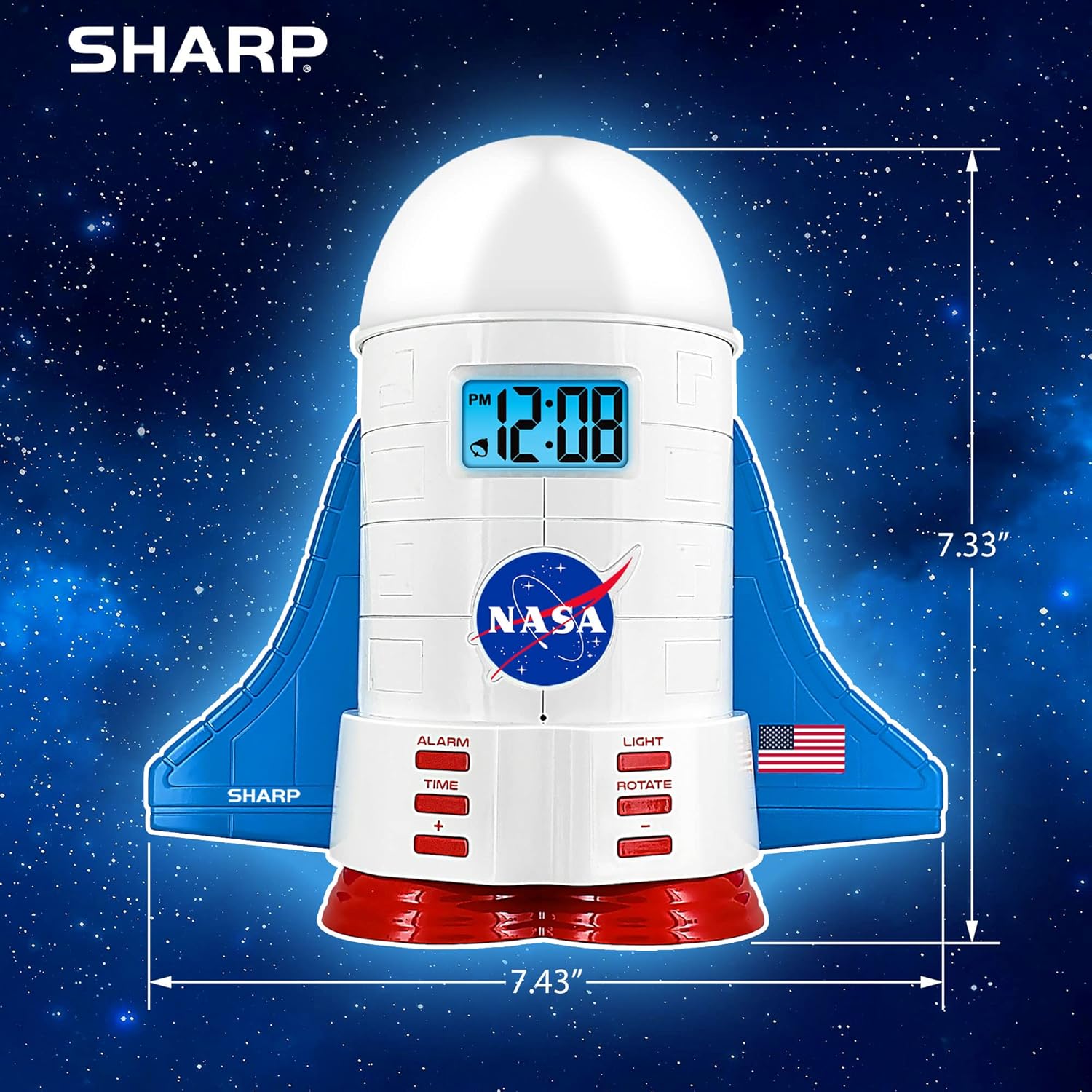
This manual provides instructions for the Sharp NASA Space Shuttle Night Light Alarm Clock. This device combines an alarm clock with a space-themed nightlight and projection feature, designed to enhance a child's bedroom environment.

Organizować coś
Rozpakowywanie
- Ostrożnie wyjąć wszystkie elementy z opakowania.
- Sprawdź, czy wszystkie elementy wymienione w sekcji „Zawartość pudełka” znajdują się w pudełku.
Podłączenie zasilania
The alarm clock can be powered via the included electric adapter. For continuous operation of all features, including the nightlight and projection, direct power is recommended.
For battery backup, insert appropriate batteries (not included) into the battery compartment located at the base of the unit. This ensures timekeeping and alarm function during power outagt.j.

Instrukcja obsługi
Ustawianie czasu
- Naciśnij CZAS przycisk.
- Użyj + I - przyciski do ustawiania godzin i minut.
- Naciskać CZAS jeszcze raz, aby potwierdzić.
Ustawianie alarmu
- Naciśnij ALARM przycisk.
- Użyj + I - przyciski umożliwiające ustawienie żądanej godziny alarmu.
- Naciskać ALARM ponownie, aby aktywować alarm. Na wyświetlaczu pojawi się ikona alarmu.
Funkcja drzemki
To temporarily silence the alarm, tap the top of the unit. The alarm will sound again after a short interval.
Nightlight and Projection Features
The unit features light-up wings and a rocket booster base, along with a rotating projection cap.

Aktywacja świateł
Naciśnij ŚWIATŁO button to cycle through the 4 color options for the wings and booster lights.
Projection Caps
The device includes two interchangeable space-themed projection caps and a frosted nightlight cap. Twist counter-clockwise to attach or remove caps.

Obrotowa projekcja
Naciśnij OBRACAĆ button to activate or deactivate the rotation of the projected images.
Konserwacja
- Clean the unit with a soft, dry cloth. Avoid abrasive cleaners or solvents.
- Ensure the projection caps are free from dust or smudges for clear image projection.
- Replace batteries in the backup compartment as needed to maintain time settings during power interruptions.
Rozwiązywanie problemów
| Problem | Możliwa przyczyna | Rozwiązanie |
|---|---|---|
| Clock not displaying time | Brak zasilania | Ensure the electric adapter is securely plugged in. Check battery backup. |
| Alarm nie włącza się | Alarm not set or deactivated | Verify alarm time is set and activated (alarm icon visible). |
| Projection unclear or dim | Dust on cap or insufficient darkness | Clean the projection cap. Ensure the room is sufficiently dark for optimal projection. |
| Projekcja nie obraca się | Rotate function off | Naciśnij OBRACAĆ button to activate the rotation feature. |
Specyfikacje
- Marka: Ostry
- Numer modelu: Sharp NASA e Shuttle Alarm Clock
- Źródło zasilania: Electric Adapter (Battery backup for timekeeping)
- Typ źródła światła: PROWADZONY
- Nightlight Colors: 4 opcje
- Tematy projekcji: 2 interchangeable space scenes
- Wyświetlacz: LCD z niebieskim podświetleniem
- Wymiary: 7.43 x 1.5 x 7.43 cala
- Waga: 1.33 funta
- Tworzywo: Plastikowy
- Cechy szczególne: Color Changing, Snooze Function, Rotating Projection
Gwarancja i wsparcie
Aby uzyskać informacje dotyczące gwarancji lub pomocy technicznej, zapoznaj się z oficjalną instrukcją producenta webwitryny lub skontaktuj się z obsługą klienta.
Producent: Ostry
Kod UPC: 049353005447
ASIN: B08PL6K2C5


