Wstęp
Thank you for choosing the Deli M007 Electronic Calculator. This manual provides essential information for the proper setup, operation, and maintenance of your calculator. Please read it thoroughly to ensure optimal performance and longevity of your device.
Produkt ponadview
The Deli M007 is a 12-digit basic function electronic calculator designed for everyday use. It features a clear LCD display, dual power source (solar and battery), and essential arithmetic functions, along with memory and percentage obliczenia.

Rycina 1: Przód view of the Deli M007 Calculator, showing the 12-digit display and key layout.
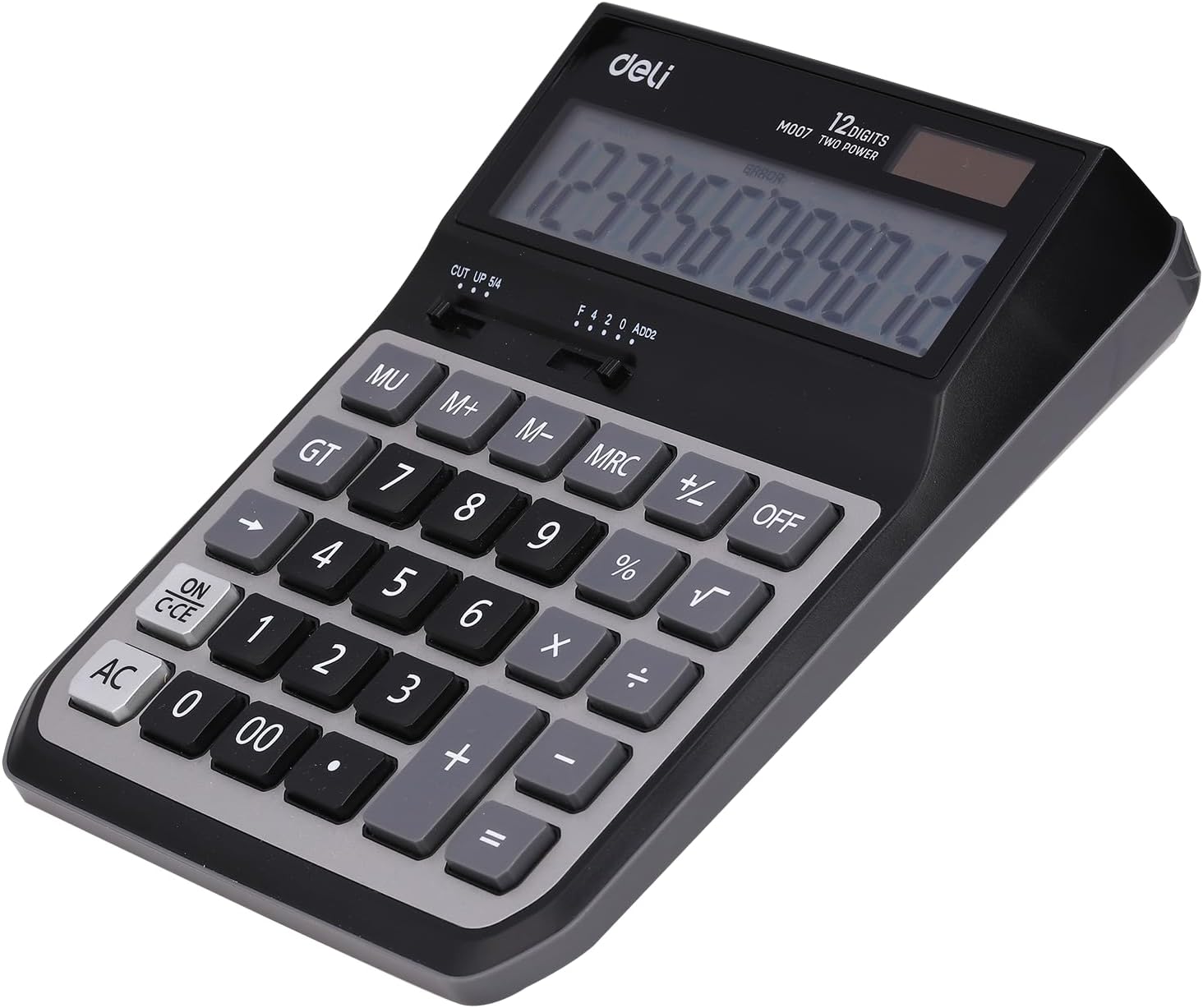
Rysunek 2: Tył view of the Deli M007 Calculator, illustrating the battery compartment and product details.
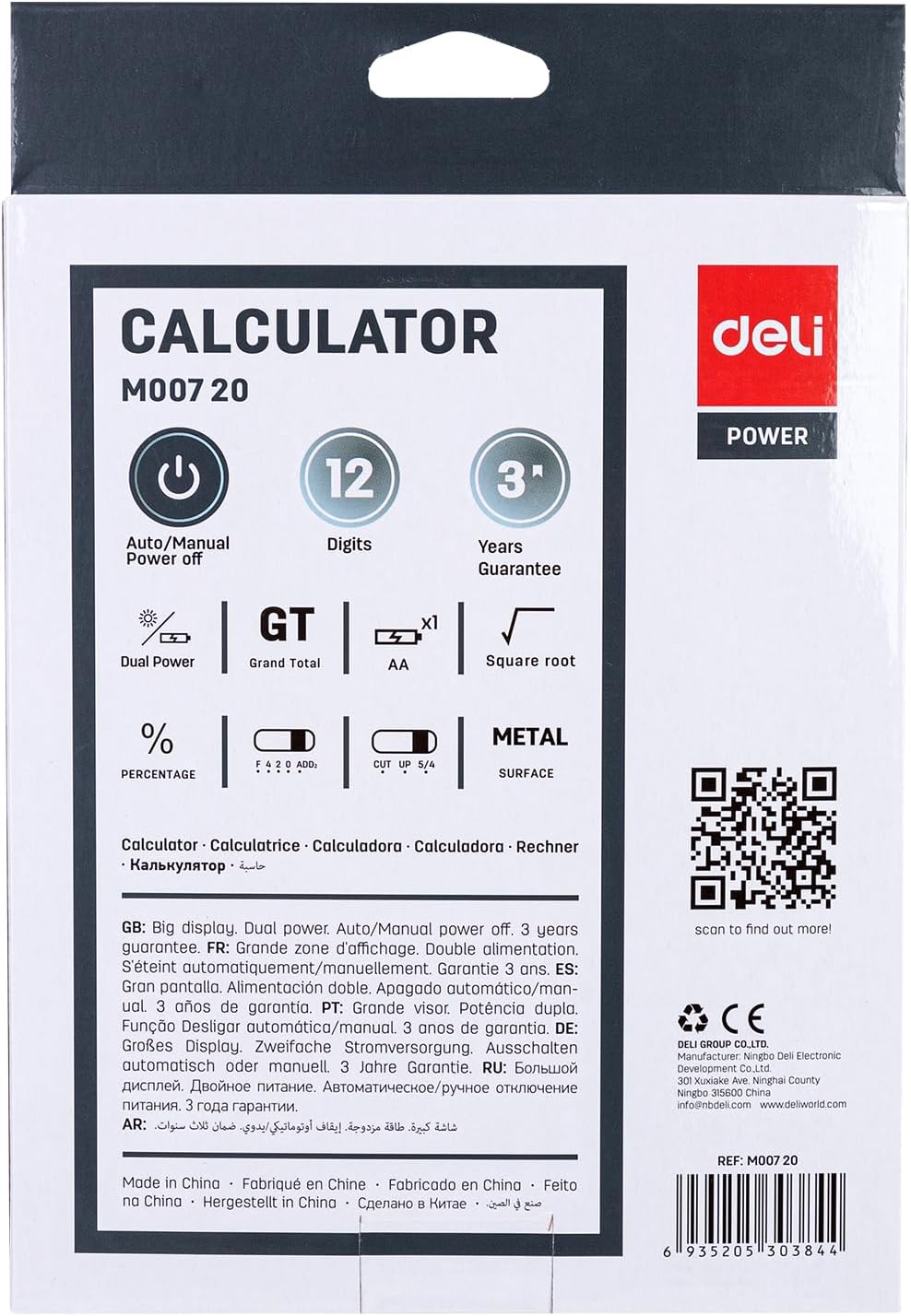
Figure 3: Packaging of the Deli M007 Calculator, detailing key features and specifications.
Organizować coś
- Rozpakowywanie: Ostrożnie wyjmij kalkulator z opakowania.
- Źródło zasilania: The Deli M007 operates on dual power (solar and battery). For initial use or in low light conditions, ensure a battery is installed. The battery compartment is located on the back of the calculator (refer to Figure 2). Open the cover, insert the required battery type (usually an AA battery, check compartment for specific type) with correct polarity, and close the cover.
- Pierwsze włączenie: Naciśnij ON/C-CE button to turn on the calculator. The display should show '0'.
Instrukcja obsługi
This section outlines the basic operations and functions of your Deli M007 calculator.
Podstawowe operacje arytmetyczne
- Dodatek (+): Wprowadź pierwszą liczbę, naciśnij +, wprowadź drugą liczbę, a następnie naciśnij =.
- Odejmowanie (-): Wprowadź pierwszą liczbę, naciśnij -, wprowadź drugą liczbę, a następnie naciśnij =.
- Mnożenie (×): Wprowadź pierwszą liczbę, naciśnij ×, wprowadź drugą liczbę, a następnie naciśnij =.
- Podział (÷): Wprowadź pierwszą liczbę, naciśnij ÷, wprowadź drugą liczbę, a następnie naciśnij =.
Funkcje kluczowe
- ON/C-CE: Turns the calculator on. When on, a single press clears the last entry (Clear Entry). A second press clears all calculations (Clear All).
- AC: All Clear. Clears all entries and calculations, resetting the calculator to zero.
- OFF: Turns the calculator off. The calculator also features an automatic power-off function to save energy.
- MU (Mark Up): Used for calculating mark-up percentagt.j.
- GT (suma całkowita): Recalls the grand total of all calculations performed since the last AC press.
- M+, M-, MRC (Funkcje pamięci):
- M+: Dodaje wyświetloną wartość do pamięci.
- M-: Odejmuje wyświetloną wartość od zawartości pamięci.
- MRC: First press recalls the memory content. Second press clears the memory.
- % (proctagmi): Używane do procentówtage obliczenia. Na przykładample, to calculate 10% of 200, enter 200 × 10 %, then press =.
- √ (pierwiastek kwadratowy): Oblicza pierwiastek kwadratowy wyświetlanej liczby.
- CUT UP 5/4 (Rounding Selector): This slider switch controls the rounding method for decimal places. 'CUT' truncates the number, 'UP' rounds up, and '5/4' rounds to the nearest digit.
- F 4 2 0 ADD2 (Decimal Place Selector / Add Mode): This slider switch sets the number of decimal places (F for floating, 4, 2, 0) or activates 'ADD2' mode, which automatically places two decimal places for currency calculations.
Konserwacja
- Czyszczenie: Use a soft, dry cloth to clean the calculator's surface. Do not use liquid cleaners or abrasive materials, as they may damage the display or casing.
- Wymiana baterii: When the display becomes dim or calculations are incorrect, it's time to replace the battery. Refer to the 'Setup' section for instructions on battery installation.
- Składowanie: Store the calculator in a cool, dry place away from direct sunlight and extreme temperatures. Avoid dropping the calculator or subjecting it to strong impacts.
Rozwiązywanie problemów
| Problem | Możliwa przyczyna | Rozwiązanie |
|---|---|---|
| Kalkulator nie włącza się. | Niski lub rozładowany akumulator; niewystarczające oświetlenie do zasilania energią słoneczną. | Replace the battery. Ensure adequate lighting for solar panel. |
| Display shows 'ERROR'. | Calculation overflow; invalid operation (e.g., division by zero). | Naciskać AC to clear the error and restart the calculation. |
| Nieprawidłowe wyniki obliczeń. | Incorrect input; incorrect decimal or rounding settings. | Verify your input. Check the CUT UP 5/4 I F 4 2 0 ADD2 slider settings. |
Specyfikacje
| Funkcja | Szczegół |
|---|---|
| Marka | Garmażeria |
| Nazwa modelu | M007 |
| Typ wyświetlacza | LCD |
| Liczba cyfr | 12 cyfry |
| Źródło zasilania | Dual Power (Solar & Battery) |
| Kolor | Szary Czarny |
| Wymiary produktu | Wymiary 15 x 8 x 4 cm |
| Waga przedmiotu | 410 gramów |
| Numer części producenta | 6935205303844 |
Gwarancja i wsparcie
The Deli M007 Electronic Calculator comes with a 3-letnia gwarancja Gwarancja obowiązuje od daty zakupu i obejmuje wady produkcyjne powstałe w wyniku normalnego użytkowania. Prosimy zachować dowód zakupu na wypadek roszczeń gwarancyjnych.
For further assistance, technical support, or warranty inquiries, please contact Deli customer service:
- E-mail: info@imddeli.com
- Webstrona: www.deliworld.pl
You can also scan the QR code below for more product information:
Scan this QR code for more details.


