1. Wprowadzenie
This manual provides detailed instructions for the proper use and maintenance of your Edifier W820BT Bluetooth Headphones. Please read this manual thoroughly before using the product to ensure optimal performance and longevity.
2. Zawartość opakowania
Verify that all items listed below are included in your package. If any items are missing or damaged, please contact Edifier customer support.
- Słuchawki Bluetooth Edifier W820BT
- Kabel ładujący (USB)
- Kabel audio (3.5mm)
- Instrukcja obsługi (ten dokument)
3. Koniec produktuview
The Edifier W820BT headphones are designed for comfort and extended listening, featuring Bluetooth v4.1 connectivity and a long-lasting battery.
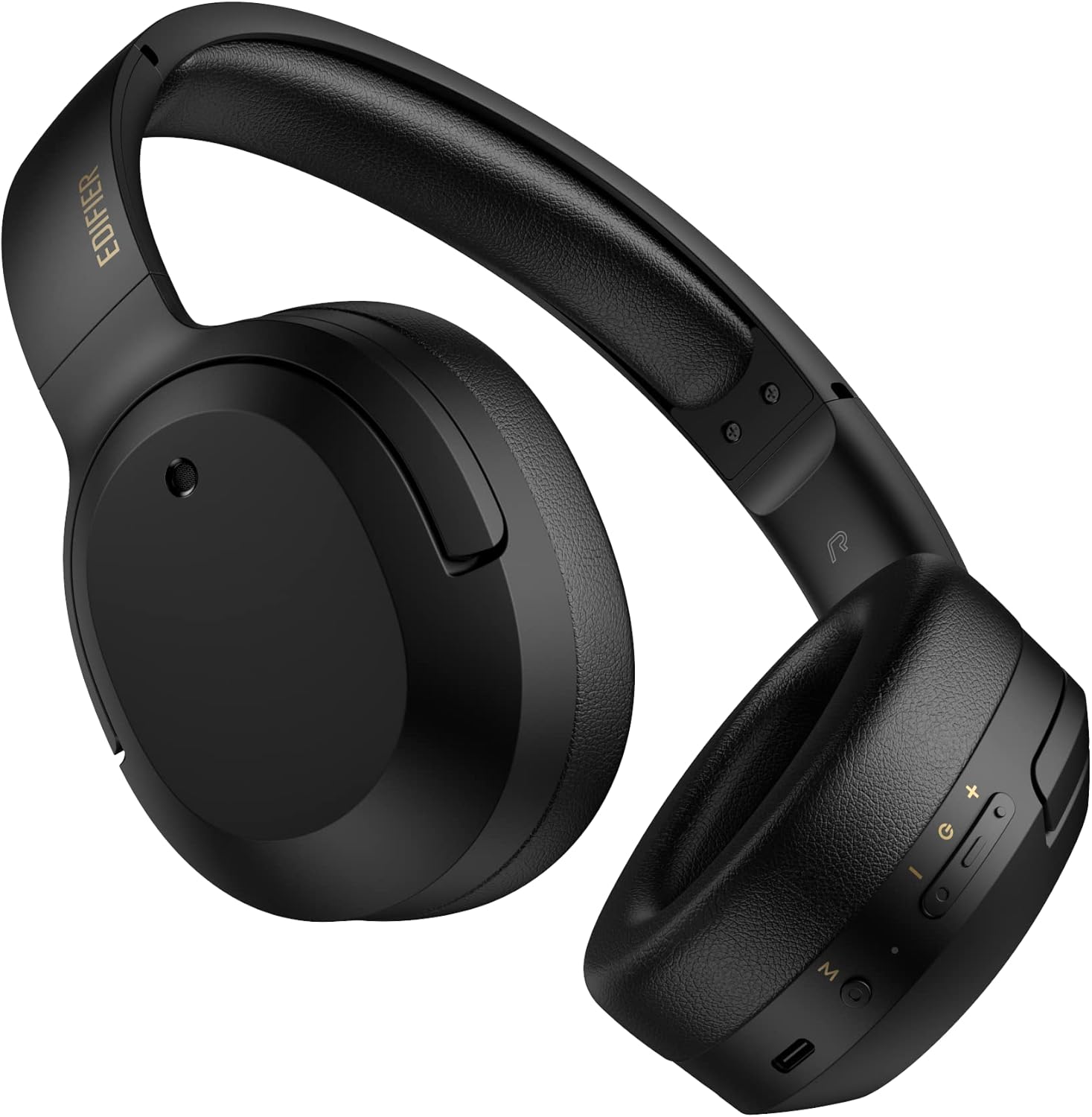
Rycina 3.1: Przód view of the Edifier W820BT Bluetooth Headphones.

Rysunek 3.2: Strona view of the Edifier W820BT Bluetooth Headphones, highlighting the control buttons.
Główne cechy:
- Bluetooth V4.1 with CSR Technology for stable wireless connection.
- Do 80 XNUMX godzin pracy baterii.
- Składana konstrukcja ułatwiająca przenoszenie.
- Soft leather ear pads for comfort.
- Durable and flexible steel headband.
- On-ear controls for media playback and calls.
4. Konfiguracja
4.1 Ładowanie słuchawek
Przed pierwszym użyciem należy całkowicie naładować słuchawki.
- Connect the micro-USB end of the charging cable to the charging port on the headphone (located on the right earcup).
- Podłącz koniec USB-A kabla ładującego do zasilacza USB (brak w zestawie) lub do portu USB komputera.
- Podczas ładowania wskaźnik LED będzie świecić, a po pełnym naładowaniu wyłączy się.
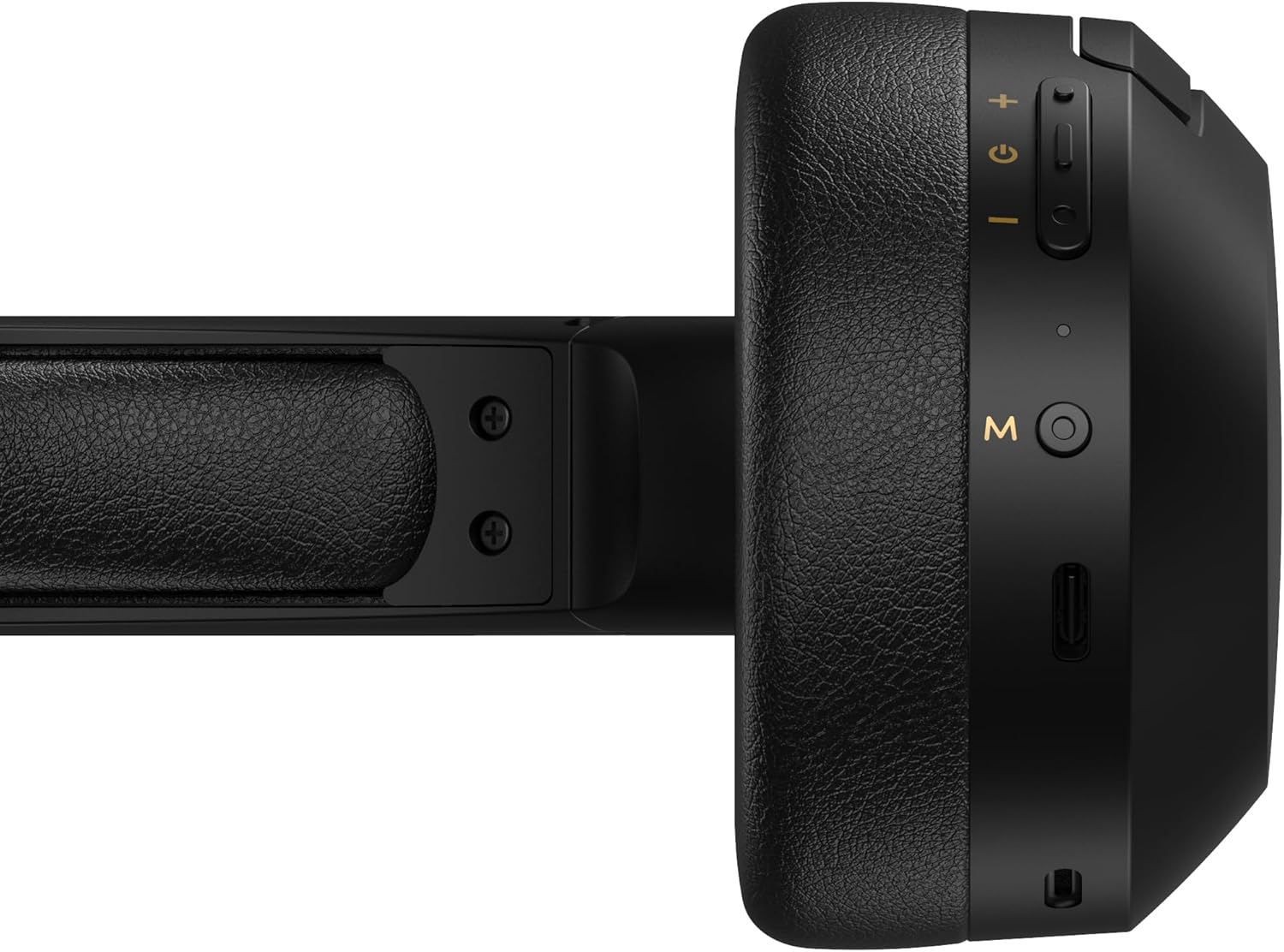
Figure 4.1: Close-up of the charging port and control buttons on the right earcup.
4.2 Włączanie/wyłączanie
- Włączanie: Press and hold the multi-function button (usually marked with a power icon or 'M') for approximately 3 seconds until the LED indicator flashes blue.
- Aby wyłączyć: Press and hold the multi-function button for approximately 5 seconds until the LED indicator flashes red and then turns off.
4.3 parowanie Bluetooth
Aby podłączyć słuchawki do urządzenia obsługującego technologię Bluetooth:
- Upewnij się, że słuchawki są wyłączone.
- Naciśnij i przytrzymaj przycisk wielofunkcyjny przez około 5-7 sekund, aż dioda LED zacznie migać naprzemiennie na czerwono i niebiesko. Oznacza to tryb parowania.
- Na swoim urządzeniu (smartfonie, tablecie, komputerze) włącz Bluetooth i wyszukaj dostępne urządzenia.
- Select "EDIFIER W820BT" from the list of found devices.
- Po sparowaniu dioda LED zacznie powoli migać na niebiesko.
Notatka: Po włączeniu słuchawki automatycznie podejmą próbę ponownego połączenia się z ostatnio sparowanym urządzeniem.
5. Instrukcja obsługi
5.1 On-Ear Controls
The control buttons are located on the right earcup.
| Przycisk/Akcja | Funkcjonować |
|---|---|
| Multi-function Button (M) |
|
| Zwiększanie głośności (+) |
|
| Ściszanie (-) |
|
5.2 Połączenie przewodowe
The W820BT headphones can also be used with a wired connection.
- Connect one end of the 3.5mm audio cable to the audio input jack on the left earcup of the headphones.
- Podłącz drugi koniec kabla audio 3.5 mm do gniazda wyjściowego audio w urządzeniu.
- Słuchawki automatycznie przełączą się na tryb przewodowy. Funkcja Bluetooth zostanie wyłączona.

Figure 5.1: Connecting the 3.5mm audio cable for wired listening.
6. Konserwacja
- Czyść słuchawki miękką, suchą ściereczką. Nie używaj środków czyszczących o właściwościach ściernych ani rozpuszczalników.
- Unikaj wystawiania słuchawek na działanie ekstremalnych temperatur, wilgoci lub bezpośredniego światła słonecznego.
- Przechowuj słuchawki w chłodnym, suchym miejscu, gdy nie są używane. Składana konstrukcja pozwala na kompaktowe przechowywanie.
- Do not disassemble the headphones. This will void the warranty.
7. Rozwiązywanie Problemów
If you encounter issues with your Edifier W820BT headphones, refer to the following common problems and solutions:
| Problem | Rozwiązanie |
|---|---|
| Nie można włączyć | Ensure the headphones are charged. Connect to a power source using the charging cable. |
| Nie można sparować przez Bluetooth |
|
| Brak dźwięku |
|
| Słaba jakość dźwięku |
|
8. Specyfikacje
| Funkcja | Szczegół |
|---|---|
| Nazwa modelu | W820BT |
| Technologia łączności | Bezprzewodowy (Bluetooth), przewodowy (gniazdo 3.5 mm) |
| Wersja Bluetooth | 4.1 |
| Żywotność baterii | Do 80 godzin |
| Kształt słuchawki | Na ucho |
| Tworzywo | Steel (headband) |
| Waga przedmiotu | 1.14 funta (około 517 g) |
| Wymiary produktu | 9.25 x 7.64 x 3.41 cala |
| Producent | Edytor |
9. Gwarancja i wsparcie
Edifier provides a roczna gwarancja in the USA and Canada for the W820BT headphones. For warranty claims or technical support, please contact Edifier customer service.
For more information, visit the official Edifier webodwiedź witrynę lub zapoznaj się z dokumentacją zakupu.
10. Demonstracja wideo
Watch the official product video for a visual guide on the Edifier W820BT Bluetooth Headphones' features and usage.
Film 10.1: Oficjalny produktview of the Edifier W820BT Bluetooth Headphones, demonstrating features like battery life, comfort, foldable design, and on-ear controls.


