Wstęp
This manual provides detailed instructions for the setup, operation, maintenance, and troubleshooting of your Aula Moon Slasher SI-2008 Mechanical Keyboard. Please read this manual thoroughly before using the product to ensure proper function and longevity.
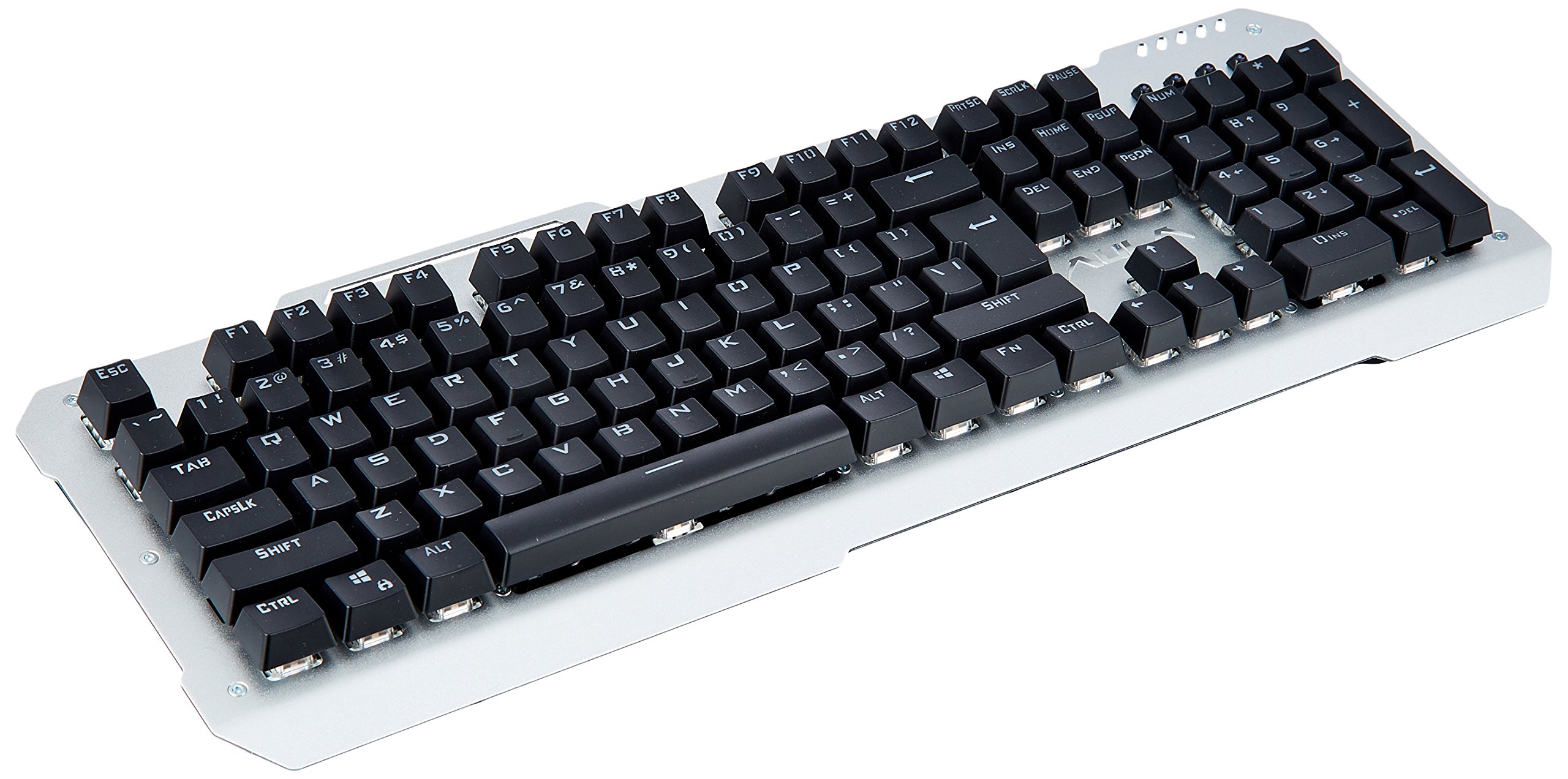
Obraz: widok z góry view of the Aula Moon Slasher SI-2008 Mechanical Keyboard. It features a silver-colored metal frame with black keys, a standard 104-key layout including a numeric keypad, function keys, and navigation keys. The Aula logo is visible above the arrow keys.
Instrukcje konfiguracji
- Rozpakuj klawiaturę: Carefully remove the keyboard from its packaging. Ensure all components, including the manual and warranty card, are present.
- Połącz z komputerem: Locate an available USB port on your computer. Insert the gold-plated USB connector of the keyboard into the USB port.
- Instalacja sterownika: The keyboard is typically plug-and-play. Your operating system (e.g., Windows 10) should automatically detect and install the necessary drivers. No additional software installation is usually required.
- Test wstępny: Once connected, open a text editor or word processor and test typing to ensure all keys are functioning correctly.
Obsługa klawiatury
Główne cechy:
- Przełączniki mechaniczne: The keyboard features blue mechanical switches, providing tactile feedback and an audible click.
- Podświetlenie tęczowe: The keyboard is equipped with a rainbow backlight.
- Wodoodporna konstrukcja: The keyboard is designed to be waterproof, offering protection against accidental spills.
Kontrola podświetlenia:
The keyboard features various backlight modes and brightness levels. Use the Fn key in combination with specific function keys (F1-F12) or other designated keys to cycle through lighting effects, adjust brightness, or turn the backlight on/off. Refer to the included physical manual for specific key combinations, as these can vary by model revision.
Klawisze funkcyjne:
Standard function keys (F1-F12) perform their usual operations. In combination with the Fn key, they may activate multimedia controls or other system functions. For exampLe, Fn+F1 może wyciszyć dźwięk, Fn + F2/F3 might adjust volume, etc. Consult the physical manual for exact mappings.
Konserwacja i pielęgnacja
- Czyszczenie: Aby wyczyścić klawiaturę, odłącz ją od komputera. Użyj miękkiej,amp cloth to wipe the surface. For dust and debris between keys, use compressed air. Avoid harsh chemicals or abrasive cleaners.
- Odporność na zalanie: While the keyboard is waterproof, it is recommended to clean up any spills promptly to prevent long-term damage or residue buildup. Do not immerse the keyboard in water.
- Składowanie: Jeśli klawiatura nie będzie używana przez dłuższy czas, należy ją przechowywać w suchym i chłodnym miejscu, z dala od bezpośredniego światła słonecznego.
Rozwiązywanie problemów
| Problem | Rozwiązanie |
|---|---|
| Klawiatura nie odpowiada |
|
| Certain keys are not working |
|
| Backlight is not working or flickering |
|
Specyfikacja produktu
| Funkcja | Szczegół |
|---|---|
| Marka | Aula |
| Numer modelu | SI-2008 |
| Szereg | Moon Slasher |
| Kolor | Czarny |
| Typ klawiatury | Mechaniczny |
| Typ przełącznika | Niebieski przełącznik |
| Łączność | Wired (Gold-plated USB connector) |
| Podświetlenie | Podświetlenie tęczowe |
| Funkcja specjalna | Wodoodporna konstrukcja |
| Kompatybilne urządzenia | Laptop |
| System operacyjny | Windows 10 |
| Waga przedmiotu | 1.27 kilogramów |
| Wymiary opakowania | Wymiary 50.3 x 22 x 6.3 cm |
Gwarancja i wsparcie
Ten produkt jest dostarczany z 1 rok gwarancji. Please refer to the included warranty card for detailed terms and conditions. For technical support or warranty claims, please contact your retailer or the manufacturer directly. Keep your purchase receipt as proof of purchase.
Zawartość zestawu: Manual, Warranty Card.