Produkt ponadview
The Muse M-1280 BT is a versatile Bluetooth tower speaker designed to deliver clear audio with multiple connectivity options. It features A2DP Bluetooth for wireless streaming, a powerful 120W output, a PLL FM radio tuner, and ports for USB and SD card playback. Additionally, it includes a USB charging function and an auxiliary input for wired connections. The speaker is housed in a stylish wooden cabinet and stands approximately 100cm tall, making it a prominent addition to any room.
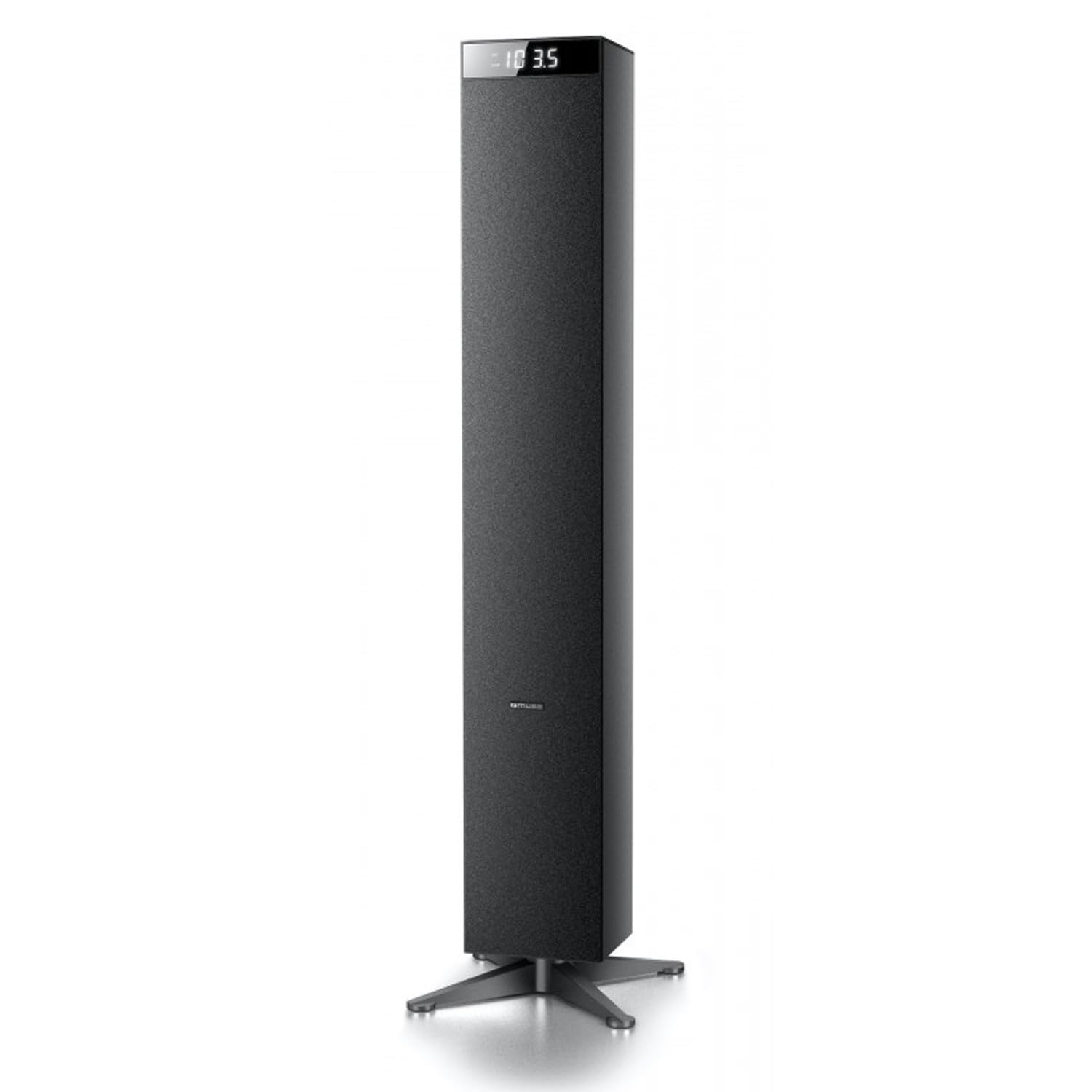
Obraz: Przód view of the Muse M-1280 BT Bluetooth Tower Speaker, showcasindzięki eleganckiemu czarnemu wzornictwu i zintegrowanemu wyświetlaczowi.
Zawartość opakowania
Przed przystąpieniem do konfiguracji należy upewnić się, że w opakowaniu znajdują się wszystkie elementy:
- Muse M-1280 BT Bluetooth Tower Speaker
- Zdalne sterowanie
- Kabel wejścia Aux
- Szybki przewodnik
- Kabel zasilający
Instrukcje konfiguracji
- Rozpakowywanie: Ostrożnie wyjmij głośnik i wszystkie akcesoria z opakowania.
- Umieszczenie: Position the M-1280 BT speaker on a stable, flat surface. Ensure it is placed in a location with good ventilation and away from direct sunlight, heat sources, or moisture. The speaker is designed for floor standing.
- Podłącz zasilanie: Insert the power cable into the AC IN port on the back of the speaker, then plug the other end into a standard wall outlet.
- Pierwsze włączenie: Press the Power button on the top panel or the remote control to turn on the speaker. The display will illuminate.

Image: The Muse M-1280 BT speaker positioned in a room, with a detailed view of its top control panel and phone dock.
Instrukcja obsługi
1. Selecting a Source
Naciśnij ŹRÓDŁO button on the top panel or remote control to cycle through available input modes: Bluetooth, FM Radio, USB, SD, and AUX.
2. Tryb Bluetooth
- Wybierać Bluetooth mode using the SOURCE button. The display will show "BT" and flash, indicating it's in pairing mode.
- On your smartphone, tablet, laptop, or PC, enable Bluetooth and search for available devices.
- Wybierać "M-1280BT" from the list of devices. Once paired, the speaker will emit a confirmation sound, and "BT" on the display will stop flashing.
- You can now play audio from your connected device. Use the playback controls on your device or the speaker's top panel/remote (Play/Pause, Next/Previous Track) to manage your music.
3. Tryb radia FM
- Wybierać Radio FM mode using the SOURCE button.
- Aby automatycznie przeskanować i zapisać stacje, naciśnij i przytrzymaj ODTWÓRZ/PAUZA button (often labeled as "SCAN" or "AUTO" in radio mode). The speaker will scan for available FM stations and store them.
- Użyj NASTĘPNY/POPRZEDNI UTWÓR przyciski umożliwiające nawigację pomiędzy zapisanymi stacjami.
- For manual tuning, briefly press the NASTĘPNY/POPRZEDNI UTWÓR przyciski umożliwiające regulację częstotliwości krok po kroku.
4. Odtwarzanie z USB/karty SD
- Włóż dysk flash USB do Port USB lub kartę SD do Gniazdo karty SD.
- Wybierać USB or SD mode using the SOURCE button. The speaker will automatically begin playing compatible audio files.
- Use the playback controls (Play/Pause, Next/Previous Track) on the speaker or remote to control playback.
- Note: The speaker supports common audio file formats. Unsupported file types will not play.
5. Wejście AUX
- Connect one end of the provided Aux-In cable to the AUX IN port on the speaker and the other end to the audio output (e.g., headphone jack) of your external audio device.
- Wybierać AUX mode using the SOURCE button.
- Play audio from your external device. Volume can be controlled via the speaker or the external device.
6. Ładowanie przez USB
The USB port on the speaker can also be used to charge compatible devices. Connect your device's USB charging cable to the speaker's USB port.

Image: Close-up of the Muse M-1280 BT speaker's top panel, highlighting the control buttons, digital display, and integrated dock for mobile devices.
Konserwacja
- Czyszczenie: Do czyszczenia obudowy głośnika używaj miękkiej, suchej ściereczki. Nie używaj płynnych środków czyszczących ani materiałów ściernych, ponieważ mogą one uszkodzić powłokę.
- Składowanie: Jeśli głośnik będzie przechowywany przez dłuższy czas, należy odłączyć go od zasilania i przechowywać w chłodnym, suchym miejscu.
- Wentylacja: Aby zapobiec przegrzaniu, upewnij się, że otwory wentylacyjne głośnika nie są zablokowane.
Rozwiązywanie problemów
| Problem | Możliwa przyczyna | Rozwiązanie |
|---|---|---|
| Brak zasilania | Kabel zasilający nie jest podłączony; gniazdko elektryczne nie jest aktywne | Ensure power cable is securely connected to both the speaker and a working wall outlet. |
| Brak dźwięku | Volume too low; Incorrect source selected; Device not paired (Bluetooth) or connected (AUX) | Increase volume. Select the correct input source. For Bluetooth, ensure device is paired. For AUX, ensure cable is fully inserted. |
| Parowanie Bluetooth nie powiodło się | Głośnik nie jest w trybie parowania; Urządzenie jest za daleko; Zakłócenia | Ensure speaker is in Bluetooth pairing mode (BT flashing). Move device closer to speaker. Avoid strong electromagnetic interference. |
| Słaby odbiór radia FM | Słaby sygnał; antena nie jest wysunięta | Adjust the position of the speaker. Ensure the FM antenna (if external) is fully extended. |
Specyfikacje
- Nazwa modelu: M-1280BT
- Marka: MUZA
- Typ głośnika: Wieża
- Technologia łączności: Bluetooth (A2DP), USB, SD, AUX
- Moc wyjściowa: 120 watów (maks.)
- Tuner radiowy: PLL FM
- Port USB: Yes (for playback and charging)
- Czytnik kart SD: Tak
- Źródło zasilania: Kabel elektryczny
- Tworzywo: Drewno
- Kolor: Czarny
- Wymiary (dł. x szer. x wys.): 20 x 18 x 101.2 cm (7.87 x 7.09 x 39.84 cala)
- Waga: 5.3 kilogramów (11.68 funty)
- Zawartość zestawu: Aux-In Cable, Quick Start Guide, Remote Control
- Zgodne urządzenia: Smartphone, Laptop, PC
Gwarancja i wsparcie
This Muse M-1280 BT speaker comes with a 1-letnia gwarancja producenta od daty zakupu. Zachowaj dowód zakupu na wypadek roszczeń gwarancyjnych.
For technical support, service, or warranty inquiries, please refer to the contact information provided in the Quick Start Guide or visit the official Muse website for your region. Do not attempt to repair the device yourself, as this may void the warranty.


