Wstęp
This manual provides detailed instructions for the operation and maintenance of your Casio DBC-611-1DF Men's Silver Tone 25 Memory Calculator Databank Watch. Please read this manual thoroughly to ensure proper use and to fully utilize all features of your watch.

Przód view of the Casio DBC-611-1DF Databank Watch, displaying the digital time and calculator keypad.
Organizować coś
Ustawianie czasu i daty
- W trybie pomiaru czasu naciśnij REGULOWAĆ button (top left) until the seconds start to flash. This indicates the setting mode.
- Naciśnij TRYB button (bottom left) to cycle through the settings: seconds, hour, minutes, year, month, day.
- Use the numeric keypad (calculator buttons) to input the correct values for each setting. For example, to set the hour, press the corresponding number on the keypad.
- Aby przełączać się między formatem 12-godzinnym i 24-godzinnym, naciśnij przycisk PM button (bottom left of keypad) while the hour setting is flashing.
- Po dostosowaniu wszystkich ustawień naciśnij przycisk REGULOWAĆ ponownie, aby wyjść z trybu ustawień.
Regulacja opaski
The watch features an adjustable metal band. To adjust the length, locate the clasp and use a small flathead tool to lift the locking tab. Slide the clasp along the band to the desired position, then press the tab down firmly to secure it. Ensure the clasp is securely fastened before wearing.
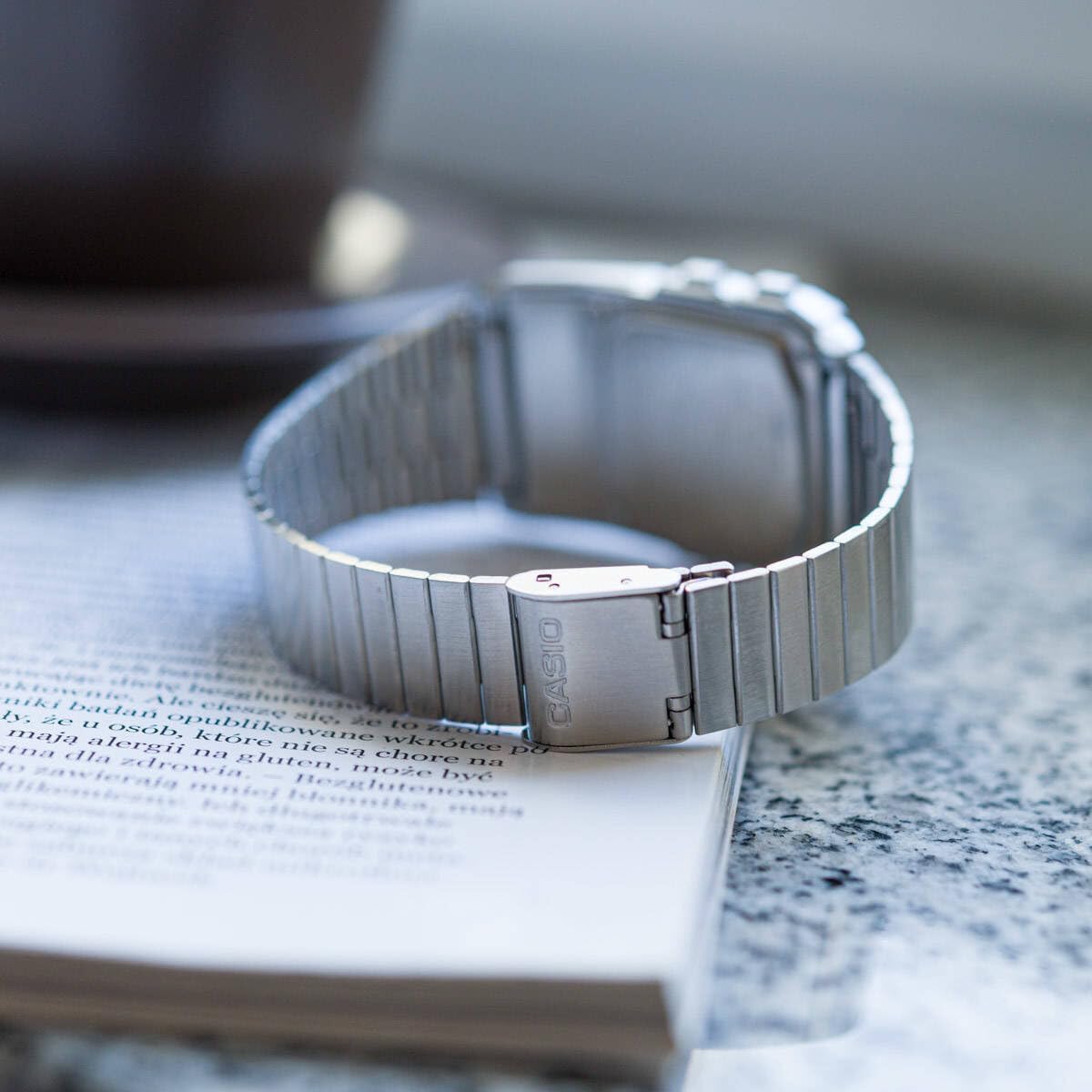
Tył view of the watch, showing the adjustable metal clasp for band sizing.
Instrukcja obsługi
Nawigacja w trybie
Naciśnij TRYB przycisk (w lewym dolnym rogu), aby przełączać się między różnymi trybami:
- Tryb pomiaru czasu: Wyświetla aktualną godzinę, datę i dzień tygodnia.
- Telememo Mode: Stores up to 25 sets of name and telephone number data.
- Calculator Mode: Performs basic arithmetic calculations.
- Tryb stopera: Pomiar czasu upłyniętego, czasów międzyczasów oraz czasów 1. i 2. miejsca.
- Tryb podwójnego czasu: Displays the current time in a different time zone.
- Tryb alarmu: Sets up to 5 daily alarms and an hourlsygnał czasu y.
Korzystanie z kalkulatora
In Calculator Mode, use the numeric keypad to input numbers and perform operations. The display supports 8 digits. Press the AC button (top right of keypad) to clear the current entry.
Telememo Function
To enter or recall data in Telememo Mode:
- Navigate to Telememo Mode.
- Naciśnij REGULOWAĆ button to enter data input mode.
- Use the numeric keypad to enter numbers. Use the PRZESTRZEŃ button for spaces.
- Naciskać REGULOWAĆ aby zapisać wpis.
- Użyj TEL/FWD I REV/CZAS buttons to scroll through stored entries.
Funkcja stopera
W trybie stopera:
- Naciskać START/STOP (bottom right of keypad) to start and stop the stopwatch.
- Naciskać OKRĄŻENIE/RESET (bottom left of keypad) to record lap times or reset the stopwatch when stopped.
Alarmy i Hourly Sygnał czasu
In Alarm Mode:
- Użyj TRYB button to select one of the 5 alarms or the hourlsygnał czasu y.
- Naciskać REGULOWAĆ to set the alarm time. Use the numeric keypad to input the hour and minutes.
- Naciskać ALM WŁ./WYŁ. (top left of keypad) to toggle the selected alarm on or off.
- Naciskać SIG ON/OFF (middle right of keypad) to toggle the hourlwłączenie lub wyłączenie sygnału czasu.
Auto LED Light
The watch features an Auto LED light. This function automatically illuminates the display when the watch is tilted towards your face in a dark environment. To activate or deactivate this feature, refer to the detailed instructions in the full module manual (Module No. 437, 438, 3208).

Kątowy view of the Casio Databank Watch, highlighting the display and keypad.
Konserwacja
Opieka ogólna
- Zegarek należy regularnie czyścić miękką, suchą ściereczką.
- Unikaj wystawiania zegarka na działanie ekstremalnych temperatur, długotrwałego bezpośredniego światła słonecznego i silnych pól magnetycznych.
- While the watch is water-resistant, avoid direct contact with water to prolong its lifespan, especially for the calculator buttons.
Wymiana baterii
The watch uses 1 CR123A battery. Battery life is approximately 5 years. When the display becomes dim or functions become erratic, it is time to replace the battery. Battery replacement should ideally be performed by a qualified technician to ensure water resistance is maintained.
Rozwiązywanie problemów
- Wyświetlacz jest pusty lub przyciemniony: Check the battery. If recently replaced, ensure it is installed correctly.
- Przyciski nie reagują: Ensure the watch is not in a locked mode (if applicable, refer to full manual). If the issue persists, a reset may be required (consult a technician).
- Czas jest niedokładny: Re-set the time and date as per the "Setting the Time and Date" section.
Specyfikacje
| Marka | Kasio |
| Numer modelu | DBC-611-1DF |
| Wymiary produktu | 2.44 x 4.09 x 3.62 cala |
| Waga przedmiotu | 1.69 uncji |
| Typ baterii | 1 CR123A (w zestawie) |
| Cechy specjalne | 25 pages of Telememo, 1/100-second stopwatch, Dual time, 5 alarms, Auto LED light |
| Odporność na wodę | Water Resistant (general daily use, not for swimming or diving) |
| Data pierwszej dostępności | 22 marca 2012 r. |
Oficjalny film o produkcie
Oficjalny film prezentujący produktasing the features and design of the Casio Databank Watch.
Gwarancja i wsparcie
Aby uzyskać informacje o gwarancji i obsłudze klienta, zapoznaj się z kartą gwarancyjną dołączoną do produktu lub odwiedź oficjalną stronę internetową Casio website. The module number for this watch is 437, 438, or 3208, which can be used to find specific support documents online.
For additional assistance, you may contact Casio customer service directly.