Introduksjon
This manual provides essential instructions for setting up, operating, maintaining, and troubleshooting your new Tesla 65-inch 4K UHD Smart TV (Model 65E635SUS). Please read this manual thoroughly before using the television to ensure proper operation and to maximize your viewopplevelse. Ta vare på denne håndboken for fremtidig referanse.
Viktig sikkerhetsinformasjon: Always follow basic safety precautions when using this product to reduce the risk of fire, electric shock, and injury. Do not attempt to service this product yourself. Refer all servicing to qualified service personnel.
1. Oppsett
1.1 Utpakking og innholdskontroll
Ta TV-en forsiktig ut av emballasjen. Sørg for at alle komponentene er til stede:
- Tesla 65-inch 4K UHD Smart TV
- Fjernkontroll
- AAA-batterier for fjernkontroll
- TV-stativ (2 stk.)
- Skruer til TV-stativ
- Strømledning
- Brukerhåndbok (dette dokumentet)

Bilde 1.1: Foran view of the Tesla 65-inch Smart TV with its stand.
1.2 Feste TV-stativet
- Plasser TV-en med forsiden ned på en myk, flat overflate for å forhindre skade på skjermen.
- Juster hvert stativ med de tilsvarende sporene på undersiden av TV-en.
- Fest hvert stativ med de medfølgende skruene. Sørg for at de er godt strammet.

Bilde 1.2: Bak view of the TV, illustrating the stand attachment points.
Note: If you plan to wall-mount the TV, refer to the wall-mount kit instructions (sold separately) and skip this step. Ensure proper ventilation when wall-mounting.
1.3 Koble til strøm
Koble strømledningen til TV-ens strøminntak og deretter til en stikkontakt. TV-en vil gå inn i standbymodus.
1.4 Første oppsett
Når TV-en slås på for første gang, vil den veilede deg gjennom den første oppsettprosessen:
- Språkvalg: Velg ditt foretrukne språk.
- Nettverkstilkobling: Koble til Wi-Fi-nettverket ditt, eller bruk en Ethernet-kabel for en kablet tilkobling.
- Pålogging til Google-konto: Sign in with your Google account to access Google Play Store, Google Assistant, and other Android TV features.
- Kanalsøk: Scan for available TV channels if you are using an antenna or cable connection.
- Personverninnstillinger: Review og juster personverninnstillingene etter ønske.
2. Bruksanvisning
2.1 Fjernkontroll overview
The provided remote control allows you to navigate the TV's features. Insert the AAA batteries into the remote control before use.

Image 2.1: Bluetooth remote control for the Tesla Smart TV.
- Strømknapp: Slår TV-en av eller på (standbymodus).
- Navigasjonstastatur (opp/ned/venstre/høyre/OK): Navigerer i menyer og velger elementer.
- Tilbake-knapp: Går tilbake til forrige skjermbilde.
- Hjem-knapp: Åpner Android TV-startskjermen.
- Volum opp/ned: Justerer volumnivået.
- Dempeknapp: Demper eller slår på lyden.
- Google Assistant-knapp: Aktiverer stemmekontroll.
- Snarveisknapper for apper: Direkte tilgang til populære strømmetjenester (f.eks. Netflix, YouTube).
2.2 Android TV 11 Interface Navigation
The Android TV 11 interface provides access to apps, settings, and content. Use the navigation pad on your remote to move through the home screen.
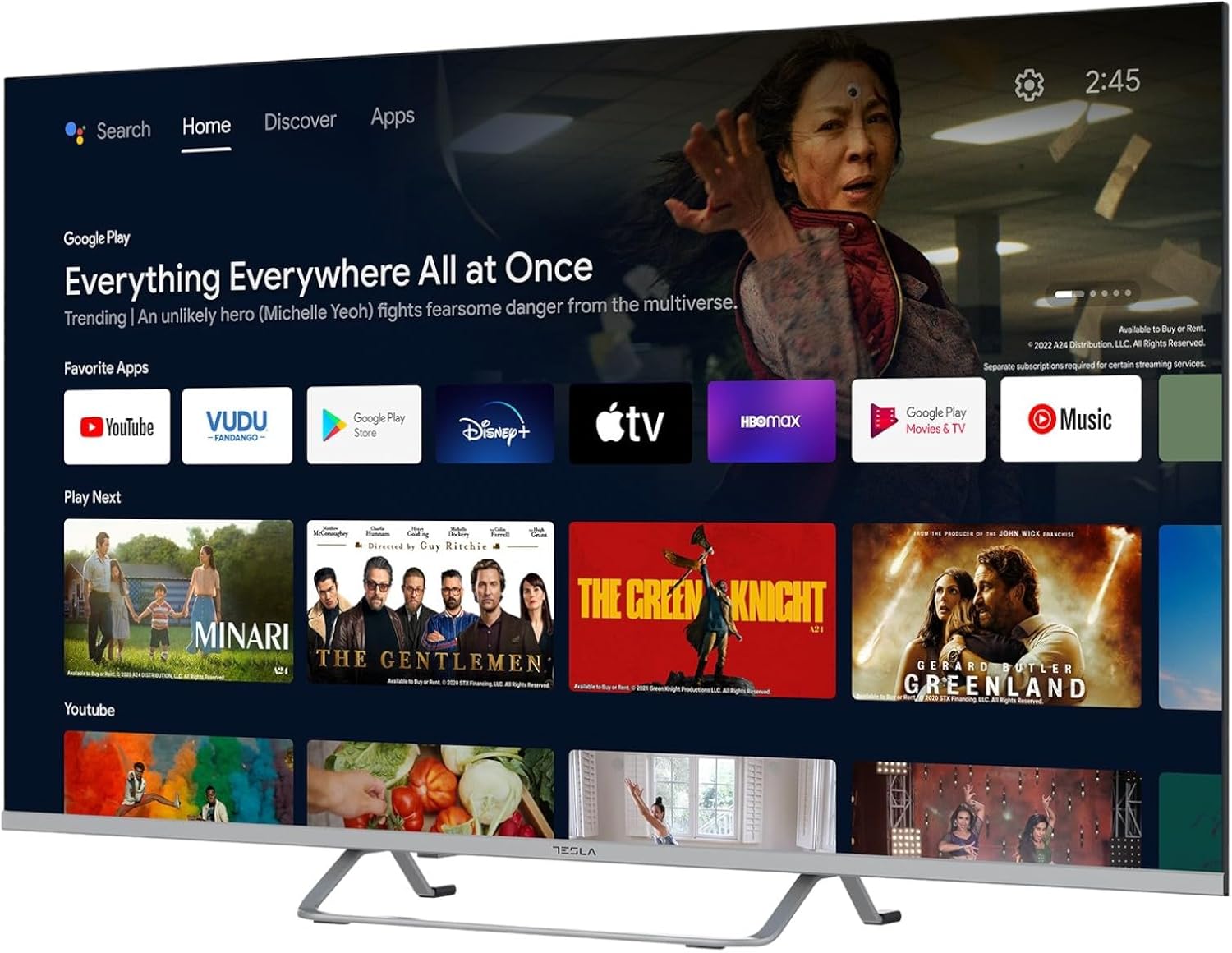
Image 2.2: The Android TV 11 home screen, displaying various applications and content suggestions.
- Hjemmeskjerm: Viser anbefalt innhold, installerte apper og inndatakilder.
- Apps Section: Få tilgang til alle installerte applikasjoner.
- Innstillinger: Configure TV settings, network, accounts, and device preferences.
2.3 Bruk av Google Assistant
Press the Google Assistant button on your remote and speak into the microphone to control your TV, search for content, get information, and more.
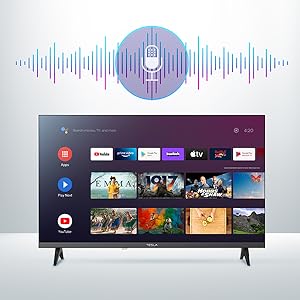
Image 2.3: Visual representation of Google Assistant activation on the TV screen.
Examples of commands:
- «Åpne Netflix»
- "Søk etter actionfilmer"
- "Hvordan er været?"
- "Turn up the volume"
2.4 Chromecast innebygd
Use Chromecast built-in to cast content from your compatible smartphone, tablet, or computer directly to your TV. Ensure your device is connected to the same Wi-Fi network as the TV.

Image 2.4: A smartphone casting content to the TV via Chromecast.
2.5 Koble til eksterne enheter
Your TV offers multiple connectivity options:
- HDMI-porter (x4): Connect Blu-ray players, game consoles, set-top boxes, etc.
- USB-porter (x2): Connect USB drives for media playback or external keyboards/mice.
- Ethernet (LAN): For en kablet internettforbindelse.
- Wi-Fi: For trådløs internettforbindelse.
- Bluetooth: Koble til trådløse hodetelefoner, høyttalere eller andre Bluetooth-enheter.

Bilde 2.5: Sideprofffile of the TV, highlighting accessible ports.
2.6 Innstillinger for bilde og lyd
Access the TV's settings menu to customize picture and sound options.
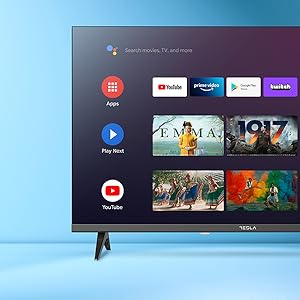
Bilde 2.6: Eks.ample of the TV's settings menu for customization.
- Bildemoduser: Select from Standard, Vivid, Sport, Movie, Game, or User (custom) modes. Adjust brightness, contrast, color, and sharpness.
- HDR10: The TV supports HDR10 for enhanced contrast and color with compatible content.
- Lydmoduser: Choose from Standard, Music, Movie, Sport, or User (custom) modes. Use the equalizer to fine-tune audio frequencies.
- Høyttalere: The TV features 2 x 12W speakers.
3. Vedlikehold
3.1 Rengjøring av TV-en
- Skjerm: Tørk forsiktig av skjermen med en myk, lofri klut. Tørk forsiktig av gjenstridige flekker.ampTørk kluten med vann eller et spesielt skjermrensemiddel. Spray aldri rengjøringsmiddel direkte på skjermen.
- Kropp: Wipe the TV body with a soft, dry cloth. Avoid using abrasive cleaners or solvents.
- Trekk alltid støpselet til TV-en ut av stikkontakten før rengjøring.
3.2 Programvareoppdateringer
Your Tesla Smart TV may receive software updates to improve performance and add new features. Ensure your TV is connected to the internet to receive these updates automatically or check for them manually in the settings menu.
4. Feilsøking
Før du kontakter kundestøtte, kan du prøve følgende løsninger for vanlige problemer:
| Problem | Mulig løsning |
|---|---|
| Ingen strøm | Check if the power cord is securely connected to the TV and the wall outlet. Ensure the outlet is working. |
| Ikke noe bilde, men det er lyd | Sørg for at riktig inngangskilde er valgt. Sjekk kabeltilkoblingene til eksterne enheter. Prøv å starte TV-en på nytt. |
| Ingen lyd, men bildet er der | Sjekk volumnivået og sørg for at TV-en ikke er dempet. Bekreft lydinnstillingene og tilkoblingene til eksterne høyttalere hvis aktuelt. |
| Fjernkontrollen virker ikke | Skift batteriene. Sørg for at det ikke er noen hindringer mellom fjernkontrollen og TV-en. Koble Bluetooth-fjernkontrollen på nytt om nødvendig (se TV-innstillingene). |
| Problemer med nettverkstilkoblingen | Restart your router and modem. Check Wi-Fi password. Try a wired Ethernet connection if possible. |
| Apper er trege eller krasjer | Close unused apps. Clear app cache (Settings > Apps > [App Name] > Clear cache). Restart the TV. |
5. Spesifikasjoner
| Trekk | Detalj |
|---|---|
| Merke | TESLA |
| Modellnummer | 65E635SUS |
| Skjermstørrelse | 65 tommer (165 cm) |
| Skjermteknologi | LED |
| Oppløsning | 4K (3840 x 2160) |
| Oppdateringsfrekvens | 60 Hz |
| Operativsystem | Android TV 11 |
| Spesielle funksjoner | High Dynamic Range (HDR10), Google Play, Chromecast Built-in, Google Assistant, Personalized Surround Sound |
| Tilkobling | Wi-Fi, Bluetooth, Ethernet (LAN) |
| HDMI-porter | 4 |
| USB-porter | 2 |
| Lyd utgang | 2 x 12W høyttalere |
| Produktmål (med stativ) | 25D x 25W x 144.5H cm (approximate) |
6. Garanti og støtte
For warranty information, please refer to the warranty card included with your product or visit the official Tesla webnettstedet. Ta vare på kjøpsbeviset for garantikrav.
For technical support or service inquiries, please contact Tesla customer service through their official channels. Contact details can typically be found on the manufacturer's webnettstedet eller i produktemballasjen.


