1. Produktet er overview
The Solid State Logic UC1 is a dedicated hardware control surface designed for seamless integration with SSL's 360-enabled plug-ins, including 4K B, Channel Strip 2, and Bus Compressor 2. It provides a tactile, console-style workflow for mixing and mastering within your Digital Audio Workstation (DAW), offering physical controls for parameters typically adjusted via a mouse.
The UC1 features a moving-coil Bus Compressor gain reduction meter, dedicated controls for each plug-in, and an integrated display that shows the currently focused channel strip and Bus Compressor plug-in. It operates in conjunction with the SSL 360° software, which hosts the Plug-in Mixer for managing your SSL plug-ins.
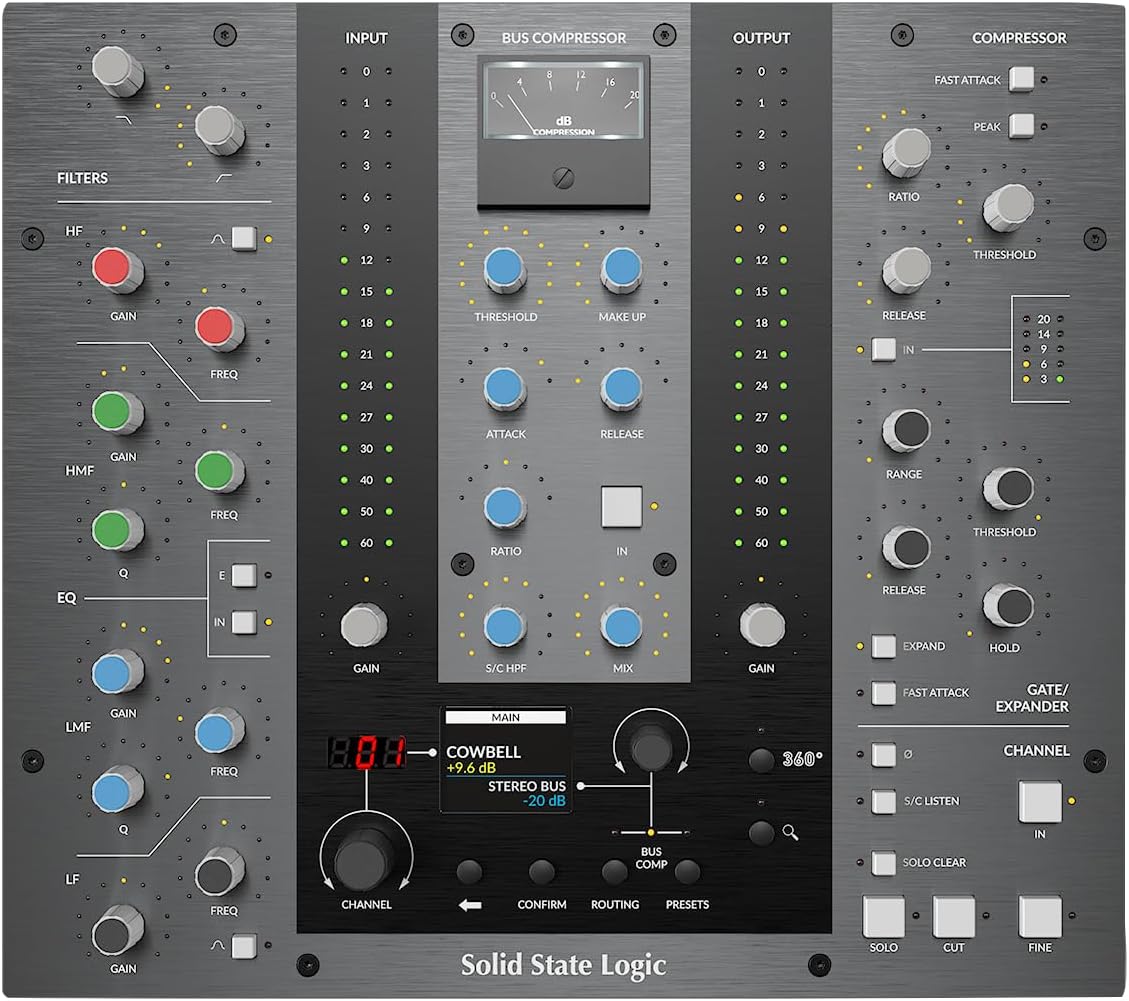
Bilde 1.1: Foran view of the Solid State Logic UC1 Hardware Plug-In Control Surface, showcasing its layout of knobs, buttons, and the central display.

Bilde 1.2: Vinklet view of the UC1, highlighting the ergonomic design and dedicated controls for various plug-in parameters.
2. Oppsett
2.1 Utpakking og førstegangsinspeksjon
Carefully remove the UC1 from its packaging. Inspect the unit for any signs of damage that may have occurred during transit. Ensure all components listed in the packing contents are present.
2.2 Fysiske forbindelser
- Strømtilkobling: Connect the provided power adapter to the DC input on the rear panel of the UC1 and then to a suitable power outlet.
- USB-tilkobling: Connect the UC1 to your computer using the supplied USB cable. The UC1 is a class-compliant USB device and typically does not require specific drivers for basic recognition, but software installation is essential for full functionality.
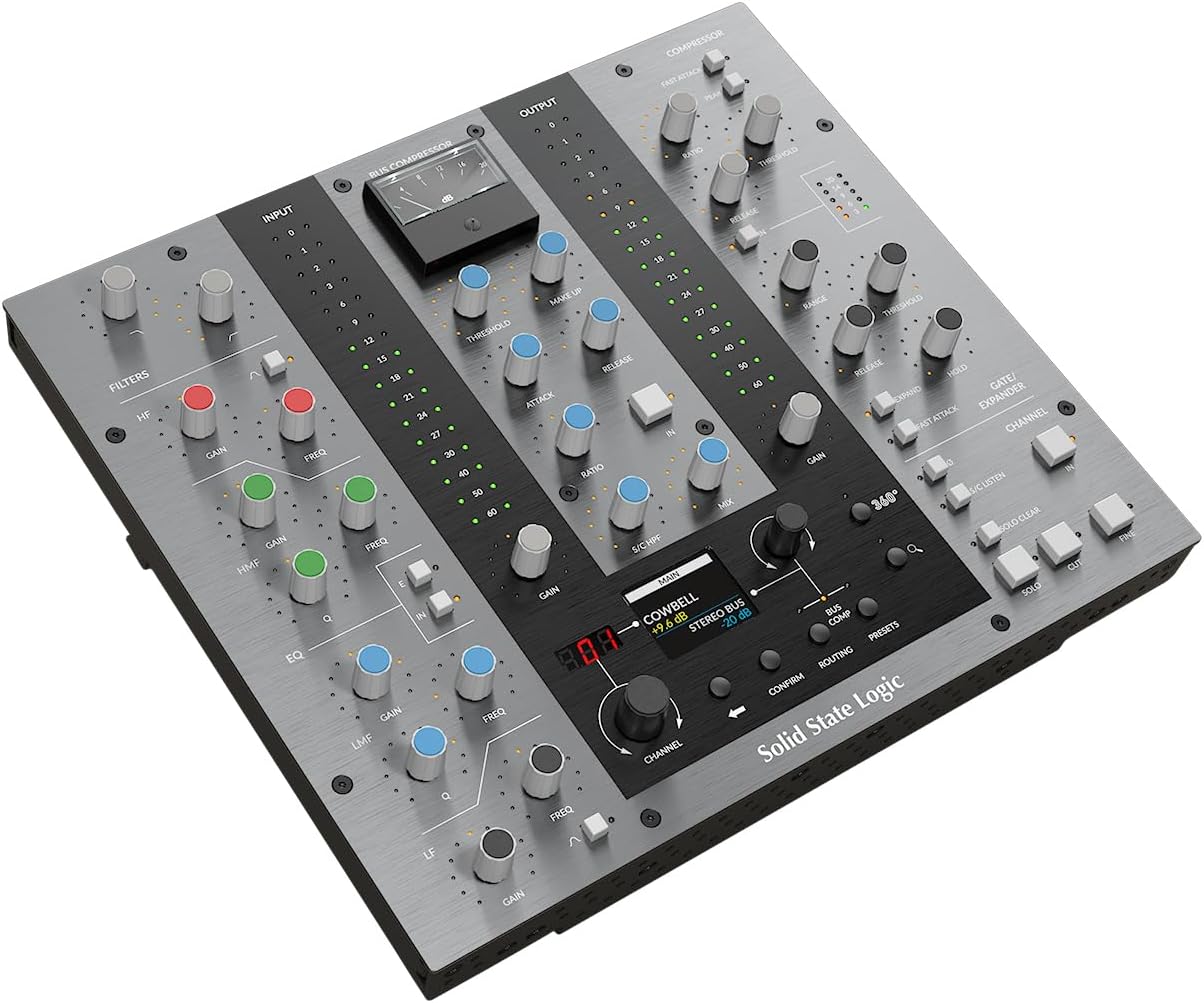
Image 2.1: Rear panel of the UC1, showing the DC power input and USB port for connection to a computer.
2.3 Programvareinstallasjon
The UC1 requires the installation of the SSL 360° software and associated plug-ins (4K B, Channel Strip 2, Bus Compressor 2) to function. These licenses are included with your UC1 purchase.
- Download SSL 360°: Visit the official Solid State Logic website and download the latest version of the SSL 360° software for your operating system (macOS or Windows).
- Installer programvare: Follow the on-screen instructions to install SSL 360° and the included plug-ins. This process typically involves running an installer and agreeing to license terms.
- Lisensaktivering: Activate your plug-in licenses using the provided instructions, usually through an iLok account or SSL's licensing system.
- Launch SSL 360°: After installation, launch the SSL 360° application. The UC1 should be automatically detected and connected.

Bilde 2.2: Overview of the SSL 360° software interface, showing how it manages various SSL plug-ins.
3. Bruksanvisning
3.1 Grunnleggende betjening
The UC1 provides direct, tactile control over SSL's 360-enabled plug-ins. Once connected and software is running, the UC1 will mirror the controls of the selected plug-in instance in your DAW.
- Plug-in Selection: Use the 'CHANNEL' rotary encoder and associated buttons on the UC1 to navigate and select different instances of SSL 360-enabled channel strip and Bus Compressor plug-ins within your DAW. The UC1's display will show which plug-in is currently in focus.
- Parameterkontroll: Adjust the physical knobs and buttons on the UC1 to control the corresponding parameters of the selected plug-in. The layout of the UC1 is designed to intuitively map to the visual interface of the plug-ins.
- Bus Compressor Meter: The central moving-coil meter on the UC1 displays the gain reduction of the Bus Compressor plug-in, providing visual feedback on its operation.
3.2 Channel Strip 2 Control
The left side of the UC1 is dedicated to controlling the Channel Strip 2 plug-in. This includes sections for Filters, EQ (HF, HMF, LMF, LF), and Dynamics (Compressor, Gate/Expander).
- Filtre: Adjust High Pass Filter (HPF) and Low Pass Filter (LPF) frequencies.
- Equalizer: Control gain, frequency, and Q for each of the four EQ bands. Engage or bypass individual bands.
- Dynamikk: Access controls for the compressor (Threshold, Ratio, Attack, Release) and gate/expander (Threshold, Range, Hold, Release).
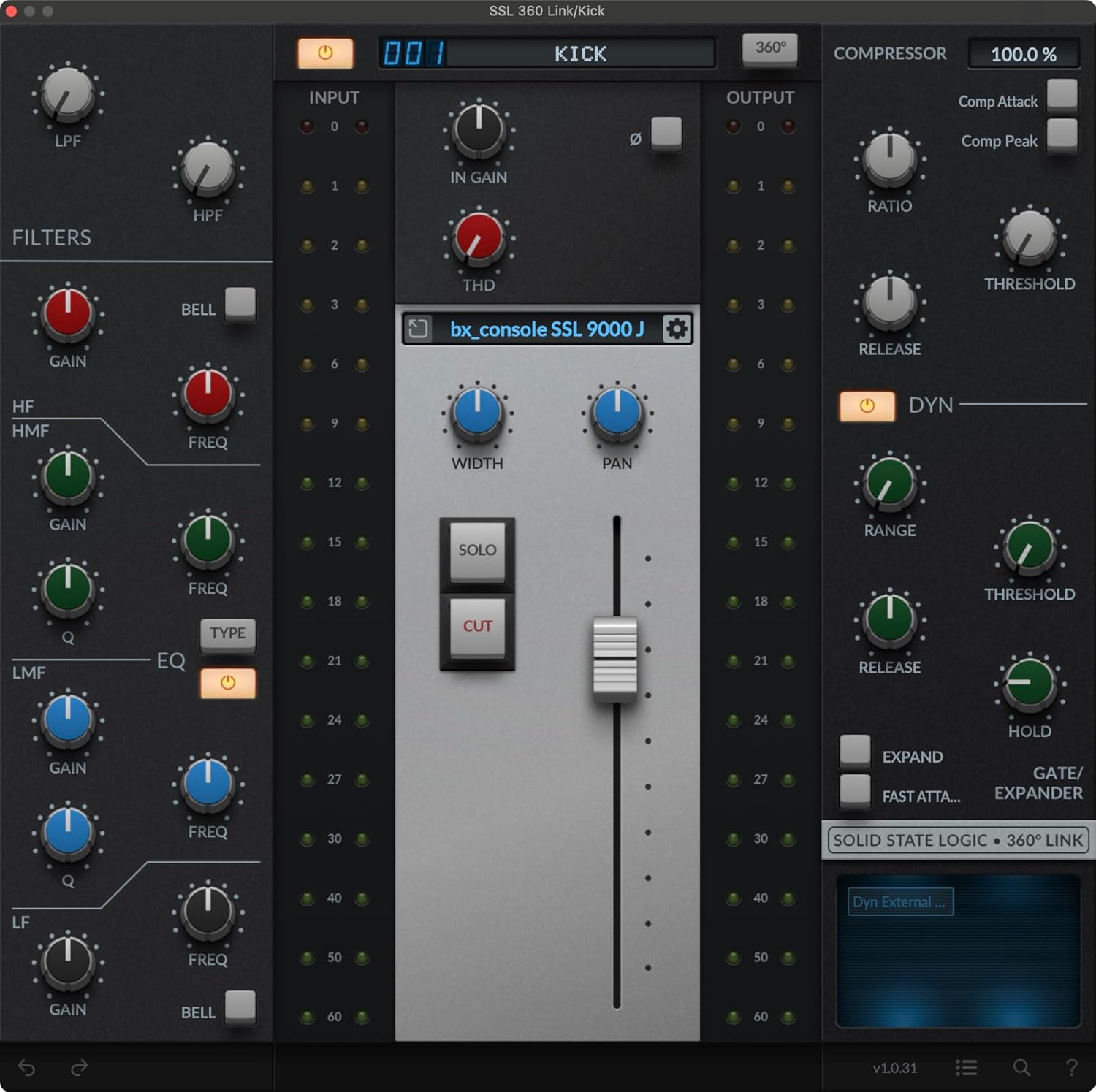
Image 3.1: The Channel Strip 2 plug-in interface, showing its filter, EQ, and dynamics sections, which are directly controllable from the UC1.
3.3 Bus Compressor 2 Control
The central section of the UC1 provides dedicated controls for the Bus Compressor 2 plug-in, mirroring the classic SSL console bus compressor.
- Terskel: Sets the level at which compression begins.
- Sminkegevinst: Compensates for level reduction caused by compression.
- Angrep/slipp: Controls how quickly the compressor reacts to signals and how long it holds the compression.
- Forhold: Determines the amount of compression applied once the threshold is exceeded.
- Blande: Blends the compressed signal with the dry signal (parallel compression).
- Sidekjede HPF: Engages a high-pass filter in the compressor's sidechain.

Image 3.2: The Bus Compressor 2 plug-in interface, featuring controls for threshold, attack, release, ratio, and mix, all accessible from the UC1.
3.4 SSL 360 Link Plug-in
The UC1 also supports the SSL 360 Link plug-in, which allows you to control any 3rd party plug-in with the UC1's physical surface. This extends the tactile control to a wider range of your plug-in library.
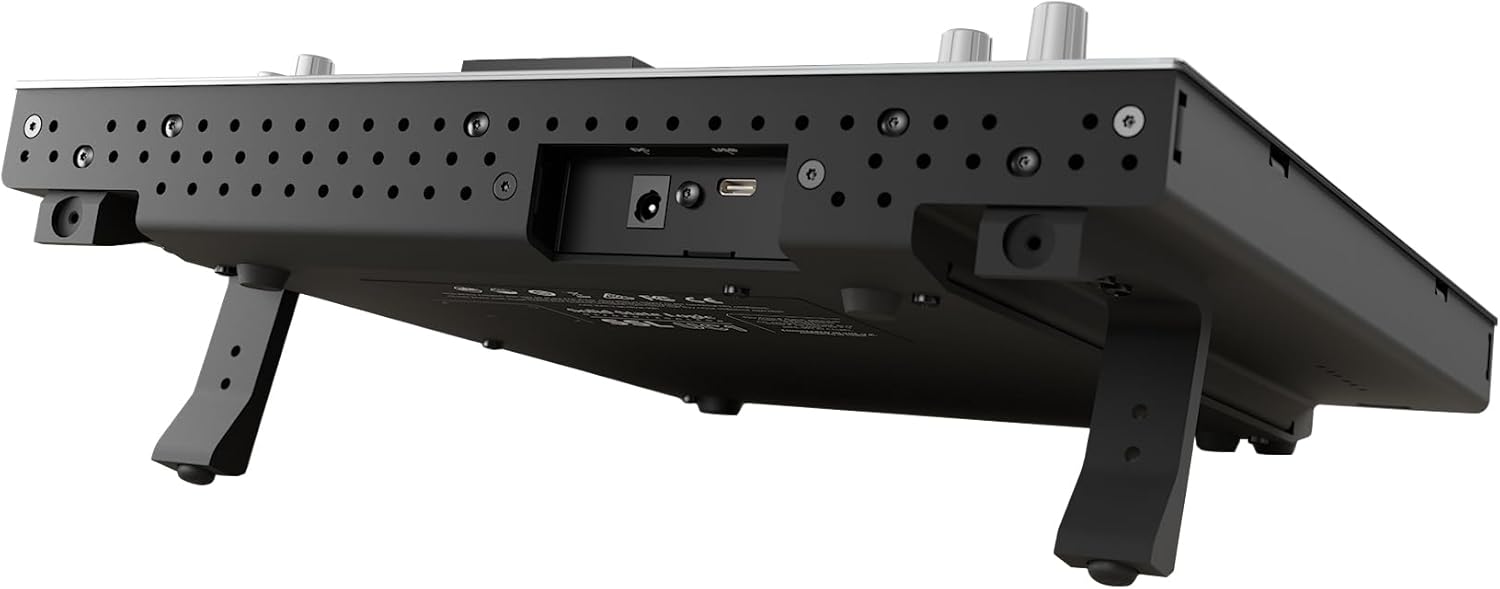
Image 3.3: The SSL 360 Link plug-in interface, designed to map third-party plug-in parameters to the UC1's controls.
3.5 DAW-integrasjon
The UC1 integrates with various Digital Audio Workstations through the SSL 360° Plug-in Mixer. This integration allows for synchronized track selection, DAW volume and pan control, and other features depending on the DAW.
Officially supported DAWs include Pro Tools®, Logic Pro®, Cubase®, Nuendo®, Ableton Live®, Studio One®, REAPER®, LUNA®, Bitwig®, and Digital Performer®.

Image 3.4: Table detailing DAW integration capabilities with SSL 360° enabled channel strips and the UC1/SSL 360° Plug-in Mixer.
4. Vedlikehold
4.1 Rengjøring
To clean the UC1, use a soft, dry, lint-free cloth. For stubborn marks, a slightly damp cloth with a mild, non-abrasive cleaner can be used, but ensure no liquid enters the unit. Avoid using harsh chemicals, solvents, or abrasive materials, as these can damage the finish and components.
4.2 Oppbevaring
When not in use for extended periods, store the UC1 in a dry, dust-free environment. Keep it away from extreme temperatures and direct sunlight.
5. Feilsøking
5.1 Ingen strøm
- Ensure the power adapter is securely connected to both the UC1 and a working power outlet.
- Verify the power outlet is active by testing it with another device.
5.2 UC1 Not Recognized by Computer/SSL 360°
- Check the USB cable connection at both ends. Try a different USB port on your computer.
- Prøv en annen USB-kabel for å utelukke en defekt kabel.
- Ensure SSL 360° software is installed and running.
- Restart your computer and the UC1.
- Verify that your operating system's device manager or system information recognizes the UC1.
5.3 Plug-ins Not Responding to UC1 Controls
- Ensure the correct SSL 360-enabled plug-in instance is selected and in focus on the UC1's display.
- Verify that the plug-ins are correctly licensed and activated.
- Check for updates to the SSL 360° software and plug-ins.
- Consult the SSL 360° software manual for specific DAW integration troubleshooting.
6. Spesifikasjoner
| Trekk | Detalj |
|---|---|
| Varevekt | 8.73 pund |
| Produktdimensjoner | 17 x 15 x 6 tommer |
| Vare modellnummer | UC-1 |
| ASIN | B096M2DPYN |
| Materialtype | Kobber (indre komponenter) |
| Tilkobling | USB |
| Inkludert programvare | SSL 360 Link, 4K B, Channel Strip 2, Bus Compressor 2 plug-ins |
7. Garanti og støtte
7.1 Garantiinformasjon
Solid State Logic products typically come with a limited manufacturer's warranty. Please refer to the warranty card included with your product or visit the official Solid State Logic website for detailed warranty terms and conditions specific to the UC1. Retain your proof of purchase for warranty claims.
7.2 Teknisk støtte
For technical assistance, software updates, or further inquiries, please visit the Solid State Logic support page on their official website. You can typically find FAQs, driver downloads, and contact information for their support team there.
Official Solid State Logic Webnettsted: www.solidstatelogic.com


