1. Introduksjon
The JBL LIVE 400BT are on-ear wireless headphones designed to deliver JBL Signature Sound. These headphones feature Bluetooth connectivity, a built-in microphone for hands-free calls, and integrated voice assistant support (Amazon Alexa). They also include Ambient Aware and TalkThru technologies for enhanced situational awareness and convenient conversations without removing the headphones. The headphones offer up to 24 hours of battery life and can be used with an audio cable when the battery is depleted.
2. Hva er i esken
Når du åpner pakken, må du sørge for at alle varene er til stede:
- JBL LIVE 400BT Headphones
- Ladekabel
- Aux Cable (3.5 mm)
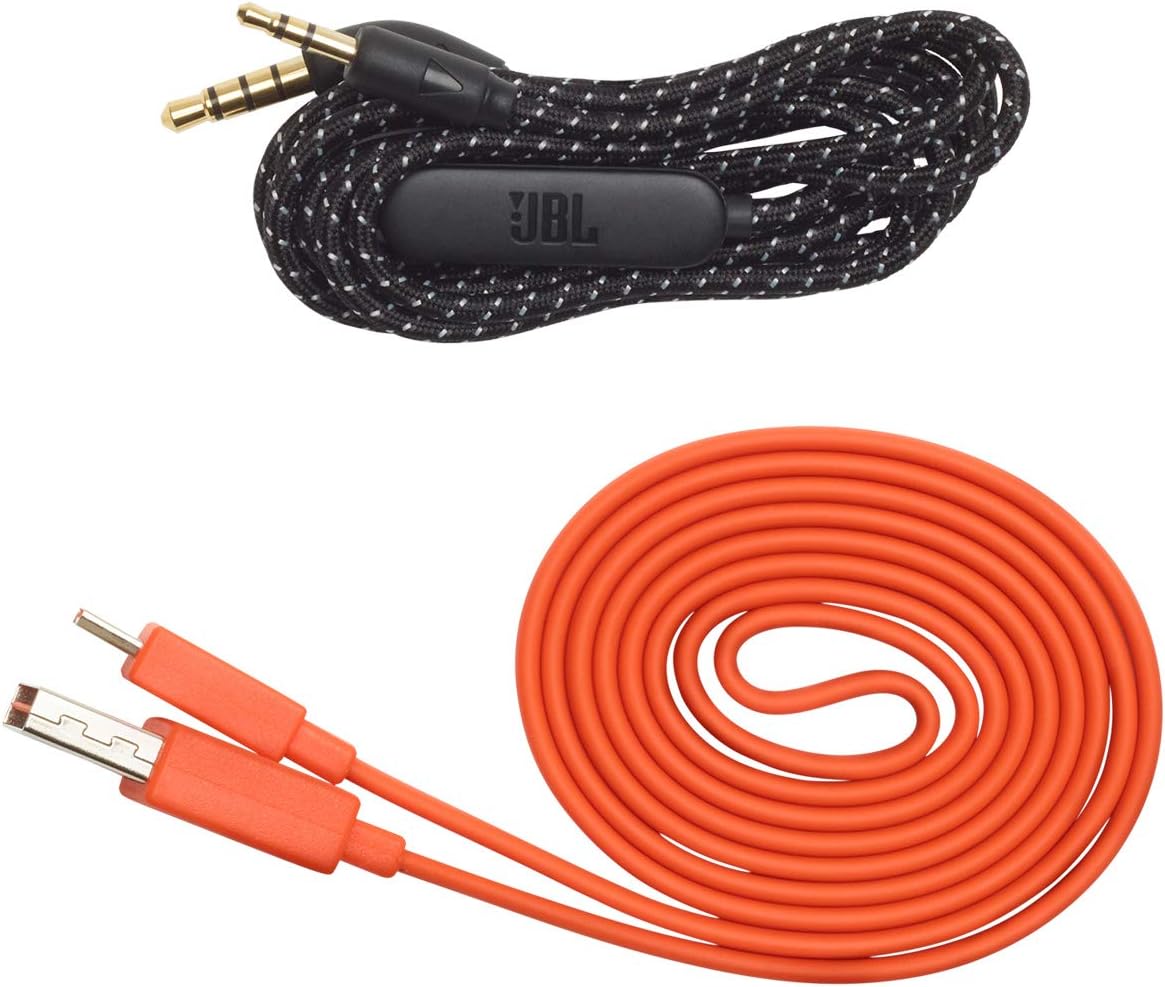
Image: JBL LIVE 400BT headphones shown with the included charging cable and 3.5mm aux cable.
3. Oppsett
3.1. Lading av hodetelefonene
Before first use, fully charge your JBL LIVE 400BT headphones. A full charge provides up to 24 hours of playback. A quick 15-minute charge can provide an additional 2 hours of listening time.
- Koble den medfølgende ladekabelen til ladeporten på hodetelefonene.
- Koble den andre enden av ladekabelen til en USB-strømkilde (f.eks. en veggadapter, datamaskinens USB-port).
- The LED indicator on the headphones will show charging status. It typically turns off or changes color when fully charged.
3.2. Slå på/av
- To power on, slide the power switch located on the right earcup.
- To power off, slide the power switch back to the off position.
3.3. Bluetooth-paring
The JBL LIVE 400BT headphones use Bluetooth 4.0 for wireless connectivity with a range of up to 10 meters.
- Sørg for at hodetelefonene er slått av.
- Slide the power switch to the "on" position and hold it for approximately 3-5 seconds until the LED indicator flashes blue, indicating pairing mode.
- Aktiver Bluetooth på enheten din (smarttelefon, nettbrett, datamaskin) og søk etter tilgjengelige enheter.
- Select "JBL LIVE 400BT" from the list of available devices.
- Når den er koblet til, lyser LED-indikatoren konstant blått.

Image: The right earcup of the JBL LIVE 400BT headphones, highlighting the power switch and LED indicator for Bluetooth pairing.
4. Bruk av hodetelefonene
4.1. Grunnleggende kontroller
The headphones feature intuitive controls on the earcups for managing audio and calls.
- Spill av/pause: Trykk på multifunksjonsknappen én gang.
- Neste spor: Dobbelttrykk på multifunksjonsknappen.
- Forrige spor: Trippeltrykk på multifunksjonsknappen.
- Volum opp/ned: Bruk de dedikerte volumknappene.
- Svar/avslutt samtale: Trykk én gang på multifunksjonsknappen under et innkommende anrop eller et aktivt anrop.
- Avvis anrop: Trykk og hold inne multifunksjonsknappen i 2 sekunder under et innkommende anrop.
4.2. Voice Assistant (Amazon Alexa)
Access Amazon Alexa directly from your headphones. Use the JBL App to set up your voice assistant preference.
- Ensure your headphones are connected to your smartphone via Bluetooth.
- Download and open the JBL Headphones App.
- Follow the in-app instructions to select and configure Amazon Alexa as your voice assistant.
- Once configured, tap the left earcup to activate Alexa and issue commands (e.g., "Play my favorite playlist," "Check the weather").
4.3. Ambient Aware and TalkThru Technology
These features allow you to stay connected to your surroundings or have conversations without removing your headphones.
- Ambient Aware: A touch of the Ambient Aware button (located on the left earcup) increases ambient sound, allowing you to hear what's happening around you while music continues at a lower volume.
- TalkThru: Activate TalkThru mode by pressing the TalkThru button (located on the left earcup). This significantly drops the music volume, enabling clear conversations with others without removing the headphones.
Video: Official JBL demonstration of the LIVE 400BT headphones, highlighting features like JBL Signature Sound, Ambient Aware, TalkThru technology, and voice assistant integration.
4.4. Kablet tilkobling
If the battery runs out or you prefer a wired connection, use the provided 3.5mm audio cable.
- Koble den ene enden av 3.5 mm-lydkabelen til lydkontakten på hodetelefonene.
- Koble den andre enden til lydkildens 3.5 mm-utgang.
- The headphones will function passively, without requiring battery power.
5. Vedlikehold
Proper care ensures the longevity of your JBL LIVE 400BT headphones.
- Rengjøring: Bruk en myk, tørr klut til å rengjøre øreklokkene og hodebøylen. Unngå bruk av sterke kjemikalier eller slipende materialer.
- Lagring: When not in use, store the headphones in a cool, dry place. Avoid extreme temperatures. The headphones are foldable for compact storage.
- Batteripleie: For å spare batterilevetid, unngå å lade hodetelefonene helt ut ofte. Lad dem regelmessig, selv om de ikke er i konstant bruk.
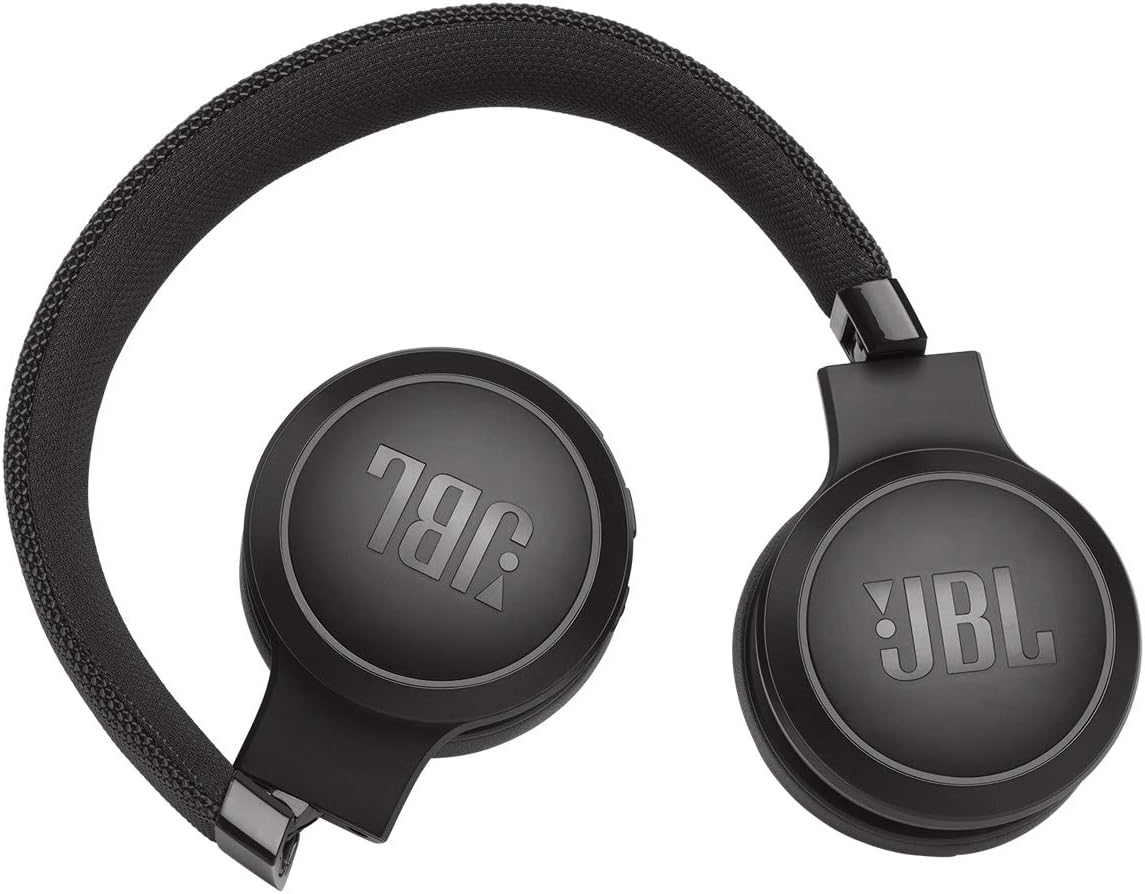
Image: JBL LIVE 400BT headphones shown in a folded position, demonstrating their portability and ease of storage.
6. Feilsøking
If you encounter issues with your JBL LIVE 400BT headphones, refer to the following common solutions.
6.1. No Power / Cannot Turn Off
- Lad batteri: Ensure the headphones are fully charged. A low battery can cause unexpected behavior.
- Strømsyklus: If the headphones are stuck on or cannot be turned off, try connecting them to a charger for a few minutes, then attempt to power off again.
- Fabrikkinnstilling: If the issue persists, a factory reset may resolve it. Consult the JBL support website or the full user manual for specific factory reset instructions for your model, as this often involves a combination of button presses.
6.2. Problemer med Bluetooth-tilkobling
- Sørg for paringsmodus: Verify the headphones are in pairing mode (flashing blue LED).
- Enhetens nærhet: Make sure the headphones are within 10 meters of your Bluetooth device.
- Glem enhet: On your device, "forget" or "unpair" the JBL LIVE 400BT from your Bluetooth settings, then attempt to pair again.
- Start enheter på nytt: Restart both your headphones and the Bluetooth device.
6.3. Ingen lyd eller lavt volum
- Sjekk volumnivåene: Ensure volume is turned up on both the headphones and your connected device.
- Correct Output: Verify that your device is sending audio to the JBL LIVE 400BT.
- Kablet tilkobling: If using the aux cable, ensure it is fully inserted into both the headphones and the audio source.
7. Spesifikasjoner
| Trekk | Spesifikasjon |
|---|---|
| Modellnavn | JBL LIVE 400 - Black (JBLLIVE400BTBLKAM) |
| Merke | JBL |
| Tilkoblingsteknologi | Bluetooth |
| Trådløs kommunikasjonsteknologi | Bluetooth |
| Bluetooth-versjon | 4.0 |
| Bluetooth-rekkevidde | 10 meter |
| Lyddriverstørrelse | 40 millimeter |
| Type lyddriver | Dynamisk driver |
| Frekvensrespons | 20 KHz |
| Følsomhet | 106 dB |
| Impedans | 32 Ohm |
| Batterilevetid | 24 time |
| Ladetid | 2 timer |
| Hodetelefonutgang | 3.5 mm jekk |
| Kontroll Type | Alexa, Touch, Voice Assistant |
| Kontrollmetode | Berør, stemme |
| Støykontroll | Active Noise Cancellation (basic_noise_control) |
| Materiale | Kunstskinn |
| Varevekt | 6.6 unser (185.8 gram) |
| Produktdimensjoner | 8.07 x 2.17 x 8.78 tommer |
| Dato først tilgjengelig | 7. januar 2019 |
8. Garanti og støtte
For warranty information, technical support, or further assistance, please visit the official JBL support webnettstedet eller kontakt kundeservicen deres. Ta vare på kjøpsbeviset for garantikrav.
Du finner ytterligere ressurser og kontaktinformasjon på JBL-butikk på Amazon.


