Introduksjon
This manual provides instructions for the setup, operation, and maintenance of your LG 32QN600-B QHD 32-inch IPS monitor. Please read this manual thoroughly before operating your device to ensure safe and optimal performance. Keep this manual for future reference.
Viktig sikkerhetsinformasjon
Følg alltid grunnleggende sikkerhetsregler når du bruker dette produktet for å redusere risikoen for brann, elektrisk støt og personskade. Dette inkluderer, men er ikke begrenset til:
- Ikke blokker ventilasjonsåpningene.
- Ikke installer i nærheten av varmekilder.
- Beskytt strømledningen fra å bli tråkket på eller klemt.
- Bruk kun vedlegg/tilbehør spesifisert av produsenten.
- Overlat all service til kvalifisert servicepersonell.
Oppsett
1. Pakker ut
Carefully remove all components from the packaging. Ensure all parts listed in the packing list are present and undamaged. Keep packaging materials for future transport or return.
2. Stand Assembly / Wall Mounting
The monitor can be set up using its adjustable Edge-ArcLine stand or mounted to a wall using a VESA compatible mount (100 x 100 mm). Follow the instructions provided with the stand or wall mount kit for proper assembly.

Bilde: Bak view of the LG 32QN600-B monitor with its Edge-ArcLine stand attached. The stand provides stability and allows for tilt and height adjustments.
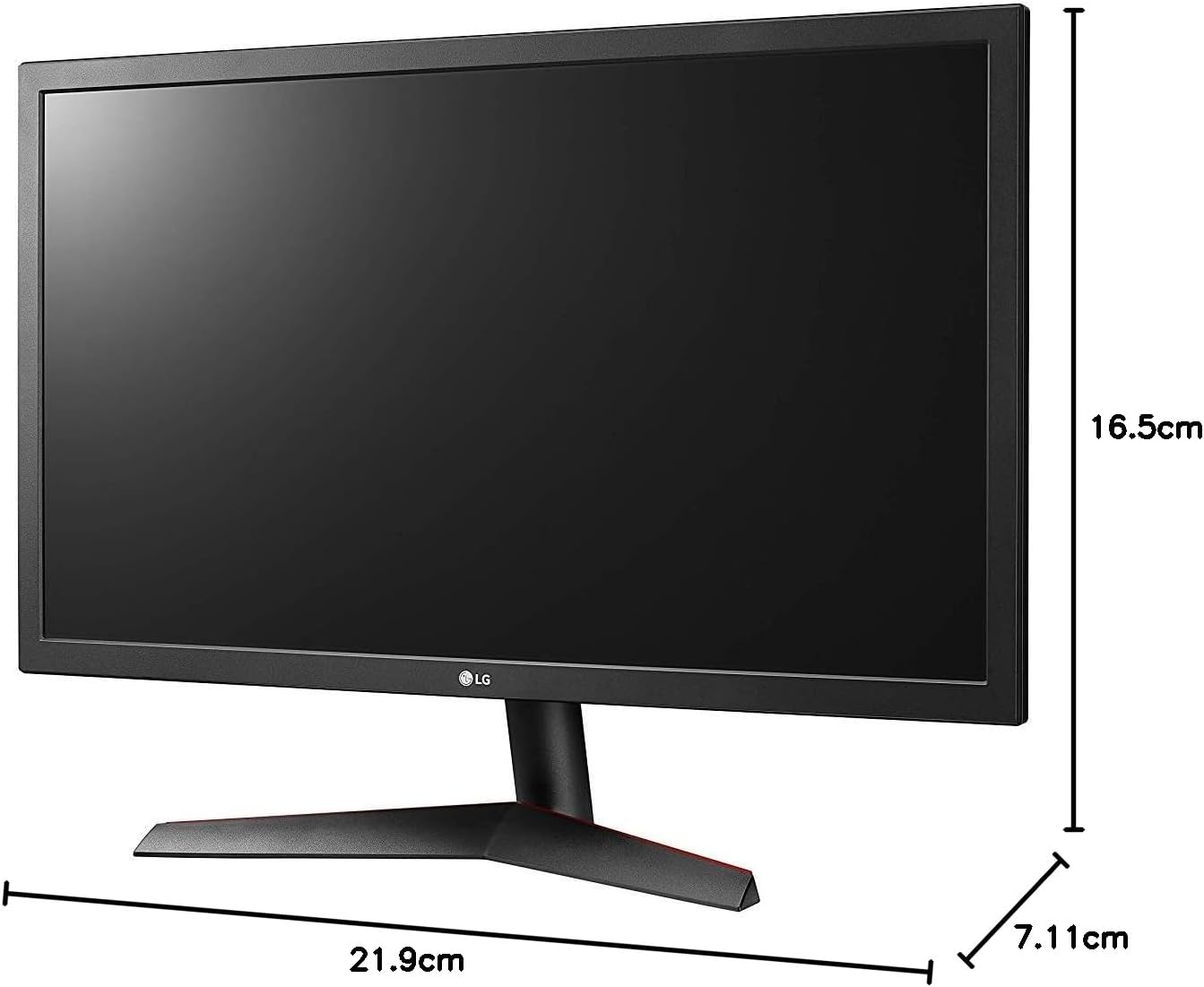
Image: Diagram illustrating the approximate dimensions of a similar LG monitor, showing width, height, and depth. Note: Specific dimensions for the 32QN600-B model are not provided in the available data.
3. Koble til en datamaskin
Connect the monitor to your computer using one of the following cable types. Ensure the monitor and computer are powered off before making connections.
- HDMI-tilkobling: Use an HDMI cable to connect the monitor's HDMI port to the HDMI port on your computer's graphics card. This monitor supports 2 HDMI inputs.
- DisplayPort-tilkobling: Use a DisplayPort cable to connect the monitor's DisplayPort to the DisplayPort on your computer's graphics card. This monitor supports 1 DisplayPort input.

Image: Close-up of the rear panel of the LG 32QN600-B monitor, displaying the available input ports including HDMI and DisplayPort connections.
4. Strømtilkobling
Koble strømadapteren til skjermens strøminngang, og koble deretter strømledningen til en stikkontakt.
Betjene skjermen
1. Slå på/av

Bilde: Foran view of the LG 32QN600-B QHD 32-inch IPS monitor, showing the display and stand.
Press the power button (usually a joystick-style button located on the bottom center of the monitor) to turn the monitor on or off.
2. Menynavigasjon på skjermen (OSD)
OSD-menyen lar deg justere diverse skjerminnstillinger. Bruk joystick-knappen til å navigere i menyen:
- Trykk på joystick-knappen for å åpne hoved-OSD-menyen.
- Beveg joysticken opp/ned/venstre/høyre for å navigere gjennom menyalternativene.
- Trykk på joystick-knappen for å velge et alternativ eller bekrefte en innstilling.
- Flytt joysticken til venstre for å gå ut av en undermeny eller OSD-menyen.
3. Bildeinnstillinger
Juster skjerminnstillingene for optimal viewerfaring:
- Lysstyrke: Kontrollerer skjermens generelle lysstyrke.
- Kontrast: Justerer forskjellen mellom lyse og mørke områder.
- Fargetemperatur: Changes the color warmth or coolness.
- gamma: Adjusts the mid-tone luminance.
4. Spesielle funksjoner
The LG 32QN600-B monitor includes several features to enhance your viewspillopplevelse:
- HDR 10-kompatibilitet: Supports High Dynamic Range content for enhanced contrast and color detail.
- Lesermodus: Reduserer blått lysutslipp for å minimere belastningen på øynene under lange leseøkter.
- Flimmersikker: Virtually eliminates screen flicker to reduce eye fatigue.
- AMD FreeSync: Synchronizes the monitor's refresh rate with compatible AMD graphics cards to reduce screen tearing and stuttering for smoother gameplay.
- Dynamisk handlingssynkronisering (DAS): Minimizes input lag, allowing for quicker responses in fast-paced games.
- Svart stabilisator: Automatically brightens dark areas in games, making it easier to spot objects or enemies hidden in shadows.
Vedlikehold
Rengjøre skjermen
To clean the monitor, ensure it is powered off and unplugged from the power outlet. Use a soft, lint-free cloth lightly dampened with water or a mild, non-abrasive screen cleaner. Do not spray cleaner directly onto the screen. Avoid using harsh chemicals, abrasives, or solvents.
Generell omsorg
Avoid placing heavy objects on the monitor or its cables. Do not expose the monitor to direct sunlight, high humidity, or extreme temperatures. Ensure adequate ventilation around the monitor.
Feilsøking
If you experience issues with your monitor, refer to the following common problems and solutions:
| Problem | Mulig årsak/løsning |
|---|---|
| Ingen strøm | Sørg for at strømledningen er ordentlig koblet til skjermen og en fungerende stikkontakt. Sjekk om strømadapteren fungerer. |
| Ikke noe signal / Blank skjerm | Verify that the video cable (HDMI or DisplayPort) is securely connected to both the monitor and the computer. Ensure the correct input source is selected in the OSD menu. Check if the computer is powered on and not in sleep mode. |
| Bildet er uskarpt eller forvrengt | Adjust the resolution settings on your computer to match the monitor's native resolution (2560 x 1440). Check the video cable for damage. Perform an auto-adjustment or reset picture settings in the OSD menu. |
| Fargene er feil | Adjust color settings (color temperature, gamma) in the OSD menu. Ensure your graphics card drivers are up to date. |
| Skjermriving eller hakking (under spilling) | Ensure AMD FreeSync is enabled on both the monitor (via OSD) and your compatible AMD graphics card settings. |
Hvis problemet vedvarer etter at du har prøvd disse løsningene, kontakt LGs kundestøtte.
Spesifikasjoner
| Modellnavn | LG 32QN600-B |
| Skjermstørrelse | 32 tommer |
| Paneltype | IPS |
| Oppløsning | QHD (2560 x 1440) |
| Aspektforhold | 16:9 |
| HDR-støtte | HDR 10-kompatibel |
| Lysstyrke (typisk) | 350 nits |
| Fargeskala | DCI-P3 90 % (vanlig) |
| Adaptiv synkroniseringsteknologi | AMD FreeSync |
| Tilkobling | 2 x HDMI, 1 x DisplayPort |
| VESA veggfeste | 100 x 100 mm |
| Spesielle funksjoner | Reader Mode, Flicker Safe, Dynamic Action Sync, Black Stabilizer |
| Strøminngang | 100-240 volt |
| Dimensjoner (B x H x D) | Specific dimensions for the 32-inch model are not available in the provided data. |
| Vekt | Specific weight for the 32-inch model is not available in the provided data. |
Garantiinformasjon
LG monitors typically come with a limited manufacturer's warranty. For detailed information regarding your product's warranty period, coverage, and terms and conditions, please refer to the warranty card included with your product or visit the official LG webnettstedet. Ta vare på kjøpsbeviset for garantikrav.
Kundestøtte
For technical assistance, troubleshooting beyond this manual, or service inquiries, please contact LG Customer Support:
- Webnettsted: Besøk den offisielle LG website for support resources, FAQs, and driver downloads.
- Telefon: Se produktdokumentasjonen eller LG webnettsted for regionale kontaktnumre.