1. Introduksjon
This manual provides detailed instructions for the setup, operation, and maintenance of your Marathon Digital Desktop Clock, Model CL030050BK. This compact and versatile digital clock is designed for use on a desk or nightstand, offering time, date, day of the week, and temperature displays, along with a dual alarm function and a button-activated backlight.
2. Produktet er overview

Figur 2.1: Foran view of the Marathon Digital Desktop Clock CL030050BK, showing its large digital display with time, date, day, and temperature.
2.1 Nøkkelfunksjoner
- Large, High-Quality Display: Enhanced contrast for clear legibility.
- Nightowl Super Glow Backlight: Button-activated, gentle blue backlight that illuminates for approximately 10 seconds.
- Dobbel alarmfunksjon: Separate alarm settings for weekdays (Monday-Friday) and weekends (Saturday-Sunday).
- Slumre-knapp: Conveniently located for temporary alarm suspension.
- Flere visningsmoduser: Time in 12 or 24-hour format, temperature in Fahrenheit or Celsius.
- Multilingual Day of Week: Displays the day of the week in seven languages: English, Dutch, French, Spanish, Italian, Danish, and German.
- Kompakt og lett design: Ideal for desktop, nightstand, or travel.
2.2 Pakkeinnhold
- 1 x Marathon Digital Desktop Clock CL030050BK
- 3 x AAA-batterier (inkludert)
- 1 x brukerhåndbok
3. Oppsett
3.1 Installasjon av batteri
- Finn batteridekselet på baksiden av klokken.
- Skyv dekselet nedover for å åpne rommet.
- Insert 3 new AAA batteries, ensuring the correct polarity (+ and -) as indicated inside the compartment.
- Sett på batteridekselet ved å skyve det oppover til det klikker på plass.
3.2 Første gangs strøm på
Upon successful battery installation, the clock display will activate, typically showing a default time and date. It is recommended to perform a reset after battery installation to ensure optimal performance.
3.3 Resetting the Clock
To reset the clock, use a thin, pointed object (like a paperclip) to press the recessed TILBAKESTILL button located on the back of the unit. This will clear all settings and return the clock to its factory defaults.
4. Bruksanvisning
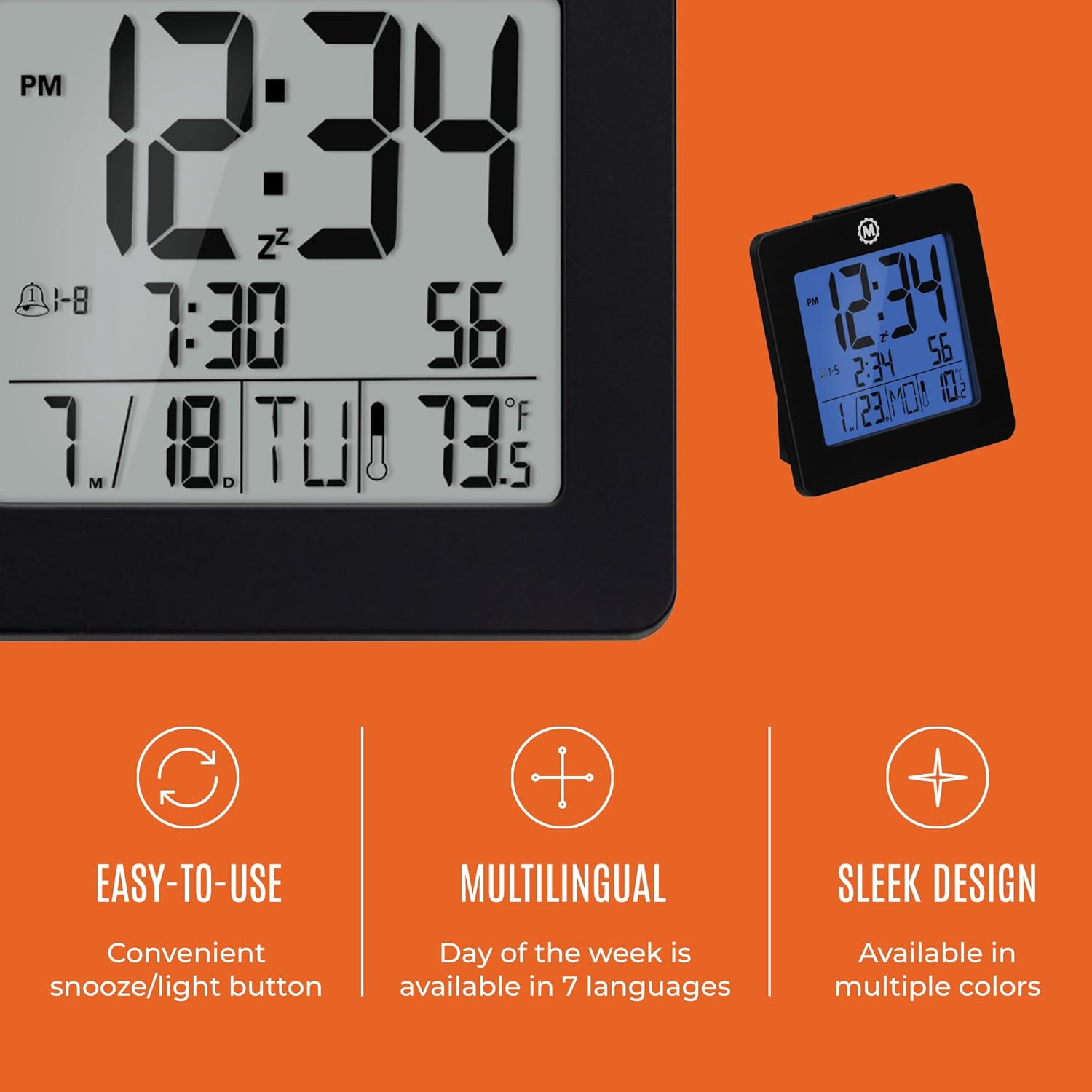
Figur 4.1: Overview of key features and design elements.
4.1 Knappefunksjoner
The clock features several buttons on the back for configuration:
- Veibeskrivelse: Toggles between Time, Alarm, and Timer display modes.
- SETT: Enters setting mode for the currently displayed mode (Time, Alarm, Timer).
- UP / 12/24: In setting mode, increases the value. In time display mode, toggles between 12-hour and 24-hour format.
- DOWN / °C/°F: In setting mode, decreases the value. In time display mode, toggles between Celsius and Fahrenheit temperature units.
- LIGHT / SNOOZE: Activates the backlight for 10 seconds. When the alarm sounds, press to activate snooze.
- NULLSTILLE: Tilbakestiller klokken til fabrikkinnstillinger (krever en spiss gjenstand).
4.2 Stille inn tid og dato
- Trykk på MODUS button until the time is displayed.
- Trykk og hold inne SETT button for approximately 3 seconds until the year flashes.
- Bruk UP or NED knapper for å justere året.
- Pressen SETT to confirm and move to the month setting.
- Repeat steps 3 and 4 to set the month, day, 12/24-hour format, hour, and minute.
- Etter at du har stilt inn minuttene, trykk på SETT for å avslutte modus for innstilling av tid/dato.
4.3 Setting the Day of Week Language
While in time display mode, repeatedly press the UP or NED button to cycle through the 7 available languages for the day of the week display (English, Dutch, French, Spanish, Italian, Danish, German).
4.4 Setting the Temperature Unit
Mens du er i tidsvisningsmodus, trykk på DOWN / °C/°F button to toggle the temperature display between Celsius (°C) and Fahrenheit (°F).
4.5 Setting the Dual Alarm
- Trykk på MODUS button until the alarm time is displayed (indicated by an alarm icon).
- Trykk og hold inne SETT button for approximately 3 seconds until the alarm hour flashes.
- Bruk UP or NED knapper for å justere alarmtiden.
- Pressen SETT to confirm and move to the alarm minute setting.
- Repeat steps 3 and 4 to set the alarm minute.
- Etter at du har stilt inn minuttene, trykk på SETT to select the alarm type: Weekday (1-5) or Weekend (6-7). Use UP or NED å velge.
- Pressen SETT for å bekrefte og avslutte alarminnstillingsmodus.
- For å aktivere/deaktivere alarmen, trykk på UP button while in alarm display mode. An alarm icon will appear/disappear on the screen.
4.6 Using the Snooze and Backlight
Trykk på den store LYS / SNOOZE button on the top of the clock to activate the blue backlight. The backlight will remain illuminated for approximately 10 seconds. If the alarm is sounding, pressing this button will activate the snooze function, temporarily silencing the alarm for a short period before it sounds again.
5. Vedlikehold
- Rengjøring: Tørk av klokken med en myk, tørr klut. Unngå bruk av slipende rengjøringsmidler eller løsemidler.
- Batteribytte: Replace all 3 AAA batteries when the display becomes dim or the clock functions erratically. Always replace with new batteries of the same type.
- Lagring: Hvis klokken skal oppbevares over lengre tid, må du ta ut batteriene for å forhindre lekkasje.
6. Feilsøking
| Problem | Mulig årsak | Løsning |
|---|---|---|
| Skjermen er tom eller svak. | Lave eller døde batterier. | Bytt ut alle 3 AAA-batteriene. |
| Feil tid/dato vises. | Settings were not saved or incorrect. | Perform a reset and re-enter time/date settings as per Section 4.2. |
| Alarmen lyder ikke. | Alarmen er ikke aktivert eller feil innstilt. | Ensure the alarm is activated (alarm icon visible) and the alarm time is correctly set (Section 4.5). |
| Baklyset fungerer ikke. | Low batteries or button malfunction. | Skift batterier. Kontakt kundestøtte hvis problemet vedvarer. |
7. Spesifikasjoner
- Modellnummer: CL030050BK
- Merke: Maraton
- Visningstype: Digital
- Farge: Svart
- Produktdimensjoner: 3.7 cm B x 3.7 cm H
- Varevekt: 5.6 unser
- Strømkilde: Battery Powered (3 x AAA batteries included)
- Materiale: Plast
- Monteringstype: Bordplate
- Spesialfunksjon: Button-activated backlight, dual alarm, temperature display, multilingual day of week.
8. Garanti og støtte
8.1 Garantiinformasjon
This Marathon Digital Desktop Clock CL030050BK comes with a 1 års garanti fra kjøpsdatoen. Denne garantien dekker produksjonsfeil og utførelse ved normal bruk. Den dekker ikke skader forårsaket av feilbruk, ulykker, uautoriserte modifikasjoner eller normal slitasje.
8.2 Kundestøtte
For technical assistance, troubleshooting, or warranty claims, please visit the official Marathon website or contact their customer service department. Please have your model number and proof of purchase ready when contacting support.


