1. Inleiding
This manual provides comprehensive instructions for the LG gram 17 laptop. Please read this manual thoroughly before using your device to ensure proper operation and to prevent damage. Keep this manual for future reference.
Product voorbijview
The LG gram 17 is a lightweight, high-performance laptop featuring a 17-inch WQXGA touchscreen display. It is powered by an Intel Core Ultra 7 processor, offering advanced computing capabilities for both personal and professional use. The device comes with Windows 11 pre-installed and includes a backlit keyboard for enhanced usability.

Image: The LG gram 17-inch display, highlighting its IPS WQXGA (2560 x 1600) resolution, 16:10 aspect ratio, and DCI-P3 99% color gamut.
2. Instellen
Uitpakken en eerste inspectie
- Haal de laptop en alle accessoires voorzichtig uit de verpakking.
- Controleer of alle onderdelen aanwezig zijn: laptop, netadapter en netsnoer.
- Controleer de laptop op zichtbare schade. Neem bij constatering van schade direct contact op met de winkel waar u de laptop heeft gekocht.
De stroomadapter aansluiten
Connect the AC adapter to the laptop's power input port and then plug the power cord into a wall outlet. Ensure the connection is secure.
Eerste inschakeling
Press the power button located on the keyboard to turn on the laptop. Follow the on-screen instructions to complete the initial Windows 11 setup, including language selection, network connection, and user account creation.

Afbeelding: Een gedetailleerde view of the LG gram laptop's side ports, including 1x Micro SD Slot, 2x USB Type A, 1x Kensington Lock Port, 1x Full HDMI 2.0, 2x USB Type C Thunderbolt™ 4, and 1x Headphone Out.
3. Operating the LG gram 17
Het touchscreen gebruiken
The LG gram 17 features a responsive touchscreen display. You can interact with the operating system and applications directly using your fingers or a compatible stylus. Common gestures include tapping, swiping, pinching to zoom, and rotating.
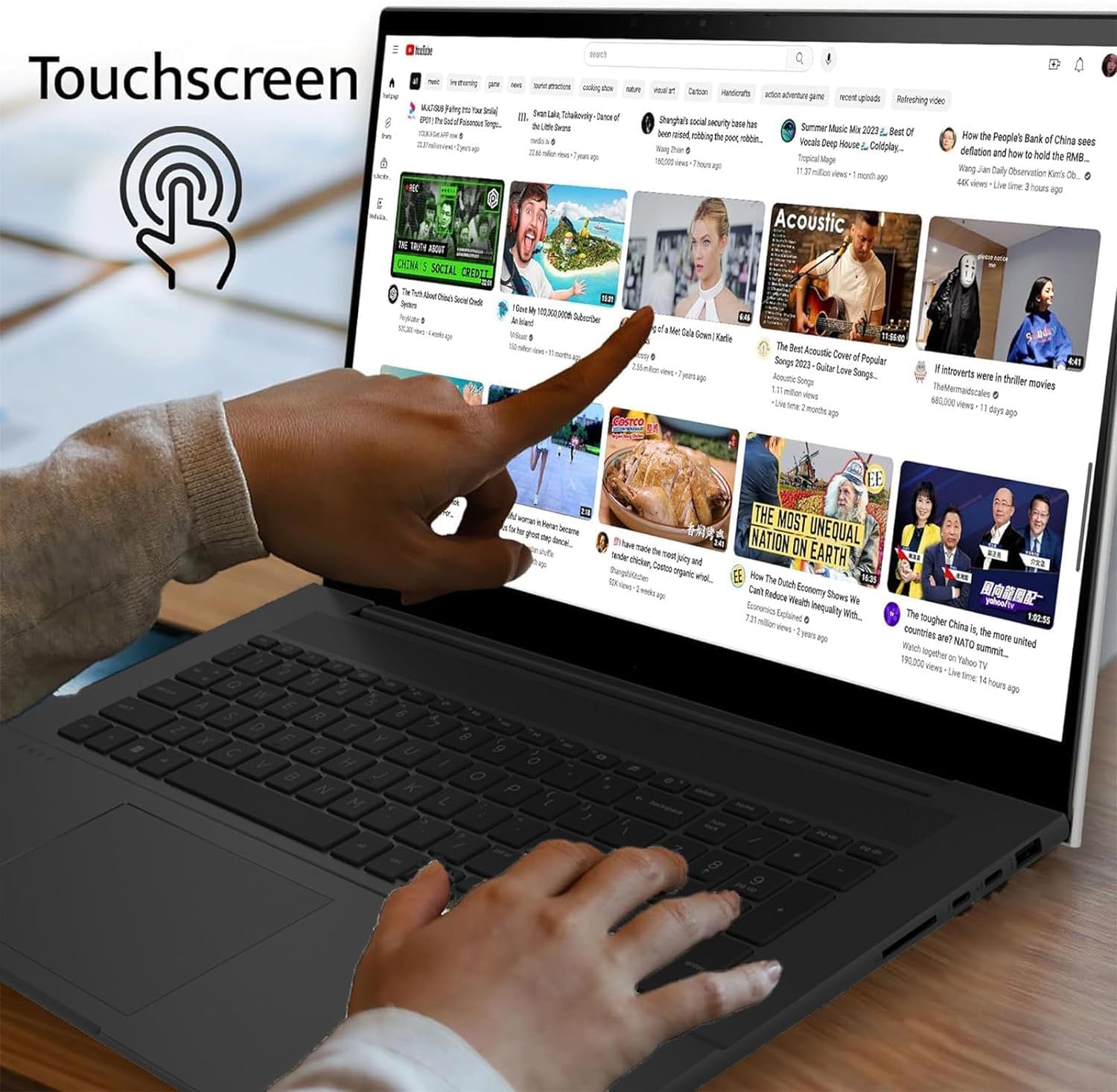
Image: A hand demonstrating touchscreen interaction on the LG gram laptop, showing a finger tapping the display.
Toetsenbord en touchpad
The laptop is equipped with a full-size backlit keyboard and a precision touchpad. The backlit keyboard allows for comfortable typing in various lighting conditions. The touchpad supports multi-touch gestures for navigation and control.

Afbeelding: Een close-up view of the LG gram laptop's backlit keyboard, illustrating the illuminated keys for use in low-light environments.
Windows 11 and AI Copilot
The LG gram 17 runs on Windows 11, offering a modern interface and enhanced productivity features. It is designed as an AI Copilot PC, leveraging the Intel Core Ultra 7 processor's NPU (Neural Processing Unit) for AI-driven tasks, improving performance and efficiency in applications that utilize artificial intelligence.
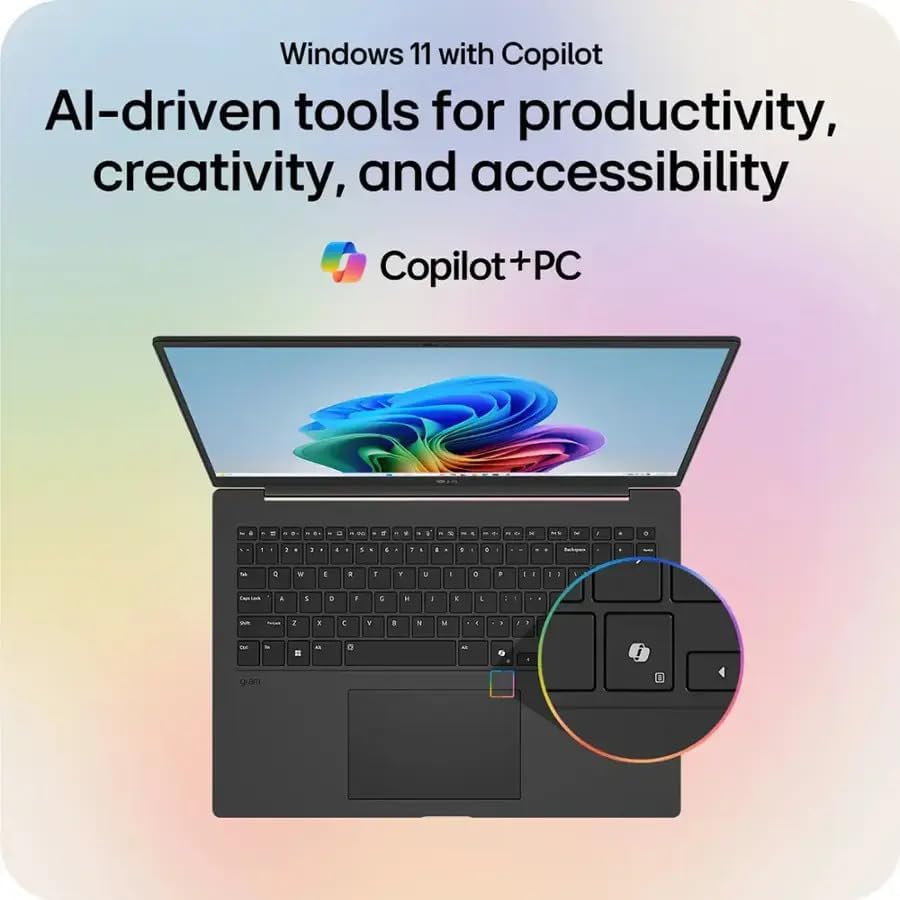
Image: The LG gram laptop screen showing the Windows 11 interface with the Copilot icon highlighted, indicating AI-driven tools for productivity, creativity, and accessibility.

Image: An illustration of the LG gram laptop with a diagram of the Intel Core Ultra processor, emphasizing its AI capabilities with up to 47 TOPS NPU.
4. Specificaties
Below are the detailed technical specifications for the LG gram 17 laptop:
| Functie | Specificatie |
|---|---|
| Modelnaam | LG gram 17 |
| Besturingssysteem | Windows 11 Startpagina |
| Verwerker | Intel Evo Platform Powered by Intel Core Ultra 7 258V Processor (3.7 GHz) |
| Grafisch | Intel Arc Graphics (geïntegreerd) |
| Weergave | 17.3-inch IPS WQXGA (2560 x 1600) Touchscreen, DCI-P3 99% |
| RAM | 32 GB DDR5-RAM |
| Opslag | 2TB PCIe-SSD |
| Draadloze technologie | Intel Wi-Fi 7 + Bluetooth |
| Toetsenbord | Backlit Keyboard; Precision Touch Pad with Scroll and Gesture Function |
| Geluid | 2x Stereo Speakers 1.5W with HD Audio and Atmos |
| Camera | Geïntegreerde HD Webcam with Dual Mics |
| Batterij | Lithium Ion 77WHr Battery, up to 23.5 Hours maximum Battery Run Time |
| Havens | 2x Thunderbolt 4 USB 4.0 Gen 3 Type-C (Power Delivery & DisplayPort), 2x USB 3.2 Gen 2 Type-A, 1x HDMI, 1x Headphone-out, 1x Micro SD Slot, 1x Kensington Lock Port |
| Afmetingen (LxBxH) | 14 x 11 x 0.7 cm (35.56 x 27.94 x 1.78 inch) |
| Gewicht | 3.19 kg (1.45 lbs) |

Image: The LG gram laptop screen displaying a graphic indicating up to 23.5 hours of battery life from its 77Wh battery, based on video playback testing.
5. Onderhoud
De laptop schoonmaken
- Scherm: Gebruik een zachte, pluisvrije doek die lichtjes is schoongemaakt.ampReinig met water of een schermreiniger. Vermijd agressieve chemicaliën.
- Toetsenbord en Casing: Gebruik een zachte, droge doek. Voor hardnekkig vuil een licht damp Een doek kan gebruikt worden. Zorg ervoor dat er geen vloeistof in het apparaat terechtkomt.
Batterijverzorging
- Om de levensduur van de batterij te verlengen, moet u voorkomen dat u de batterij te vaak volledig ontlaadt.
- Bewaar de laptop op een koele, droge plaats als u deze langere tijd niet gebruikt.
- Stel de batterij niet bloot aan extreme temperaturen.
Software-updates
Regularly update your Windows operating system and drivers to ensure optimal performance and security. Windows Update can be accessed through the Settings menu.
6. Probleemoplossing
Veelvoorkomende problemen en oplossingen
- Laptop start niet op: Controleer of de netadapter goed is aangesloten en of het stopcontact werkt. Probeer een ander stopcontact.
- Scherm is leeg: Check if the laptop is powered on. If connected to an external display, ensure the correct display output is selected (Fn + F7 or similar key combination).
- Trage prestaties: Close unnecessary applications. Check for background processes consuming high resources. Ensure sufficient free space on the SSD. Run a system scan for malware.
- Problemen met wifi-connectiviteit: Verify Wi-Fi is enabled. Restart your router and the laptop. Check network settings and ensure drivers are up to date.
- Touchscreen reageert niet: Restart the laptop. Check for any pending system updates or driver updates for the touchscreen.
7. Garantie en ondersteuning
Garantie-informatie
The LG gram 17 laptop typically comes with a standard manufacturer's warranty. For specific details regarding your warranty coverage, including duration and terms, please refer to the warranty card included with your product or visit the official LG support website. Please note that for units with upgraded SSDs, a 1-year standard warranty is provided specifically for the upgraded SSD component.
Klantenservice
For technical assistance, troubleshooting beyond this manual, or warranty claims, please contact LG Customer Support. You can find contact information (phone numbers, email, or online chat) on the official LG website. When contacting support, please have your laptop's model number (LG gram 17) and serial number ready.
Online bronnen: Bezoek de officiële LG website for drivers, FAQs, and additional support documentation.