
1. Inleiding
This manual provides essential instructions for the installation, operation, and maintenance of your EZVIZ CB3 Kit 2K 4G LTE Outdoor Camera. This camera system is designed for outdoor security, offering 2K resolution, 4G LTE connectivity, a 5200mAh battery, and a solar panel for continuous power. Please read this manual thoroughly before using the product to ensure proper function and safety.
2. Inhoud van het pakket
Controleer of alle componenten in uw pakket aanwezig zijn:
- EZVIZ CB3 4G Camera
- Zonnepaneel
- Schroef basis
- Stroomkabel (Type-C)
- Boorsjabloon
- Screw Set
- Snelstartgids (dit document)
3. Instellen
3.1 Eerste keer opladen
Before first use, fully charge the camera's 5200mAh battery using the provided Type-C power cable and a standard USB power adapter (not included). The charging indicator will typically turn solid green when fully charged.
3.2 Plaatsing van de simkaart
The CB3 camera operates on a 4G LTE network. Insert a Nano SIM card (not included) into the designated slot on the camera. Ensure the camera is powered off before inserting or removing the SIM card.
3.3 App-installatie en koppeling
- Download de EZVIZ-app vanuit de app store van je smartphone (iOS of Android).
- Maak een EZVIZ-account aan en log in.
- Zet de camera aan.
- In the EZVIZ app, tap the '+' icon to add a new device. Scan the QR code located on the camera or its packaging.
- Follow the on-screen prompts to complete the pairing process. This will typically involve configuring network settings for the 4G LTE connection.
3.4 De camera en het zonnepaneel monteren
Kies een montageplek die zorgt voor optimale blootstelling van het zonnepaneel aan zonlicht en een vrije doorgang. view for the camera. Use the drilling template and screw set to securely attach the screw base to a wall or tree. Mount the camera onto the base. Connect the solar panel to the camera using the power cable. Ensure the solar panel is angled to receive maximum direct sunlight throughout the day.

Image: The EZVIZ CB3 camera and solar panel are shown mounted on a tree, illustrating how the system protects areas with 4G network coverage. A Nano SIM card is also depicted.

Image: A collage of six images demonstrating the versatility of 4G outdoor security. Scenarios include family farms, vacation homes, recreational vehicles, large backyards, renovation sites, and warehouses.
4. Gebruiksaanwijzing
4.1 4G LTE-connectiviteit
The camera utilizes a 4G LTE network for data transmission, allowing for remote monitoring in locations without Wi-Fi access. Ensure your SIM card has an active data plan for continuous operation.
4.2 2K Resolution and Color Night Vision
The CB3 camera captures video in 2K resolution (1296p) for clear and detailed images. Its F1.6 aperture and integrated spotlight enable vivid color night vision, even in low-light conditions.

Image: A visual comparison demonstrating the enhanced clarity of 2K QHD resolution compared to 1080p, highlighting the crisp view provided by the EZVIZ CB3 camera.
4.3 AI-Powered Person/Vehicle Detection and Active Defense
The camera features intelligent detection capabilities, distinguishing between human and vehicle shapes to reduce false alarms. Upon detection of an intruder, the camera can activate a powerful siren and two spotlights to deter them, while simultaneously sending a push notification to your smartphone.

Image: A smartphone screen displaying the EZVIZ app interface, showing AI-powered detection of both a human figure and a vehicle within the camera's view, indicated by bounding boxes.
4.4 Always-On Video (AOV) Mode
The AOV mode provides continuous 24/7 surveillance with minimal power consumption. It captures images at defined intervals to create a continuous time-lapse video during non-motion periods, switching to normal speed video when human motion is detected. This optimizes battery life while maintaining constant coverage.
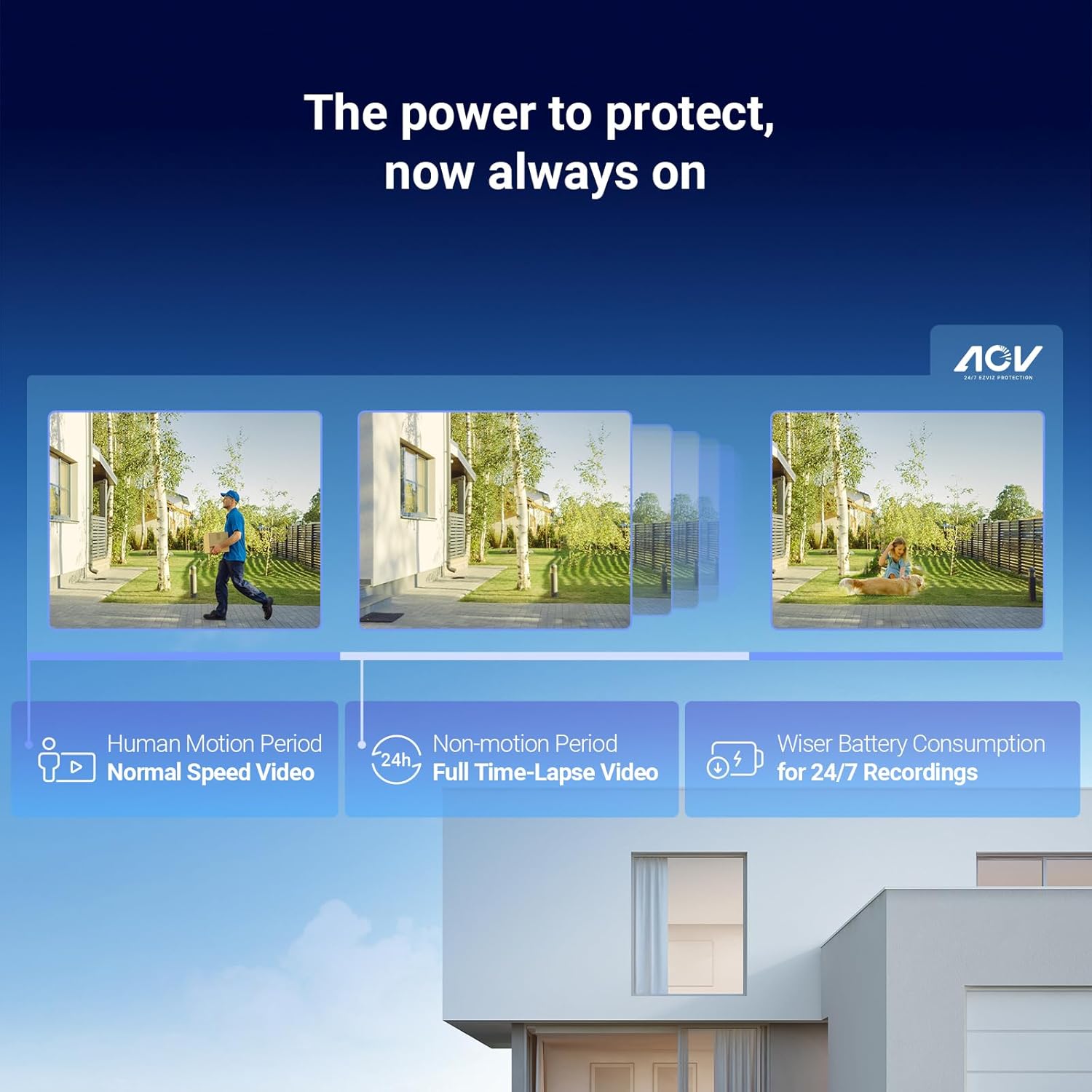
Image: A visual representation of the Always-On Video (AOV) mode, showing how the camera records normal speed video during human motion periods and full time-lapse video during non-motion periods, optimizing battery consumption for 24/7 recordings.
4.5 Tweerichtingsaudio
Communicate directly with visitors or deter intruders using the camera's built-in microphone and speaker. You can also pre-record specific voice messages to be played automatically upon motion detection.
4.6 Flexible Storage Options and H.265 Compression
The camera supports local storage via a microSD card (up to 512GB, not included) or cloud storage through an EZVIZ CloudPlay subscription. Advanced H.265 video compression technology ensures better video quality while reducing bandwidth and storage space requirements by approximately 50%.

Image: A graphic illustrating the flexible storage options available, including a 512GB microSD card and EZVIZ Cloud. It also highlights end-to-end data encryption using AES for data and TLS for transmission.
4.7 Smart Home-integratie
The EZVIZ CB3 camera is compatible with Amazon Alexa and Google Assistant, allowing for voice control and integration into your smart home ecosystem.
5. Onderhoud
5.1 Batterijbeheer
While the solar panel provides continuous charging, in prolonged periods of low sunlight, the camera's battery may require manual charging. Monitor the battery level via the EZVIZ app and recharge as needed using the Type-C cable.
5.2 Reinigen
Regularly clean the camera lens and the surface of the solar panel to ensure optimal performance. Use a soft, damp Gebruik een doek. Vermijd schurende reinigingsmiddelen of oplosmiddelen die de oppervlakken kunnen beschadigen.
5.3 firmware-updates
Keep your camera's firmware updated to ensure the latest features, security patches, and performance improvements. Firmware updates can typically be initiated through the EZVIZ app.
6. Probleemoplossing
6.1 Camera Not Connecting to 4G Network
- Zorg ervoor dat de nanosimkaart correct is geplaatst en een actief data-abonnement heeft.
- Check for 4G signal strength in the camera's location via the EZVIZ app.
- Start de camera opnieuw op.
- Contact your mobile network provider to confirm SIM card activation and data services.
6.2 Batterij raakt snel leeg
- Verify the solar panel is receiving sufficient direct sunlight. Clear any obstructions.
- Adjust detection sensitivity settings in the EZVIZ app to reduce unnecessary recordings.
- Ensure AOV mode is configured correctly for optimal power saving.
- Controleer op overmatige levende view access, which consumes battery.
6.3 No Video Recording
- Check if a microSD card is inserted and properly formatted, or if your CloudPlay subscription is active.
- Zorg ervoor dat bewegingsdetectie is ingeschakeld in de app-instellingen.
- Verify the camera has sufficient battery power or is receiving power from the solar panel.
6.4 Slechte beeldkwaliteit
- Maak de cameralens schoon.
- Zorg ervoor dat de camera stevig is gemonteerd en niet trilt.
- Check the video resolution settings in the EZVIZ app.
7. Specificaties
| Model | CS-CB3/SP (2K,4GA) |
| Oplossing | 2K (1296p) |
| Batterijcapaciteit | 5200mAh (lithium-ion) |
| Connectiviteit | 4G LTE (Nano SIM required) |
| Energiebron | Solar Powered / Type-C USB |
| Nachtzicht | Color Night Vision (with spotlight) |
| Detectie | AI-Powered Person/Vehicle Detection |
| Geluid | Tweerichtingsaudio |
| Opslag | MicroSD (up to 512GB) / EZVIZ CloudPlay |
| Videocompressie | H.265 |
| Afmetingen (camera) | 10x10x10cm |
| Gewicht (Camera) | 880 gram |
| Installatietype | Screw-on / Wall Mount |
| Aanbevolen gebruik | Buitenbeveiliging |
8. Garantie-informatie
EZVIZ products are covered by a limited manufacturer's warranty. For detailed warranty terms and conditions, please refer to the warranty card included with your product or visit the official EZVIZ webwebsite. Bewaar uw aankoopbewijs als aankoopbewijs voor garantieclaims.
9. Ondersteuning
For technical assistance, product inquiries, or further support, please visit the official EZVIZ support website or contact their customer service. You can typically find contact information and FAQs on the EZVIZ webwebsite: