
Invoering
Thank you for choosing the Vieta Pro Way 4 Headband Headphones. These headphones are designed to provide a superior audio experience with advanced features such as Bluetooth 5.4 connectivity, an integrated microphone, a dedicated gaming mode, and dual pairing capabilities. This manual will guide you through the setup, operation, and maintenance of your new headphones.
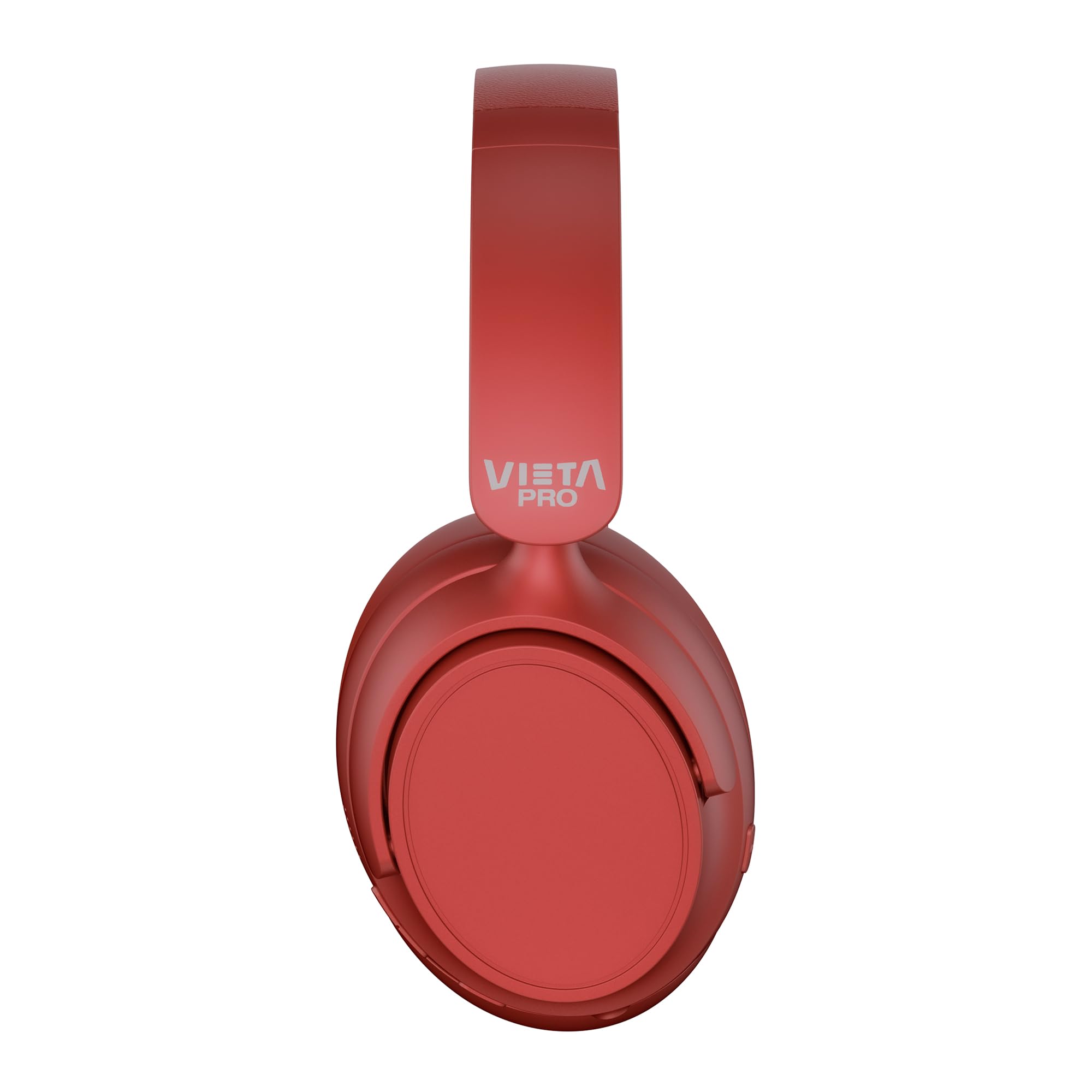
Afbeelding: Voorzijde view of the Vieta Pro Way 4 Headband Headphones in red.
Inhoud van het pakket
Controleer of alle artikelen in het pakket aanwezig zijn:
- Vieta Pro Way 4 Headband Headphones
- USB-oplaadkabel
- 3.5mm Audio Cable with integrated microphone
- Gebruikershandleiding (dit document)
Product voorbijview
Maak uzelf vertrouwd met de verschillende onderdelen en bedieningselementen van uw hoofdtelefoon.

Image: Right earcup with power button, volume controls, USB-C charging port, and 3.5mm audio jack.
- Aan/uit-knop: Wordt gebruikt om het apparaat in/uit te schakelen en de Bluetooth-koppeling te starten.
- Knop Volume omhoog/Volgend nummer: Press briefly to increase volume, press and hold for next track.
- Knop voor volume omlaag/vorige nummer: Press briefly to decrease volume, press and hold for previous track.
- Multifunctionele knop: For play/pause, answer/end calls, activate voice assistant.
- USB-C-oplaadpoort: Om de koptelefoon op te laden.
- 3.5 mm audio-aansluiting: Voor bedrade verbinding met behulp van de meegeleverde audiokabel.
- Geïntegreerde microfoon: For calls and voice assistant commands.

Image: Left earcup and adjustable headband of the Vieta Pro Way 4 headphones.
Instellen
1. De hoofdtelefoon opladen
Laad uw hoofdtelefoon volledig op vóór het eerste gebruik.
- Sluit de USB-oplaadkabel aan op de USB-C-poort van de hoofdtelefoon.
- Sluit het andere uiteinde van de kabel aan op een USB-stroomadapter (niet meegeleverd) of op een USB-poort van een computer.
- The LED indicator will show charging status (e.g., red for charging, blue/off for fully charged).
- Een volledige lading biedt tot 50 uur afspeeltijd.
2. In-/uitschakelen
- Inschakelen: Houd de aan/uit-knop ongeveer 3 seconden ingedrukt totdat het led-lampje knippert.
- Uitschakelen: Houd de aan/uit-knop ongeveer 3 seconden ingedrukt totdat het led-lampje uitgaat.
3. Bluetooth-koppeling
Pair your headphones with your device for wireless audio.
- Zorg ervoor dat de hoofdtelefoon is uitgeschakeld.
- Houd de aan/uit-knop ongeveer 5 tot 7 seconden ingedrukt totdat het ledlampje afwisselend rood en blauw knippert. Dit geeft aan dat de koppelingsmodus actief is.
- Schakel Bluetooth in op uw apparaat (smartphone, tablet, computer) en zoek naar beschikbare apparaten.
- Select "Vieta Pro Way 4" from the list of found devices.
- Na aansluiting zal de LED-indicator langzaam blauw knipperen of continu blauw branden.
4. Dubbele koppeling
The Vieta Pro Way 4 headphones support dual pairing, allowing simultaneous connection to two devices (e.g., phone and computer).
- Pair the headphones with the first device as described in "Bluetooth Pairing".
- Schakel Bluetooth uit op het eerste apparaat. De hoofdtelefoon gaat dan weer in de koppelingsmodus.
- Koppel de hoofdtelefoon met het tweede apparaat.
- Schakel Bluetooth op het eerste apparaat weer in. De hoofdtelefoon zou nu automatisch verbinding moeten maken met beide apparaten.
- Het geluid wordt afgespeeld via het apparaat dat actief aan het zenden is.
5. Bedrade verbinding (Aux-in)
Use the included 3.5mm audio cable for a wired connection. This is useful when the battery is low or for devices without Bluetooth.
- Sluit één uiteinde van de 3.5 mm audiokabel aan op de Aux-in-poort van de hoofdtelefoon.
- Sluit het andere uiteinde aan op de 3.5 mm audio-aansluiting van uw apparaat.
- The headphones will automatically switch to wired mode. The integrated microphone on the cable can be used for calls in this mode.
Gebruiksaanwijzing
Muziek afspelen
- Afspelen/Pauzeren: Druk eenmaal op de multifunctionele knop.
- Volume omhoog: Druk eenmaal op de knop Volume omhoog.
- Volume verminderen: Druk eenmaal op de knop Volume omlaag.
- Volgende nummer: Houd de knop Volume omhoog ingedrukt.
- Vorig nummer: Houd de knop Volume omlaag ingedrukt.
Call Management
- Oproep beantwoorden/beëindigen: Druk eenmaal op de multifunctionele knop.
- Oproep afwijzen: Houd de multifunctionele knop 2 seconden ingedrukt.
- Laatste nummer opnieuw kiezen: Dubbelklik op de multifunctionele knop.
Spraakassistent
- Activeer spraakassistent (Siri, Google Assistent, enz.): Druk driemaal op de multifunctionele knop.
Gamemodus
Activate Gaming Mode to reduce Bluetooth latency for an optimized gaming experience.
- Activate/Deactivate Gaming Mode: Press the Power button twice quickly. The headphones will provide an audio cue.
Onderhoud
- Schoonmaak: Veeg de hoofdtelefoon af met een zachte, droge doek. Gebruik geen schuurmiddelen of oplosmiddelen.
- Opslag: Store the headphones in a cool, dry place. The foldable design allows for compact storage.
- batterij zorg: Om de batterijduur te verlengen, moet u voorkomen dat u de hoofdtelefoon regelmatig volledig ontlaadt. Laad hem regelmatig op.
- Waterbestendigheid: Deze hoofdtelefoon is niet waterdicht. Vermijd blootstelling aan water of overmatige vochtigheid.

Image: The Vieta Pro Way 4 headphones in their foldable configuration, demonstrating portability.
Probleemoplossing
| Probleem | Mogelijke oorzaak | Oplossing |
|---|---|---|
| De koptelefoon gaat niet aan. | Batterij bijna leeg. | Laad de hoofdtelefoon volledig op. |
| Koppelen via Bluetooth is niet mogelijk. | Hoofdtelefoon niet in koppelingsmodus; Bluetooth uitgeschakeld op apparaat; te ver van apparaat. | Ensure headphones are in pairing mode (flashing red/blue). Enable Bluetooth on your device. Move headphones closer to the device (within 10 meters). |
| Geen geluid of zacht volume. | Volume too low on headphones or device; incorrect audio source selected; headphones not connected. | Increase volume on both headphones and device. Check Bluetooth connection or 3.5mm cable connection. Ensure the correct audio output is selected on your device. |
| Microfoon werkt niet. | Microphone muted on device; incorrect input device selected; issue with 3.5mm cable microphone. | Check device settings to ensure microphone is not muted and "Vieta Pro Way 4" is selected as input. If using wired connection, ensure the cable's microphone is enabled/functional. |
| Audio delay in games. | Gaming Mode is not activated. | Activate Gaming Mode by double-pressing the Power button. |
Specificaties
| Modelnaam | Vieta Pro Manier 4 |
| Modelnummer | Stilte 3 |
| Connectiviteit | Bluetooth 5.4, 3.5 mm Aux-in |
| Levensduur van de batterij | Tot 50 uur |
| Microfoon | Integrated (for Bluetooth), In-line (for 3.5mm cable) |
| Speciale kenmerken | Gaming Mode, Dual Pairing, Foldable Design, Passive Noise Reduction |
| Impedantie | 32 Ohm |
| Plaatsing van de oren | Over-ear (circumauraal) |
| Materiaal | Plastic |
| Waterbestendigheid | Niet waterdicht |
| Compatibele apparaten | Mobile devices, computers, game consoles |
Garantie en ondersteuning
For warranty information and technical support, please refer to the warranty card included in your product packaging or visit the official Vieta Pro webplaats.
Bewaar uw aankoopbewijs voor eventuele garantieclaims.