
1. Inleiding
This manual provides essential information for the installation, operation, maintenance, and troubleshooting of your SIEMENS iQ700 SN87TX02CE fully integrated dishwasher. Designed for efficiency and quiet performance, this appliance features advanced technologies such as Zeolite drying, Home Connect integration, and flexible basket systems to ensure optimal cleaning results and user convenience.
Please read this manual thoroughly before using the appliance for the first time to ensure safe and correct operation.
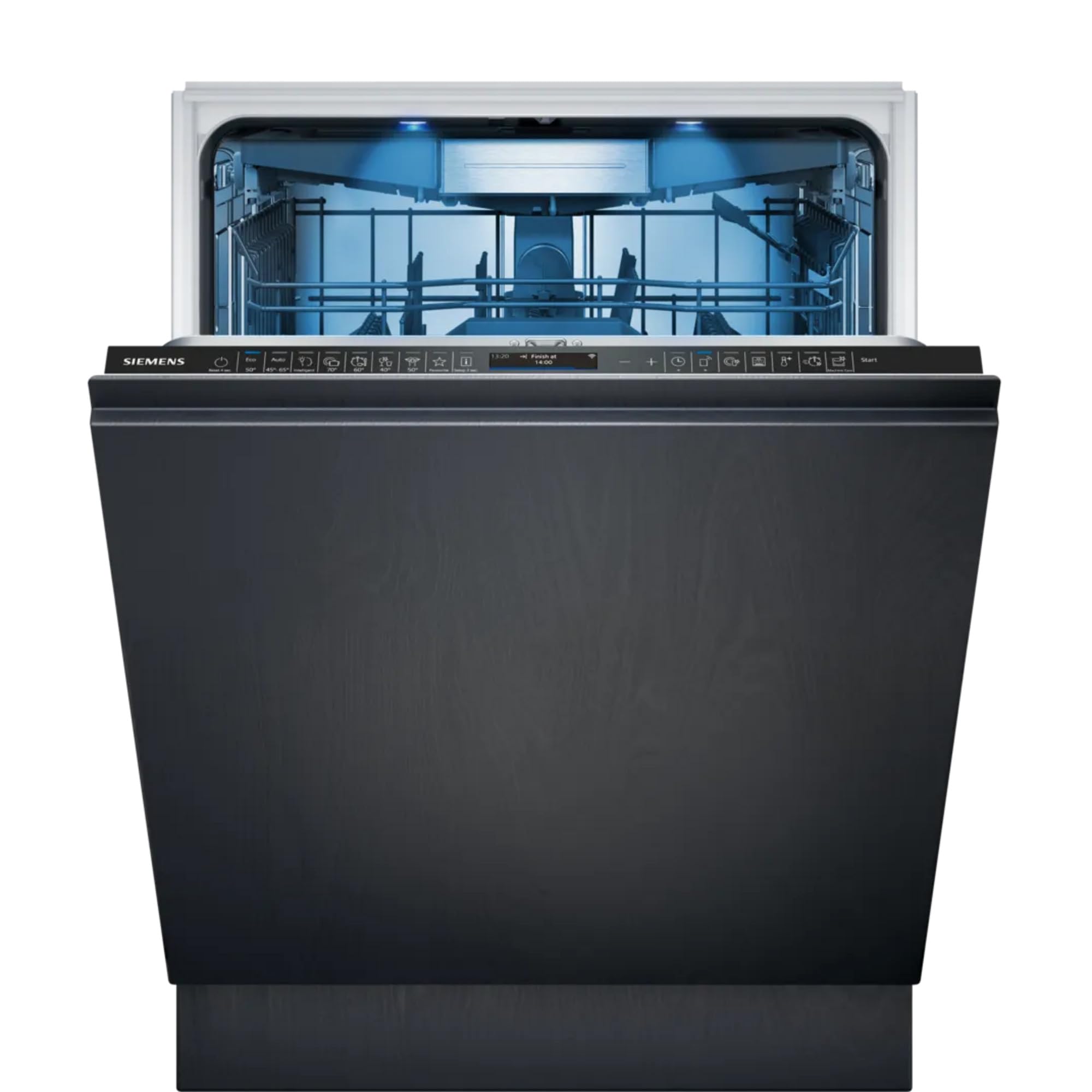
Image 1.1: The SIEMENS iQ700 SN87TX02CE fully integrated dishwasher.
2. Veiligheidsinformatie
Houd u altijd aan de volgende veiligheidsrichtlijnen om letsel of schade aan het apparaat te voorkomen:
- Elektrische veiligheid: Zorg ervoor dat de vaatwasser goed geaard is. Gebruik geen verlengsnoeren. Schakel de stroom uit voordat u onderhoud of reparaties uitvoert.
- Waterveiligheid: The AquaStop® system provides protection against water damage. Regularly check hoses for leaks or damage.
- Veiligheid voor kinderen: This appliance includes a child safety lock. Keep children away from the dishwasher, especially when it is operating or contains detergent.
- Wasmiddel en glansspoelmiddel: Use only detergents and rinse aids specifically designed for automatic dishwashers. Store them out of reach of children.
- Scherpe voorwerpen: Laad scherpe voorwerpen (messen, vorken) met de handvatten omhoog om verwondingen te voorkomen.
- Installatie: De installatie moet worden uitgevoerd door een gekwalificeerde professional.
3. Installatie en installatie
The SIEMENS iQ700 SN87TX02CE is a fully integrated dishwasher designed to blend seamlessly with your kitchen cabinetry. Professional installation is highly recommended to ensure correct fitting, electrical connection, and water supply/drainage.
3.1 Afmetingen en plaatsing
- Hoogte: 81.5cm
- Breedte: 59.8cm
- Diepte: 55.0cm
Ensure adequate space for ventilation and access for maintenance. The appliance should be installed on a stable, level surface.
3.2 Initiële controles
- Verify all transport packaging has been removed.
- Check that the water inlet and drain hoses are securely connected and free from kinks.
- Ensure the electrical connection meets local regulations and the appliance's requirements (240 Volts).
- Fill the salt reservoir and rinse aid dispenser as per the instructions in the full user manual.
4. Gebruiksaanwijzing
Your dishwasher features intuitive touch controls and smart functionalities for effortless operation.
4.1 Configuratiescherm voorbijview

Image 4.1: Touch control panel with program selection and display.
The touch control panel allows you to select programs, adjust settings, and monitor the cycle status. The high-resolution TFT display provides clear text information.
4.2 De vaatwasser inladen
The flexComfort Pro basket system, vario Pro drawer, and rackMatic adjustable upper basket provide maximum flexibility for loading various types of dishes.
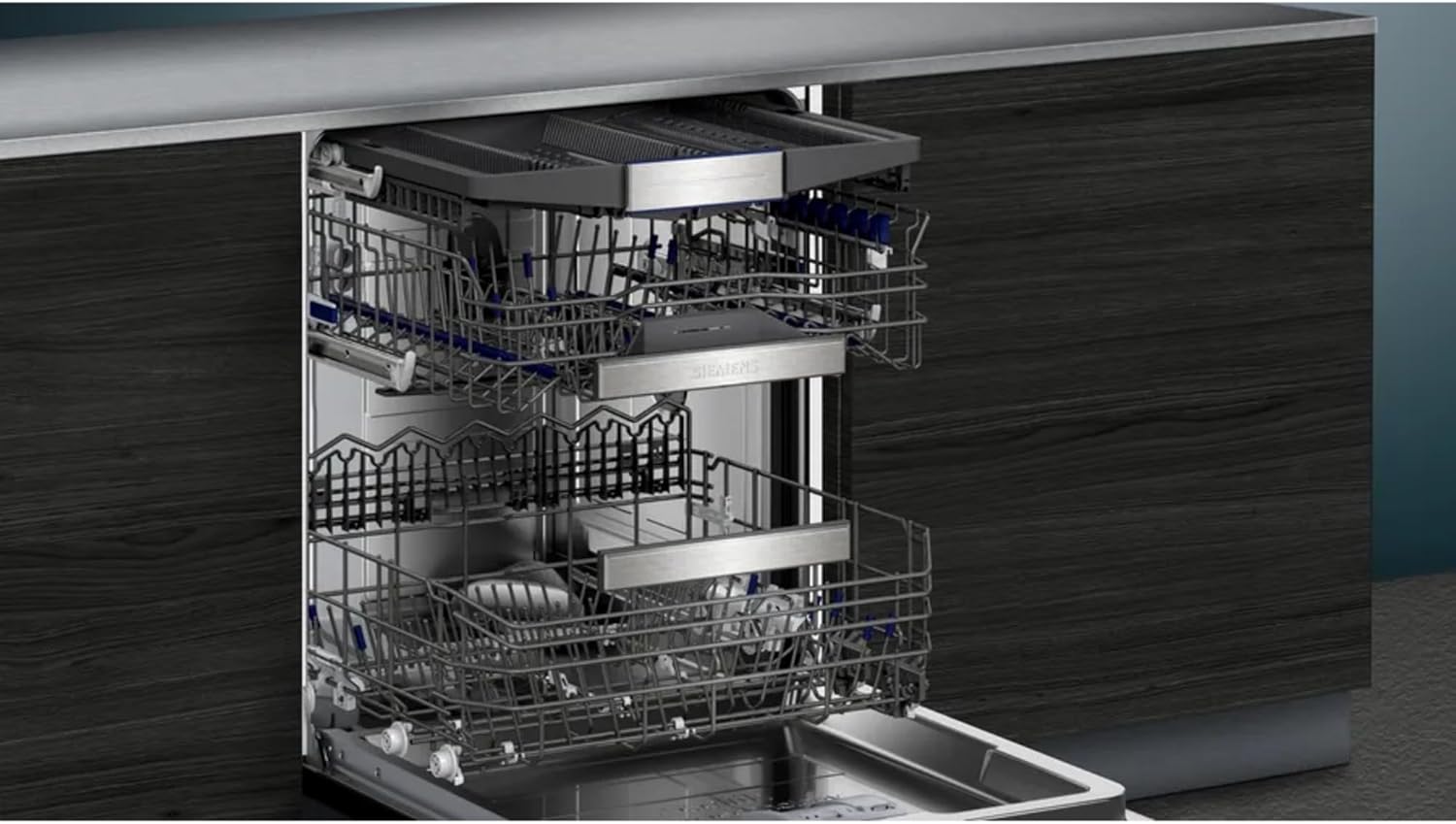
Image 4.2: Flexible basket system with adjustable upper basket.
- Vario Pro Drawer: Use this dedicated drawer for cutlery, small cups, and utensils.
- RackMatic: The upper basket can be adjusted to three different heights to accommodate taller items in either the upper or lower basket.
- GlassZone: This area in the lower basket features special non-slip elements to securely hold delicate glasses.
- Onderste mand: Load larger plates, bowls, and pots. Foldable tines allow for flexible loading.

Image 4.3: Vario Pro cutlery drawer.

Image 4.4: GlassZone for secure glass placement.
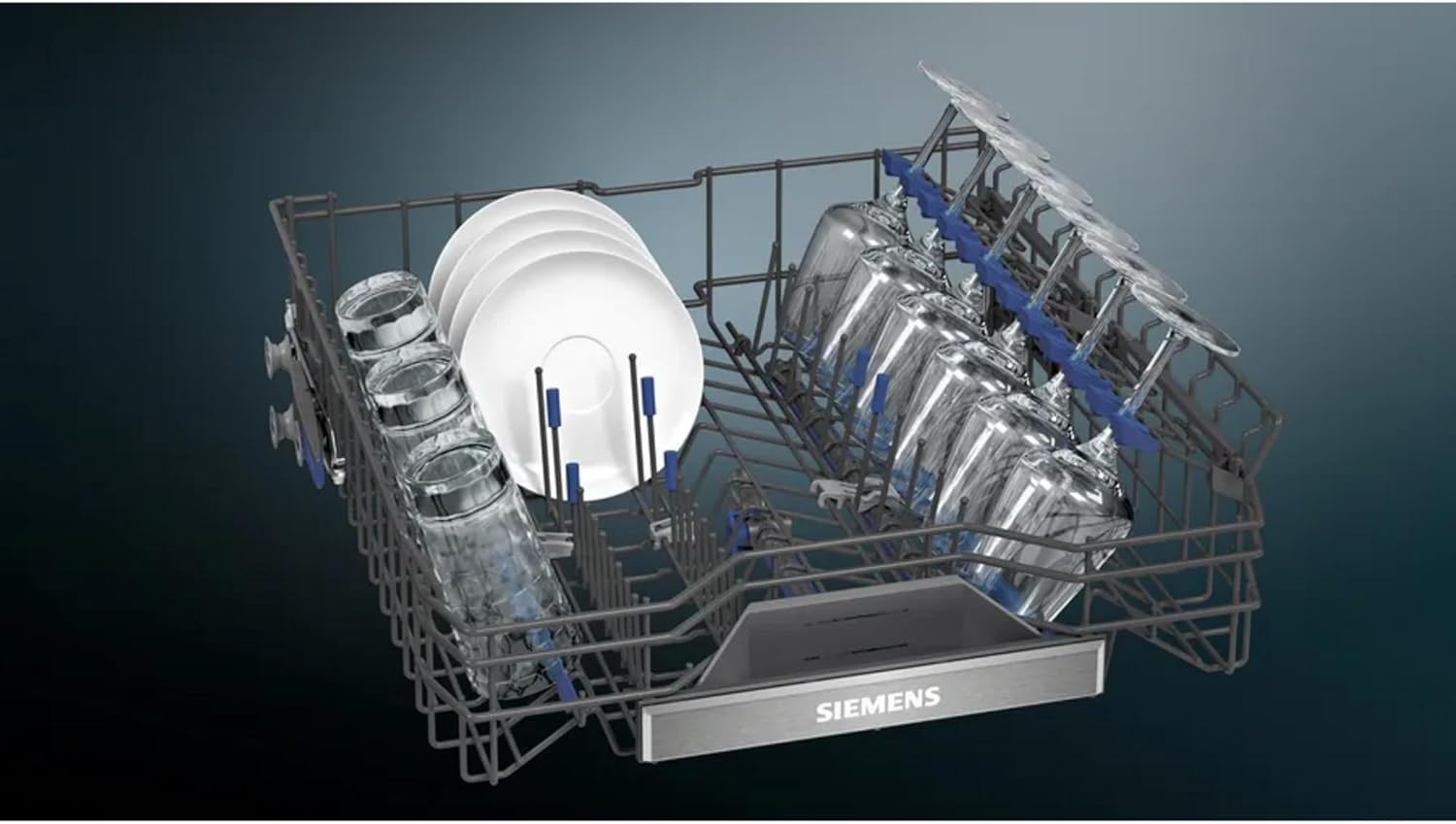
Image 4.5: Lower basket with flexible loading options.
4.3 Program Selection and Smart Features
Select from various wash programs, including a sensor wash option. The dishwasher offers 12 optional cycles.
- Home Connect-app: Control your dishwasher remotely, select programs, and activate special functions like Quick S (for faster cycles) and Silence on Demand (to reduce noise levels) via your smartphone.
- AutoOpen Dry: This feature, combined with the heat exchanger, ensures efficient and gentle drying, even for plastic items.
- Dosage Assistant & Automatic Cleaner: These functions ensure optimal detergent distribution for superior cleaning results.
- AquaSensor & iQdrive Motor: Innovative technology and a durable motor ensure powerful cleaning, tackling even stubborn stains.

Image 4.6: TimeLight projection on the floor.

Image 4.7: Dishwasher interior during a wash cycle.
5. Onderhoud en verzorging
Regular maintenance ensures the longevity and optimal performance of your SIEMENS dishwasher.
- Het interieur schoonmaken: Periodically wipe down the interior with a damp Gebruik een doek. Voor hardnekkige vlekken kunt u een vaatwasmachinereiniger gebruiken.
- Filtersysteem: Check and clean the filter system regularly to prevent blockages and ensure effective cleaning. Refer to the full manual for detailed instructions on filter removal and cleaning.
- Zout en glansspoelmiddel: Monitor the indicator lights for salt and rinse aid. Refill as needed to ensure proper water softening and streak-free drying.
- Sproeiarmen: Ensure the spray arm nozzles are not blocked by food particles. Clean them if necessary.
- Buitenreiniging: Veeg de buitenoppervlakken af met een zachte, damp doek. Gebruik geen schurende schoonmaakmiddelen.
6. Probleemoplossing
Before contacting customer service, consult this section for common issues and their solutions.
- Dishes Not Clean: Check filter cleanliness, ensure spray arms are not blocked, verify proper loading, and confirm sufficient detergent and rinse aid.
- Dishes Not Dry: Ensure rinse aid dispenser is full. Select a program with Zeolite drying or activate the autoOpen Dry function. Avoid overloading.
- Ongebruikelijk geluid: Check for items obstructing the spray arms or loose dishes in the baskets. Ensure the dishwasher is level.
- Foutcodes: If an error code appears on the display, refer to the comprehensive troubleshooting guide in the full user manual or contact customer support.
- Waterlekkage: Check hose connections and the AquaStop® system. If leakage persists, disconnect power and water supply and contact service.
7. Specificaties
Key technical specifications for the SIEMENS iQ700 SN87TX02CE dishwasher:
| Functie | Specificatie |
|---|---|
| Modelnummer | SN87TX02CE |
| Installatietype | Volledig geïntegreerd |
| Afmetingen (H x B x D) | 81.5 cm x 59.8 cm x 55.0 cm |
| Gewicht | 42.6 kg |
| Energie-efficiëntieklasse | A |
| Noise Level (Standard Program) | 42 dB(A) |
| Capaciteit | 14 Plaatsinstellingen |
| Droogtechnologie | Zeolite Drying, autoOpen Dry |
| Controletype | Aanraken |
| Weergave | LED / TFT with clear text |
| Connectiviteit | Home Connect-app |
| Waterverbruik per cyclus | 9.5 liter |
| Energieverbruik per 100 cycli | 54 kWh |
| Deeltage | 240 Volt |
| Meegeleverde componenten | Cutlery drawer, glassZone, openAssist |
8. Garantie-informatie
Your SIEMENS iQ700 SN87TX02CE dishwasher comes with a manufacturer's warranty. The specific terms and duration of the warranty may vary by region and retailer. Please retain your proof of purchase and refer to the warranty card included with your appliance or visit the official SIEMENS webVoor gedetailleerde garantie-informatie die van toepassing is op uw locatie, kunt u terecht op de website.
9. Klantenservice
For further assistance, technical support, or to schedule a service appointment, please contact SIEMENS customer service. You can find contact details on the official SIEMENS webwebsite of in de documentatie die bij uw apparaat is geleverd.
When contacting support, please have your appliance's model number (SN87TX02CE) and serial number ready. This information is typically found on the rating plate located on the inside of the dishwasher door.