
1. Inleiding
de Octagon SF8008 UHD 4K Supreme Combo receiver is a versatile multimedia device designed for high-definition television reception and advanced media functionalities. This receiver supports DVB-S2X, DVB-C, and DVB-T2 standards, offering a wide range of tuning options. It features a powerful processor, dual operating systems (E2 Linux and Define OS), and an integrated M.2 interface for internal storage, including a pre-installed 2TB HDD in this specific model. This manual provides essential information for setting up, operating, and maintaining your receiver.
2. Veiligheidsinformatie
- Ensure the receiver is placed on a stable, flat surface with adequate ventilation.
- Stel het apparaat niet bloot aan vocht, regen of extreme temperaturen.
- Use only the provided power adapter. Disconnect power during thunderstorms or when unused for extended periods.
- Open de ontvanger niet.asing. Laat alle onderhoudswerkzaamheden over aan gekwalificeerd personeel.
- Keep the remote control batteries out of reach of children.
3. Inhoud van het pakket
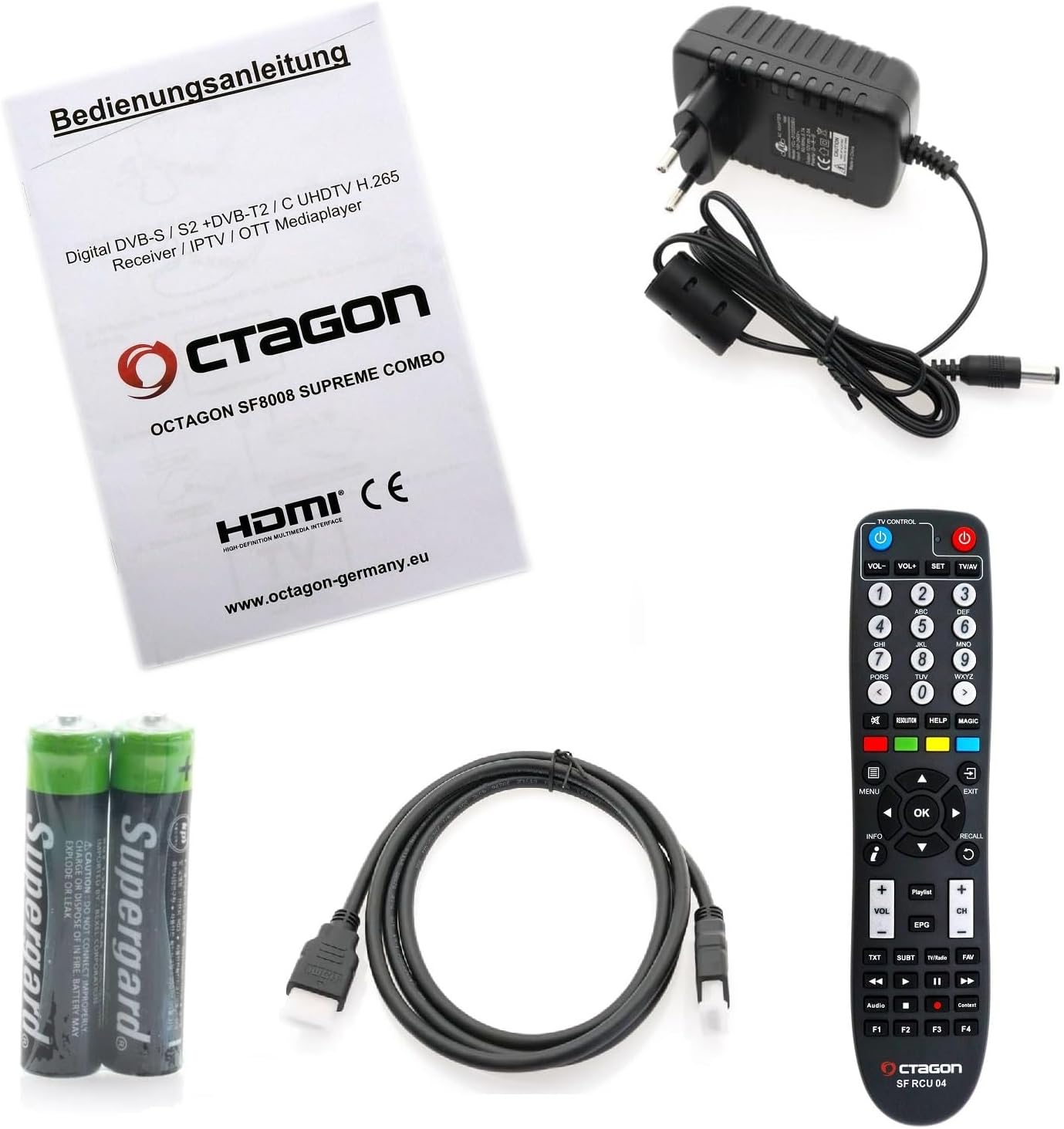
Controleer of alle artikelen in het pakket aanwezig zijn:
- Octagon SF8008 UHD 4K Supreme Combo Receiver with 2TB Internal HDD
- Afstandsbediening (SF RCU 04)
- Stroomadapter
- HDMI-kabel
- 2x AAA-batterijen (voor afstandsbediening)
- Gebruikershandleiding (dit document)
4. Product voorbijview
4.1 Voorpaneel
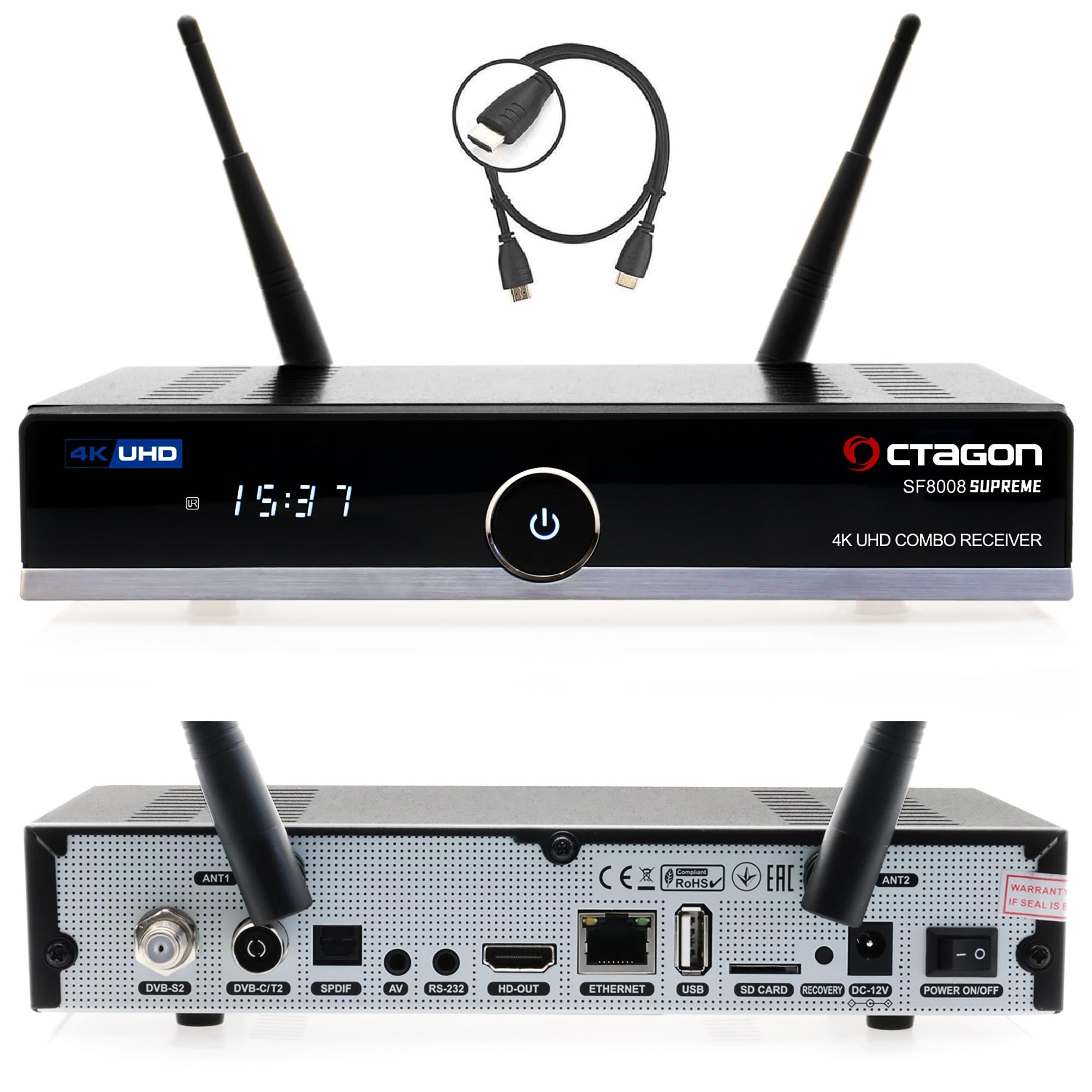
- Aan/uit-knop: Schakelt het apparaat in/uit.
- 7-segmentendisplay: Shows time or channel information.
- LED-indicator: Indicates operational status (red for standby, blue for active).
- IR-sensor: Ontvangt signalen van de afstandsbediening.
- USB 3.0-poort: Voor het aansluiten van externe opslagapparaten.
- CA Card Slot: Voor het invoegen van toegangskaarten met voorwaardelijke toegang.
4.2 Achterpaneel

- LNB-ingang: For satellite antenna connection (DVB-S2X).
- DVB-C/T2-ingang: Voor kabel- of aardantenneaansluiting.
- Dolby S-PDIF: Digitale audio-uitgang.
- AV-aansluiting: Audio/Video output (jack to RCA cable required).
- RS-232-poort: For maintenance and service.
- Wi-Fi-antennes (2x): Voor draadloze netwerkconnectiviteit.
- HDMI 2.0a-uitgang: Maakt verbinding met uw tv of beeldscherm.
- USB 2.0-poort: For additional external devices.
- Gigabit LAN (1000 Mbps): Bekabelde netwerkverbinding.
- MicroSD-slot: Voor externe geheugenkaarten.
- Resetknop: Voor het resetten van het systeem.
- DC 12V ingangsvermogen: Wordt aangesloten op de voedingsadapter.
- Aan / uit schakelaar: Hoofdstroom aan/uit.
4.3 Internal Components (M.2 SSD Slot)
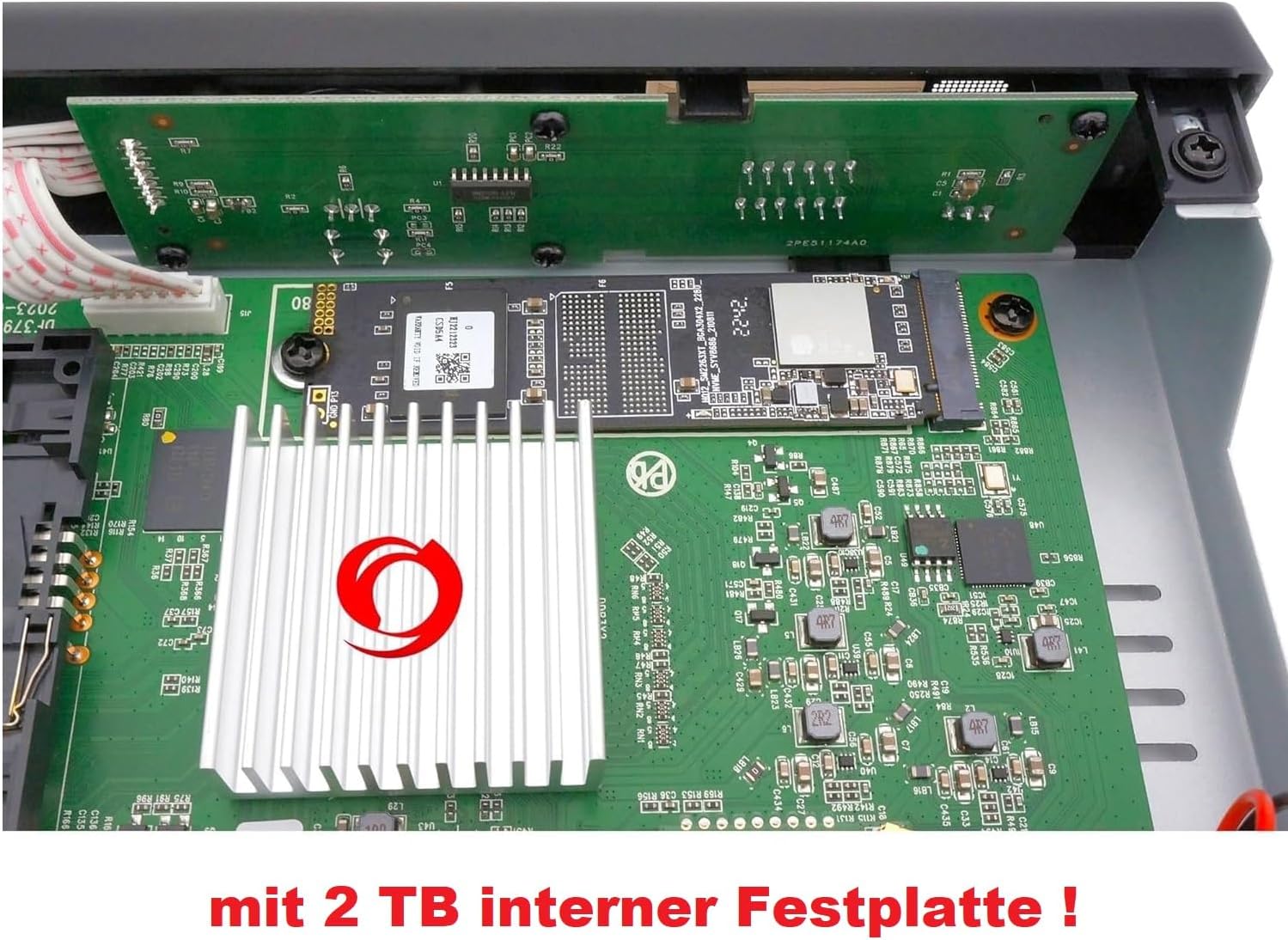
de Octagon SF8008 Supreme Combo features an internal M.2 slot (M Key - PCIe NVMe) for SSD installation, providing fast and silent storage for recordings and media. This model comes with a 2TB internal HDD pre-installed.
5. Instellen
5.1 De ontvanger aansluiten
- Antennekabels aansluiten: Connect your satellite dish cable to the DVB-S2X LNB input and your terrestrial/cable antenna to the DVB-C/T2 input on the rear panel.
- Aansluiten op tv: Gebruik de meegeleverde HDMI-kabel om de HDMI 2.0a-uitgang van de receiver aan te sluiten op een HDMI-ingang van uw televisie.
- Netwerkverbinding: For internet access, connect an Ethernet cable to the Gigabit LAN port or ensure the Wi-Fi antennas are attached for wireless connection.
- Stroomaansluiting: Connect the power adapter to the DC 12V input on the receiver, then plug the adapter into a power outlet.
- Batterijen plaatsen: Open het batterijcompartiment van de afstandsbediening en plaats de twee AAA-batterijen, let daarbij op de polariteit.
5.2 Eerste configuratie
Upon first power-on, the receiver will guide you through an initial setup wizard. This typically includes:
- Taalselectie: Choose your preferred language for the user interface.
- Video-uitvoerinstellingen: Configure resolution and display settings to match your TV.
- Tunerconfiguratie: Set up your DVB-S2X, DVB-C, and DVB-T2 tuners according to your signal source. This may involve selecting satellite, transponder, or scanning for channels.
- Netwerkopzet: Configure your wired or wireless network connection.
- Tijd en datum: Stel de juiste tijdzone in en synchroniseer de klok.
6. Gebruiksaanwijzing
6.1 Basisbediening met afstandsbediening
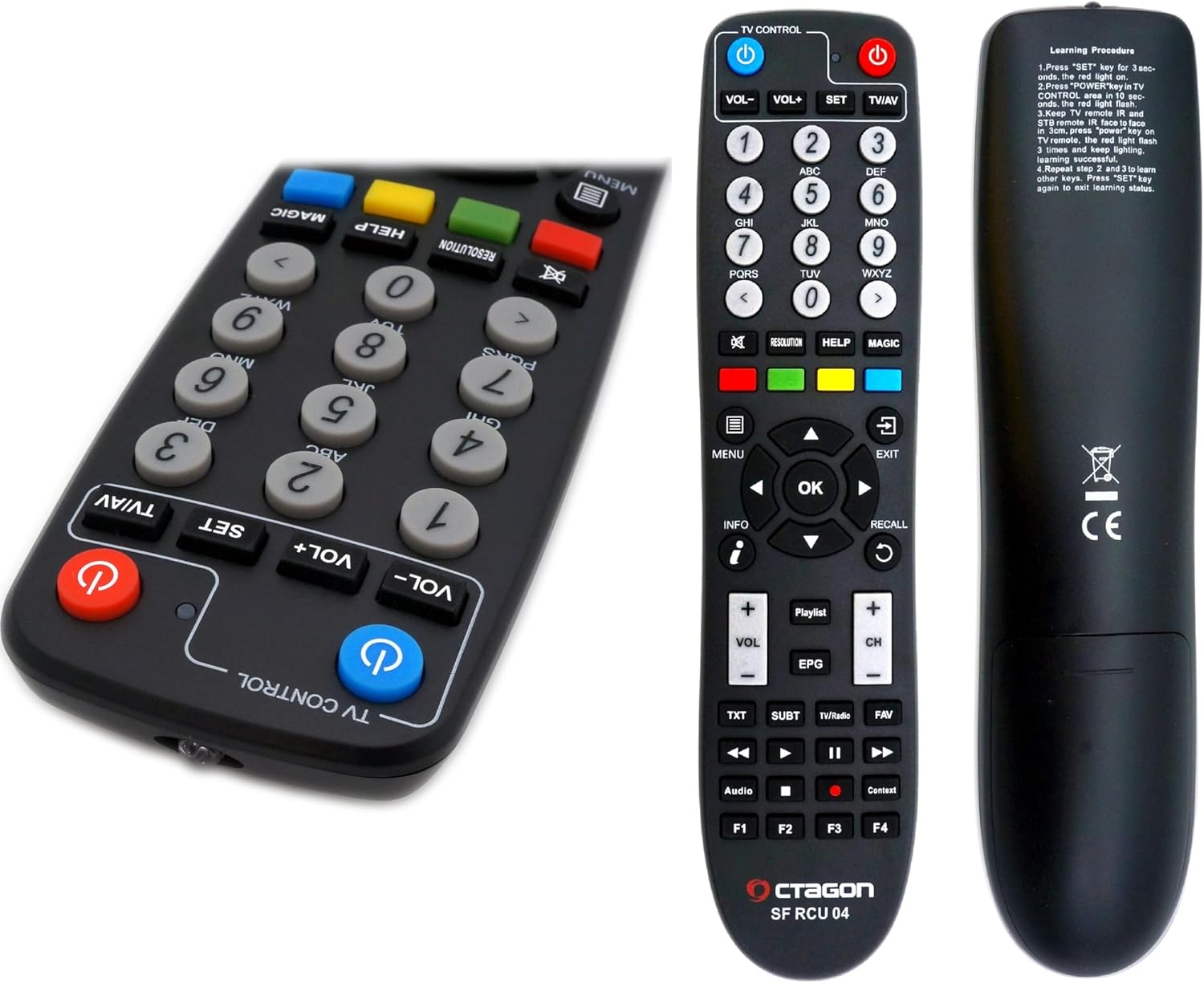
- Aan/uit-knop: Hiermee schakelt u de ontvanger in/uit of in de stand-bymodus.
- Numerieke toetsen (0-9): Voor directe kanaalselectie.
- Volume omhoog/omlaag: Past het audiovolume aan.
- Kanaal omhoog/omlaag: Verandert kanalen.
- OK-knop: Bevestigt selecties of toont de zenderlijst.
- Pijltjestoetsen: Navigeer door menu's en lijsten.
- MENU-knop: Geeft toegang tot het hoofdmenu.
- EXIT-knop: Verlaat het huidige menu of scherm.
- EPG-knop: Geeft de elektronische programmagids weer.
- INFO-knop: Shows program information.
- Kleurknoppen (rood, groen, geel, blauw): Perform context-sensitive functions as indicated on-screen.
6.2 Dual OS Functionality (E2 Linux & Define OS)
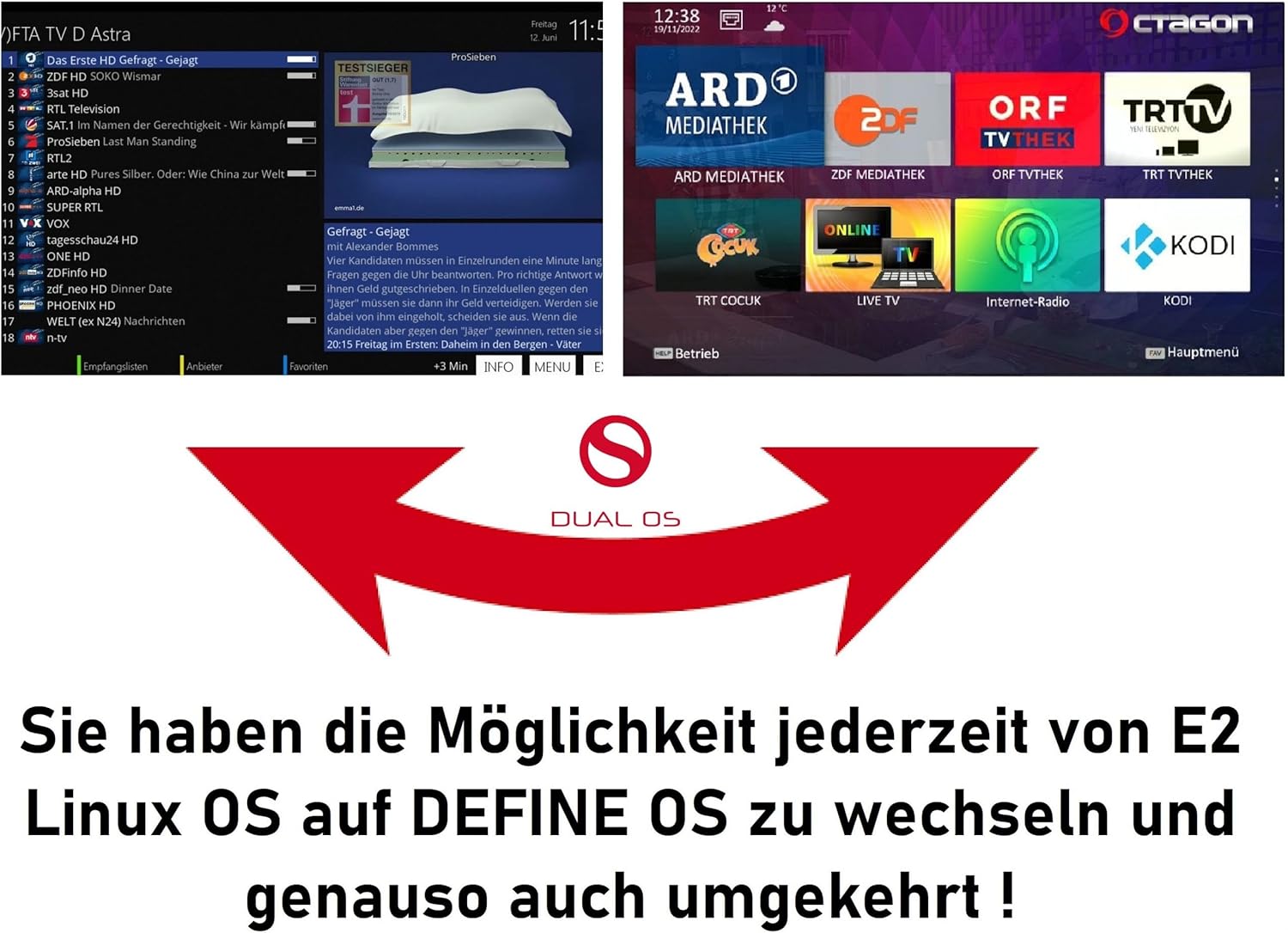
The SF8008 Supreme Combo supports a dual operating system environment, allowing you to switch between E2 Linux OS and Octagon Define Linux OS. This feature, known as Multiboot, provides flexibility and access to different user interfaces and plugin ecosystems.
- To switch between operating systems, access the Multiboot menu, typically available during startup or via a specific menu option within the current OS.
- E2 Linux OS offers extensive customization, a wide range of plugins, and a community-driven development.
- Define OS provides a streamlined user experience with essential features.
6.3 Recording and Timeshift (PVR)
With the integrated 2TB M.2 HDD, the receiver supports PVR (Personal Video Recorder) functions, including recording and Timeshift.
- Opname: You can record live TV programs directly to the internal 2TB HDD. Recordings can be scheduled via the EPG or initiated manually.
- Tijdsverschuiving: Pause live television and resume playback later. This feature temporarily stores the live broadcast on the internal HDD, allowing you to fast-forward or rewind within the buffered content.
- Access recorded content through the media player or a dedicated PVR menu.
6.4 Netwerkfuncties
The receiver offers robust network connectivity and features:
- Gigabit-LAN: Provides high-speed wired network connection (up to 1000 Mbps) for streaming and data transfer.
- Dual-Band Wi-Fi (2.4/5 GHz): Integrated Wi-Fi module with two antennas supports speeds up to 1200 Mbps for wireless connectivity.
- Bluetooth 5.1: For connecting compatible Bluetooth devices, such as headphones or speakers.
- Sat>IP Client: Allows the receiver to receive satellite signals over your home network, even without a direct satellite tuner connection.
- DLNA Function: Enables streaming of media content (music, photos, videos) from compatible devices on your network (e.g., PC, NAS).
6.5 Media afspelen
The SF8008 supports playback of various media formats from internal storage (2TB HDD), external USB drives, or MicroSD cards.
- Ondersteunde formaten: Includes 2160P media playback for H.264 and H.265 (HEVC) video, MP3 audio, and various image formats.
- Access the media player through the main menu to browse and play your content.
7. Onderhoud
7.1 Reinigen
- Before cleaning, disconnect the receiver from the power outlet.
- Veeg de buitenkant af met een zachte, droge doek.
- Gebruik geen vloeibare reinigingsmiddelen, spuitbussen of schurende materialen, aangezien deze de afwerking of interne onderdelen kunnen beschadigen.
- Zorg ervoor dat de ventilatieopeningen vrij zijn van stof en andere obstakels.
7.2 Software-updates
Regular software updates are released to improve performance, add features, and fix bugs.
- The receiver supports OTA (Over-The-Air) updates. Check the system settings menu for available updates.
- Volg de instructies op het scherm zorgvuldig op tijdens het updateproces. Schakel het apparaat niet uit tijdens een update.
8. Probleemoplossing
In dit gedeelte worden veelvoorkomende problemen besproken waarmee u te maken kunt krijgen.
| Probleem | Mogelijke oorzaak | Oplossing |
|---|---|---|
| Geen beeld of geluid | Loose HDMI cable, incorrect input on TV, receiver not powered on. | Check HDMI connections, select correct TV input, ensure receiver is powered on. |
| Geen signaal | Antenna not connected, incorrect tuner settings, bad weather. | Check antenna connections, verify tuner configuration in settings, wait for weather to clear. |
| Afstandsbediening werkt niet | Lege batterijen, IR-sensor geblokkeerd, afstandsbediening buiten bereik. | Replace batteries, ensure clear line of sight to receiver, operate within range. |
| Problemen met de netwerkverbinding | Incorrect Wi-Fi password, router issues, loose Ethernet cable. | Verify network settings, restart router, check Ethernet cable connection. |
| Het systeem loopt vast of crasht. | Softwareprobleem, oververhitting. | Perform a soft reboot (power cycle), check for software updates, ensure adequate ventilation. If persistent, consider a factory reset (data loss may occur). |
9. Specificaties
| Functie | Detail |
|---|---|
| Verwerker | Hisilicon Hi3798MV200 Huawei, Quad-Core 64-bit (4 x 1.6 GHz), 15000 DMIPS |
| Flash-geheugen | 8 GB eMMC |
| RAM | 1GB DDR4 |
| Tuner-configuratie | DVB-S2X & DVB-C/T2 Combo (2 tuners) + Multistream support |
| Video decoderen | H.265 HEVC UHD (3840 x 2160), HDR10, HLG |
| Besturingssysteem | Dual OS (E2 Linux & Define OS Linux) |
| Interne opslag | M.2 Slot (M Key - PCIe NVMe) with 2TB HDD pre-installed |
| Netwerk | Gigabit LAN (1000 Mbps), Integrated Dual-Band Wi-Fi (2.4/5 GHz) up to 1200 Mbps, Bluetooth 5.1 |
| USB-poorten | 1x USB 3.0, 1x USB 2.0 |
| Andere poorten | HDMI 2.0a, S/PDIF, AV (Jack to RCA), RS-232, MicroSD Slot, CA Card Reader |
| Stroomverbruik | Minder dan 0.5 W in stand-bymodus. |
| Afmetingen (B x D x H) | 22x12.5x4cm |
| Gewicht | 950 gram |
10. Garantie en ondersteuning
For warranty information and technical support, please refer to the documentation provided with your purchase or visit the official Octagon webwebsite. Bewaar uw aankoopbewijs voor garantieclaims.