
1. Inleiding
Thank you for choosing the AEG Automotive Wallbox FF 22 KW. This charging station is designed to provide efficient and safe charging for your electric or hybrid vehicle. This manual contains important information regarding the installation, operation, maintenance, and troubleshooting of your Wallbox. Please read it carefully before installation and use, and keep it for future reference.
2. Veiligheidsinformatie
Belangrijke veiligheidsinstructies:
- Installation must be performed by a qualified electrician in accordance with all local and national electrical codes and regulations.
- Do not attempt to open, disassemble, repair, or modify the Wallbox. This can cause serious injury, electric shock, or fire, and will void the warranty.
- Ensure the Wallbox is securely mounted on a solid surface capable of supporting its weight.
- Houd kinderen en huisdieren uit de buurt van het laadstation tijdens gebruik.
- Do not use the Wallbox if it is damaged, wet, or shows any signs of malfunction.
- Always ensure the charging cable and connector are free from damage before use.
- The integrated circuit breaker (Type A) provides reliable protection against overvoltage and electric shock. Do not bypass or tampmet deze veiligheidsfunctie.
3. Product voorbijview
3.1 Belangrijkste kenmerken
- Efficiënt opladen: Provides fast and efficient charging power up to 22 kW via 3-phase 400 V AC.
- Universele compatibiliteit: Equipped with a Type 2 charging connector, compliant with IEC 62196 standard, suitable for most electric and hybrid vehicles.
- Verbeterde veiligheid: Features an integrated circuit breaker (Type A) for reliable protection against overvoltage en elektrische schok.
- Gebruiksvriendelijke interface: A five-color LED display with five lighting modes indicates operational status and error messages.
- Handige kabellengte: The permanently attached charging cable is 5 meters long, offering flexibility during charging.
- Smart Grid Ready: Includes an RS485 bus interface for connection to photovoltaic systems and intelligent control electronics, supporting energy management.
- Eenvoudige bediening: Designed for quick and easy use without requiring user authentication.
- Robuust ontwerp: IP45 certified for protection against jet water and splashes.
3.2 Componenten
The AEG Automotive Wallbox FF 22 KW includes the following main components:
- Wallbox charging unit
- Integrated 5-meter Type 2 charging cable with connector
- Muurbevestigingsbeugel
- Installation hardware (screws, anchors)
- Gebruiksaanwijzing en documentatie
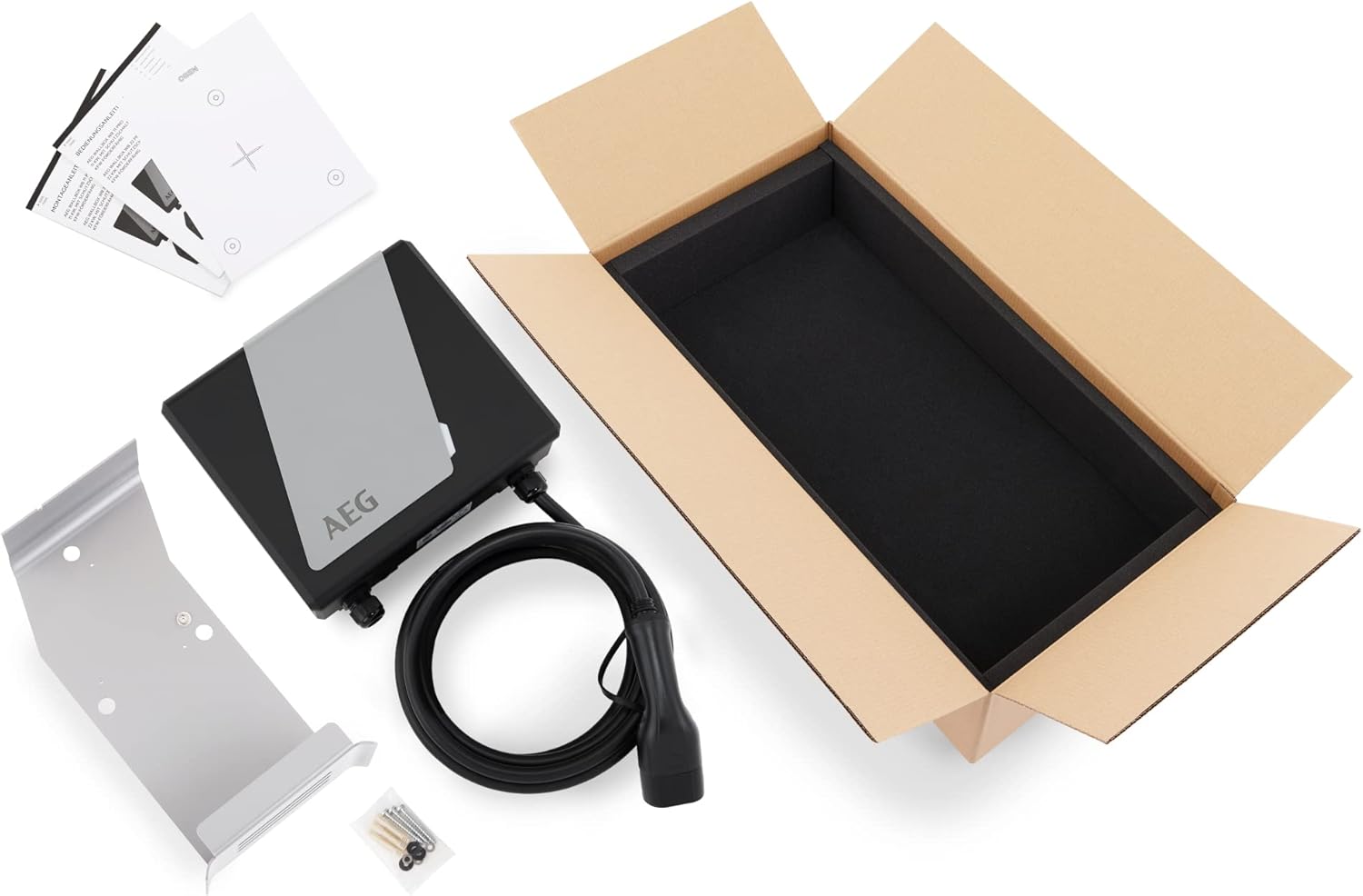
Figure 1: Package contents of the AEG Wallbox FF 22 KW.
4. Installatie en installatie
Professional installation by a qualified electrician is mandatory.
4.1 Checklist voor installatie
- Verify that the electrical supply meets the Wallbox requirements (3-phase 400V AC).
- Ensure the installation location is suitable, protected from direct sunlight and heavy rain (though the unit is IP45 rated).
- Confirm the mounting surface is structurally sound.
- Zorg dat alle benodigde gereedschappen en veiligheidsuitrusting gereed zijn.
4.2 De wandbox monteren
- Choose a suitable mounting height, ensuring the charging cable can comfortably reach the vehicle's charging port.
- Gebruik de meegeleverde montagebeugel als sjabloon om de boorgaten op de muur af te tekenen.
- Boor gaten en plaats geschikte muurankers.
- Bevestig de montagebeugel stevig aan de muur met behulp van de meegeleverde schroeven.
- Mount the Wallbox unit onto the bracket.

Figure 2: Properly mounted AEG Wallbox FF 22 KW.
4.3 Elektrische aansluiting
Deze stap moet worden uitgevoerd door een gekwalificeerde elektricien.
- Schakel de hoofdstroomvoorziening uit via de stroomonderbreker.
- Connect the Wallbox to the dedicated 3-phase 400V AC circuit according to the wiring diagram provided in the full installation manual.
- Zorg ervoor dat alle verbindingen stevig en veilig zijn.
- Controleer of de aarding goed is.
- Close the Wallbox housing securely.
- Restore power and check the LED indicator for initial status.

Figure 3: Internal components and wiring (for qualified electricians only).
5. Gebruiksaanwijzing
5.1 De LED-indicator begrijpen
The Wallbox features a five-color LED display that indicates its operational status:
- Groen (continu): Klaar om op te laden.
- Blauw (Pulserend): Bezig met opladen.
- Rood (effen): Error or fault. Refer to troubleshooting.
- Geel (vast): Waiting for vehicle connection.
- Wit (effen): Standby modus.
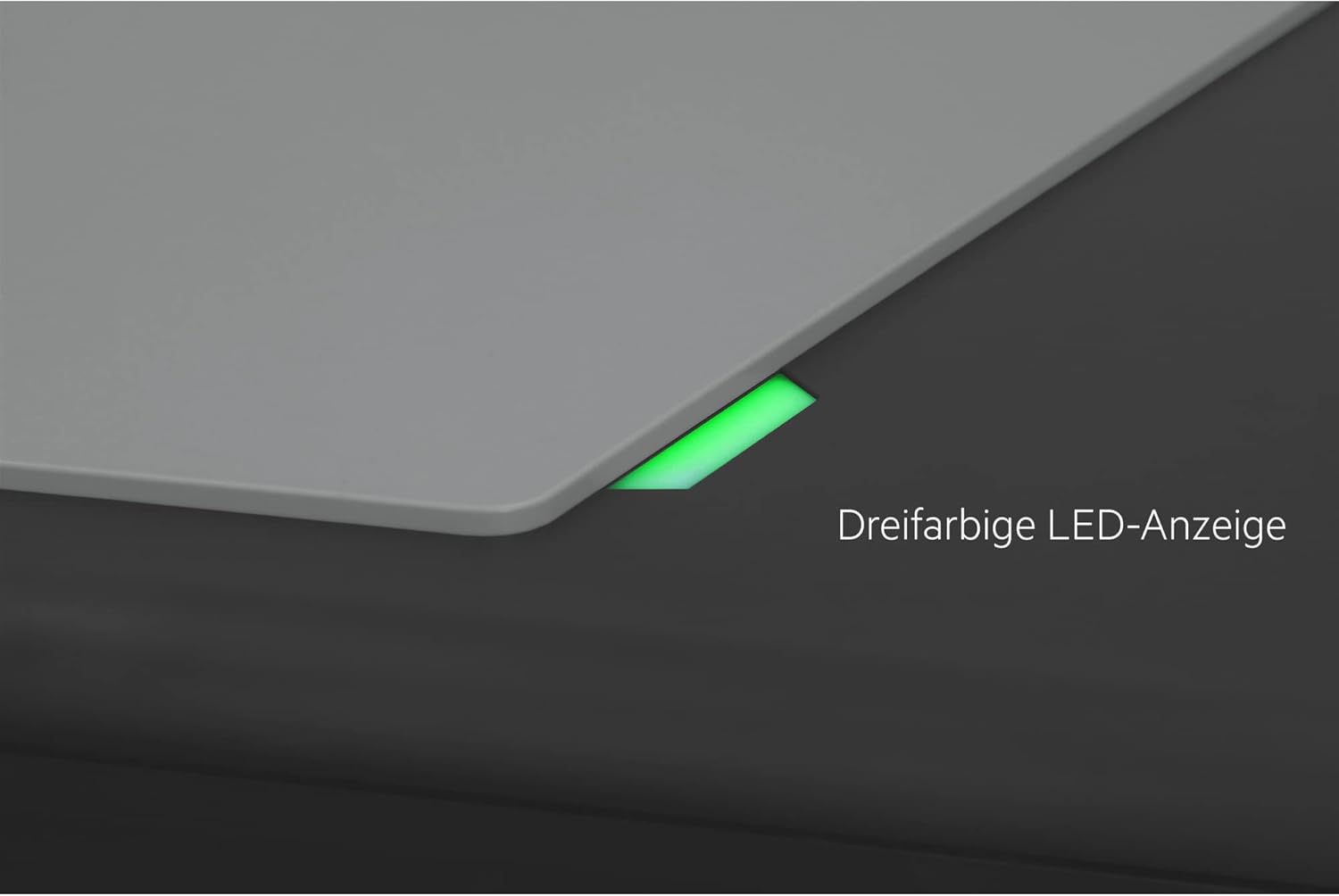
Figure 4: LED status indicator.
5.2 Initiating a Charging Session
- Ensure the Wallbox LED is green (ready).
- Remove the protective cap from the Type 2 charging connector.
- Steek de Type 2-connector stevig in de laadpoort van uw voertuig.
- The Wallbox LED will change to blue (pulsing) to indicate that charging has started. Your vehicle's dashboard or charging indicator will also confirm the charging status.

Figure 5: Connecting the Type 2 charging connector.

Figure 6: Vehicle charging in progress.
5.3 Een laadsessie beëindigen
- Most vehicles allow you to stop charging via their onboard system or app. Alternatively, simply disconnect the charging connector from your vehicle.
- The Wallbox LED will return to green (ready).
- Replace the protective cap on the Type 2 connector and coil the cable neatly on the Wallbox's integrated holder.

Figure 7: Cable management after charging.
6. Onderhoud
The AEG Automotive Wallbox FF 22 KW requires minimal maintenance.
- Schoonmaak: Veeg de buitenkant van de Wallbox regelmatig af met een zachte, droge doek.amp Gebruik een doek. Gebruik geen schurende reinigingsmiddelen of oplosmiddelen. Zorg ervoor dat het apparaat is uitgeschakeld voordat u gaat schoonmaken.
- Kabel- en connectorinspectie: Regularly inspect the charging cable and connector for any signs of wear, cuts, cracks, or damage. If any damage is found, discontinue use immediately and contact a qualified technician.
- Milieubescherming: Although the Wallbox is IP45 rated, protecting it from extreme weather conditions (e.g., heavy snow, prolonged direct sunlight) can extend its lifespan.

Figure 8: IP45 protection against water splashes.
7. Probleemoplossing
If you encounter issues with your Wallbox, refer to the following troubleshooting guide:
| Probleem | Mogelijke oorzaak | Oplossing |
|---|---|---|
| Wallbox LED is Red | Internal fault, overcurrent, or short circuit. | Disconnect the vehicle. Turn off the Wallbox's power supply for 5 minutes, then turn it back on. If the error persists, contact customer support. |
| No charging initiated (LED remains Green/Yellow) | Connector not fully inserted, vehicle not ready to charge, or vehicle fault. | Ensure the connector is fully and securely inserted. Check your vehicle's charging settings. Try restarting the charging process. |
| Langzame laadsnelheid | Vehicle limitation, grid voltage fluctuation, or other electrical issues. | Verify your vehicle's maximum charging capacity. Consult an electrician to check the grid voltage en installatie. |
| Wallbox is unresponsive | Geen stroomvoorziening. | Check the main circuit breaker for the Wallbox. Ensure the power supply is active. |
If the problem persists after attempting these solutions, please contact AEG Automotive customer support or a qualified electrician.
8. Specificaties
| Specificatie | Waarde |
|---|---|
| Merk | AEG |
| Modelnummer | 11206 |
| Kleur | Zwart/Grijs |
| Ingangsvolumetage | 400 volt wisselstroom |
| Uitgangsvolumetage | 400 volt wisselstroom |
| Maximaal laadvermogen | 22 kW |
| Lengte oplaadkabel | 5 meter |
| Aansluitingstype | Type 2 (IEC 62196) |
| Beschermingsklasse | IP45 |
| Integrated Safety | Circuit Breaker Type A |
| Land van herkomst | Duitsland |
9. Garantie-informatie
For detailed warranty information, please refer to the warranty card included with your product or visit the official AEG Automotive webwebsite. Bewaar uw aankoopbewijs voor garantieclaims.
10. Klantenservice
If you have any questions, require technical assistance, or need to report a fault, please contact AEG Automotive customer support. Contact details can typically be found on the product packaging, the official webop de website of in de bijgevoegde documentatie.
Online bronnen:
- Bezoek de AEG-merkwinkel voor meer informatie en producten.