1. Inleiding en voorbijview
The Acer Predator XB323QK UHD display offers a 31.5-inch (3840 x 2160) screen with an Agile-Splendor IPS panel. Designed for high-performance gaming, it supports a 144Hz refresh rate and is NVIDIA G-SYNC Compatible, ensuring smooth gameplay. This monitor delivers rich colors with DCI-P3 90% coverage and a Delta E<1 color accuracy, providing an immersive visual experience.
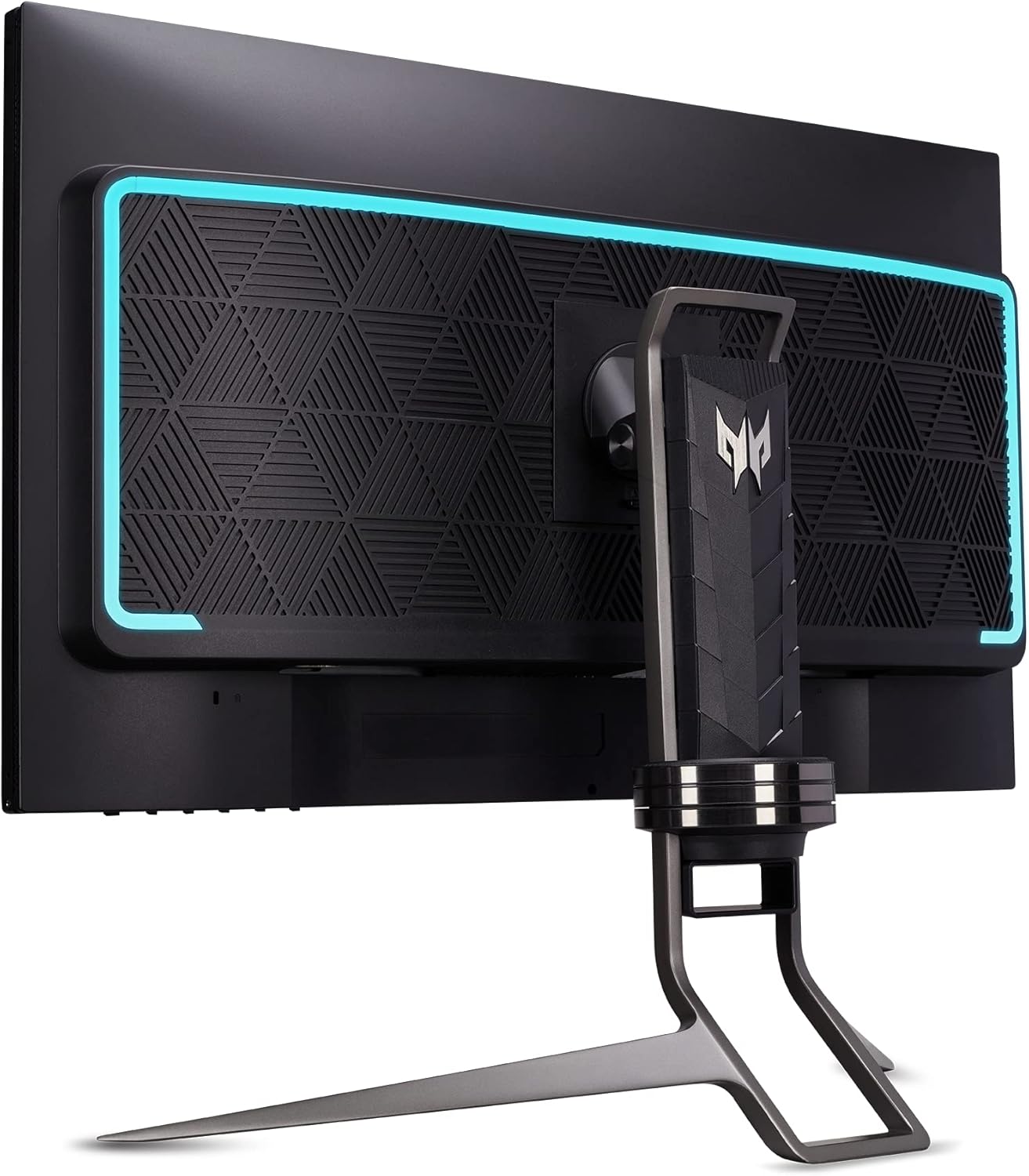
Voorkant view of the Acer Predator XB323QK Gaming Monitor, showcasing its sleek design and Predator branding.
2. Wat zit er in de doos?
Your Acer Predator XB323QK monitor package includes the following items:
- Acer Predator XB323QK 31.5" UHD Gaming Monitor
- Monitor Stand (pre-assembled)
- Stroomkabel
- 1 x Display Port 1.4 Cable
- 1 x HDMI 2.1-kabel
- 1 x USB Cable (for USB 3.0 hub functionality)
- Snelstartgids en garantie-informatie
3. Instellen
3.1 Monitor Assembly and Placement
The monitor stand is typically pre-assembled. Place the monitor on a stable, flat surface. Ensure adequate ventilation around the monitor. The ergonomic stand allows for tilt, height adjustment, and swivel to optimize your viewervaring.
3.2 Aansluiten op een stroombron
Connect the power cable to the monitor's power input and then to a wall outlet. The monitor supports 240 Volts.
3.3 Connecting to a Computer or Device
Connect your computer or gaming console to the monitor using one of the provided cables. The monitor offers versatile connectivity options:
- Display Port 1.4: For high refresh rate and resolution connections.
- HDMI 2.1 (x2): Supports high refresh rates and resolutions, ideal for modern gaming consoles and PCs.
- USB 3.1 Type-C (Gen 1): Supports data transfer, DisplayPort over USB-C, and up to 65W power delivery for compatible devices.
- USB 3.0-poorten (x4): Use the included USB cable to connect the monitor's USB upstream port to your computer to enable the monitor's built-in USB hub for peripherals.

Gedetailleerd view of the monitor's rear panel, highlighting the DisplayPort, HDMI, USB-C, and USB 3.0 ports for comprehensive connectivity.
4. De monitor bedienen
4.1 In-/uitschakelen
Press the power button, usually located on the bottom or rear of the monitor, to turn it on or off. The power LED will indicate the monitor's status.
4.2 OSD-menu (On-Screen Display)
Navigate the OSD menu using the joystick or buttons typically found on the monitor's rear or bottom. The OSD allows you to adjust various settings:
- Beeldinstellingen: Brightness, Contrast, Gamma, Color Temperature, Picture Mode (e.g., sRGB, HDR600).
- Gaming-instellingen: Overdrive, Refresh Rate, G-SYNC, Variable Refresh Rate (VRR).
- Invoerselectie: Schakel handmatig tussen DisplayPort-, HDMI- en USB-C-ingangen.
- Systeeminstellingen: Language, OSD timeout, Power-saving options.
4.3 G-SYNC and High Refresh Rate
Ensure your graphics card drivers are up to date and G-SYNC is enabled in your NVIDIA control panel for tear-free gaming. The monitor supports up to a 144Hz refresh rate for incredibly smooth visuals.

Visual comparison demonstrating the elimination of screen tearing with NVIDIA G-SYNC technology.

Illustration emphasizing the 144Hz refresh rate for fluid motion in gaming.
5. Kenmerken
The Acer Predator XB323QK is packed with features to enhance your gaming and viewervaring:
- UHD (3840 x 2160) Resolution: Experience stunning clarity and detail on a 31.5-inch screen.
- Agile-Splendor IPS-panel: Delivers vibrant colors, wide viewhoeken en snelle responstijden.
- Vernieuwingsfrequentie van 144 Hz en reactietijd van 0.5 ms: Ensures ultra-smooth motion and minimal ghosting for competitive gaming.
- NVIDIA G-SYNC compatibel: Synchronizes the display's refresh rate with your GPU for fluid, tear-free gameplay.
- VESA Certified DisplayHDR 400: Provides enhanced contrast and brightness for a more dynamic visual experience.
- DCI-P3 90% Color Gamut & Delta E<1 Color Accuracy: Offers exceptional color reproduction for lifelike images.
- Zero-Frame Design: Maximizes screen space and allows for seamless multi-monitor setups.
- Geïntegreerde luidsprekers: Two 4-watt speakers provide convenient audio output.
- TUV/Eyesafe Certification: Reduces harmful blue light emissions without compromising color accuracy, promoting eye comfort during long sessions.
- Ergonomische standaard: Offers a wide range of adjustments including tilt (-5° to 25°), height (5.12" range), and swivel (+/- 30°) for personalized comfort.
- Veelzijdige connectiviteit: Includes USB-C with 65W Power Delivery, DisplayPort 1.4, two HDMI 2.1 ports, and a 4-port USB 3.0 hub.

Explanation of Agile-Splendor IPS technology, highlighting its fast liquid crystal and wide color gamut for premium viewind.

TUV/Eyesafe certification for low blue light and color accuracy, promoting eye comfort.
6. Specificaties
| Functie | Detail |
|---|---|
| Schermgrootte | 31.5 inch |
| Oplossing | UHD (3840 x 2160) |
| Paneeltype | Agile-Splendor IPS |
| Vernieuwingsfrequentie | 144Hz |
| Reactietijd | Tot 0.5 ms (G naar G) |
| HDR-certificering | VESA-gecertificeerd beeldschermHDR 400 |
| Kleurengamma | DCI-P3 90% |
| Kleurnauwkeurigheid | Delta E<1 |
| G-SYNC-compatibiliteit | NVIDIA G-SYNC-compatibel |
| Connectiviteit | 1x USB-C (65W PD), 1x DisplayPort 1.4, 2x HDMI 2.1, 4x USB 3.0 |
| Sprekers | 2 x 4 watt |
| Ergonomie | Tilt (-5° to 25°), Height (5.12" range), Swivel (+/- 30°) |
| Afmetingen (LxBxH) | 28.18 x 12.16 x 21 inch |
| Gewicht | 31.8 pond |
| Modelnummer | UM.JX3AA.V01 |
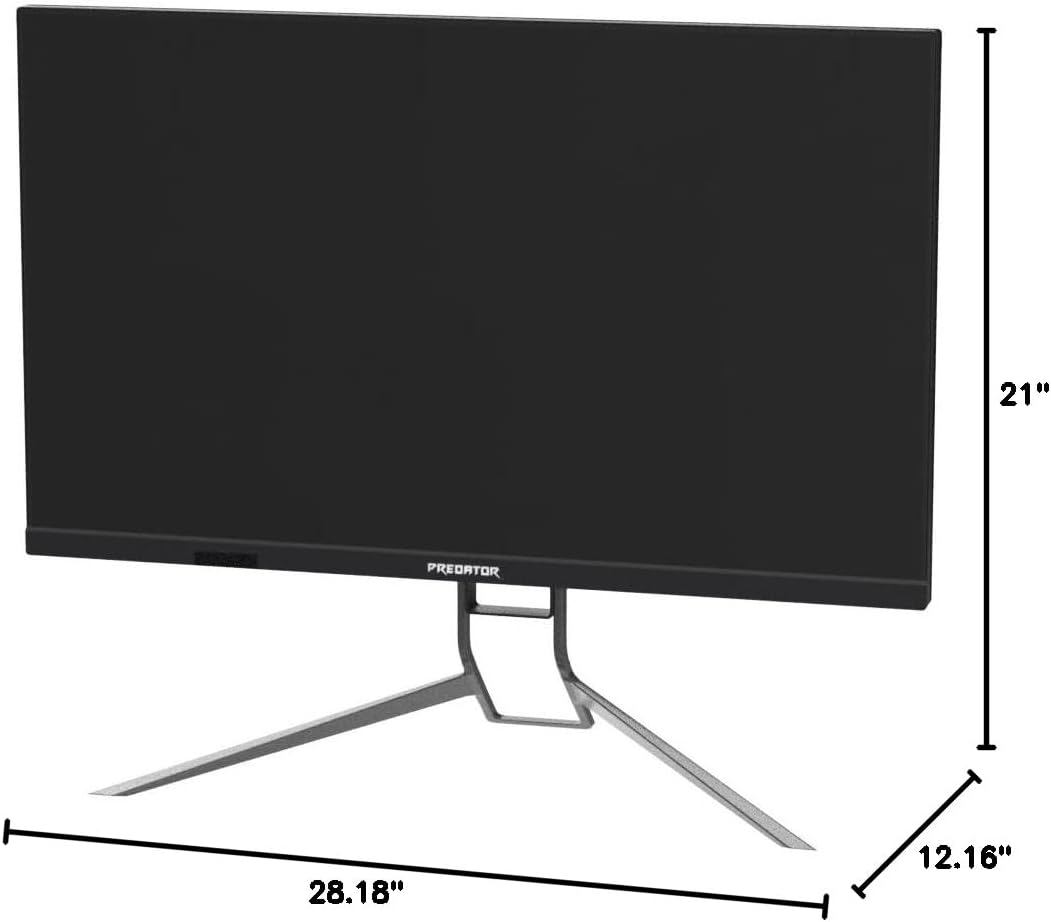
Dimensionaal overview of the Acer Predator XB323QK monitor.
7. Onderhoud
Om de levensduur en optimale prestaties van uw monitor te garanderen, dient u de volgende onderhoudsrichtlijnen te volgen:
- Het scherm schoonmaken: Veeg het scherm voorzichtig af met een zachte, pluisvrije doek. Gebruik voor hardnekkige vlekken een speciaal reinigingsmiddel voor beeldschermen en breng dit aan op de doek, niet rechtstreeks op het scherm.
- Het schoonmaken van de Casing: Gebruik een zachte, droge doek om de monitor schoon te maken.asing. Vermijd schurende reinigingsmiddelen.
- Ventilatie: Zorg ervoor dat de ventilatieopeningen van de monitor vrij zijn en niet geblokkeerd worden om oververhitting te voorkomen.
- OLED Care Features: This monitor may include features like Pixel Shift, Panel Protect, and Pixel Refresh designed to mitigate potential OLED burn-in. Consult the OSD menu for these settings and enable them as recommended for optimal panel health.
8. Probleemoplossing
Als u problemen ondervindt met uw monitor, raadpleeg dan de volgende veelvoorkomende stappen voor probleemoplossing:
- Geen stroom: Controleer of de stroomkabel goed is aangesloten op zowel de monitor als het stopcontact. Zorg ervoor dat het stopcontact werkt.
- Geen signaal: Verify that the video cable (DisplayPort, HDMI, or USB-C) is correctly connected to both the monitor and your computer/device. Ensure the correct input source is selected in the OSD menu.
- Flickering/Image Issues: Check your graphics card drivers for updates. Ensure the video cable is not damaged. Try a different cable or port. For OLED-specific flickering, especially with Variable Refresh Rate (VRR), ensure your monitor's firmware is updated to the latest version (e.g., version 011 or newer, as mentioned in some reviews, for optimal input lag and VRR performance).
- Slechte beeldkwaliteit: Adjust brightness, contrast, and color settings in the OSD menu. Ensure the monitor is set to its native resolution (3840 x 2160) and desired refresh rate (144Hz).
- Burn-in/Image Retention: While OLED technology has advanced, static images displayed for extended periods can still pose a risk. Utilize the monitor's built-in OLED care features (Pixel Shift, Panel Protect, Pixel Refresh) to minimize this risk. Avoid displaying static elements (like taskbars or desktop icons) for prolonged durations.
9. Garantie en ondersteuning
For warranty information, please refer to the warranty card included in your product packaging or visit the official Acer support website. For technical assistance, driver downloads, or further troubleshooting, please contact Acer customer support.
10. Officiële productvideo's
No official seller videos directly pertaining to the Acer Predator XB323QK NVbmiiphuzx monitor were found in the provided data. Please refer to the Acer official website or authorized channels for product videos.


